

Your Browsing History



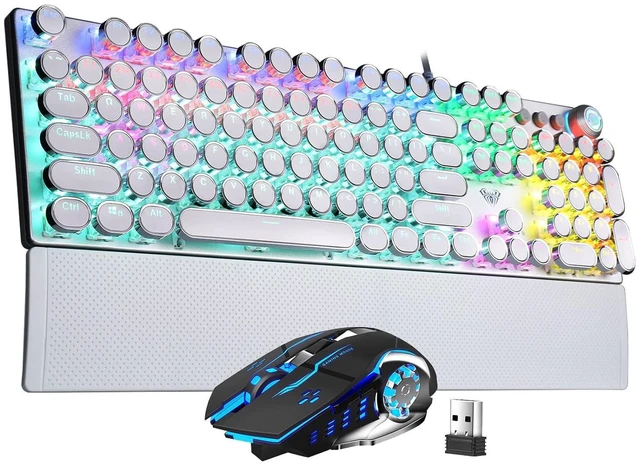
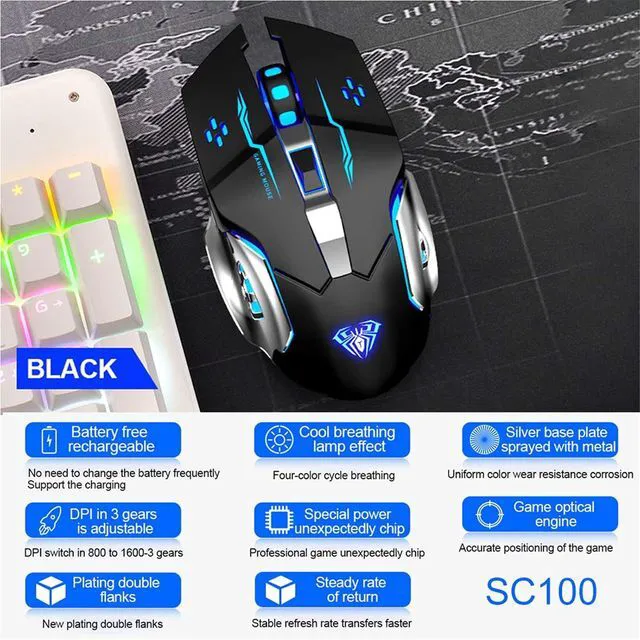


Mechanical Gaming Keyboard Mouse Combo (F2088 Typewriter Style Mechanical Keyboard + SC100 Black Wireless Gaming Mouse)
Limited time offer, ends 09/28 By Truespan Living
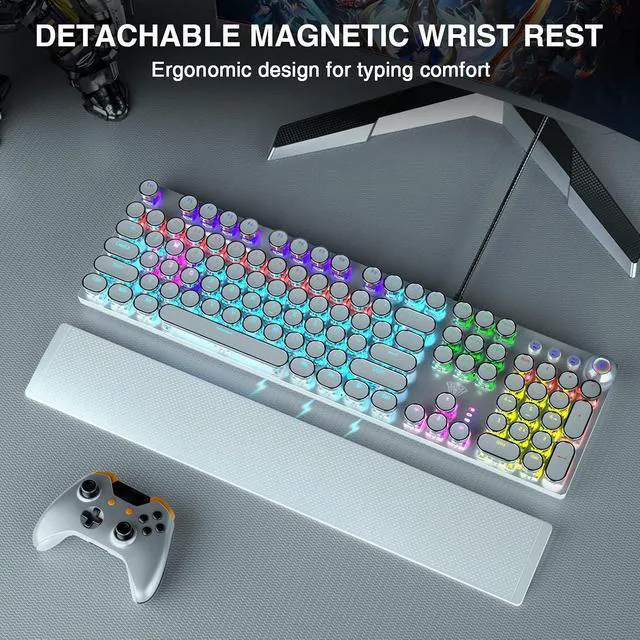
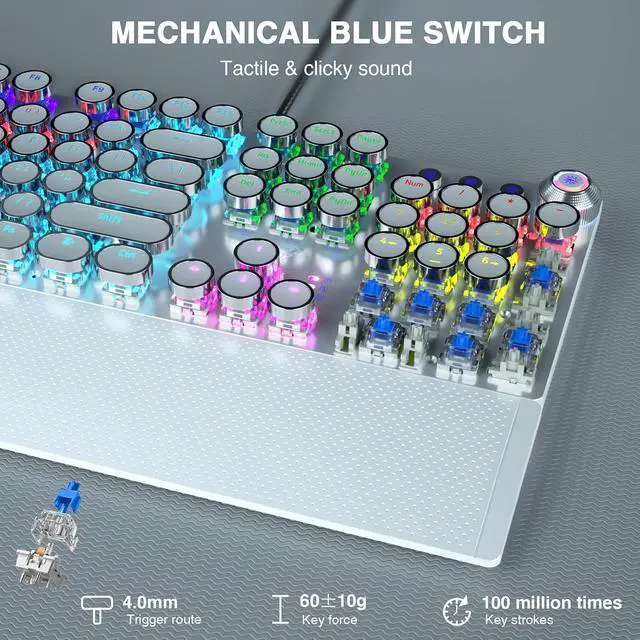
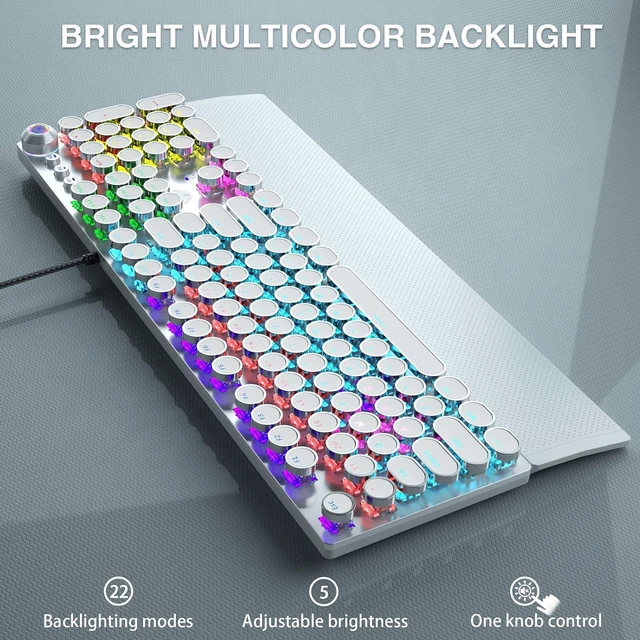
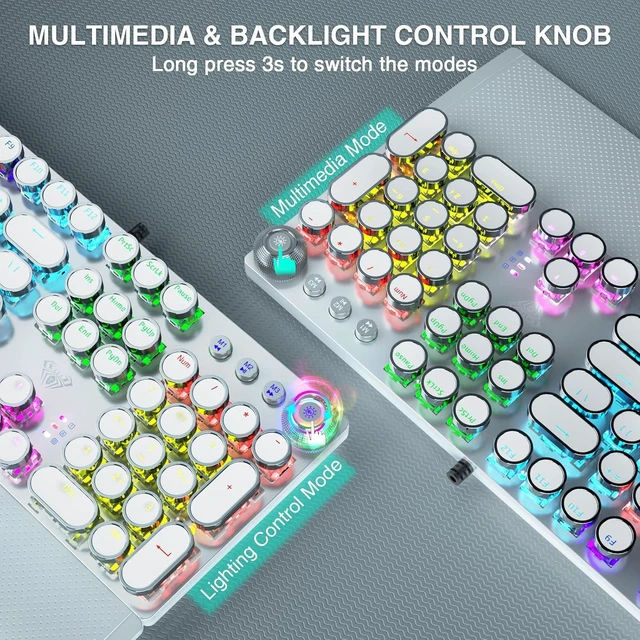
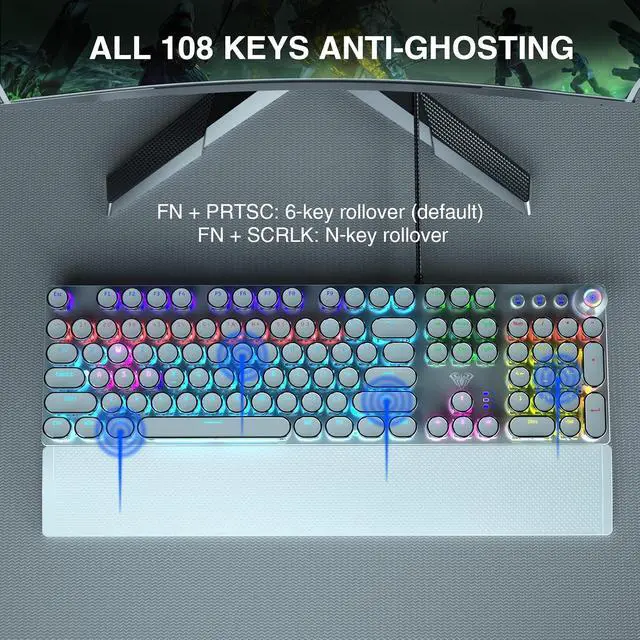
- Retro Typewriter Style Keyboard: Mechanical blue switch offers a quicker and springier response, crisp click sound, precise tactile feedback for ultimate gaming performance. Double-shot injection molded Vintage steampunk round keycaps for clear backlight and extreme durability, The stepped floating keycap fit your fingertips perfectly for precise positioning, prevent fatigue and wrong typing. Comes with keycap puller for easy keycaps cleaning.; Multimedia and Backlight Control Knob: This mechanical keyboard effortlessly controls media thanks to its dedicated media control keys. Quick-access buttons for Media volume, Backlight effect, Music play/pause/switch. You can Switch 19 different RGB Lighting effects or adjust the backlit brightness and speed. And you can create 3 customized backlight as you like. Long press knob for three seconds to switch between media and lighting modes.; Metal Panel and Magnetic Wrist Rest: The keyboard panel was made of top-grade aluminium alloy material, with matte-finish texture, sturdy and robust enough to protect it from scratch. The ergonomic ABS palm rest provides firm support that alleviates pressure on your wrist from gaming at an elevated angle.The surface has a smooth and comfortable touch that enhances the feeling of the keyboard. USB connector for a reliable connection and ultimate gaming performance.; 104 Keys Anti-Ghosting Programmable: This mechanical gaming keyboard features Anti Ghosting Technology which ensures your simultaneous k
+
+
Overview
Specs
Reviews

Any questions? Our AI mode will help you find out quickly.
Try me now
Product description
MULTIFUNCTIONAL KNOB: CONTROL MEDIA VOLUME AND LIGHTING EFFECTS How to switch the mode of the knob? Long press the knob until the knob LED light
OFF: enter the multimedia mode. Long press the knob until the knob LED light
ON: enter the lighting control mode. Lighting Effect Control When the LED light of knob is on, the knob is in the light effect control mode: 1. Click the button to switch the light effect mode and store up to 19 lighting effects. 2. Rotate the knob to adjust the brightness. 3. You can customize 3 lighting effects according to your preference through M1/M2/M3 keys. (Refer to the manual Media Volume Control When the LED light of knob is off, the knob is in the multimedia mode: 1. Click the button to mute the function. 2. Rotate the knob to adjust the volume. FULL-SIZE GAMING/OFFICE MECHANICAL KEYBOARD Convenient Shortcut Keys FN+F1 (My Computer); FN+F2 (Search) FN+F3 (Calculator); FN+F4 (CD Player) FN+F5 (Previous Song); FN+F6 (Next Song) FN+F12 (Lock/Unlock Full Keyboard) FN+WIN-L (Lock WIN+APP) FN+-(Speed+); FN+<(Speed-) FN+PRTSC (6-key Rollover) FN+SCRLK (N-key Rollover) Retro Typewriter Style Mechanical Keyboard Blue Switch for Both Gaming and Office Support Macro Programming Specification Keyboard Size 435×123×38mm Wrist Rest Size 435×68×15mm Connection Method USB Wired Cable Length 1.8 m Number of Keys Full Size Keyboard(104 normal keys + 4 multimedia keys) Key Stroke 4.0 mm Keystroke Force 60±10g Key Life Times 100 Million Times Rated Vo
MULTIFUNCTIONAL KNOB: CONTROL MEDIA VOLUME AND LIGHTING EFFECTS How to switch the mode of the knob? Long press the knob until the knob LED light
OFF: enter the multimedia mode. Long press the knob until the knob LED light
ON: enter the lighting control mode. Lighting Effect Control When the LED light of knob is on, the knob is in the light effect control mode: 1. Click the button to switch the light effect mode and store up to 19 lighting effects. 2. Rotate the knob to adjust the brightness. 3. You can customize 3 lighting effects according to your preference through M1/M2/M3 keys. (Refer to the manual Media Volume Control When the LED light of knob is off, the knob is in the multimedia mode: 1. Click the button to mute the function. 2. Rotate the knob to adjust the volume. FULL-SIZE GAMING/OFFICE MECHANICAL KEYBOARD Convenient Shortcut Keys FN+F1 (My Computer); FN+F2 (Search) FN+F3 (Calculator); FN+F4 (CD Player) FN+F5 (Previous Song); FN+F6 (Next Song) FN+F12 (Lock/Unlock Full Keyboard) FN+WIN-L (Lock WIN+APP) FN+-(Speed+); FN+<(Speed-) FN+PRTSC (6-key Rollover) FN+SCRLK (N-key Rollover) Retro Typewriter Style Mechanical Keyboard Blue Switch for Both Gaming and Office Support Macro Programming Specification Keyboard Size 435×123×38mm Wrist Rest Size 435×68×15mm Connection Method USB Wired Cable Length 1.8 m Number of Keys Full Size Keyboard(104 normal keys + 4 multimedia keys) Key Stroke 4.0 mm Keystroke Force 60±10g Key Life Times 100 Million Times Rated Vo
Warranty & Returns
Warranty, Returns, And Additional Information
Warranty
- Please contact the Seller directly for warranty information. Warranty information may also be found on the Manufacturer's website.
- CONTACT
Return Policies
- Return for refund within: 30 days
- Return for replacement within: non-replaceable
- This item is covered by Truespan Living Return Policy
Manufacturer Contact Info
- For a directory of all our manufacturers, please click below.
- Manufacturers Directory
LOADING...