Your Browsing History
Meet Your Seller
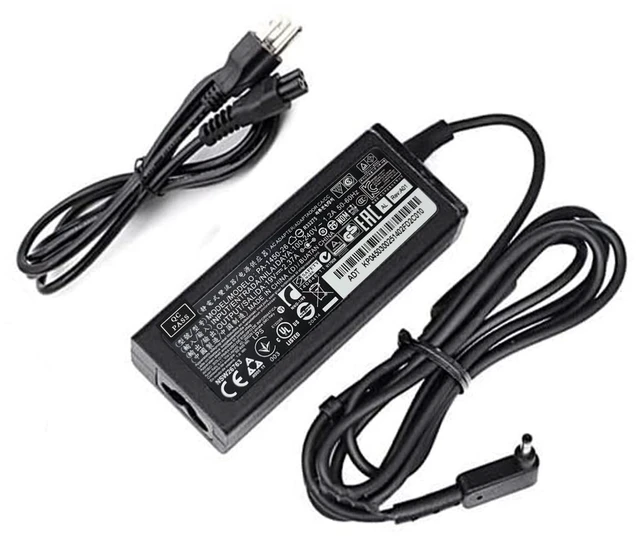
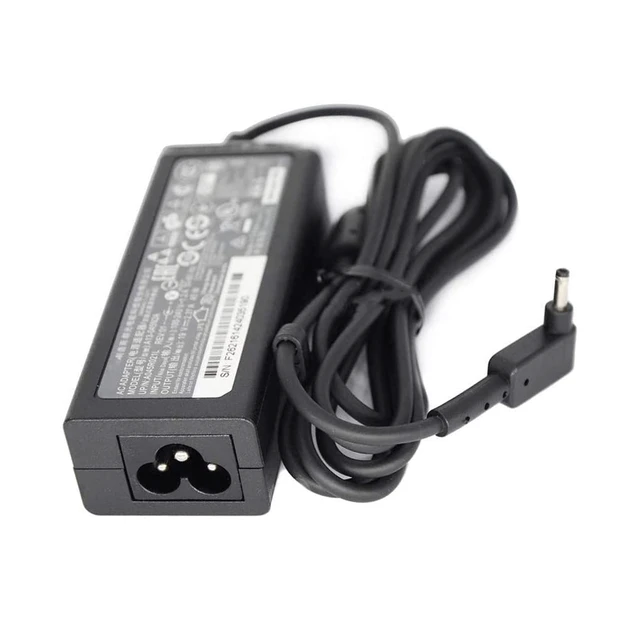
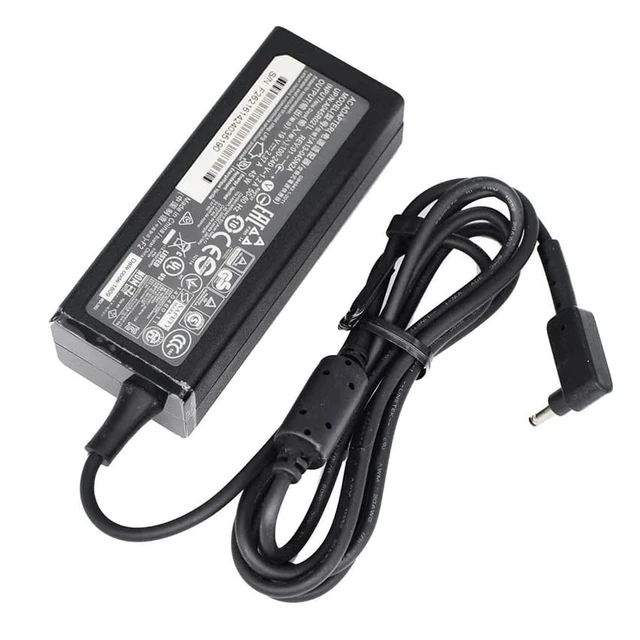
19V 2.37A 45W Laptop AC Charger PA-1450-26 Power Adapter for Acer AK.045AP.061 ADP-45HE B A13-045N2A KP.0450H.001 3.0mm Power Cord (AD065G2Uz)
Limited time offer, ends 10/21 By Myriad Mart
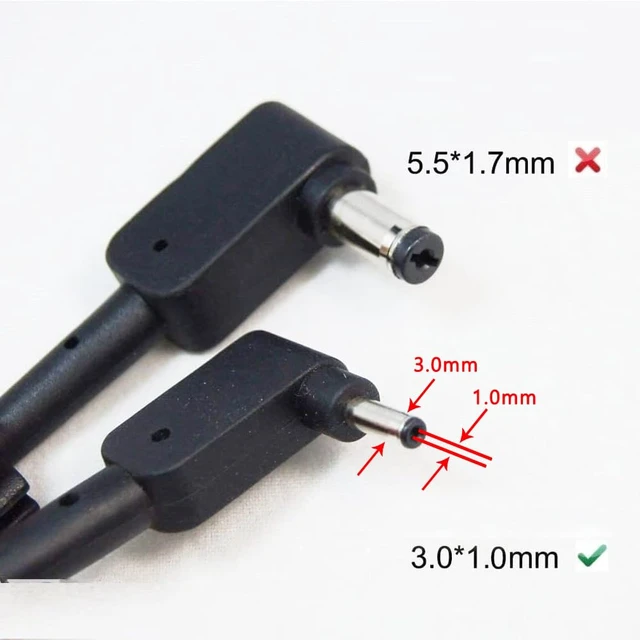
- Output Voltage: 19V Output Current: 2.37A Compatible Brand: For Acer Model Number: PA-1450-26 Plug Type: EU Package: Yes Output: 19V 2.37A Power: 45W Plug size: 3.0*1.0mm AC adapter type: desktop AC adapter Laptop models: s7 391, V3-371 notebook Power supply suitable model: PA-1450-26 adapters Step 1: Check the following three items to determine if there is something wrong with the charger: 1. Check if the AC socket is powered on. 2. Connect the charger to the AC power supply and the device to see if the device LED is lit, or to see if the settings start properly. 3. Check whether the indicator light of the charger is on, or check the DC plug of the charger with a multimeter for voltage. Step 2: Make sure you can buy a matching charger by comparing the following three aspects: 1. Applicable brand and output voltage. 2. [color], [shape], [outer diameter, inner diameter or DC tip size] of the DC plug. 3. The output current and maximum output power of the charger (generally not lower than the power of the original charger). After comparing the above three aspects, you can order the charger directly

+
+
Overview
Specs
Reviews
Any questions? Ask CelesteSM will help you find out quickly.
Try me now
Output Voltage: 19V
Output Current: 2.37A
Compatible Brand: For Acer
Model Number: PA-1450-26
Plug Type: EU
Package: Yes
Output: 19V 2.37A
Power: 45W
Plug size: 3.0 * 1.0 mm
AC adapter type: desktop AC adapter
Laptop models: s7 391, V3-371 notebook
Power supply suitable model: PA-1450-26 adapters
Step 1: Check the following three items to determine if there is something wrong with the charger:
1. Check if the AC socket is powered on.
2. Connect the charger to the AC power supply and the device to see if the device LED is lit, or to see if the settings start properly.
3. Check whether the indicator light of the charger is on, or check the DC plug of the charger with a multimeter for voltage.
Step 2: Make sure you can buy a matching charger by comparing the following three aspects:
1. Applicable brand and output voltage. 2. [color], [shape], [outer diameter, inner diameter or DC tip size] of the DC plug.
3. The output current and maximum output power of the charger (generally not lower than the power of the original charger). After comparing the above three aspects, you can order the charger directly
Output Current: 2.37A
Compatible Brand: For Acer
Model Number: PA-1450-26
Plug Type: EU
Package: Yes
Output: 19V 2.37A
Power: 45W
Plug size: 3.0 * 1.0 mm
AC adapter type: desktop AC adapter
Laptop models: s7 391, V3-371 notebook
Power supply suitable model: PA-1450-26 adapters
Step 1: Check the following three items to determine if there is something wrong with the charger:
1. Check if the AC socket is powered on.
2. Connect the charger to the AC power supply and the device to see if the device LED is lit, or to see if the settings start properly.
3. Check whether the indicator light of the charger is on, or check the DC plug of the charger with a multimeter for voltage.
Step 2: Make sure you can buy a matching charger by comparing the following three aspects:
1. Applicable brand and output voltage. 2. [color], [shape], [outer diameter, inner diameter or DC tip size] of the DC plug.
3. The output current and maximum output power of the charger (generally not lower than the power of the original charger). After comparing the above three aspects, you can order the charger directly
Warranty & Returns
Warranty, Returns, And Additional Information
Warranty
- Please contact the Seller directly for warranty information. Warranty information may also be found on the Manufacturer's website.
- CONTACT
Return Policies
- Return for refund within: 30 days
- Return for replacement within: 30 days
- This item is covered by Myriad Mart Return Policy
Manufacturer Contact Info
- For a directory of all our manufacturers, please click below.
- Manufacturers Directory
LOADING...