

Your Browsing History



Meet Your Seller

Sponsored Products



Visit Jimier Store
FOLLOW
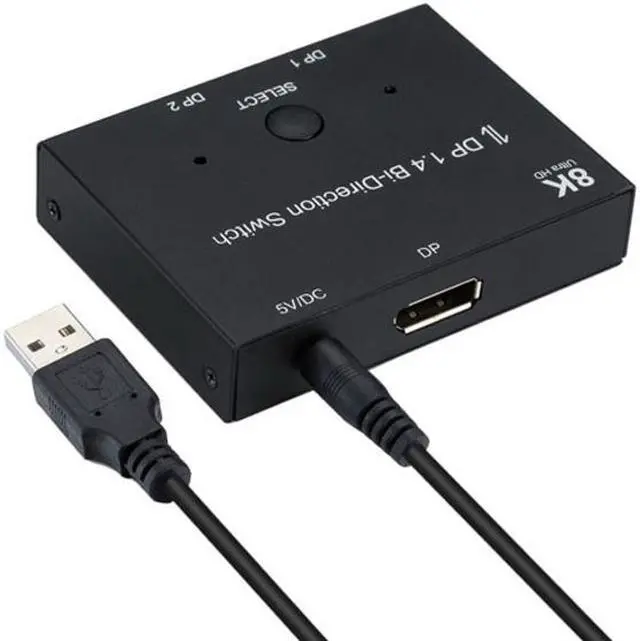
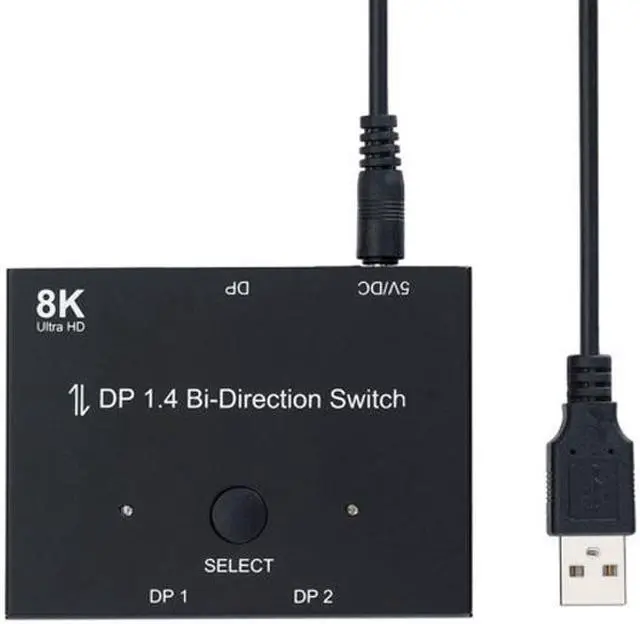
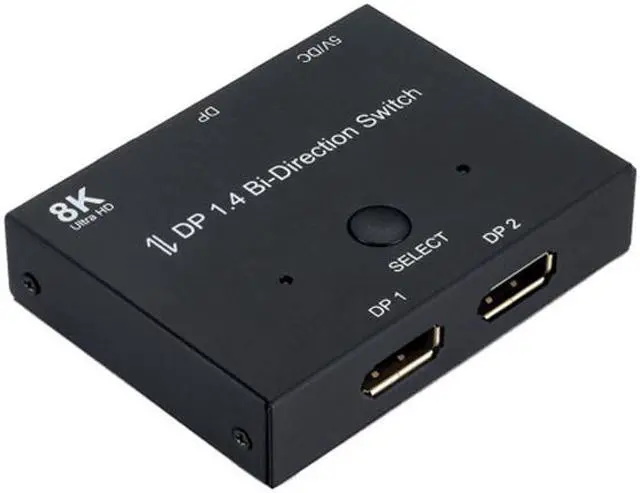
Jimier DP DisplayPort 1.4 Bi-Direction Switch MST Hub Support HDCP SST Extended 8K@30hz 4K@60hz DP-030
- DP DisplayPort 1.4 Bi-Direction Switch MST Hub Support HDCP SST Extended 8K@30hz 4K@60hz
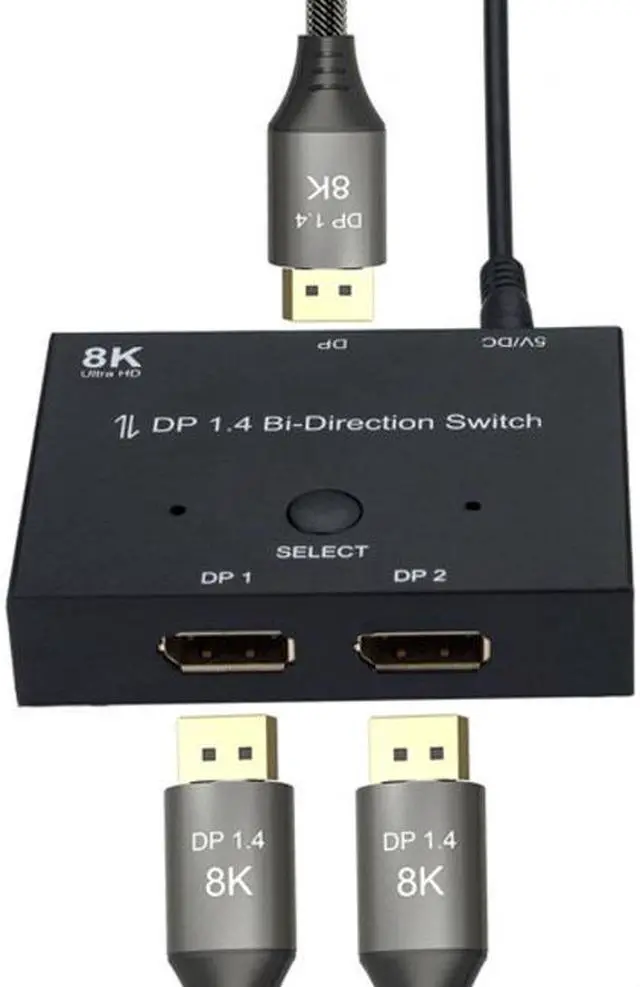
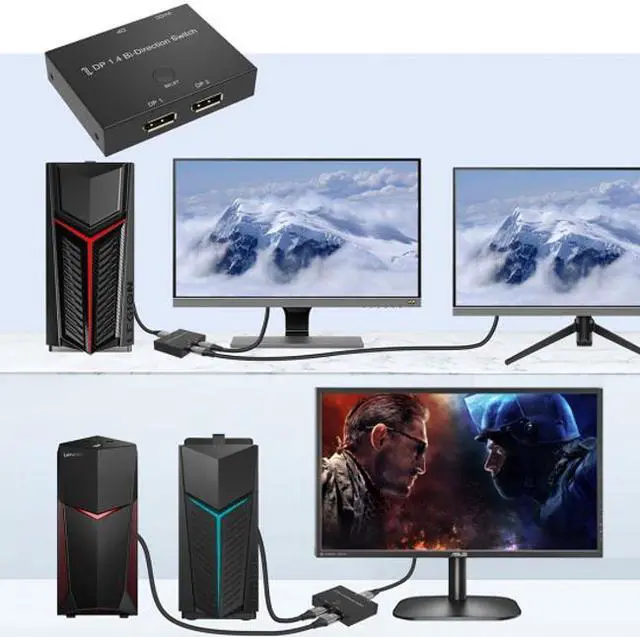
- Bi-Direction DP Switch:The DisplayPort switcher allow you to connect two DP source to one DP display or connect one DisplayPort source to toggle between two displays. (IMPORTANT NOTE:Two displays CANNOT display simultaneously)
- 8K DP 1.4 Splitter: Support 8K@30Hz,4K@120Hz,1080P@240Hz resolution, provide you with transfer rates up to 32.4Gbps and backward compatible with all previous DP standards. (You need connect standard DP 1.4 cable to enjoy visual effects.)
- 8K DP 1.4 Switch: Support 8K@30Hz,4K@120Hz,1080P@240Hz resolution, provide you with transfer rates up to 32.4Gbps and backward compatible with all previous DP standards. (You need connect standard DP 1.4 cable to enjoy visual effects.)
+
+
Overview
Specs
Reviews

Any questions? Our AI beta will help you find out quickly.
Try me now
DP DisplayPort 1.4 Bi-Direction Switch MST Hub Support HDCP SST Extended 8K@30hz 4K@60hz
Bi-Direction DP Switch: The DisplayPort switcher allow you to connect two DP source to one DP display or connect one DisplayPort source to toggle between two displays. (IMPORTANT NOTE: Two displays CANNOT display simultaneously)
8K DP 1.4 Splitter: Support 8K@30Hz, 4K@120Hz, 1080P@240Hz resolution, provide you with transfer rates up to 32.4G bps and backward compatible with all previous DP standards. (You need connect standard DP 1.4 cable to enjoy visual effects. )
8K DP 1.4 Switch: Support 8K@30Hz, 4K@120Hz, 1080P@240Hz resolution, provide you with transfer rates up to 32.4G bps and backward compatible with all previous DP standards. (You need connect standard DP 1.4 cable to enjoy visual effects. )
Plug and Play: External power required, the DP selector box is easy to setup and operate. Simply press the button to swap signal within one second and the indicator lights show the working status.
Two Modes??
br />Mode one (Splitter): One PC connects two displays. 2 displays can not be displayed at the same time
Mode two (Switch): Two PC connects to a single display. Switch one PC, display shows one PC content;
Switch other PC, display shows other PC content.
Bi-Direction DP Switch: The DisplayPort switcher allow you to connect two DP source to one DP display or connect one DisplayPort source to toggle between two displays. (IMPORTANT NOTE: Two displays CANNOT display simultaneously)
8K DP 1.4 Splitter: Support 8K@30Hz, 4K@120Hz, 1080P@240Hz resolution, provide you with transfer rates up to 32.4G bps and backward compatible with all previous DP standards. (You need connect standard DP 1.4 cable to enjoy visual effects. )
8K DP 1.4 Switch: Support 8K@30Hz, 4K@120Hz, 1080P@240Hz resolution, provide you with transfer rates up to 32.4G bps and backward compatible with all previous DP standards. (You need connect standard DP 1.4 cable to enjoy visual effects. )
Plug and Play: External power required, the DP selector box is easy to setup and operate. Simply press the button to swap signal within one second and the indicator lights show the working status.
Two Modes??
br />Mode one (Splitter): One PC connects two displays. 2 displays can not be displayed at the same time
Mode two (Switch): Two PC connects to a single display. Switch one PC, display shows one PC content;
Switch other PC, display shows other PC content.
Warranty & Returns
Warranty, Returns, And Additional Information
Warranty
- Please contact the Seller directly for warranty information. Warranty information may also be found on the Manufacturer's website.
- CONTACT
Return Policies
- Return for refund within: 30 days
- Return for replacement within: non-replaceable
- This item is covered by Jimier Return Policy
Manufacturer Contact Info
- For a directory of all our manufacturers, please click below.
- Manufacturers Directory
LOADING...