

Your Browsing History

- Free 30-day Returns
$68.35


Meet Your Seller

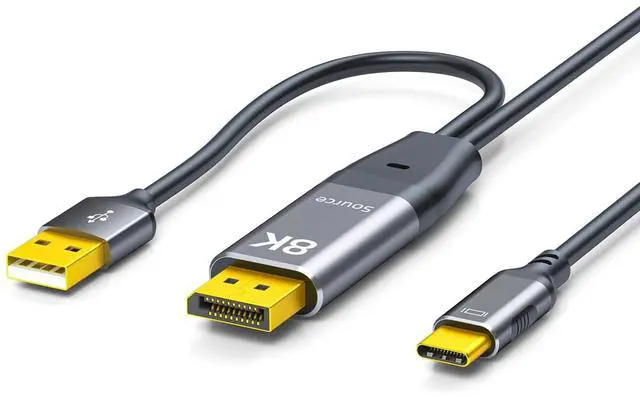


DisplayPort to USB-C Cable 8K@60Hz 5K@120 DP to Type-C Male Cable Adapter 6.6ft Converter for Studio Display XDR USB-C Display Device Conversion Cable Not Compatible with Any AR Device
- DisplayPort to USB-C Cable 8K@60Hz 5K@120 DP to Type-C Male Cable Adapter 6.6ft Converter for Studio Display XDR USB-C Display Device Conversion Cable Not Compatible with Any AR Device
+
+
Overview
Specs
Reviews

Any questions? Our AI beta will help you find out quickly.
Try me now
Unidirectional stable transmissionThis DisplayPort to USB-C cable strictly follows a unidirectional transmission design efficiently and stably transmitting data.
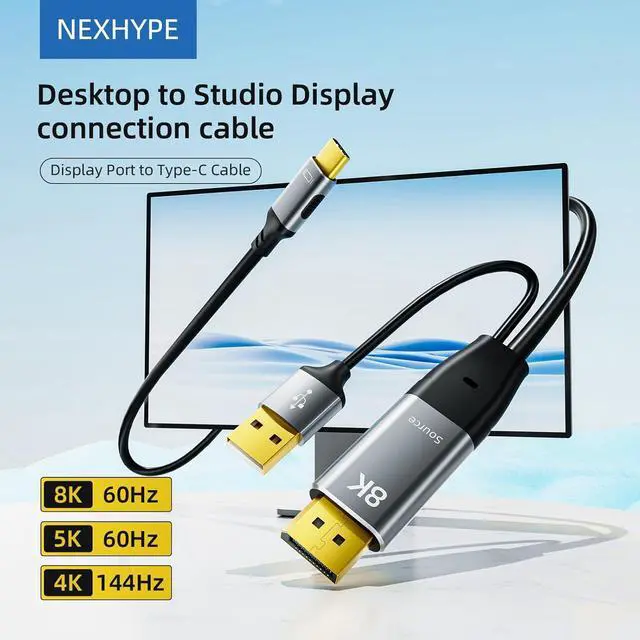
Attention: The device must establish direct connections between the signal source and display terminal any use of adapters or extension devices is strictly prohibited. 8K@60Hz High ResolutionNexhype DP to USB C male to male cable supports up to 8K@60Hz (7680 × 4320) resolution. Simultaneously compatible 6K@60Hz5K@120Hz 4K@144Hz.
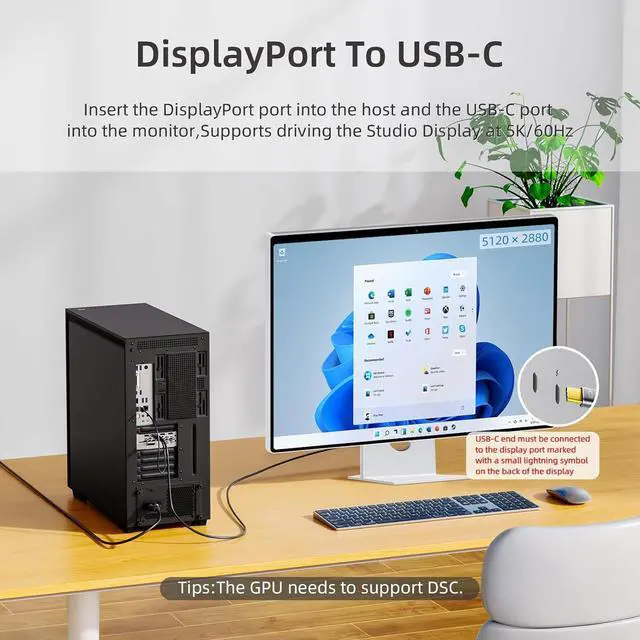
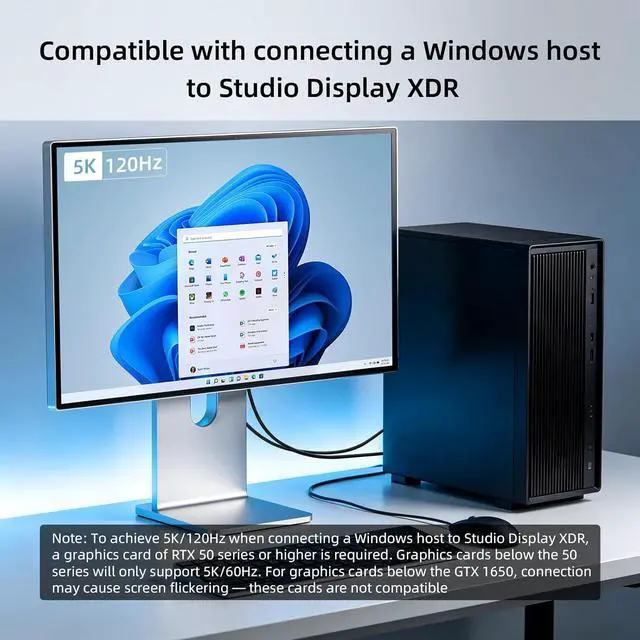
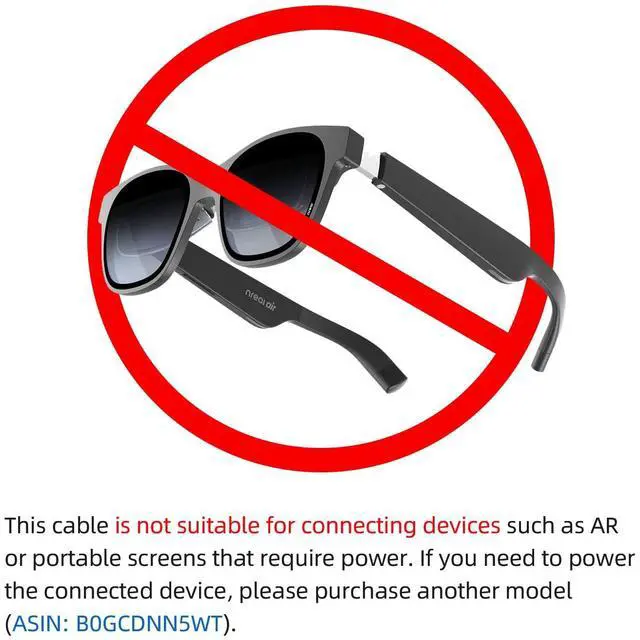
(Note: The actual achievable resolution depends on whether your computer and monitor support it together)Interface CompatibilityThis DP to Type-C cable features a standard DisplayPort connector on one end which can perfectly adapt to the DP output ports of various desktop hosts. The opposing Type-C interface ensures easy connectivity with USB C sdiudo displays delivering stable signal transmission and versatile application scenarios. (Note?? The dedicated card of the host needs to be version 1650 or above)Plug and PlayThe DisplayPort to Type-C adapter is easy to operate plug and play and does not require a tedious driver installation process. However it should be noted that the USB-C port must be connected to the DisplayPort host during use and the USB-A interface must be connected to a USB-A port on the computer host otherwise there may be no sound or display affecting the normal user experience (Note: This USB-A interface transmits data signals only and does not provide power therefore it cannot support power-dependent devices such as AR glasses or portable monitors). Material and Craftsmanship Display port to usb c High quality cable materials are used which have good anti-interference properties effectively avoiding signal attenuation and external electromagnetic interference ensuring the integrity and stability of data transmission. Exquisite interface technology smooth insertion and tight fitting durable and long-lasting ensuring long-term stable useNote: Since this USB cable is designed solely as a data signal protocol interface it cannot supply power to devices such as AR glasses or portable displays. Connect to Studio Display XDRTo achieve 5K/120Hz when connecting a Windows host to Studio Display XDR a card of RTX 50 series or higher is required. cards below the 50 series will only support 5K/60Hz. For cards below the GTX 1650 connection may cause screen flickering these cards are not compatible.
Attention: The device must establish direct connections between the signal source and display terminal any use of adapters or extension devices is strictly prohibited. 8K@60Hz High ResolutionNexhype DP to USB C male to male cable supports up to 8K@60Hz (7680 × 4320) resolution. Simultaneously compatible 6K@60Hz5K@120Hz 4K@144Hz.
(Note: The actual achievable resolution depends on whether your computer and monitor support it together)Interface CompatibilityThis DP to Type-C cable features a standard DisplayPort connector on one end which can perfectly adapt to the DP output ports of various desktop hosts. The opposing Type-C interface ensures easy connectivity with USB C sdiudo displays delivering stable signal transmission and versatile application scenarios. (Note?? The dedicated card of the host needs to be version 1650 or above)Plug and PlayThe DisplayPort to Type-C adapter is easy to operate plug and play and does not require a tedious driver installation process. However it should be noted that the USB-C port must be connected to the DisplayPort host during use and the USB-A interface must be connected to a USB-A port on the computer host otherwise there may be no sound or display affecting the normal user experience (Note: This USB-A interface transmits data signals only and does not provide power therefore it cannot support power-dependent devices such as AR glasses or portable monitors). Material and Craftsmanship Display port to usb c High quality cable materials are used which have good anti-interference properties effectively avoiding signal attenuation and external electromagnetic interference ensuring the integrity and stability of data transmission. Exquisite interface technology smooth insertion and tight fitting durable and long-lasting ensuring long-term stable useNote: Since this USB cable is designed solely as a data signal protocol interface it cannot supply power to devices such as AR glasses or portable displays. Connect to Studio Display XDRTo achieve 5K/120Hz when connecting a Windows host to Studio Display XDR a card of RTX 50 series or higher is required. cards below the 50 series will only support 5K/60Hz. For cards below the GTX 1650 connection may cause screen flickering these cards are not compatible.
Warranty & Returns
Warranty, Returns, And Additional Information
Warranty
- Please contact the Seller directly for warranty information. Warranty information may also be found on the Manufacturer's website.
- CONTACT
Return Policies
- Return for refund within: 30 days
- Return for replacement within: 30 days
- This item is covered by gigantic0 Return Policy
Manufacturer Contact Info
- For a directory of all our manufacturers, please click below.
- Manufacturers Directory
LOADING...