





Can I use blafili BiCast for live vocals or instruments ?
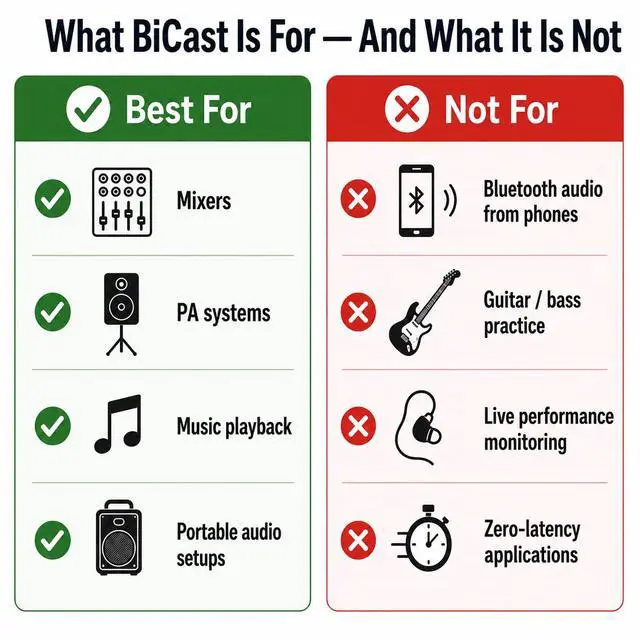
The blafili BiCast is a Bluetooth transmitter that sends audio from an XLR or USB-C audio input to Bluetooth speakers, headphones, or receivers. Best for music streaming and background audio. Not recommended for real-time vocals, microphones, or live instruments due to Bluetooth latency.
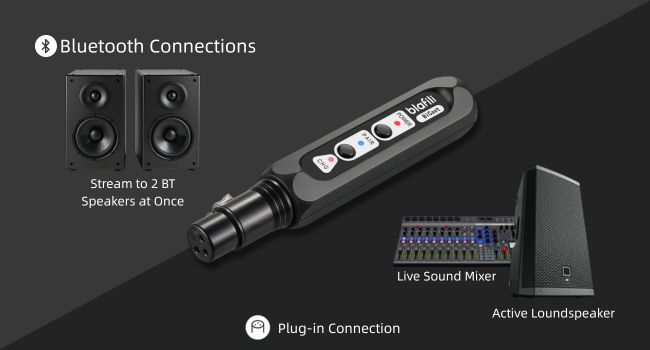
Plug-In XLR to Bluetooth
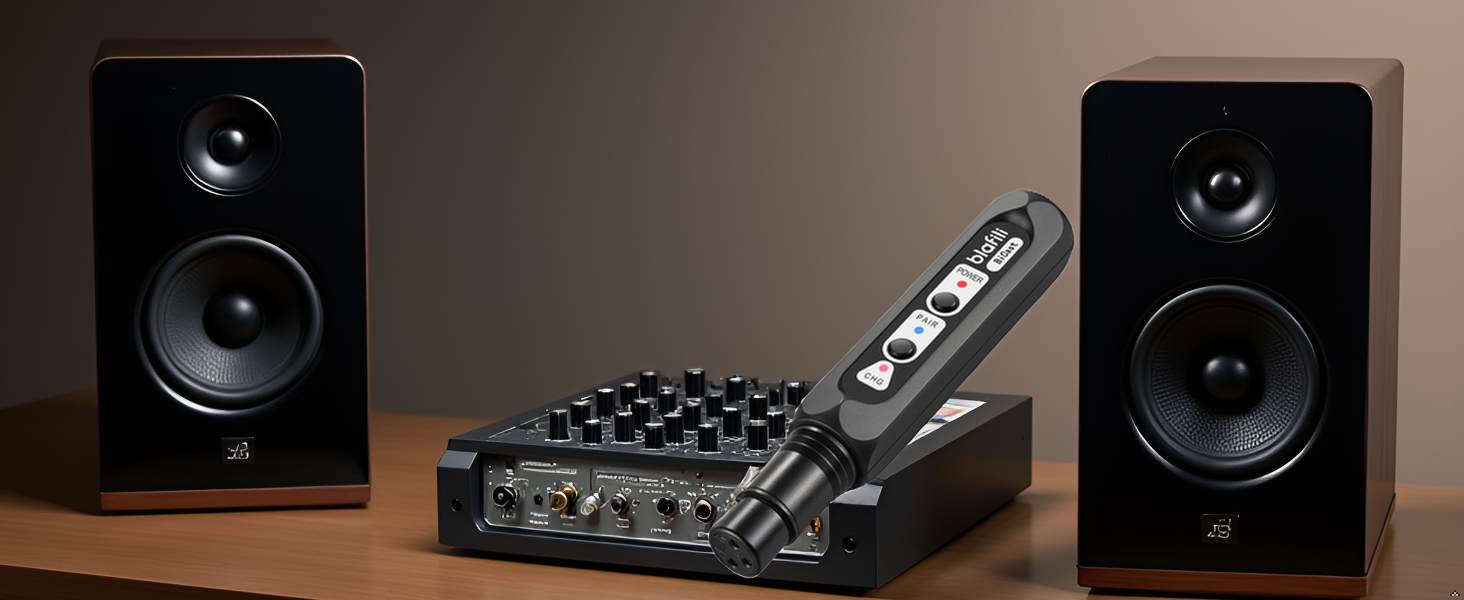
Plug into a mixer/PA XLR output, then stream wirelessly to Bluetooth speakers or headphones.
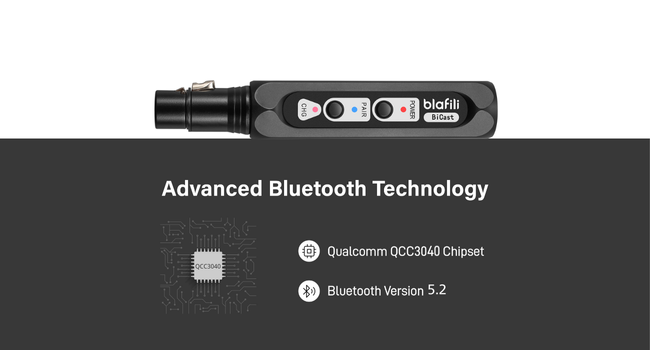
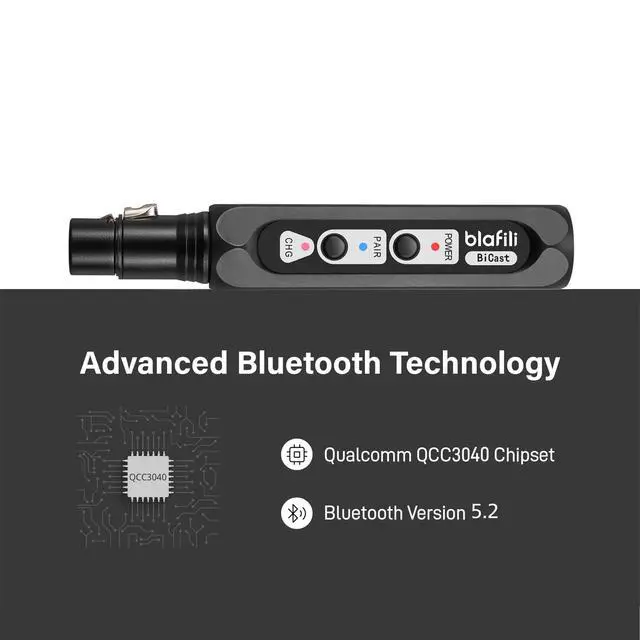
Bluetooth 5.2 Powered by Qualcomm QCC3040
BiCast uses the Qualcomm QCC3040 and Bluetooth 5.2 for dependable pairing and stable streaming. It’s built to work with a wide range of Bluetooth speakers and headphones—perfect for pro-audio setups that need simple, modern wireless output.
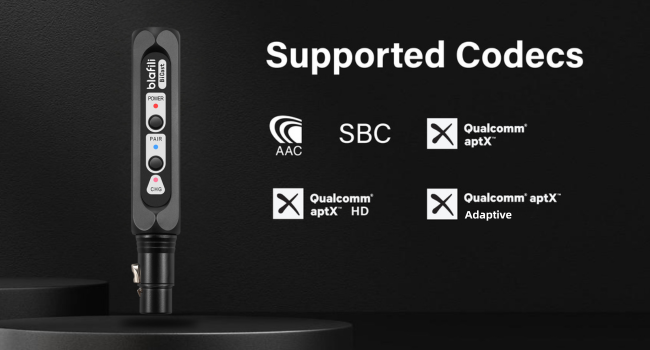
Choose the Best Codec Your Gear Supports
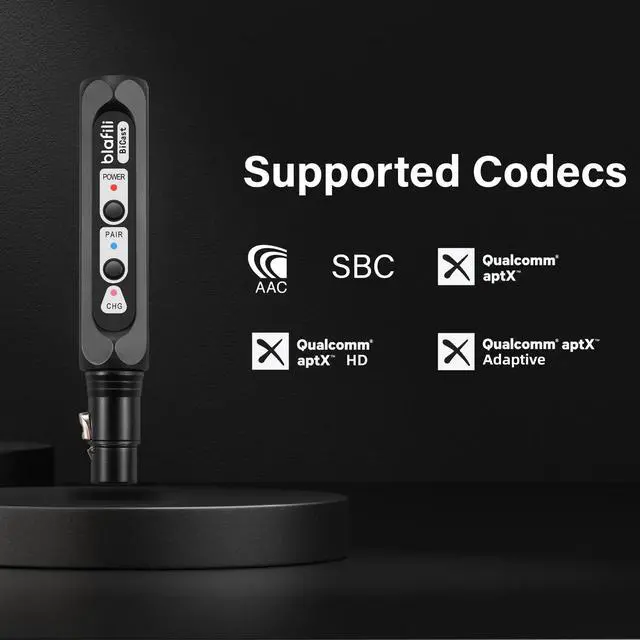
BiCast supports SBC, AAC, aptX, aptX HD, and aptX Adaptive. Pair it with your Bluetooth speakers/headphones and enjoy optimized wireless audio based on device compatibility—whether you prioritize broad support, higher-fidelity playback, or a more stable connection.
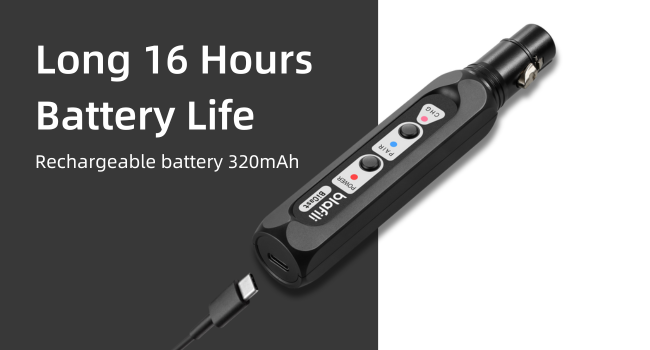
Long Runtime, Rechargeable Design
Get up to 16 hours per charge with the built-in 320mAh battery. Recharge via USB-C and keep your wireless setup running for extended sessions.
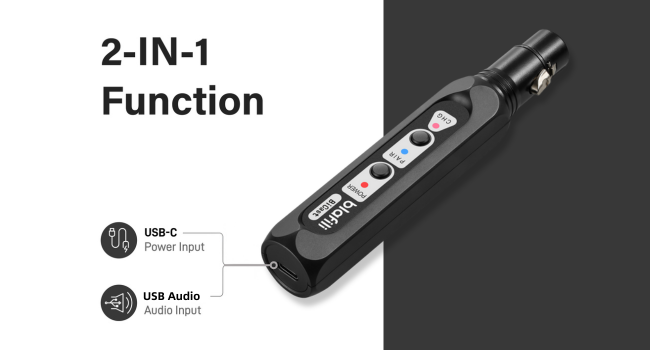
USB-C Dual Function
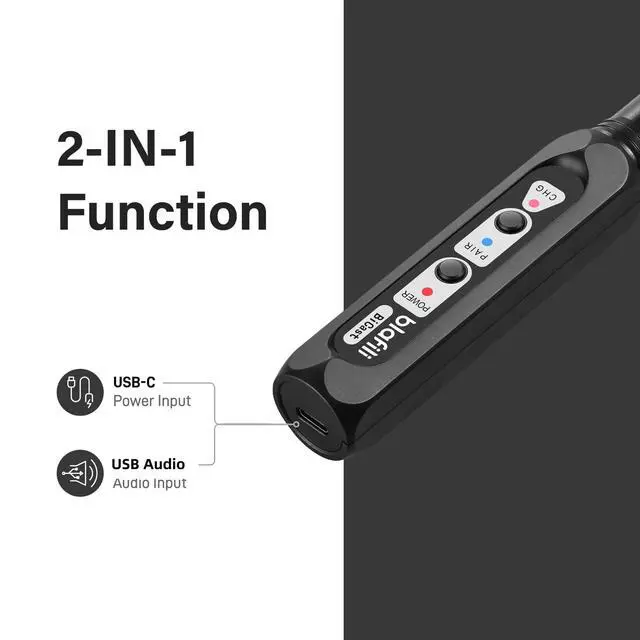
Use USB-C for charging or digital audio input (device support may vary).
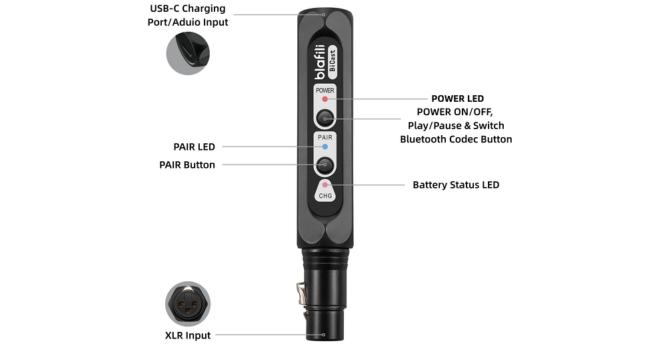
Know Every Control: Ports, Buttons & Status LEDs
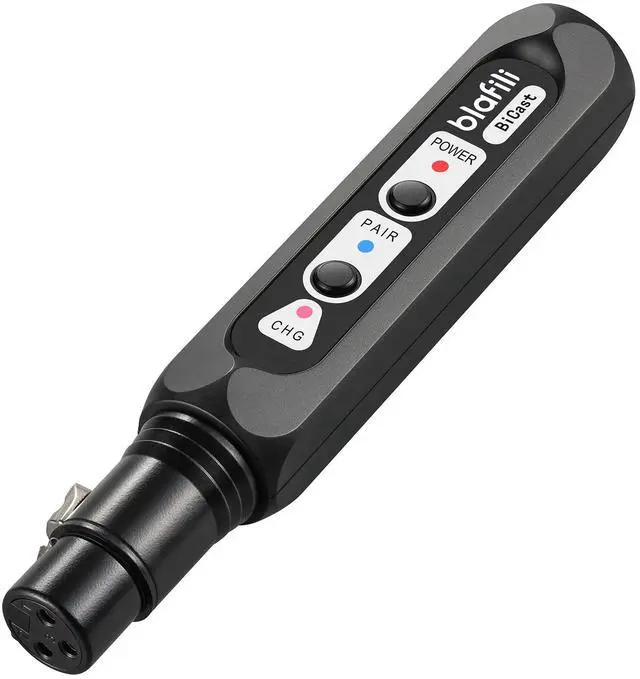
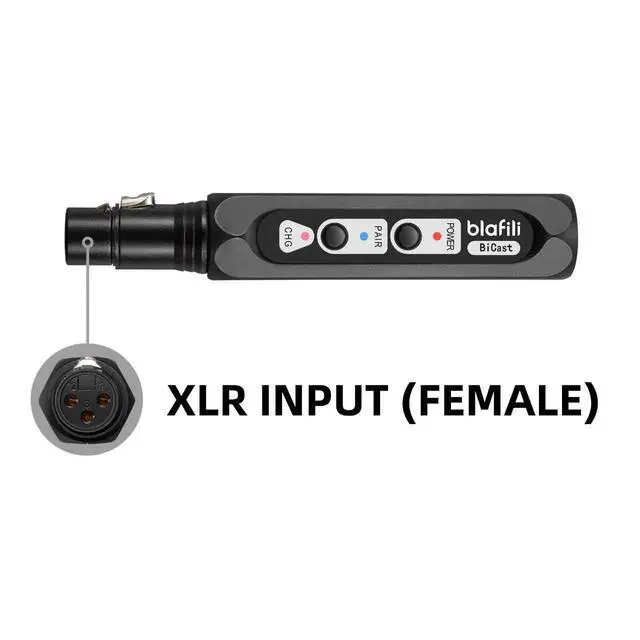
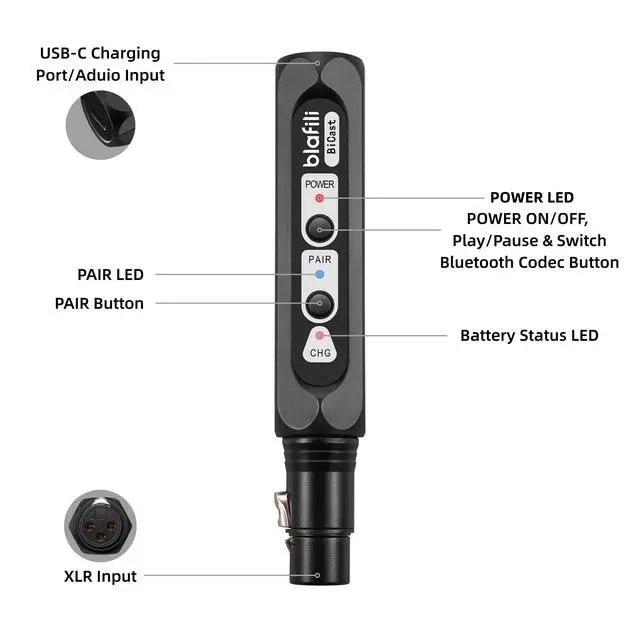
BiCast overview: XLR input connects to mixers/PA outputs and streams via Bluetooth. USB-C for charging and USB audio (compatibility varies). POWER: on/off, play/pause, codec switch + status LED. PAIR: pairing/dual-device + LED. CHG LED shows battery/charging.
Technical Specifications
What is blafili BiCast ?
blafili BiCast is a Bluetooth audio transmitter. It takes audio from your gear via XLR or USB-C and sends it wirelessly to Bluetooth speakers or Bluetooth headphones. It is not designed to send audio to Phones for recording.
What can I connect to the XLR input?
You can connect blafili BiCast to professional audio equipment with an XLR output, such as:
1. Mixers / mixing consoles
2. PA speakers (with XLR output)
Tip: Make sure you are connecting from your equipment’s XLR OUT to blafili BiCast’s XLR IN.
Can blafili BiCast stream to two devices at the same time?
Yes. blafili BiCast supports dual-device streaming, so you can stream the same audio to:
1. Two Bluetooth speakers (recommended for outdoor use to cover a larger area), or
2. Two Bluetooth headphones (two listeners can enjoy together)
Can I use blafili BiCast while charging?
Yes, you can. Use a stable 5V power source (quality charger or power bank) for best performance.
Will two speakers play perfectly in sync ?
Bluetooth may introduce slight differences in buffering/latency between devices. For the best sync:
1. Use two identical speaker models when possible
2. Keep the transmitter and speakers within good range and line-of-sight
Advanced Comparison Table
 blafili B3(BT Receiver) |  blafili BiCast(BT TX) | 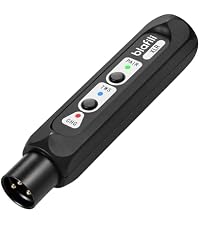 blafili XLR(BT Receiver) | 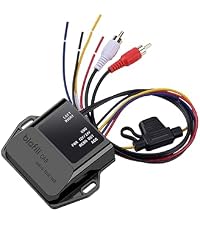 blafili CAR(BT Receiver) | 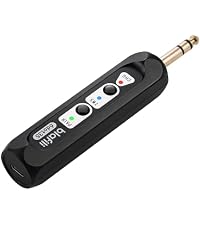 blafili 6dot35(Receiver) | 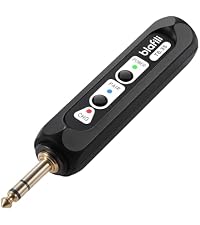 blafili T6.35( BT TX) | |
|---|---|---|---|---|---|---|
Customer Reviews | — | — | — | — | — | — |
Price | — | — | — | — | — | — |
Target Scenario | HiFi systems, mixers | Mixers, PA/DJ consoles | Mixers, PA/DJ consoles | Car / marine /motorcycle audio | Mixers, active PA speakers | Mixers, active PA speakers |
BT Receiver or Transmitter | Bluetooth Transmitter(RX) | Bluetooth Receiver(TX) | Bluetooth Receiver(RX) | Bluetooth Receiver(RX) | Bluetooth Receiver(RX) | Bluetooth Transmitter(TX) |
Audio Output | XLR, RCA, COAX, OPTICAL | Bluetooth Only | XLR | RCA | 6.35mm (1/4 inch) TRS Jack | Bluetooth Only |
Audio Input | Bluetooth & USB Audio | XLR & USB Audio | Bluetooth & USB Audio | Bluetooth ONLY | Bluetooth & USB Audio | 1/4" Jack & USB Audio |
TWS Mode | ? | ? | ? | ? | ? | ? |
Power Supply | USB-C (5V) | USB-C (5V) | USB-C (5V) | 12V/24V car power(ACC trigger) | USB-C (5V) | USB-C (5V) |
Built-in Battery | ? | ? | ? | ? | ? | ? |
Mounting Type | Desktop | Portable or panel | Portable or panel | Hidden (behind dash) | Portable or panel | Portable or panel |
Bluetooth Password Setting | ? | ? | ? | ? | ? | ? |
Custom Bluetooth Name | ? | ? | ? | ? | ? | ? |
Can I use blafili BiCast for live vocals or instruments ?
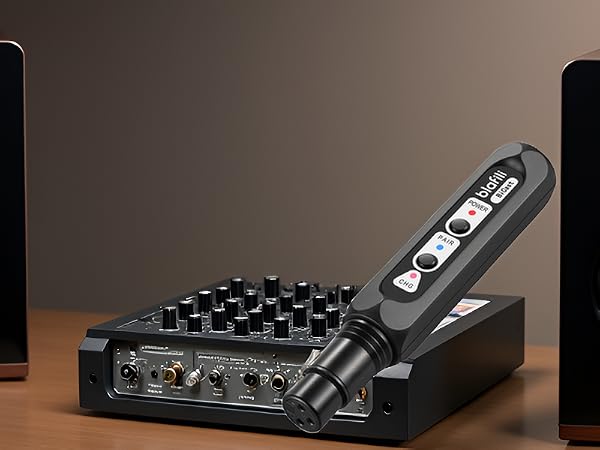
The blafili BiCast is a Bluetooth transmitter that sends audio from an XLR or USB-C audio input to Bluetooth speakers, headphones, or receivers. Best for music streaming and background audio. Not recommended for real-time vocals, microphones, or live instruments due to Bluetooth latency.
Plug-In XLR to Bluetooth
Plug into a mixer/PA XLR output, then stream wirelessly to Bluetooth speakers or headphones.
Bluetooth 5.2 Powered by Qualcomm QCC3040
BiCast uses the Qualcomm QCC3040 and Bluetooth 5.2 for dependable pairing and stable streaming. It’s built to work with a wide range of Bluetooth speakers and headphones—perfect for pro-audio setups that need simple, modern wireless output.
Choose the Best Codec Your Gear Supports
BiCast supports SBC, AAC, aptX, aptX HD, and aptX Adaptive. Pair it with your Bluetooth speakers/headphones and enjoy optimized wireless audio based on device compatibility—whether you prioritize broad support, higher-fidelity playback, or a more stable connection.
Long Runtime, Rechargeable Design
Get up to 16 hours per charge with the built-in 320mAh battery. Recharge via USB-C and keep your wireless setup running for extended sessions.
USB-C Dual Function
Use USB-C for charging or digital audio input (device support may vary).
Know Every Control: Ports, Buttons & Status LEDs
BiCast overview: XLR input connects to mixers/PA outputs and streams via Bluetooth. USB-C for charging and USB audio (compatibility varies). POWER: on/off, play/pause, codec switch + status LED. PAIR: pairing/dual-device + LED. CHG LED shows battery/charging.
Technical Specifications
| luetooth Version & Profiles | Bluetooth 5.2; supports A2DP, AVRCP |
|---|---|
| Supported Audio Codecs | SBC, AAC, aptX, aptX Adaptive, aptX HD |
| Audio Input | XLR female & USB-C digital audio input (from compatible devices) |
| Transmission Range | Up to 32.8 ft / 10 m (line-of-sight, no obstacles) |
| Operating Frequency | 2402–2480 MHz ISM band |
| Battery | Built-in 320mAh rechargeable lithium-ion |
| Charging Interface | USB Type-C, 5V/500mA |
| Playback Time | Up to 16 hours (depending on usage and volume) |
| Charging Time | Approx. 2 hours (using 5V standard USB charger) |
What is blafili BiCast ?
blafili BiCast is a Bluetooth audio transmitter. It takes audio from your gear via XLR or USB-C and sends it wirelessly to Bluetooth speakers or Bluetooth headphones. It is not designed to send audio to Phones for recording.
What can I connect to the XLR input?
You can connect blafili BiCast to professional audio equipment with an XLR output, such as:
1. Mixers / mixing consoles
2. PA speakers (with XLR output)
Tip: Make sure you are connecting from your equipment’s XLR OUT to blafili BiCast’s XLR IN.
Can blafili BiCast stream to two devices at the same time?
Yes. blafili BiCast supports dual-device streaming, so you can stream the same audio to:
1. Two Bluetooth speakers (recommended for outdoor use to cover a larger area), or
2. Two Bluetooth headphones (two listeners can enjoy together)
Can I use blafili BiCast while charging?
Yes, you can. Use a stable 5V power source (quality charger or power bank) for best performance.
Will two speakers play perfectly in sync ?
Bluetooth may introduce slight differences in buffering/latency between devices. For the best sync:
1. Use two identical speaker models when possible
2. Keep the transmitter and speakers within good range and line-of-sight
Advanced Comparison Table
blafili B3(BT Receiver) | blafili BiCast(BT TX) | blafili XLR(BT Receiver) | blafili CAR(BT Receiver) | blafili 6dot35(Receiver) | blafili T6.35( BT TX) |
|---|---|---|---|---|---|
| Customer Reviews | |||||
| — | — | — | — | — | — |
| Price | |||||
| — | — | — | — | — | — |
| Target Scenario | |||||
| HiFi systems, mixers | Mixers, PA/DJ consoles | Mixers, PA/DJ consoles | Car / marine /motorcycle audio | Mixers, active PA speakers | Mixers, active PA speakers |
| BT Receiver or Transmitter | |||||
| Bluetooth Transmitter(RX) | Bluetooth Receiver(TX) | Bluetooth Receiver(RX) | Bluetooth Receiver(RX) | Bluetooth Receiver(RX) | Bluetooth Transmitter(TX) |
| Audio Output | |||||
| XLR, RCA, COAX, OPTICAL | Bluetooth Only | XLR | RCA | 6.35mm (1/4 inch) TRS Jack | Bluetooth Only |
| Audio Input | |||||
| Bluetooth & USB Audio | XLR & USB Audio | Bluetooth & USB Audio | Bluetooth ONLY | Bluetooth & USB Audio | 1/4" Jack & USB Audio |
| TWS Mode | |||||
| ? | ? | ? | ? | ? | ? |
| Power Supply | |||||
| USB-C (5V) | USB-C (5V) | USB-C (5V) | 12V/24V car power(ACC trigger) | USB-C (5V) | USB-C (5V) |
| Built-in Battery | |||||
| ? | ? | ? | ? | ? | ? |
| Mounting Type | |||||
| Desktop | Portable or panel | Portable or panel | Hidden (behind dash) | Portable or panel | Portable or panel |
| Bluetooth Password Setting | |||||
| ? | ? | ? | ? | ? | ? |
| Custom Bluetooth Name | |||||
| ? | ? | ? | ? | ? | ? |