




 here!
I’m your shopping assistant for PC builds, upgrades, and everything tech.
Got questions? Ask away!
Start a conversation
here!
I’m your shopping assistant for PC builds, upgrades, and everything tech.
Got questions? Ask away!
Start a conversation




Any questions? Ask CelesteSM will help you find out quickly.
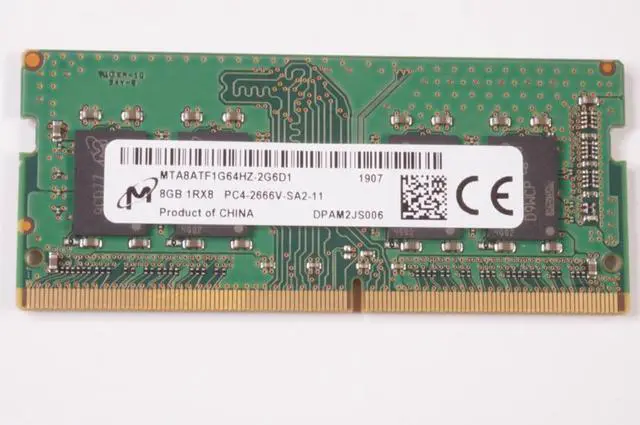
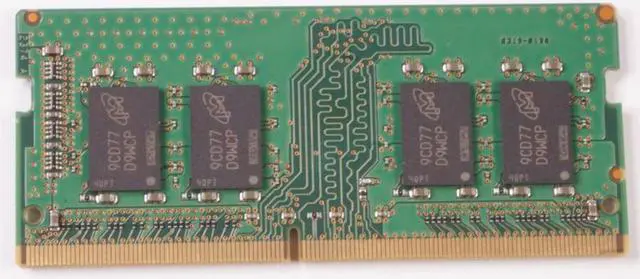
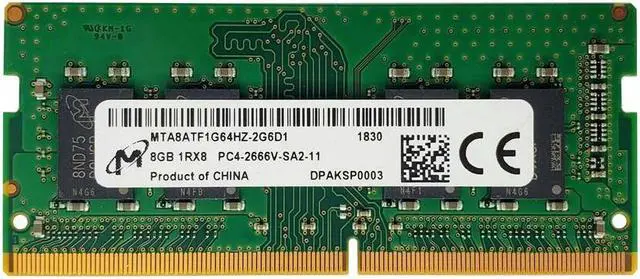
The Micron MTA8ATF1G64HZ-2G6D1 is an 8GB DDR4-2666 SO-DIMM memory module for users upgrading or replacing RAM in a compatible laptop or compact computer that supports this memory type and speed.
| Attribute | Value |
|---|---|
| Best For | DDR4 memory upgrades for systems compatible with SO-DIMM modules |
| Capacity | 8 GB |
| Memory Type And Form Factor | DDR4 SO-DIMM |
| Memory Speed | 2666 MHz |
| Brand And Manufacturer | Fms brand; FMB-I manufacturer |
| Physical Characteristics | Lightweight |
Q: Micron 8GB DDR4-2666 vs 8GB DDR4-2400: which should I choose?
A: Choose this 8GB DDR4-2666 module when your system supports 2666 MT/s and you want the higher rated data rate at the same capacity. Choose Micron’s 8GB DDR4-2400 module when matching a system specified for 2400 MT/s.
Q: Should I get Micron 8GB DDR4-2666 or 8GB DDR4-3200?
A: Choose this 8GB DDR4-2666 module to match a system specified for DDR4-2666. Choose Micron’s 8GB DDR4-3200 module when the system supports DDR4-3200 and you want that higher rated data rate; check the system’s memory specifications before selecting.
Q: Micron 8GB DDR4-2666 vs 4GB DDR4-2666: which gives me more memory?
A: This module provides 8GB, twice the capacity of Micron’s 4GB DDR4-2666 SO-DIMM. Choose the 8GB version when you want more memory capacity from a single module, provided it matches your system’s supported memory configuration.
Q: How do I know if this memory will work with my laptop?
A: Check that your laptop supports DDR4 SO-DIMM memory, 8GB modules, and the system’s supported memory speed and capacity. The product listing alone cannot confirm compatibility with a specific laptop model.
Q: Will this RAM run at 2666MHz in my computer?
A: It is listed as DDR4-2666 memory, but the computer’s supported speed determines its operating speed. A system that supports a lower speed may run compatible memory at that lower speed; verify the system specifications before buying.
Q: Is this for a laptop or a desktop computer?
A: This is SO-DIMM memory, a compact module used in compatible laptops and some small-form-factor computers. It is not the standard full-size DIMM used by most desktop motherboards; check the memory form factor your device requires.
Q: Can I add this to the RAM already installed in my computer?
A: Possibly. You need an available SO-DIMM slot, and the computer must support the combined capacity and module configuration. Check its specifications before deciding whether to add this module or use it as a replacement.
Q: Can I add this module alongside the RAM already in my laptop?
A: Possibly. It is an 8GB DDR4-2666 SO-DIMM, so check that your laptop supports DDR4 SO-DIMMs, the module’s speed and capacity, and the amount of memory it can accept. A Reddit upgrade discussion about this Micron model family focuses on adding a second matching module; it does not establish compatibility for every laptop.
Q: Do I need to buy the exact same Micron part number as my existing RAM?
A: Not necessarily. Reddit discussions about this Micron model family suggest that the full part-number suffix may differ, but matching the supported DDR generation, SO-DIMM form factor, speed, and capacity is more important. Check your laptop’s requirements before buying.
Q: Is this suitable as a laptop RAM replacement?
A: It may be suitable for a laptop that supports 8GB DDR4-2666 SO-DIMM memory. The product is a SO-DIMM, so confirm your device uses that form factor and supports the module’s specifications before purchasing.


