

Your Browsing History



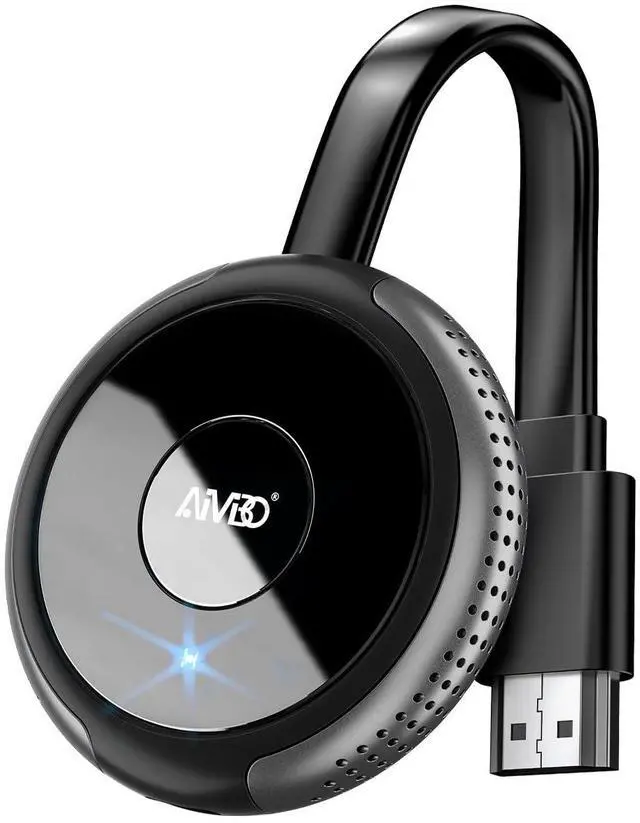


iOS Wireless Display Adapter 4K 5G - Direct Plug & Play HDMI Wireless Dongle for i Phone i Pad Smartphone Tablet Laptop, Cast Video to HDTV Monitor Projector, Support Airplay Miracast DLNA Grey
Limited time offer, ends 09/14 By Eristy shop
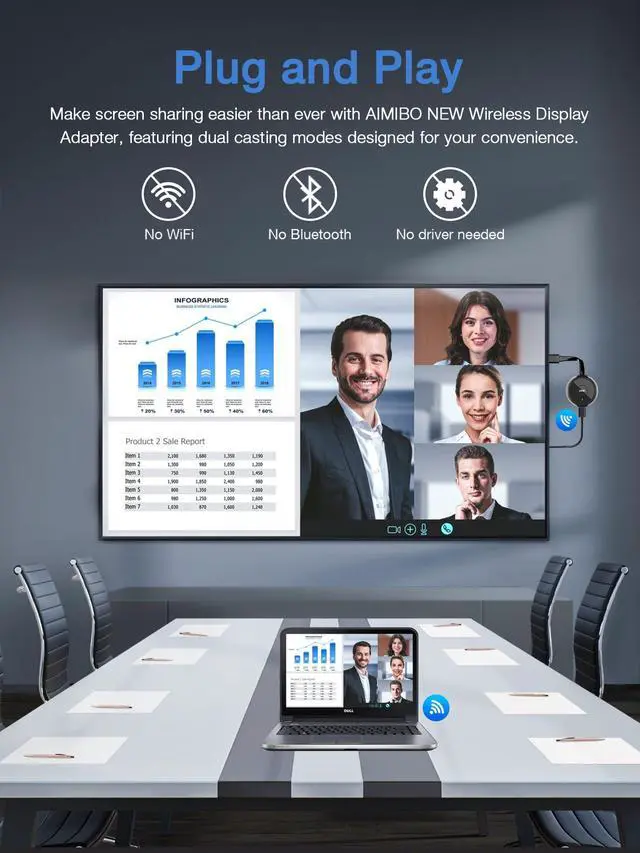
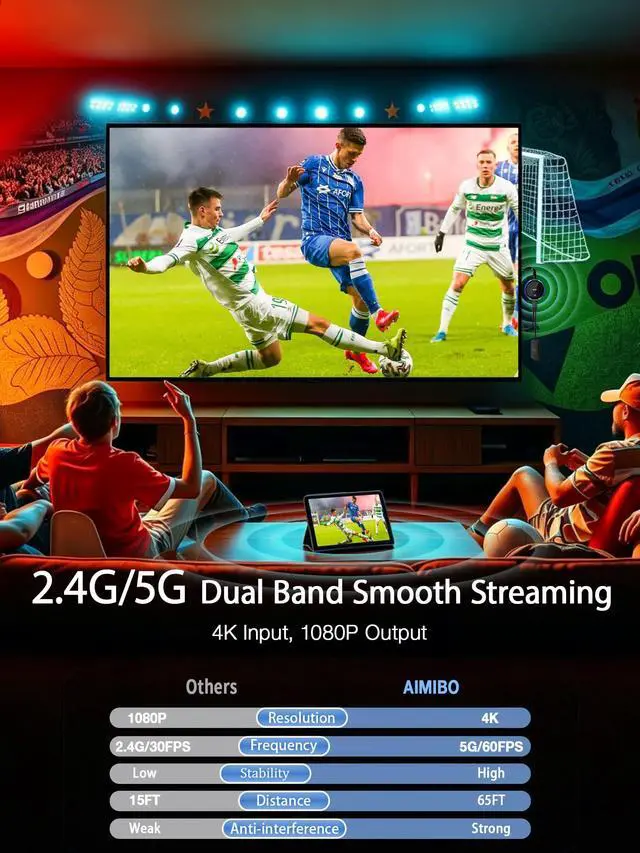
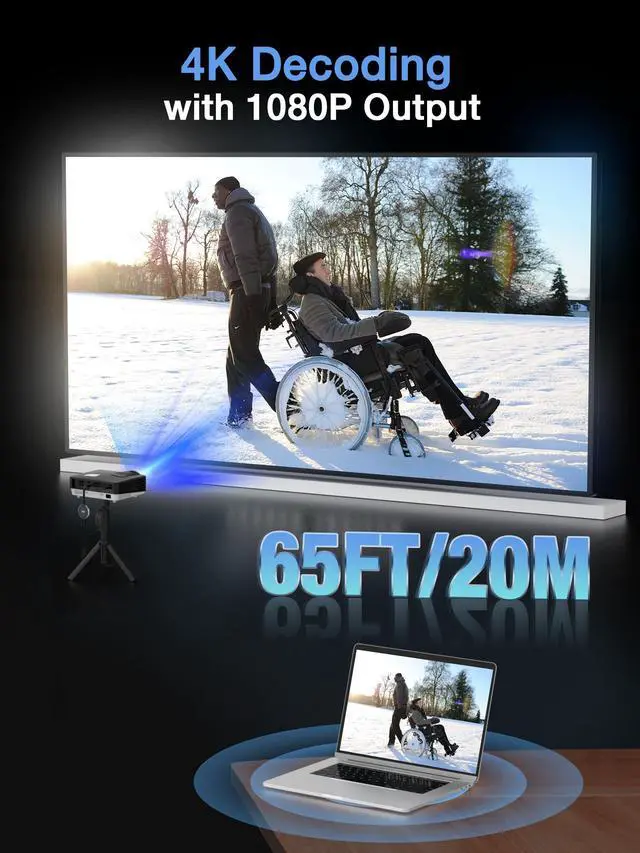
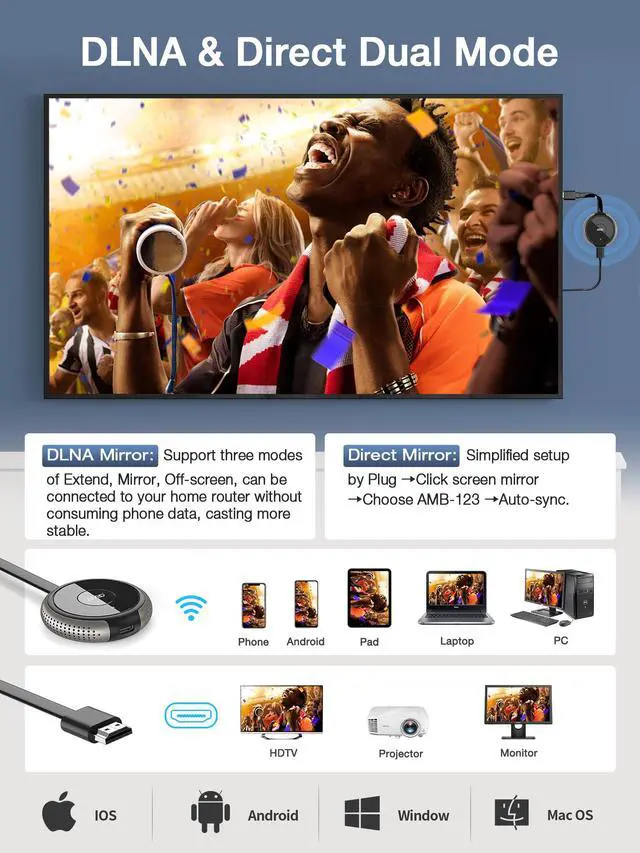
- No WiFi Required Mirror Instantly, Anywhere: Transform any TV, monitor, or projector into a large wireless display. This wireless display adapter establishes a direct peer-to-peer connection, eliminating the need for WiFi or internet. Ideal for older televisions, hotel rooms, conference spaces, homes, or classrooms, you can instantly mirror your i-Phone, i-Pad, tablet, or laptop screen at any time and place. Plug & Play Tap, Enter PIN, and Mirror: No applications or complex setup required. Simply plug the wireless HDMI adapter into your HDMI display, choose Screen Mirroring on your i-Phone, and input the PIN code (PIN is not needed for Android and Windows devices). That's allyour screen is mirrored in moments. Excellent for seniors viewing content on a large screen, children attending online classes, teachers sharing lessons in real time, and more. Broad Compatibility with iOS, Android, Windows & macOS: Supports wireless protocols including AirPlay, DLNA, Cast, and Miracast. Compatible with the latest i-Phone 15/16/17 series, i-Pad Pro / Air / Mini, MacBooks, Android smartphones and tablets, and Windows laptops. Requires iOS 9.0 or above. Dual-Band 2.4G & 5.8G Lag-Free, Stable Connection: Features both 2.4GHz and 5.8GHz WiFi bands, this wireless display dongle provides smoother, quicker, and more stable streaming. Experience lag-free video playback, live streaming, and virtual meetingseven from distances up to 65ft (20m) away, all without messy cables. 1080P HD Outp
+
+
Overview
Specs
Reviews

Any questions? Our AI mode will help you find out quickly.
Try me now
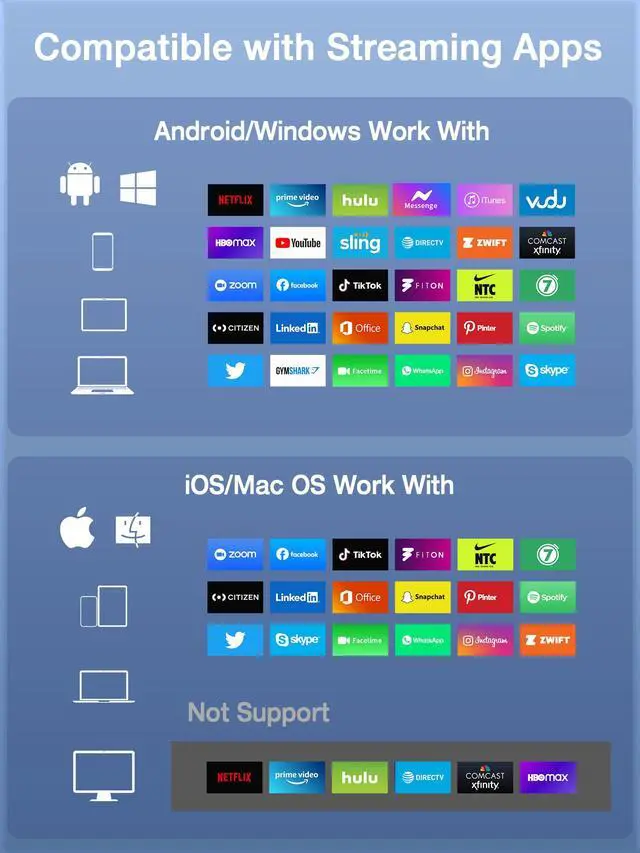
No WiFi Required Mirror Instantly, Anywhere: Transform any TV, monitor, or projector into a large wireless display. This wireless display adapter establishes a direct peer-to-peer connection, eliminating the need for WiFi or internet. Ideal for older televisions, hotel rooms, conference spaces, homes, or classrooms, you can instantly mirror your i-Phone, i-Pad, tablet, or laptop screen at any time and place. Plug & Play Tap, Enter PIN, and Mirror: No applications or complex setup required. Simply plug the wireless HDMI adapter into your HDMI display, choose Screen Mirroring on your i-Phone, and input the PIN code (PIN is not needed for Android and Windows devices). That's allyour screen is mirrored in moments. Excellent for seniors viewing content on a large screen, children attending online classes, teachers sharing lessons in real time, and more. Broad Compatibility with iOS, Android, Windows & macOS: Supports wireless protocols including AirPlay, DLNA, Cast, and Miracast. Compatible with the latest i-Phone 15/16/17 series, i-Pad Pro / Air / Mini, MacBooks, Android smartphones and tablets, and Windows laptops. Requires iOS 9.0 or above. Dual-Band 2.4G & 5.8G Lag-Free, Stable Connection: Features both 2.4GHz and 5.8GHz WiFi bands, this wireless display dongle provides smoother, quicker, and more stable streaming. Experience lag-free video playback, live streaming, and virtual meetingseven from distances up to 65ft (20m) away, all without messy cables. 1080P HD Output with 4K Input Support: Accepts 4K input and delivers smooth 1080P@60Hz output, making it perfect for watching movies, gaming, or giving presentations. Enjoy vibrant, sharp visuals on any HDMI-equipped screen for a genuine big-screen experience. Important App Compatibility Notice: iOS & Mac OS devices do not support screen mirroring for apps protected by HDCP (e.g., Netflix, Video, Hulu). However, Android and Windows users can enjoy these apps via screen casting. Great for streaming YouTube, TikTok, DIRECTV, Prime Video (Android), and more
Warranty & Returns
Warranty, Returns, And Additional Information
Warranty
- Please contact the Seller directly for warranty information. Warranty information may also be found on the Manufacturer's website.
- CONTACT
Return Policies
- Return for refund within: 30 days
- Return for replacement within: 30 days
- This item is covered by Eristy shop Return Policy
Manufacturer Contact Info
- For a directory of all our manufacturers, please click below.
- Manufacturers Directory
LOADING...