

• $58.99
  • Free 30-day Returns
  • Sold by Lumin Tech

    Shipped by Lumin Tech

    Price alert
    Shop it at NeweggBusiness.

    Meet Your Seller

    External CD/DVD Drive for Laptop, DVD Burner CD Reader for Laptop, 8-in-1 USB 3.0 Portable CD Players with SD/TF Ports, External Disk Drive Optical for MacBook Windows 11 10 PC Linux (Black with bag)

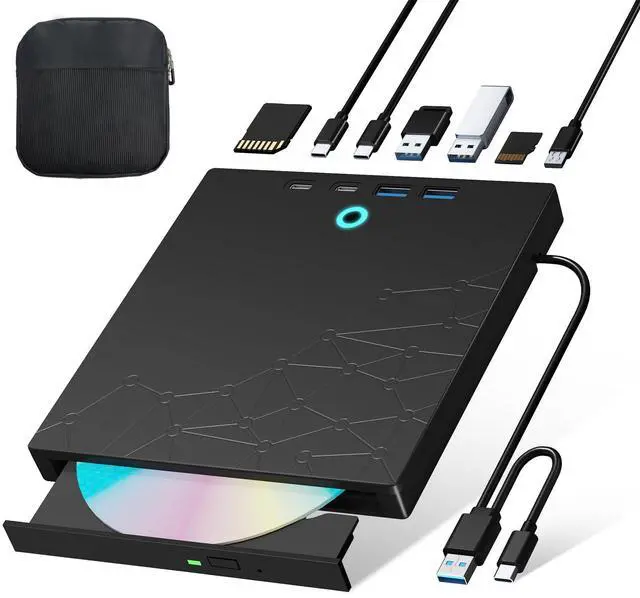
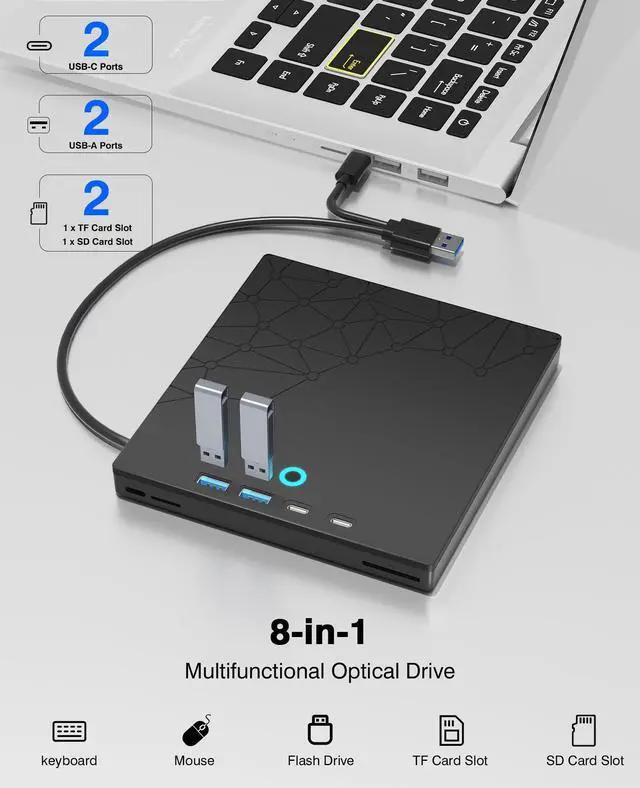
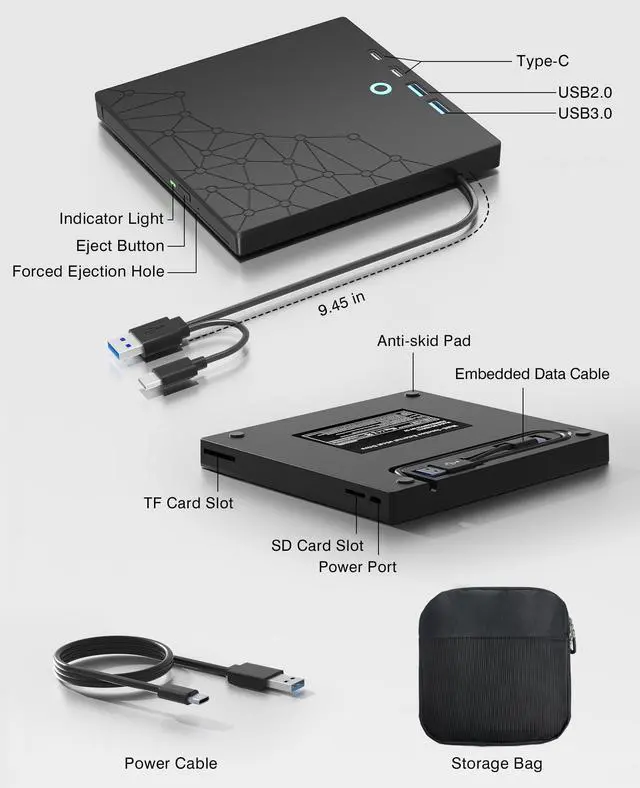
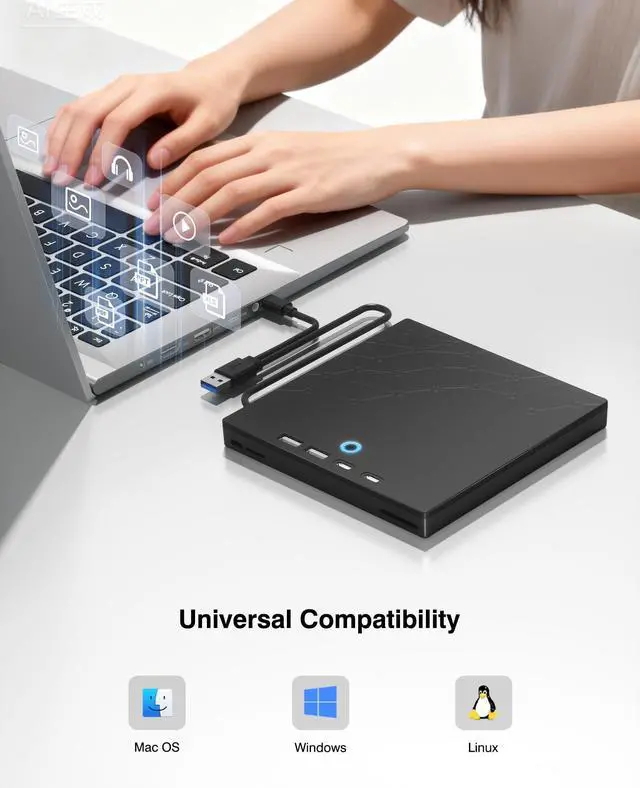
    • 8-in-1 Optical DriveOur external CD/DVD drive is a versatile device that serves as a disc reader, cd burner, writer, rewriter, ripper, and multi-port hub (with 2 USB-A ports, 2 Type-C ports, and 2 TF/SD card slots). Use it with compatible media software to play DVDs or CDs, burn MP3s, videos, photos, and files to blank discs, import content from cameras, install software/games, and handle all other CD/DVD tasks. Please note: SD and TF cards cannot be used simultaneously.
    • Protective Carrying Case IncludedThis external dvd drive for pc comes with a durable storage case that keeps your drive safe and secure when not in use. Designed to guard against dust, scratches. its perfect for life on the go. The case makes storage and travel effortless, helping your usb cd drive stay in pristine condition for years to come.
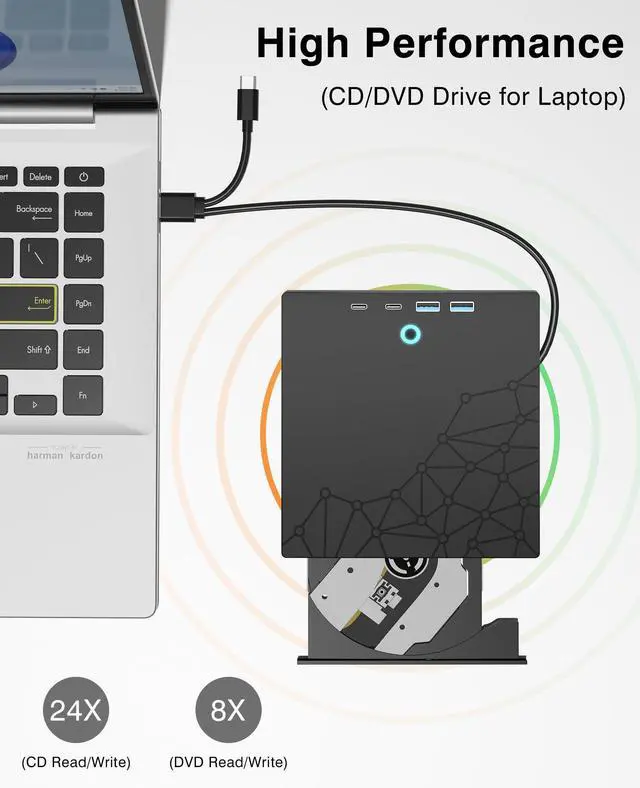
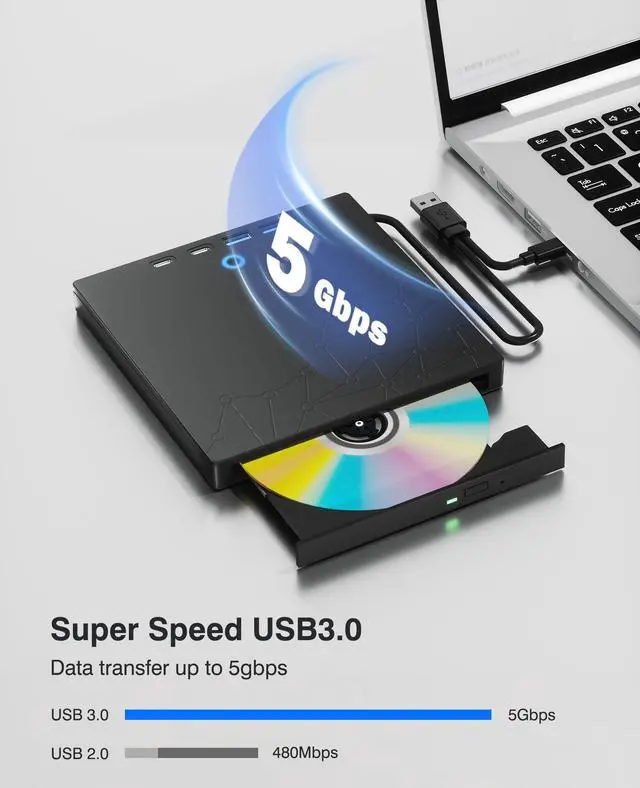
    • Plug & PlaySuper simple to set up just plug it into a USB port! This CD/DVD burner has a high-speed USB 3.0 data transfer port with speeds of up to 5 Gbps (625 MB/s). It offers maximum DVD writing/reading speeds of up to 8X and CD writing/reading speeds of up to 24X, which are faster than you would expect. This external DVD drive also features robust error correction, anti-skip and quiet operation.
    +
    +
    Overview
    Specs
    Reviews
    avatar

    Any questions? Our AI beta will help you find out quickly.

    external cd/dvd drive for laptop
    external cd drive

    How to use the external cd/dvd drive?

    Step1 : Plug the USB A or USB C connector into your computer's USB port instead of USB extension hub.

    Step2 : [For Windows OS] Your computer will recognize the drive and shows "CD/DVD-ROM" folder for optical drive.

    [For Mac OS] The Mac OS computer will not display the device icon until the disc is inserted into the optical drive and the disc is read successfully.

    Step3 : Set the DVDs region code (CDs do not have region code). The disc can only be played when there on code of the DVD drive matchesthe DVD. (Note: Only allows to change the region code 4-5 times)

    The steps of changing the region codes:

    1. Right-click My Computer and click Properties.

    2. Click Hardware. - Click Device Manager. - Expand DVD-ROM drives and select the optical drive. - Click Action and select Properties.

    3. Select the DVD Region tab.

    4. Choose the desired region.

    Step4 : The CD/DVD disk drive Not compatible with Blu ray,TV, car, tablet, phone, projector,PS5 and Chrome OS.

    external cd/dvd drive for laptop
    external cd drive

    How to use the external cd/dvd drive?

    Step1 : Plug the USB A or USB C connector into your computer's USB port instead of USB extension hub.

    Step2 : [For Windows OS] Your computer will recognize the drive and shows "CD/DVD-ROM" folder for optical drive.

    [For Mac OS] The Mac OS computer will not display the device icon until the disc is inserted into the optical drive and the disc is read successfully.

    Step3 : Set the DVDs region code (CDs do not have region code). The disc can only be played when there on code of the DVD drive matchesthe DVD. (Note: Only allows to change the region code 4-5 times)

    The steps of changing the region codes:

    1. Right-click My Computer and click Properties.

    2. Click Hardware. - Click Device Manager. - Expand DVD-ROM drives and select the optical drive. - Click Action and select Properties.

    3. Select the DVD Region tab.

    4. Choose the desired region.

    Step4 : The CD/DVD disk drive Not compatible with Blu ray,TV, car, tablet, phone, projector,PS5 and Chrome OS.

    External CD/DVD Drive for Laptop, DVD Burner CD Reader for Laptop, 8-in-1 USB 3.0 Portable CD Players with SD/TF Ports, External Disk Drive Optical for MacBook Windows 11 10 PC Linux (Black with bag)

    Warranty & Returns

    Warranty, Returns, And Additional Information

    Warranty

    • Please contact the Seller directly for warranty information. Warranty information may also be found on the Manufacturer's website.
    • CONTACT

    Return Policies

    • Return for refund within: 30 days
    • Return for replacement within: 30 days
    • This item is covered by Lumin Tech Return Policy

    Manufacturer Contact Info

    LOADING...