

Your Browsing History

Meet Your Seller

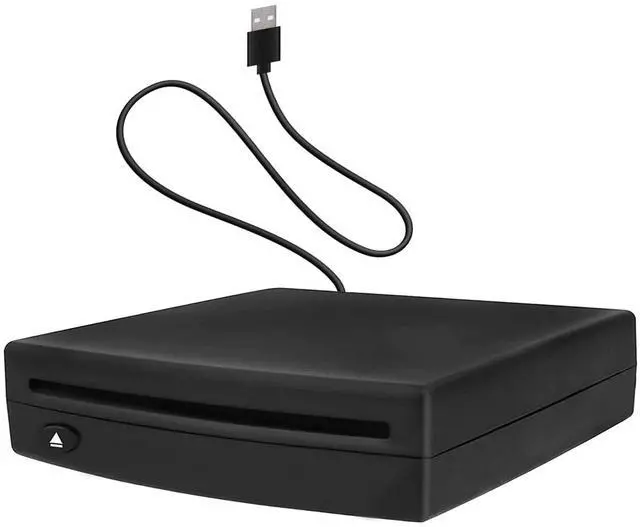


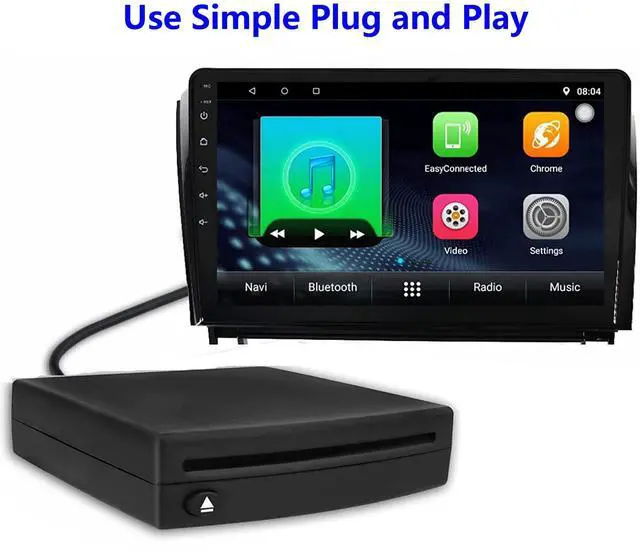


External USB Car Universal CD Player,Vehicle CD Player for Car via USB Radio Connection Portable CD Player for Car Android Navigation with USB Port-Plug and Play
- Easy to InstallThe car CD player can be installed on the car with a single cable, and only plugs the cable into the USB port for the car factory radio and android navigation. Play your favorite CDs and listen to them through your car's factory stereo.(Android version 4.4 and above)
- Widely CompatibleThe car CD player not only suitable for cars or SUVs with a car Android multimedia navigation large screen with USB interface, but also compatible with Windows desktops, laptops and Android smart TVs.(TVs and cars need to support the ability to read USB flash drives before they can use this device to play CD.The device using the optical drive must have a player capable of supporting the format of the disc being played.)
- CD PLAYER Compatible FormatsThe CD Player compatible formats are WMA or WAV, the MP3 format will NOT play. Enjoy your favorite Music CD's and audiobooks, through your vehicle's factory radio and sound system.(Note:Make sure to let each CD finish indexing for 10-20 seconds, to complete installation and avoid set-up issues.)
+
+
Overview
Specs
Reviews

Any questions? Our AI mode will help you find out quickly.
Try me now
This portable external car CD Player suitable for car Android multimedia large screen navigation and USB interface. Just insert the CD player into the USB interface of the car Android navigation host, and the CD player will automatically identify and display the data on your screen. Not only is compatible with Android Car Navigation, Also compatible with Android Smart TVs, Windows desktop, laptop, PCS.
This easy-install USB CD Player is a quality solution enabling you to enjoy your Music CDs through your vehicles factory radio system.You will be able to listen to music and audiobooks in the car as you like,making people relaxed and happy, instantly reducing the feeling of fatigue.
Compatible Formats: WMA or. WAV, but not MP3. Play your favorite music CD's and listen to them through your vehicle's factory radio and sound system; Some audiobooks are in MP3 format and will not play on this CD Player.
Installation:
The unit has a single cable installation. The CD player can be mounted both vertical or horizontal - under the car seat or under the dash or in any other accessible location, but not upside down or past the zero-degree vertical angle.
Just plug in the connecting cable into your vehicle's USB port on your factory radio and make sure to let the unit finish indexing for 10-20 seconds per CD to complete install and avoid set-up issues. You will retain full radio control ability.
NOTE:
1.It does not support playback of Blu-ray and vinyl records. If you want to connect to other devices for playback, it only supports navigation above Android 4.4.
2.For Android Navigation on some models you have to go into the menu to get and select the USB port to recognize the CD player and play music.
3.Make sure you are attempting the initial installation and connection WITHOUT the USB extensions (This is crucial).
Warranty & Returns
Warranty, Returns, And Additional Information
Warranty
- Please contact the Seller directly for warranty information. Warranty information may also be found on the Manufacturer's website.
- CONTACT
Return Policies
- Return for refund within: 30 days
- Return for replacement within: 30 days
- This item is covered by Average-price store Return Policy
Manufacturer Contact Info
- For a directory of all our manufacturers, please click below.
- Manufacturers Directory
LOADING...