



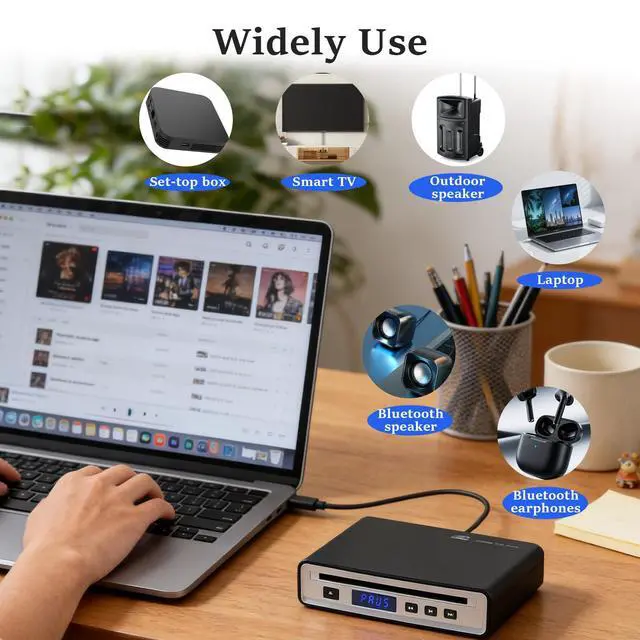
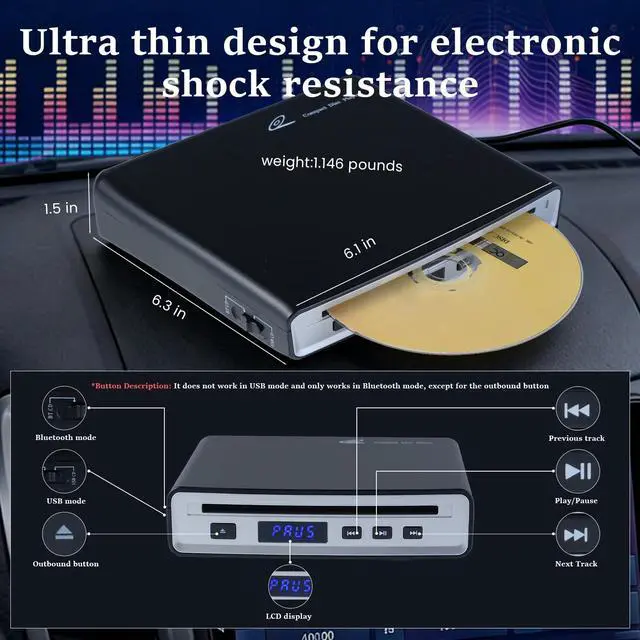


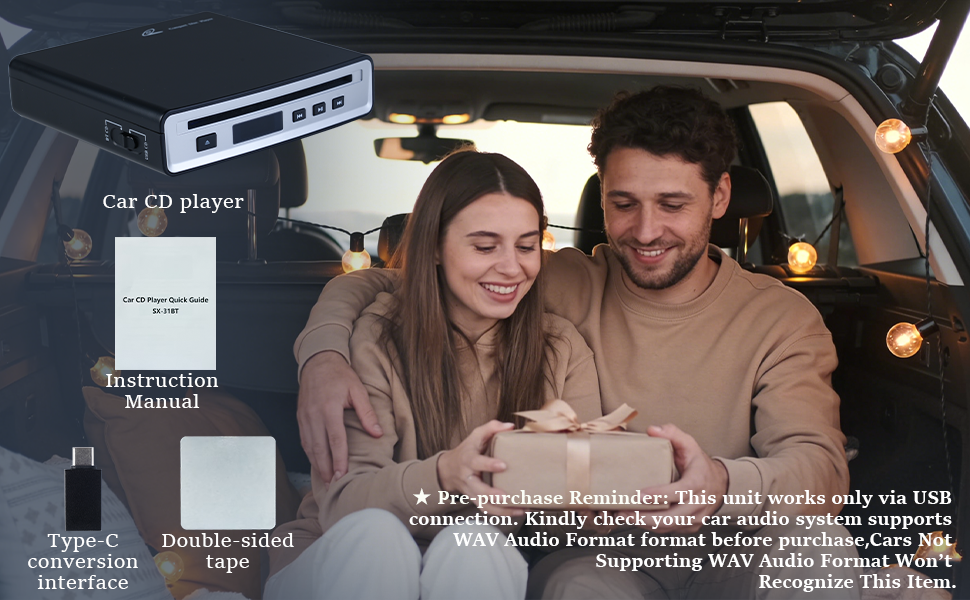
TIP:Kindly check your car audio system supports WAV Audio Format format before purchase,Cars Not Supporting WAV Audio Format Won’t Recognize This Item
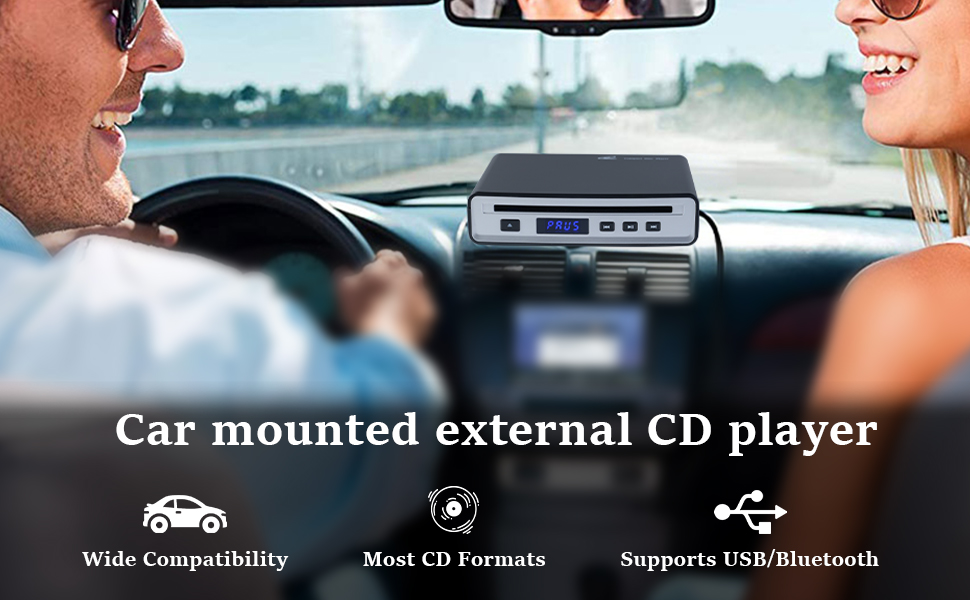
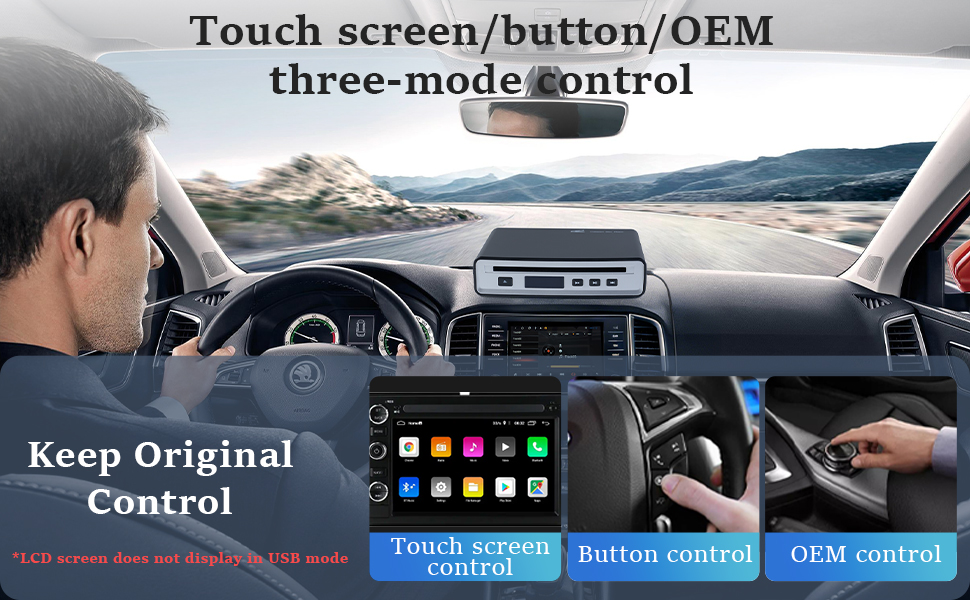
CD Player Frequently Asked Questions
1. Supported Disc Formats
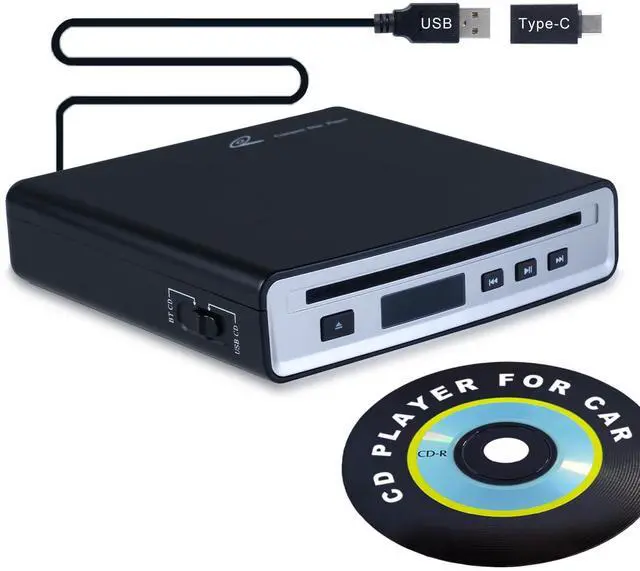
Compatible Formats: Standard CD,HQ-CD,MQA-CD,CD-R,CD-RW,MP3
2. Car Compatibility Check
Requires ONE of the following: Car stereo has a USB data port (not just charging) AND supports WAV file playback;
Car stereo supports Bluetooth audio streaming (not just hands-free calls).
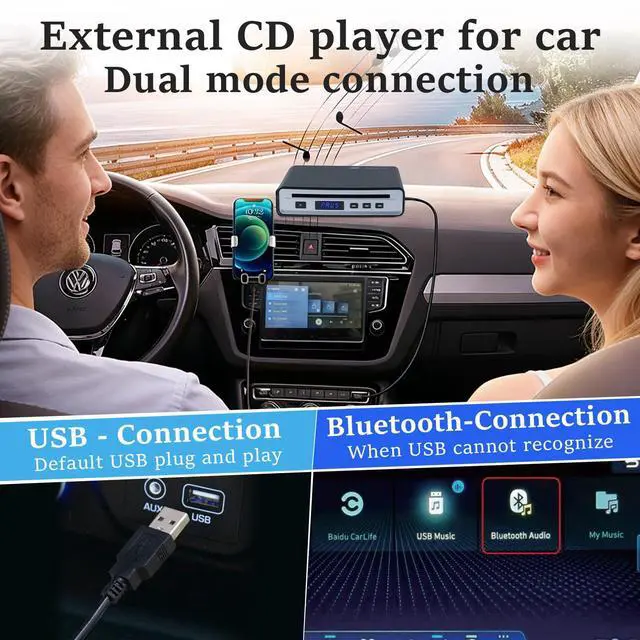
3. How to Connect to Car?
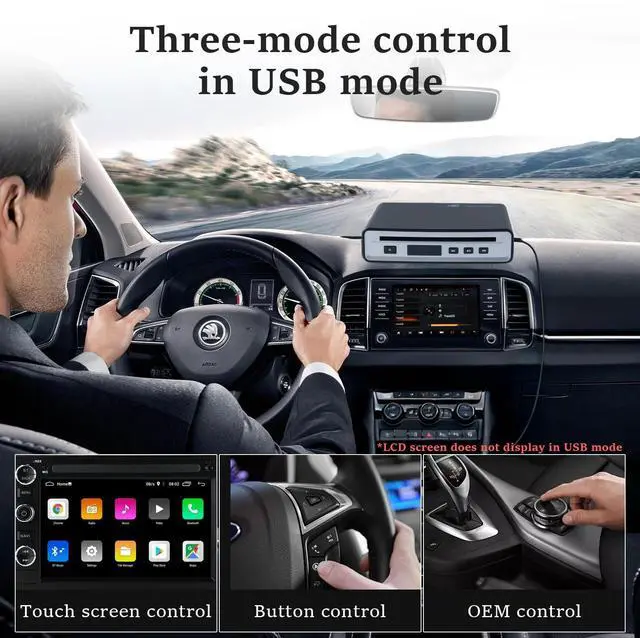
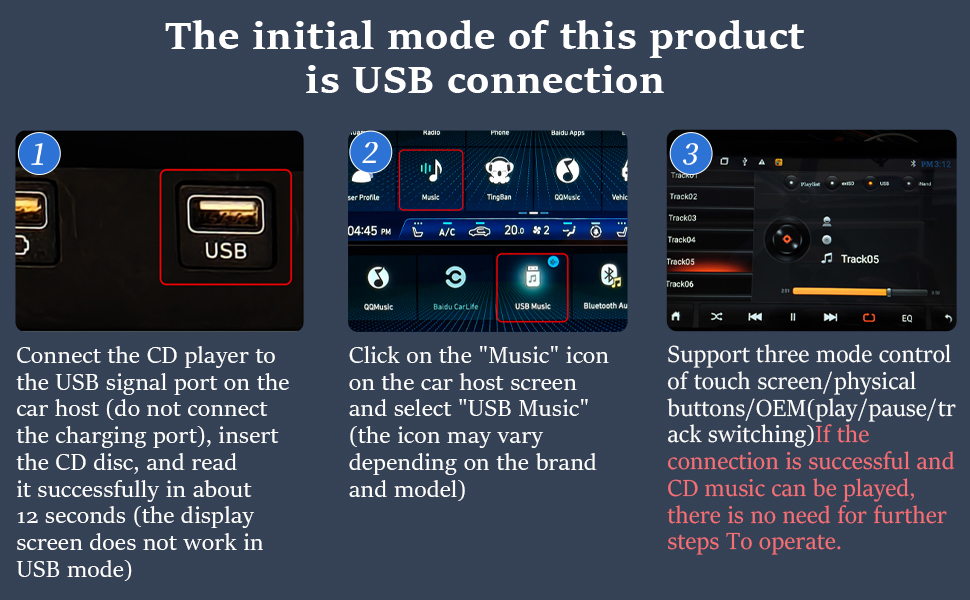
Method 1: USB Wired Connection
A. Use a USB cable to connect the player to the car's USB data port (not charging port).
B. Plug-and-play – no setup required.
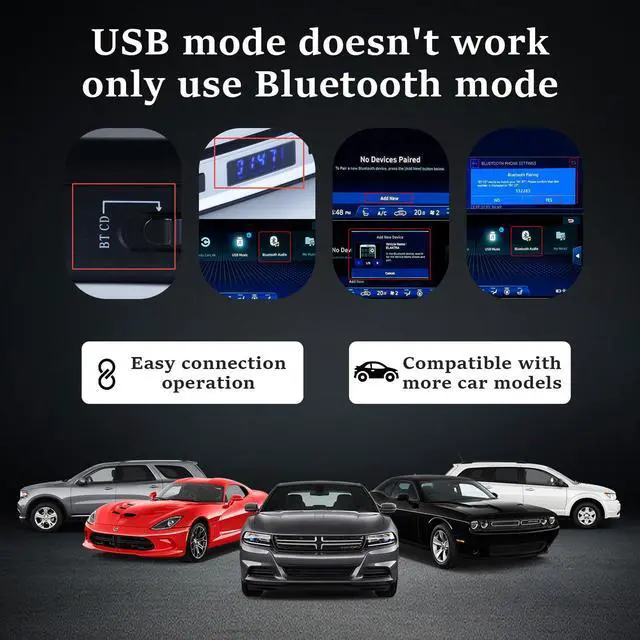
Method 2: When the USB connection experiences issues such as unrecognizability, skipping tracks, or stuttering, please use Bluetooth connection mode
A. Enable Bluetooth on your car stereo.
B. Pair the CD player following the manual's instructions.
Key Function & Compatibility Notice (Please Read Before Purchase)
Vehicle-Only Design
This unit is exclusively built for in-car media playback. It does not contain built-in battery or standalone speaker, so it cannot operate as a separate portable home CD player without vehicle power and audio output.
Disc Format Compatibility
Compatible formats: Standard pressed audio CD, CD with MP3 music folders
Incompatible formats: DVD, movie discs, pure data storage discs. The optical drive only reads audio-focused discs to avoid read errors and disc jams.
Bluetooth Playback Limitation
Our current Bluetooth module only transmits audio signal, without AVRCP metadata transmission function. Therefore, track details (song title, artist name) will not pop up on your car’s display screen during Bluetooth playback. We are upgrading the Bluetooth chip for new batches to solve this limitation.
Car Model Matching Note
Due to the closed audio system protocol of 2024–2025 GM/Chevy vehicles, Bluetooth connection may disconnect or fail to pair. We offer free one-on-one matching guidance and brand after-sales service for affected users.
Q&A
Q: What should I do if the CD gets stuck? Do I need to go to a physical UPS outlet for a return?
A: We provide 24-hour service and satisfactory after-sales service, and you can get a free replacement!
Q: Will this CD player work on 2025 Chevy Blazer?
A: We have updated our compatibility list, this model has unstable Bluetooth connection with 2024-2025 GM vehicles
Q: Do I need to restart the player when switching CDs in USB mode?
A: Need to restart the player, insert the disc, and let it read the disc!
Q: Can this CD player be used as a standalone portable device at home without a car?
A: Using at home requires USB power and a sound system to operate, and cannot play CDs independently
Q: Can I make hands-free calls while playing audio through Bluetooth?
A: No, it will disconnect the connection
Q: Can this player play DVD or MP3 discs?
A: This unit only supports standard audio CD playback, it is not compatible with DVD, MP3 data discs. We have updated all product page information to clarify this function.
Q: Why can’t I get the CD player to work after installation?
A: Please follow our step-by-step operation tutorial on the product page to check power supply, car audio input and Bluetooth pairing. If the device still fails to work, contact our support team for free troubleshooting or replacement.
Q: Can song title and artist info show on my car screen when using Bluetooth mode?
A: The current version only supports media information"Track01,02,03etc." display via USB wired connection. Bluetooth audio works normally but cannot sync track details to vehicle dashboard. We are developing an upgraded model with full Bluetooth metadata display function.
Q: When I insert a CD, it spins for a few seconds and pops out automatically. What’s wrong?
The main reason is low voltage power supply. If the power from your CD player original line is not enough, the CD drive can’t run consistently. The system will automatically eject the disc as a safety protection.
You can use an auxiliary power cable to boost power delivery to the player, which can fix this auto ejection issue perfectly.
TIP:Kindly check your car audio system supports WAV Audio Format format before purchase,Cars Not Supporting WAV Audio Format Won’t Recognize This Item
CD Player Frequently Asked Questions
1. Supported Disc Formats
Compatible Formats: Standard CD,HQ-CD,MQA-CD,CD-R,CD-RW,MP3
2. Car Compatibility Check
Requires ONE of the following: Car stereo has a USB data port (not just charging) AND supports WAV file playback;
Car stereo supports Bluetooth audio streaming (not just hands-free calls).
3. How to Connect to Car?
Method 1: USB Wired Connection
A. Use a USB cable to connect the player to the car's USB data port (not charging port).
B. Plug-and-play – no setup required.
Method 2: When the USB connection experiences issues such as unrecognizability, skipping tracks, or stuttering, please use Bluetooth connection mode
A. Enable Bluetooth on your car stereo.
B. Pair the CD player following the manual's instructions.
Key Function & Compatibility Notice (Please Read Before Purchase)
Vehicle-Only Design
This unit is exclusively built for in-car media playback. It does not contain built-in battery or standalone speaker, so it cannot operate as a separate portable home CD player without vehicle power and audio output.
Disc Format Compatibility
Compatible formats: Standard pressed audio CD, CD with MP3 music folders
Incompatible formats: DVD, movie discs, pure data storage discs. The optical drive only reads audio-focused discs to avoid read errors and disc jams.
Bluetooth Playback Limitation
Our current Bluetooth module only transmits audio signal, without AVRCP metadata transmission function. Therefore, track details (song title, artist name) will not pop up on your car’s display screen during Bluetooth playback. We are upgrading the Bluetooth chip for new batches to solve this limitation.
Car Model Matching Note
Due to the closed audio system protocol of 2024–2025 GM/Chevy vehicles, Bluetooth connection may disconnect or fail to pair. We offer free one-on-one matching guidance and brand after-sales service for affected users.
Q&A
Q: What should I do if the CD gets stuck? Do I need to go to a physical UPS outlet for a return?
A: We provide 24-hour service and satisfactory after-sales service, and you can get a free replacement!
Q: Will this CD player work on 2025 Chevy Blazer?
A: We have updated our compatibility list, this model has unstable Bluetooth connection with 2024-2025 GM vehicles
Q: Do I need to restart the player when switching CDs in USB mode?
A: Need to restart the player, insert the disc, and let it read the disc!
Q: Can this CD player be used as a standalone portable device at home without a car?
A: Using at home requires USB power and a sound system to operate, and cannot play CDs independently
Q: Can I make hands-free calls while playing audio through Bluetooth?
A: No, it will disconnect the connection
Q: Can this player play DVD or MP3 discs?
A: This unit only supports standard audio CD playback, it is not compatible with DVD, MP3 data discs. We have updated all product page information to clarify this function.
Q: Why can’t I get the CD player to work after installation?
A: Please follow our step-by-step operation tutorial on the product page to check power supply, car audio input and Bluetooth pairing. If the device still fails to work, contact our support team for free troubleshooting or replacement.
Q: Can song title and artist info show on my car screen when using Bluetooth mode?
A: The current version only supports media information"Track01,02,03etc." display via USB wired connection. Bluetooth audio works normally but cannot sync track details to vehicle dashboard. We are developing an upgraded model with full Bluetooth metadata display function.
Q: When I insert a CD, it spins for a few seconds and pops out automatically. What’s wrong?
The main reason is low voltage power supply. If the power from your CD player original line is not enough, the CD drive can’t run consistently. The system will automatically eject the disc as a safety protection.
You can use an auxiliary power cable to boost power delivery to the player, which can fix this auto ejection issue perfectly.