




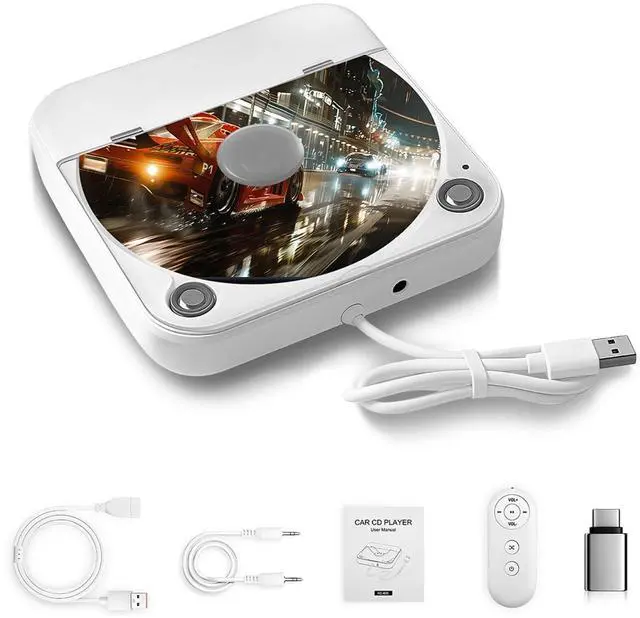
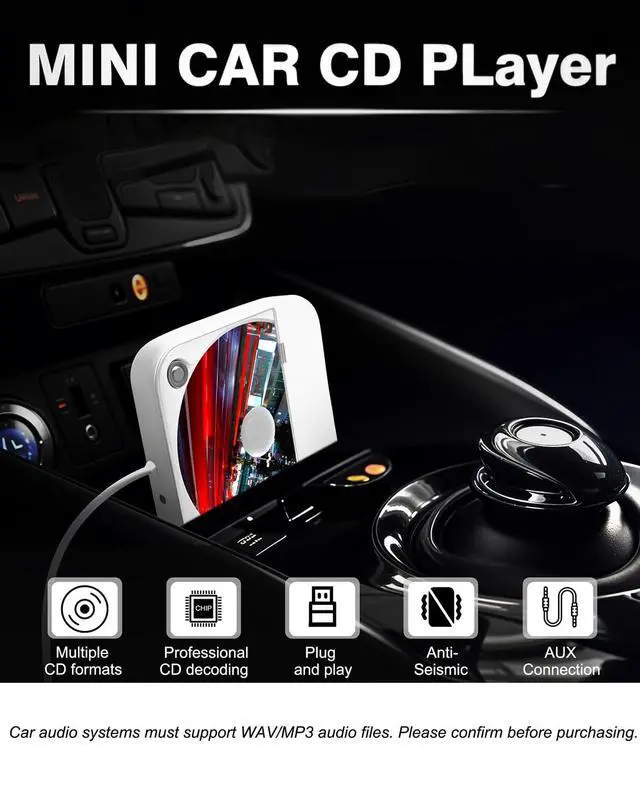
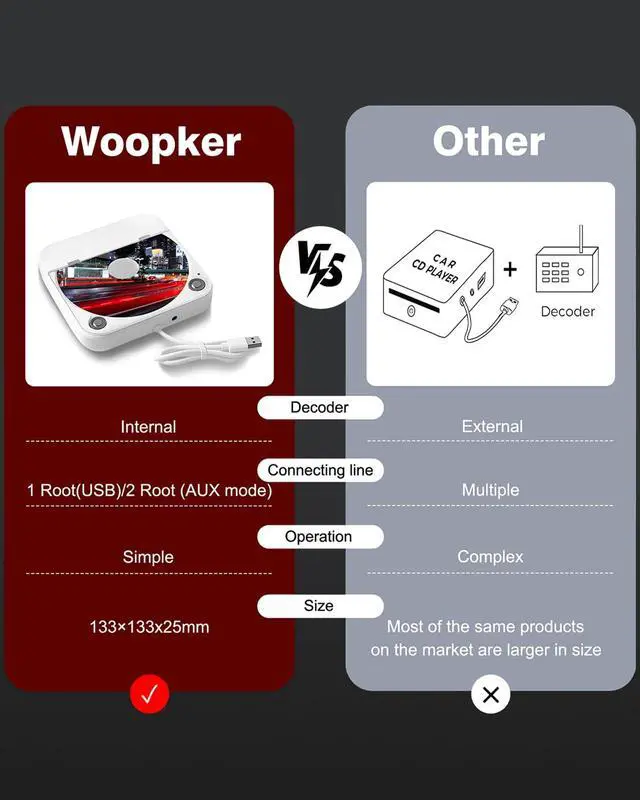


CD Player compatible with most models
The car stereo system must support playing MP3/WAV format audio files
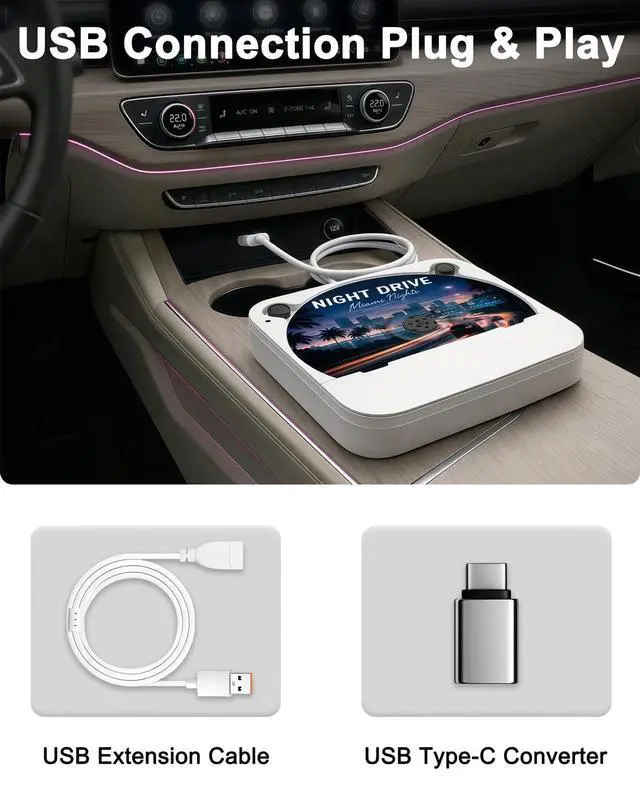
The car must have a USB data interface (for connecting to the car audio system) or an AUX audio cable interface
The Applicable objects: Original cars without CD function and Android central control without CD function/Upgraded Android screen/non Android system screen (such as Linux, Wince system)
Compatible models without CD player: Audi , LEXUS , Volvo , VW , Opel , SKODA , Hyundai/kia, FIAT , Jaguar
- Tesla: Model Y 2021-2023, Model X 2014 - 2023, Model S 2016 - 2023, Cybertruck, Model 3 2019-2023, Roadster 2019-2023
- TOYOTA: AVALON 2019 - 2023, 4RUNNER 2019 - 2023, COROLA 2017 - 2023, RAV4 2017 - 2023, HIGHLANDER 2017 - 2023, CAMARY 2018 - 2023
- FORD: ECOSPORT 2015 - 2023, EDGE 2015 - 2023, ESCAPE 2015 - 2023, EXPEDITION 2015 - 2023, EXPLORER 2015 - 2023, F150/250/350/450 2015 - 2023, FLEX 2015 - 2023, FOCUS 2015 - 2023, FUSION 2015 - 2023, MUSTANG 2015 - 2023, RANGER 2015 - 2023 JEEP: CHEROKEE 2017 - 2023, COMPASS 2018 - 2023, RENEGADE 2018 - 2023, GRAN CHEROKEE 2017 - 2023, GLADIATOR 2019 - 2023, WRANGLER 2015 - 2023


Warm Reminder:Fault and Detection
1. To test the CD player:
- Use your computer or laptop to test the CD player. Insert the USB cable to see if it can read the CD well. If it works normally, the product is in good condition. If not, please request replacement.
- If you want to use USB input, please make sure your car stereo supports playing WAV audio files, you must change the source to USB while using it.
- If your car stereo doesn't support playing WAV audio files, please make sure your car has an aux input.
- Please check whether your CD format is CD-MP3, CD-RW, CD-R, CD-WAW.
- If the CD player still doesn't work, please ask for exchange or return, we are glad to help you.
2. If the CD cannot be read, it means that the car host is not compatible with the WAV music format, in which case you need to use an AUX audio cable to transfer the audio to your car stereo.
3. A user manual is included in the package, please check it and follow the instructions.
Which formats can a CD player read?
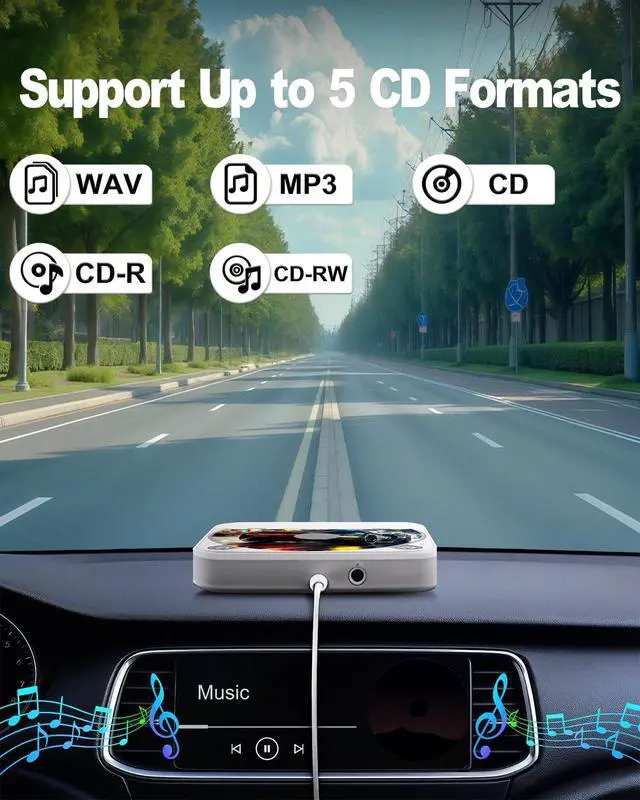
CD/CD - R/CD - RW/WAV/MP3.
How to determine if a CD player is compatible with my car?
The car stereo system must have a USB data port or an AUX audio port, and it must support the playback of WAV or MP3 audio files.
How to connect a CD player to a car?
1,Directly connect to the USB data port of the car stereo.
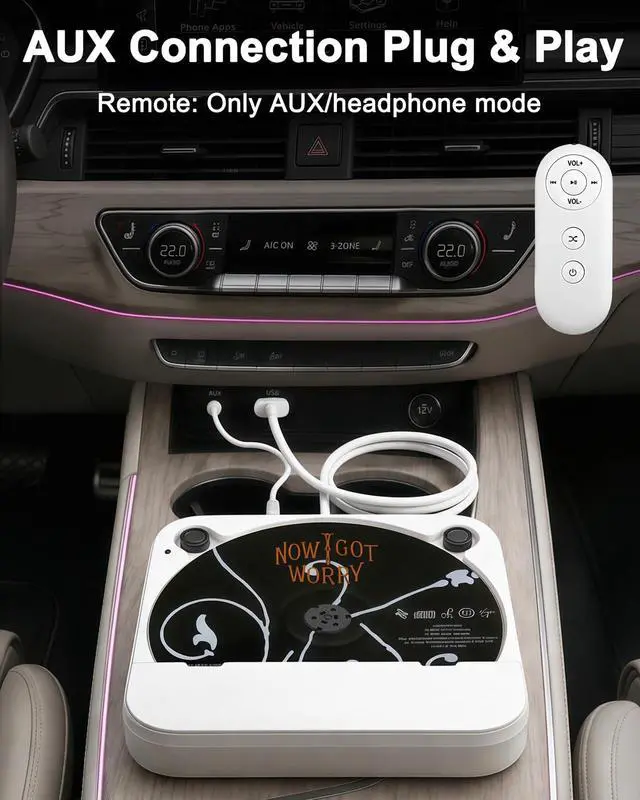
2,Insert the USB port of the CD player into the car's USB port or connect it to a power source. Then, use an AUX audio cable to connect the CD player to the car's AUX audio port.
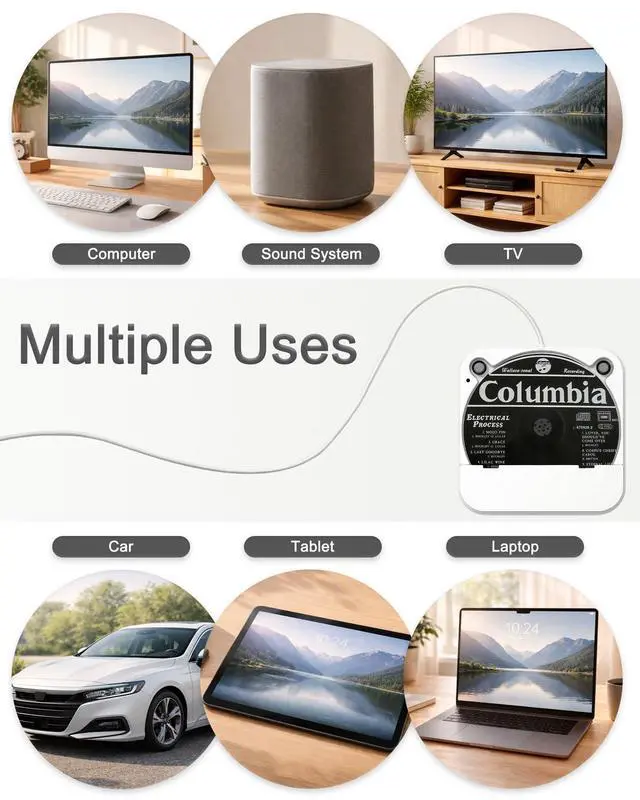
How to connect a CD player to a smart TV to play music on the CD?
Insert the USB port of the CD player into the USB port of the smart TV. Use the remote control to select and open the USB drive - open the DATA folder - access the music playback list, and select the song you want to listen to.
Why is the remote control not responding?
The remote control only works when earphones or an AUX audio cable are inserted. Connect the USB port of the CD player to the power supply, and insert earphones to enter the CD mode for personal listening.

USB & AUX CONNECTIONS


CD Player compatible with most models
The car stereo system must support playing MP3/WAV format audio files
The car must have a USB data interface (for connecting to the car audio system) or an AUX audio cable interface
The Applicable objects: Original cars without CD function and Android central control without CD function/Upgraded Android screen/non Android system screen (such as Linux, Wince system)
Compatible models without CD player: Audi , LEXUS , Volvo , VW , Opel , SKODA , Hyundai/kia, FIAT , Jaguar
- Tesla: Model Y 2021-2023, Model X 2014 - 2023, Model S 2016 - 2023, Cybertruck, Model 3 2019-2023, Roadster 2019-2023
- TOYOTA: AVALON 2019 - 2023, 4RUNNER 2019 - 2023, COROLA 2017 - 2023, RAV4 2017 - 2023, HIGHLANDER 2017 - 2023, CAMARY 2018 - 2023
- FORD: ECOSPORT 2015 - 2023, EDGE 2015 - 2023, ESCAPE 2015 - 2023, EXPEDITION 2015 - 2023, EXPLORER 2015 - 2023, F150/250/350/450 2015 - 2023, FLEX 2015 - 2023, FOCUS 2015 - 2023, FUSION 2015 - 2023, MUSTANG 2015 - 2023, RANGER 2015 - 2023 JEEP: CHEROKEE 2017 - 2023, COMPASS 2018 - 2023, RENEGADE 2018 - 2023, GRAN CHEROKEE 2017 - 2023, GLADIATOR 2019 - 2023, WRANGLER 2015 - 2023
Every time you set out, your favorite voice will accompany you.


Warm Reminder:Fault and Detection
1. To test the CD player:
- Use your computer or laptop to test the CD player. Insert the USB cable to see if it can read the CD well. If it works normally, the product is in good condition. If not, please request replacement.
- If you want to use USB input, please make sure your car stereo supports playing WAV audio files, you must change the source to USB while using it.
- If your car stereo doesn't support playing WAV audio files, please make sure your car has an aux input.
- Please check whether your CD format is CD-MP3, CD-RW, CD-R, CD-WAW.
- If the CD player still doesn't work, please ask for exchange or return, we are glad to help you.
2. If the CD cannot be read, it means that the car host is not compatible with the WAV music format, in which case you need to use an AUX audio cable to transfer the audio to your car stereo.
3. A user manual is included in the package, please check it and follow the instructions.
Which formats can a CD player read?
CD/CD - R/CD - RW/WAV/MP3.
How to determine if a CD player is compatible with my car?
The car stereo system must have a USB data port or an AUX audio port, and it must support the playback of WAV or MP3 audio files.
How to connect a CD player to a car?
1,Directly connect to the USB data port of the car stereo.
2,Insert the USB port of the CD player into the car's USB port or connect it to a power source. Then, use an AUX audio cable to connect the CD player to the car's AUX audio port.
How to connect a CD player to a smart TV to play music on the CD?
Insert the USB port of the CD player into the USB port of the smart TV. Use the remote control to select and open the USB drive - open the DATA folder - access the music playback list, and select the song you want to listen to.
Why is the remote control not responding?
The remote control only works when earphones or an AUX audio cable are inserted. Connect the USB port of the CD player to the power supply, and insert earphones to enter the CD mode for personal listening.
The CD spins and the music goes with the car.