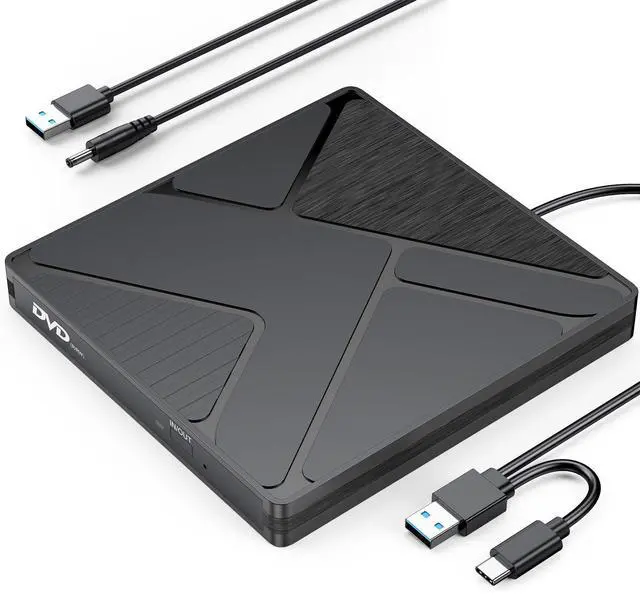
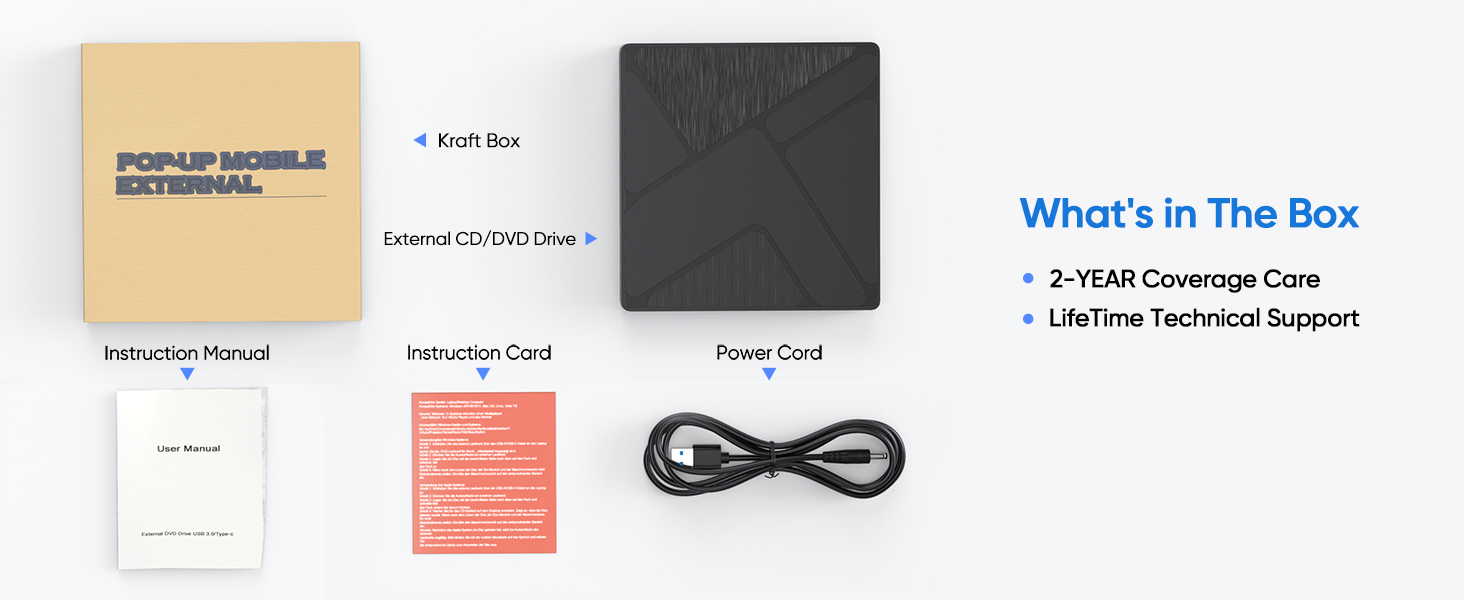
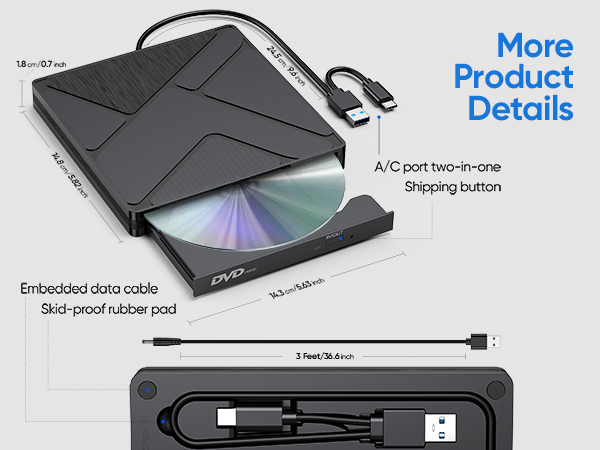
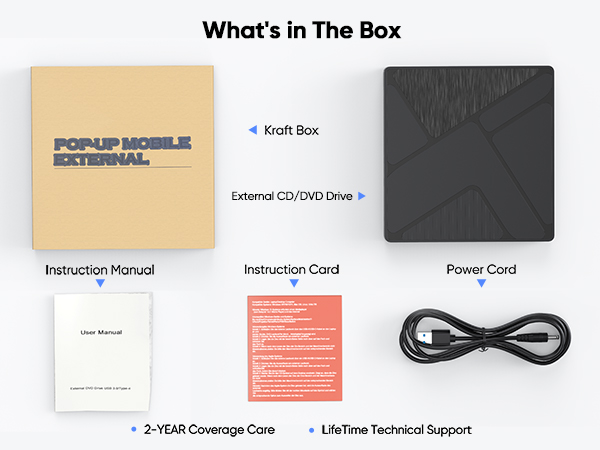
CD Burner for Laptop PC, USB & USB C CD/DVD Burner External Portable Disc Drive for HP Lenovo Acer Dell Asus Laptop MacBook Mac Desktop PC Windows 11/10/8/7/Vista macOS Linux
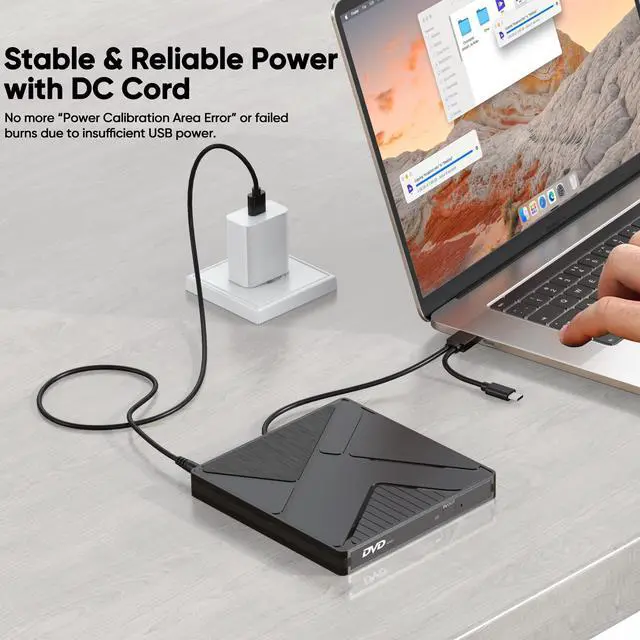
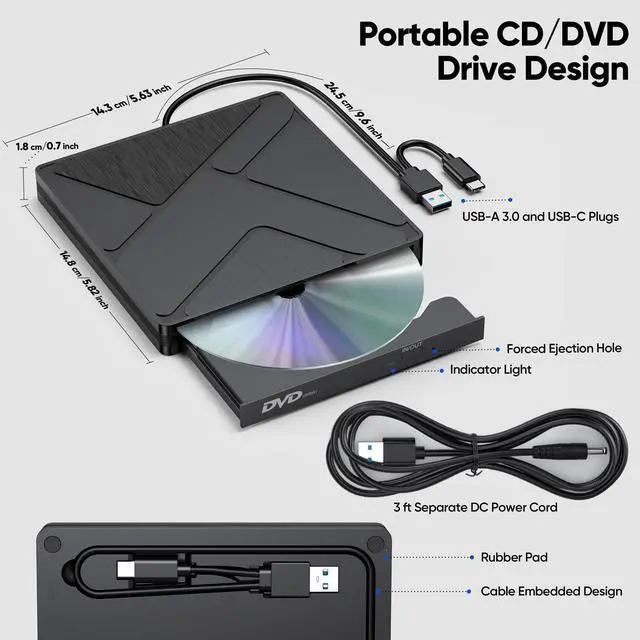
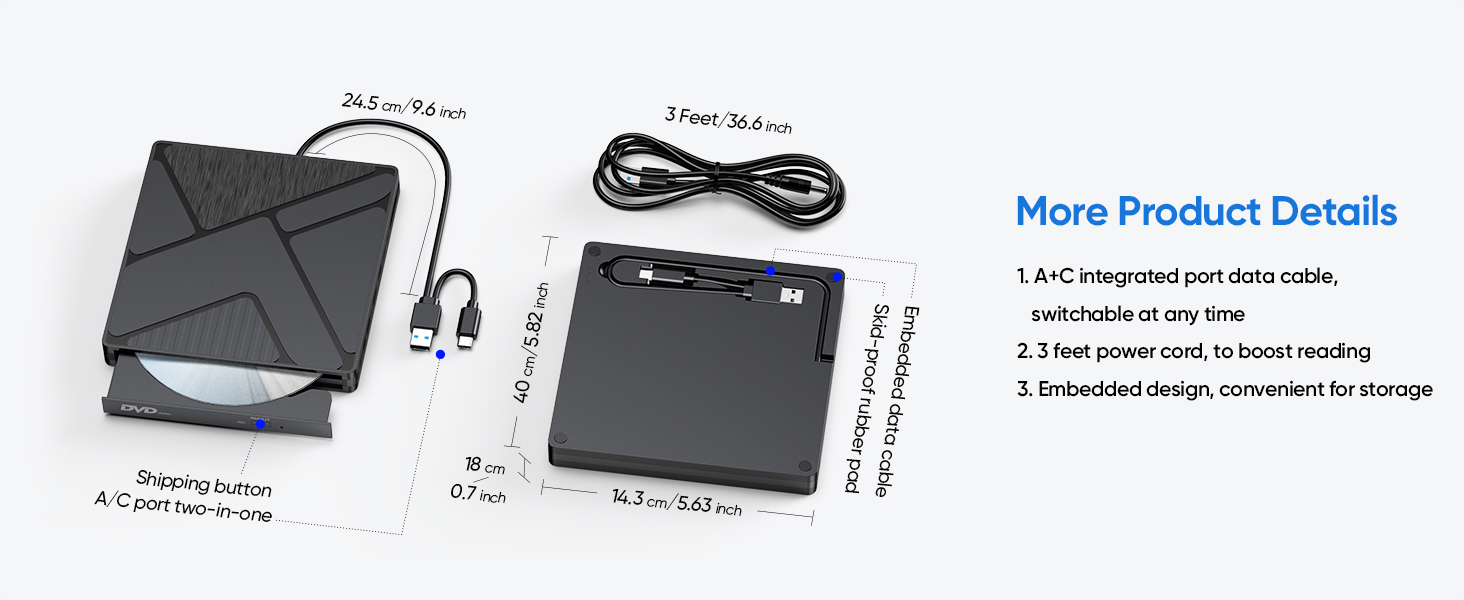
Stable & Reliable Power with DC Cord: No more Power Calibration Area Error or failed burns due to insufficient USB power. The included DC power cord provides a dedicated, stable power supply, ensuring uninterrupted performance even on older laptops, weak USB ports.
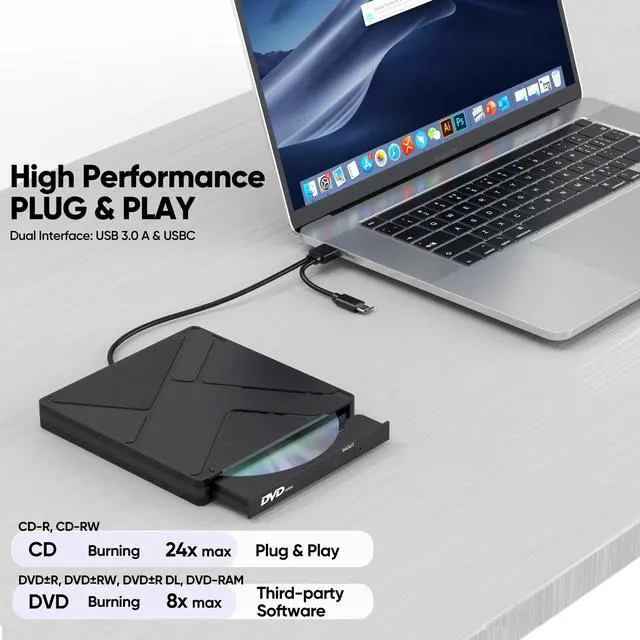
High-Speed Burning & Reading: Burn CD-R/RW at up to 24x and DVD±R at up to 8x. Supports DVD±RW, DVD±R DL (dual layer), CD-RW, and even M-DISC for long-term archival. The independent power supply maintains consistent write speeds, reducing errors and coasters.
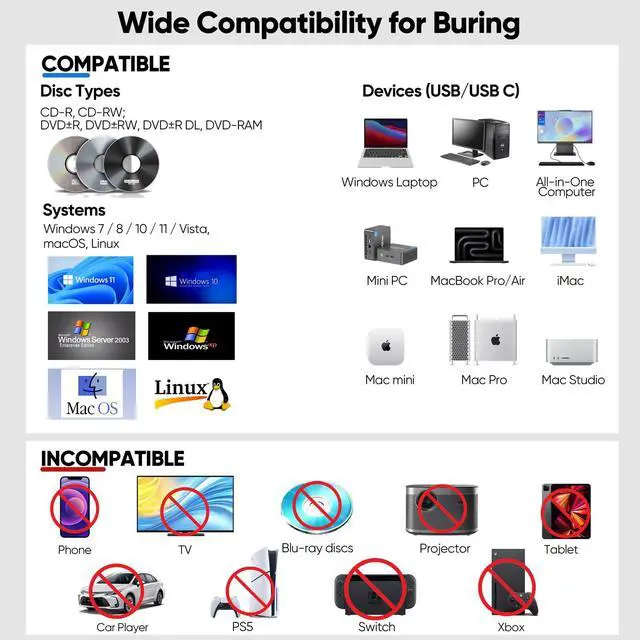
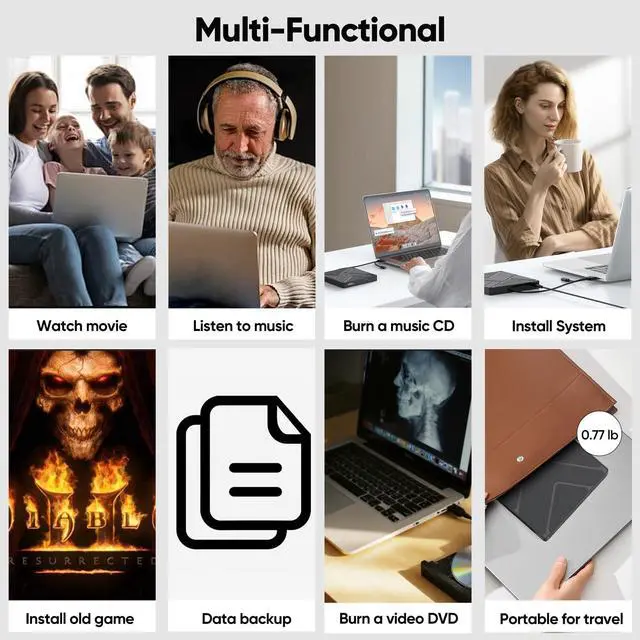
Versatile Disc Support: Create audio CDs, data DVDs, video DVDs, and bootable discs. Ideal for backing up precious photos, burning custom music mixes, archiving documents, or installing operating systems. Fully compatible with CD-R, CD-RW, DVD±R, DVD±RW, DVD-RAM.
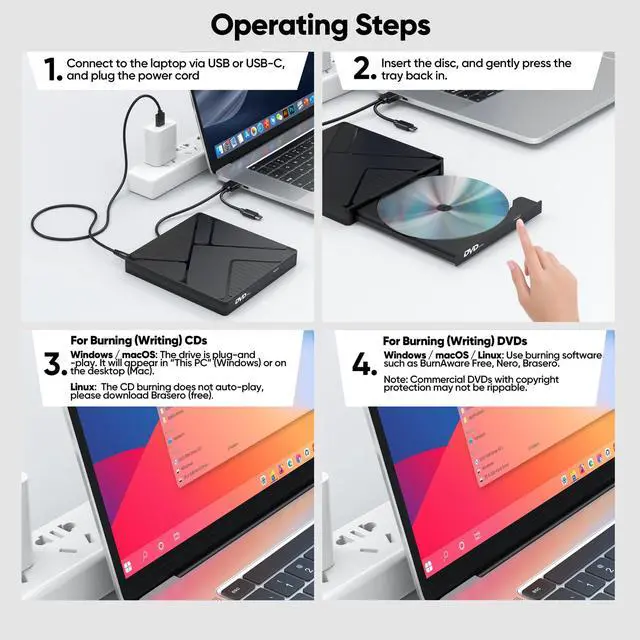
Wide System Compatibility & Plug-and-Play: Works seamlessly with Windows 7/8/10/11/Vista, macOS, and Linux. Simply connect the USB cable and DC power cord no driver installation required. Note: For creating video DVDs on macOS or Windows 10/11, third-party software may be needed.
Reliable Quality & Customer Care: Backed by an 18-month worry-free warranty and 24/7 responsive customer support. Every drive is factory-tested for quality and durability. Your satisfaction is our priority contact us with any questions or concerns.
+
+
Overview
Specs
Reviews
Any questions? Our AI beta will help you find out quickly.
Before using, ensure your computer has the necessary software installed. Media Players: VLC Media Player, KMPlayer (VLC is recommended for DVD playback) Burning Software: BurnAware Free, Nero, or your system’s built-in tool
DVD Region Code
Your drive supports region codes. You can change the region code up to 5 times (the limit is set by the drive firmware). After that, it will lock to the last region. If you only play discs from one region, this won’t affect you.
Disc Condition
Do not insert scratched, cracked, or warped discs into the drive to avoid damage.
Safe Usage
Keep the drive away from magnetic objects. Do not look directly into the laser lens — the internal laser light may be harmful to eyes.
Speed & Performance
Actual data transfer speed may vary depending on your computer’s performance, USB port type (externel power cord recommended), and system environment.
DVD Copy Protection
Some commercially purchased DVDs have copyright protection. If you are unable to rip or copy such a disc, this is due to the disc’s protection, not a drive issue. You may use software like HandBrake to handle protected DVDs where legally permitted.
Packaging & Dimensions (Swipe to view more)
Warm Tips for Optimal Use
Software & Playback
Before using, ensure your computer has the necessary software installed. Media Players: VLC Media Player, KMPlayer (VLC is recommended for DVD playback) Burning Software: BurnAware Free, Nero, or your system’s built-in tool
DVD Region Code
Your drive supports region codes. You can change the region code up to 5 times (the limit is set by the drive firmware). After that, it will lock to the last region. If you only play discs from one region, this won’t affect you.
Disc Condition
Do not insert scratched, cracked, or warped discs into the drive to avoid damage.
Safe Usage
Keep the drive away from magnetic objects. Do not look directly into the laser lens — the internal laser light may be harmful to eyes.
Speed & Performance
Actual data transfer speed may vary depending on your computer’s performance, USB port type (externel power cord recommended), and system environment.
DVD Copy Protection
Some commercially purchased DVDs have copyright protection. If you are unable to rip or copy such a disc, this is due to the disc’s protection, not a drive issue. You may use software like HandBrake to handle protected DVDs where legally permitted.
CD Burner for Laptop PC, USB & USB C CD/DVD Burner External Portable Disc Drive for HP Lenovo Acer Dell Asus Laptop MacBook Mac Desktop PC Windows 11/10/8/7/Vista macOS Linux
Learn more about the Detailed Specifications
Additional Information
First Listed on Newegg
June 09, 2026
There are no reviews yet.
Do you own this product?
Warranty & Returns
Warranty, Returns, And Additional Information
Warranty
Please contact the Seller directly for warranty information. Warranty information may also be found on the Manufacturer's website.