






Guamar focuses on external CD/DVD drive research and production for many years.
We value the user experience, constantly innovate our products according to user needs, and we are committed to providing people with convenient, high quality products.
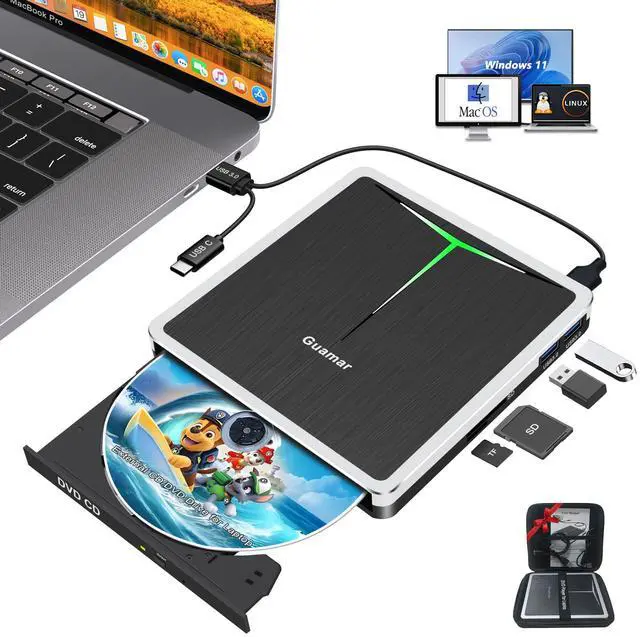
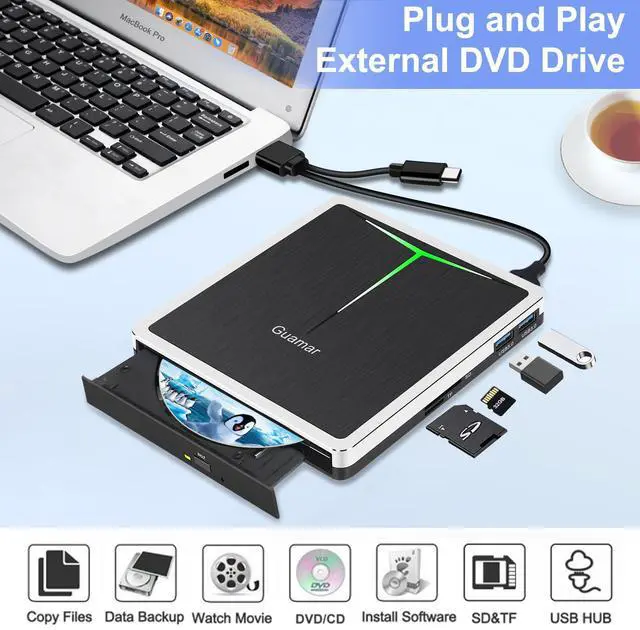
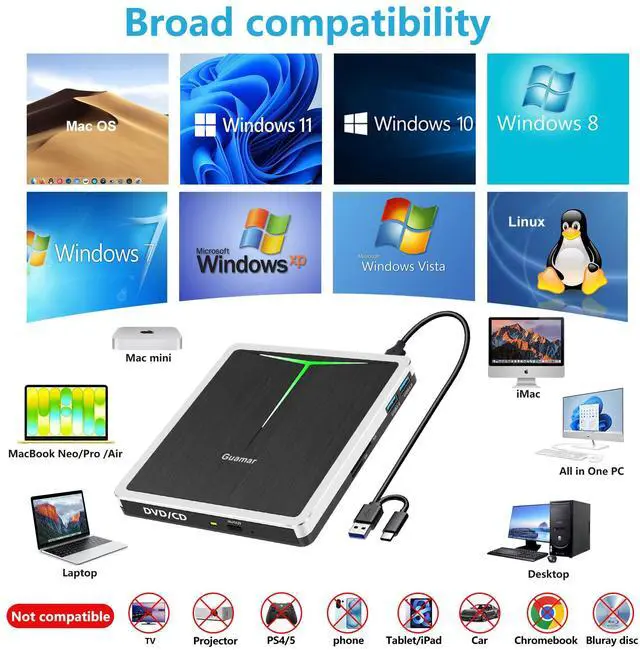
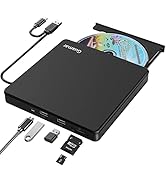
Guamar external CD/DVD drive for laptop compatible with Windows 11/10/8/ 7/XP/Vista,Linux and all vision Mac OS system. Plug and Play.
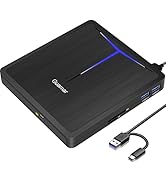
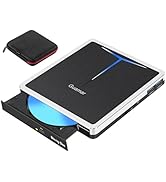
External DVD Drive for PC
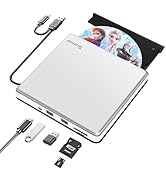
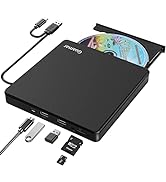
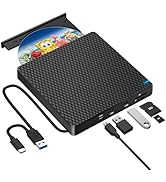
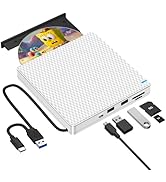
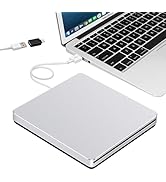
External CD/DVD Drive for Mac
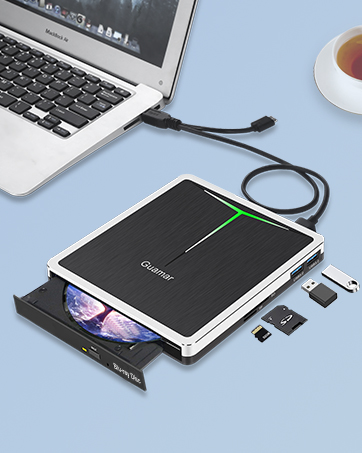
External Blu Ray Drive
Guamar external Blu ray drive with 2 USB ports and SD/TF slot, compatible with Windows 11/10/8/7, Linux and all vision Mac OS system.
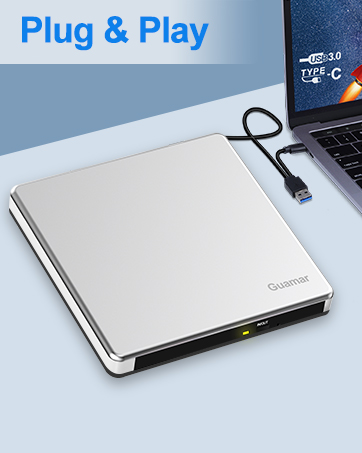
Eexternal DVD Drive for Laptop
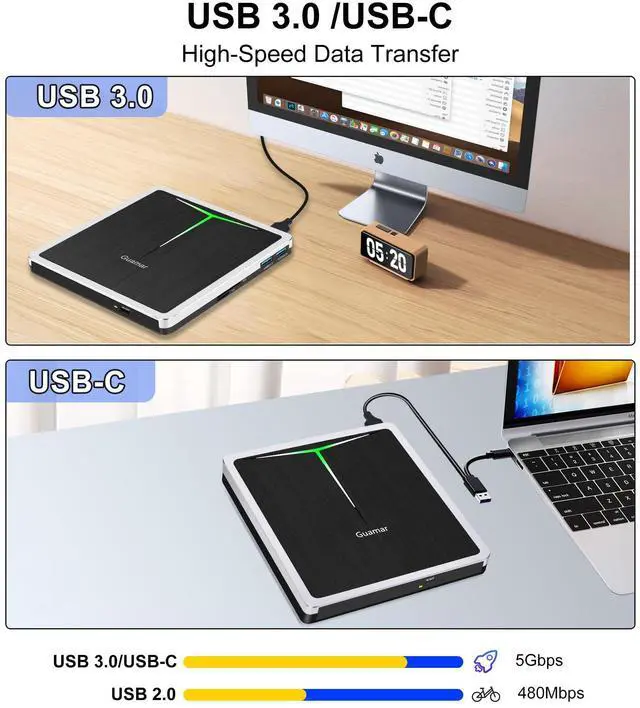
External CD/DVD drive Player comes with USB 3.0 & USB-C dual interface, makes it easier to use for different computers. Plug and Play.
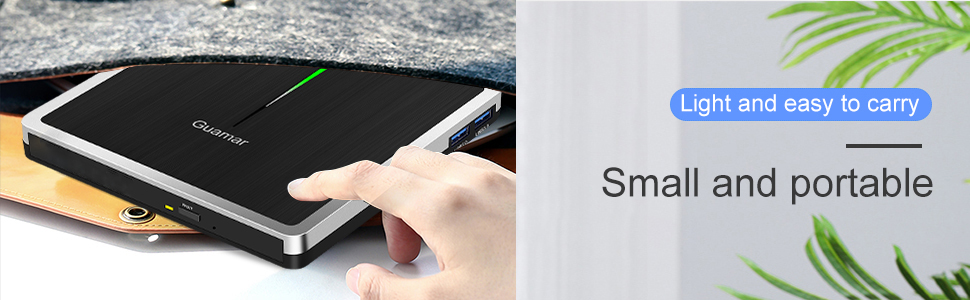
Wide Compatibility
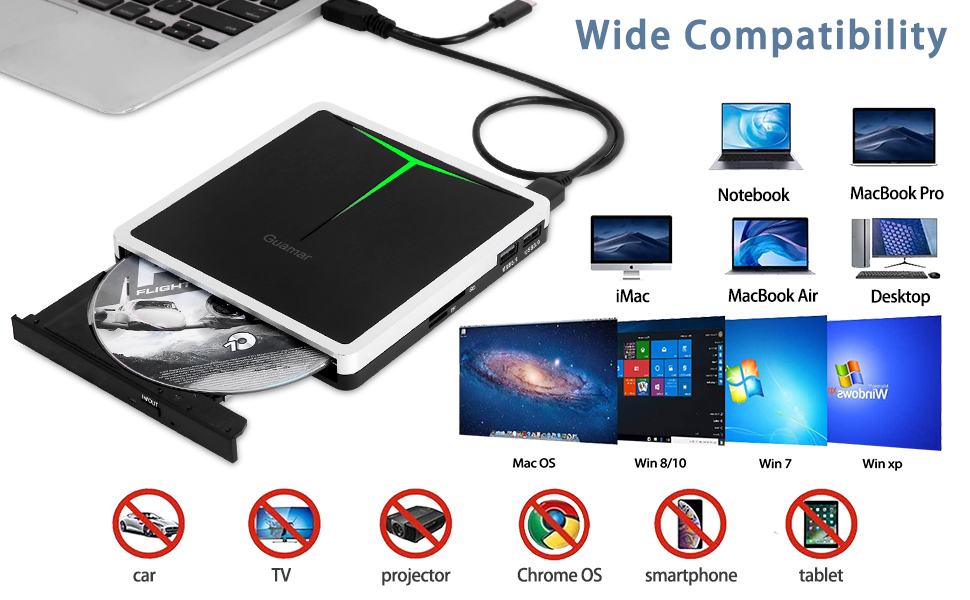
Guamar External CD/DVD drive for PC
Guamar external DVD drive for pc works well with Windows 11/10/7/8/XP/Vista, Linux and all Version Mac OS. Compatible with MacBook Pro Air Neo/Mac Mini/iMac/ASUS/HP/Dell/Samsung/Sony/Acer and other Laptop, Notebook, UltraBook, all in one PC Desktop without internal optical drive But with USB C or USB interfaces.
Warm Tips:This DVD drive USB external Not compatible with tablet, TV, car, smart phone, projector, Chrome OS and blu ray disc.
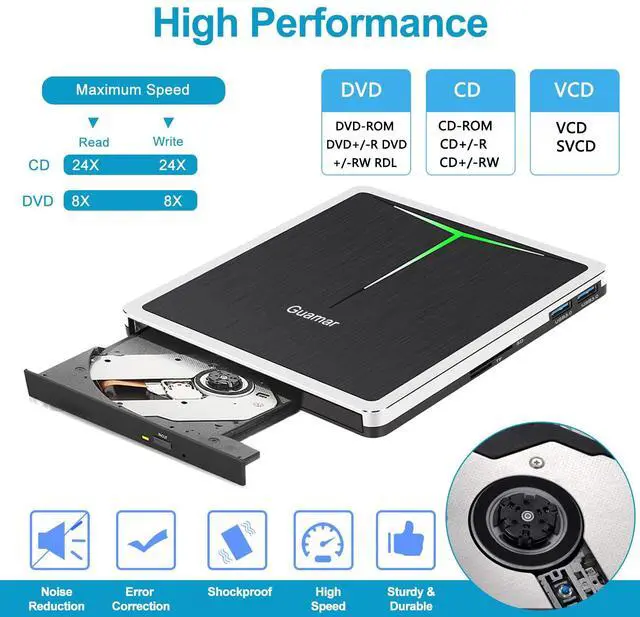
Supported formats: DVD-ROM, DVD-video, CD-R/RW, CD-ROM/XA, CD-ROM, CD-EXTRA, CD-TEXT
Supported media types: CD-ROM, CD-R, CD-RW, DVD-ROM, DVD-R, DVD-RW, DVD+RW, DVD+R, DVD+R DL, DVD-R DL, DVD RAM
Read Speed: CD-ROM: 24x Max; DVD-ROM: 8x Max; DVD-ROM(DL): 6x Max
Write speed: 24x CD-R, 6x CD-RW, DVD±R: 8X Max; DVD±R DL: 4X Max; DVD-R±9: 2.4x Max
Rewrite Speed: DVD+RW: 4X Max; DVD-RW: 4x Max; CD-RW: 10X Max; DVD-RAM: 3x Max
Memory Cache: 2M
Computer Output for drive : 3V-5V (1.3A-2A) -- Lower to this may cause a recognizing failure or reading failure.
Guamar External DVD Player for Laptop Superior Features
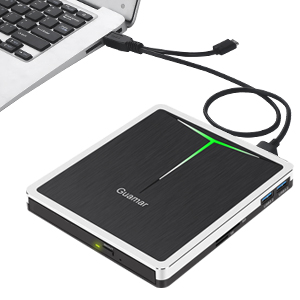
Plug and Play
No extra driver needed, CD burner for Mac comes with USB3.0 and Type-C dual interface, easy to hook up with the computer. Just plug CD drive for laptop directly into your laptop,this external DVD drive will be be detected automatically by your computer, then you can use it to play or burn your CD/DVD discs through the corresponding software.
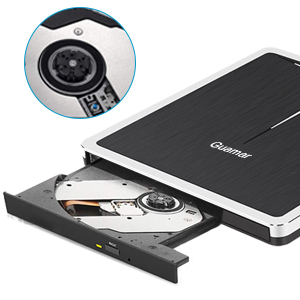
Excellent Performance
This external DVD drive for laptop is equipped with brand new chips with strong error-correction ability,shockproof,low noise,anti-interference and high durability,plays music and movies with no lag or distortion.
Intelligent high-speed USB 3.0 technology brings you a smooth and fast player burning experience.
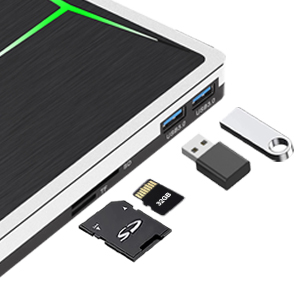
Additional SD/TF Slot & USB Ports
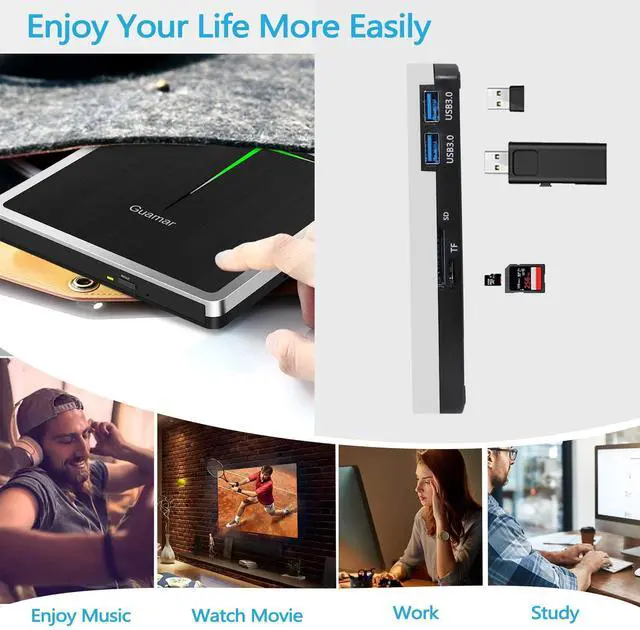
Our optical drive is not only a CD reader, but also a multifunctional USB hub with SD/TF card slot. For transfering files/photos/videos/movies between your computer and external storage device (e.g. USB flash drive,hard drive,or SD/TF card), which will effectively solve the problem of insufficient USB ports. (Note:SD card and TF card can’t work at the same time,only choose one for you.)
Warm Tips:
1.Please read User Manual Carefully before you use Guamar External CD Burner.
2.Customers who use Windows 10/ Windows 11 and above Windows system are advised to install VLC Media Player to play DVD/CD.
3.Please make sure that your computer has a "Media Player" software before playing music or movie .
4.Please hook up the external CD drive to the direct USB C or USB-A port on your computer. If you connect it to a USB hub or extension cords,it maybe can't recognize the Driver.
5.Keep the external DVD burner steady on the desktop, don’t put it unstable items.
6.For the desktops, please connect the USB DVD drive to the USB-A/USB-C port of the motherboard for normal use.
7.For Mac OS, Press Command + E at the same time to eject the disc.(works when the disc is selected in Finder).
When the DVD drive is playing on Mac, after we plug the drive into Mac, it can’t be recognized and there is nothing showing on the desktop. After we insert a disk inside the drive, that will be a disk icon showing on the desktop.
Package:
1*5 in 1 External DVD Drive
1*Removable Data Cable
1*Extra Power Cable
1*Free Storage Carrying Case
1*User Manual

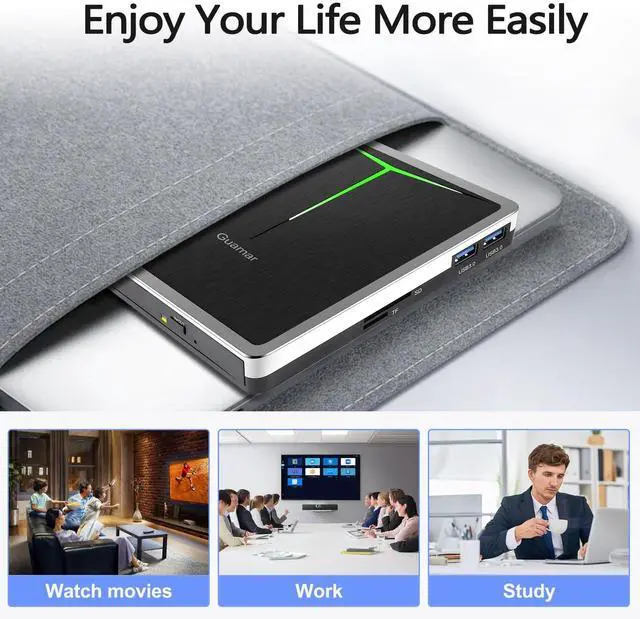
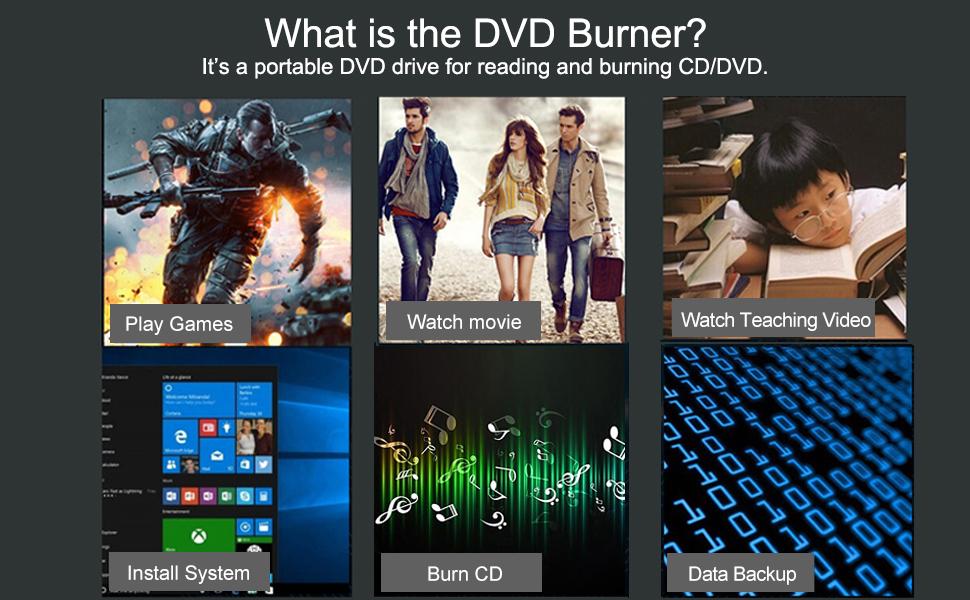
Guamar CD drive external USB can read and write movie DVDs, burn files, videos, photos, rip music CDs, install software/games and create data backup. It is also a good idea to give it as a gift to hobbyists who collect CDs and DVDs.
 Guamar External CD DVD Drive: USB-C CD Burner Portable DVD Player Disc Reader... |  USB 3.0 & USB C External CD/DVD Burner Drive with Storage Carrying Case |  USB 2.0 & USB C External CD/DVD Drive Burner for Laptop Mac |  Guamar USB 3.0 Superdrive for Apple: External CD Drive for Mac MacBook Plug &... |  USB 3.0 & USB C External CD/DVD Drive for Laptop Portable DVD Burner |  USB-C & USB 3.0 External CD/DVD Drive for Laptop Portable DVD CD Player Burner | |
|---|---|---|---|---|---|---|
| Customer Reviews | — | — | — | — | — | — |
| Price | — | — | — | — | — no data | — |
| Interface Type | USB 3.0 & USB C | USB 3.0 & USB C | USB 2.0 & USB C | USB 3.0 & USB C | USB 3.0 & USB C | USB 3.0 & USB C |
| Operating System | Windows 11 / 10 / 8 / 7 / XP/Vista,Mac OS,Linux | Windows 11 / 10 / 8 / 7 / XP/Vista,Mac OS,Linux | Windows 11 / 10 / 8 / 7 / XP/Vista,Mac OS,Linux | Windows 11 / 10 / 8 / 7 / XP/Vista,Mac OS,Linux | Windows 11 / 10 / 8 / 7 / XP/Vista,Mac OS,Linux | Windows 11 / 10 / 8 / 7 / XP/Vista,Mac OS,Linux |
| Read/Write | ? | ? | ? | ? | ? | ? |
| Supported Disc | DVD±RW / DVD±R DL / CD±RW / DVD-Rom / CD-Rom / CD±R / DVD-RW / DVD±R / DVD-RAM | DVD±RW / DVD±R DL / CD±RW / DVD-Rom / CD-Rom / CD±R / DVD-RW / DVD±R / DVD-RAM | DVD±RW / DVD±R DL / CD±RW / DVD-Rom / CD-Rom / CD±R / DVD-RW / DVD±R / DVD-RAM | DVD±RW / DVD±R DL / CD±RW / DVD-Rom / CD-Rom / CD±R / DVD-RW / DVD±R / DVD-RAM | DVD±RW / DVD±R DL / CD±RW / DVD-Rom / CD-Rom / CD±R / DVD-RW / DVD±R / DVD-RAM | DVD±RW / DVD±R DL / CD±RW / DVD-Rom / CD-Rom / CD±R / DVD-RW / DVD±R / DVD-RAM |
| Reading Speed | DVD 8X ; CD 24X | DVD 8X ; CD 24X | DVD 8X ; CD 24X | DVD 8X ; CD 24X | DVD 8X ; CD 24X | DVD 8X ; CD 24X |
| Writing Speed | DVD±R DL 4X; DVD±R 8X; DVD±RW 6X; CD-R 24X; CD-RW 6X | DVD±R DL 4X; DVD±R 8X; DVD±RW 6X; CD-R 24X; CD-RW 6X | DVD±R DL 4X; DVD±R 8X; DVD±RW 6X; CD-R 24X; CD-RW 6X | DVD±R DL 4X; DVD±R 8X; DVD±RW 6X; CD-R 24X; CD-RW 6X | DVD±R DL 4X; DVD±R 8X; DVD±RW 6X; CD-R 24X; CD-RW 6X | DVD±R DL 4X; DVD±R 8X; DVD±RW 6X; CD-R 24X; CD-RW 6X |
| Extra USB Ports & SD/TF Slot | ? | ? | no data | no data | ? | ? |
| Extra Removable Power Cord | ? | ? | no data | no data | ? | ? |
Wide Compatibility
Guamar External CD/DVD drive for PC
Guamar external DVD drive for pc works well with Windows 11/10/7/8/XP/Vista, Linux and all Version Mac OS. Compatible with MacBook Pro Air Neo/Mac Mini/iMac/ASUS/HP/Dell/Samsung/Sony/Acer and other Laptop, Notebook, UltraBook, all in one PC Desktop without internal optical drive But with USB C or USB interfaces.
Warm Tips:This DVD drive USB external Not compatible with tablet, TV, car, smart phone, projector, Chrome OS and blu ray disc.
Supported formats: DVD-ROM, DVD-video, CD-R/RW, CD-ROM/XA, CD-ROM, CD-EXTRA, CD-TEXT
Supported media types: CD-ROM, CD-R, CD-RW, DVD-ROM, DVD-R, DVD-RW, DVD+RW, DVD+R, DVD+R DL, DVD-R DL, DVD RAM
Read Speed: CD-ROM: 24x Max; DVD-ROM: 8x Max; DVD-ROM(DL): 6x Max
Write speed: 24x CD-R, 6x CD-RW, DVD±R: 8X Max; DVD±R DL: 4X Max; DVD-R±9: 2.4x Max
Rewrite Speed: DVD+RW: 4X Max; DVD-RW: 4x Max; CD-RW: 10X Max; DVD-RAM: 3x Max
Memory Cache: 2M
Computer Output for drive : 3V-5V (1.3A-2A) -- Lower to this may cause a recognizing failure or reading failure.
Guamar External DVD Player for Laptop Superior Features
Plug and Play
No extra driver needed, CD burner for Mac comes with USB3.0 and Type-C dual interface, easy to hook up with the computer. Just plug CD drive for laptop directly into your laptop,this external DVD drive will be be detected automatically by your computer, then you can use it to play or burn your CD/DVD discs through the corresponding software.
Excellent Performance
This external DVD drive for laptop is equipped with brand new chips with strong error-correction ability,shockproof,low noise,anti-interference and high durability,plays music and movies with no lag or distortion.
Intelligent high-speed USB 3.0 technology brings you a smooth and fast player burning experience.
Additional SD/TF Slot & USB Ports
Our optical drive is not only a CD reader, but also a multifunctional USB hub with SD/TF card slot. For transfering files/photos/videos/movies between your computer and external storage device (e.g. USB flash drive,hard drive,or SD/TF card), which will effectively solve the problem of insufficient USB ports. (Note:SD card and TF card can’t work at the same time,only choose one for you.)
Warm Tips:
1.Please read User Manual Carefully before you use Guamar External CD Burner.
2.Customers who use Windows 10/ Windows 11 and above Windows system are advised to install VLC Media Player to play DVD/CD.
3.Please make sure that your computer has a "Media Player" software before playing music or movie .
4.Please hook up the external CD drive to the direct USB C or USB-A port on your computer. If you connect it to a USB hub or extension cords,it maybe can't recognize the Driver.
5.Keep the external DVD burner steady on the desktop, don’t put it unstable items.
6.For the desktops, please connect the USB DVD drive to the USB-A/USB-C port of the motherboard for normal use.
7.For Mac OS, Press Command + E at the same time to eject the disc.(works when the disc is selected in Finder).
When the DVD drive is playing on Mac, after we plug the drive into Mac, it can’t be recognized and there is nothing showing on the desktop. After we insert a disk inside the drive, that will be a disk icon showing on the desktop.
Package:
1*5 in 1 External DVD Drive
1*Removable Data Cable
1*Extra Power Cable
1*Free Storage Carrying Case
1*User Manual
Guamar CD drive external USB can read and write movie DVDs, burn files, videos, photos, rip music CDs, install software/games and create data backup. It is also a good idea to give it as a gift to hobbyists who collect CDs and DVDs.
Guamar External CD DVD Drive: USB-C CD Burner Portable DVD Player Disc Reader... | USB 3.0 & USB C External CD/DVD Burner Drive with Storage Carrying Case | USB 2.0 & USB C External CD/DVD Drive Burner for Laptop Mac | Guamar USB 3.0 Superdrive for Apple: External CD Drive for Mac MacBook Plug &... | USB 3.0 & USB C External CD/DVD Drive for Laptop Portable DVD Burner | USB-C & USB 3.0 External CD/DVD Drive for Laptop Portable DVD CD Player Burner | |
|---|---|---|---|---|---|---|
| Customer Reviews | — | — | — | — | — | — |
| Price | — | — | — | — | — no data | — |
| Interface Type | USB 3.0 & USB C | USB 3.0 & USB C | USB 2.0 & USB C | USB 3.0 & USB C | USB 3.0 & USB C | USB 3.0 & USB C |
| Operating System | Windows 11 / 10 / 8 / 7 / XP/Vista,Mac OS,Linux | Windows 11 / 10 / 8 / 7 / XP/Vista,Mac OS,Linux | Windows 11 / 10 / 8 / 7 / XP/Vista,Mac OS,Linux | Windows 11 / 10 / 8 / 7 / XP/Vista,Mac OS,Linux | Windows 11 / 10 / 8 / 7 / XP/Vista,Mac OS,Linux | Windows 11 / 10 / 8 / 7 / XP/Vista,Mac OS,Linux |
| Read/Write | ? | ? | ? | ? | ? | ? |
| Supported Disc | DVD±RW / DVD±R DL / CD±RW / DVD-Rom / CD-Rom / CD±R / DVD-RW / DVD±R / DVD-RAM | DVD±RW / DVD±R DL / CD±RW / DVD-Rom / CD-Rom / CD±R / DVD-RW / DVD±R / DVD-RAM | DVD±RW / DVD±R DL / CD±RW / DVD-Rom / CD-Rom / CD±R / DVD-RW / DVD±R / DVD-RAM | DVD±RW / DVD±R DL / CD±RW / DVD-Rom / CD-Rom / CD±R / DVD-RW / DVD±R / DVD-RAM | DVD±RW / DVD±R DL / CD±RW / DVD-Rom / CD-Rom / CD±R / DVD-RW / DVD±R / DVD-RAM | DVD±RW / DVD±R DL / CD±RW / DVD-Rom / CD-Rom / CD±R / DVD-RW / DVD±R / DVD-RAM |
| Reading Speed | DVD 8X ; CD 24X | DVD 8X ; CD 24X | DVD 8X ; CD 24X | DVD 8X ; CD 24X | DVD 8X ; CD 24X | DVD 8X ; CD 24X |
| Writing Speed | DVD±R DL 4X; DVD±R 8X; DVD±RW 6X; CD-R 24X; CD-RW 6X | DVD±R DL 4X; DVD±R 8X; DVD±RW 6X; CD-R 24X; CD-RW 6X | DVD±R DL 4X; DVD±R 8X; DVD±RW 6X; CD-R 24X; CD-RW 6X | DVD±R DL 4X; DVD±R 8X; DVD±RW 6X; CD-R 24X; CD-RW 6X | DVD±R DL 4X; DVD±R 8X; DVD±RW 6X; CD-R 24X; CD-RW 6X | DVD±R DL 4X; DVD±R 8X; DVD±RW 6X; CD-R 24X; CD-RW 6X |
| Extra USB Ports & SD/TF Slot | ? | ? | no data | no data | ? | ? |
| Extra Removable Power Cord | ? | ? | no data | no data | ? | ? |
Guamar focuses on external CD/DVD drive research and production for many years.
We value the user experience, constantly innovate our products according to user needs, and we are committed to providing people with convenient, high quality products.
Guamar external CD/DVD drive for laptop compatible with Windows 11/10/8/ 7/XP/Vista,Linux and all vision Mac OS system. Plug and Play.
External DVD Drive for PC
External CD/DVD Drive for Mac
External Blu Ray Drive
Guamar external Blu ray drive with 2 USB ports and SD/TF slot, compatible with Windows 11/10/8/7, Linux and all vision Mac OS system.
Eexternal DVD Drive for Laptop
External CD/DVD drive Player comes with USB 3.0 & USB-C dual interface, makes it easier to use for different computers. Plug and Play.
