

Your Browsing History

- Free 30-day Returns
$68.00
Ships from China.


Meet Your Seller

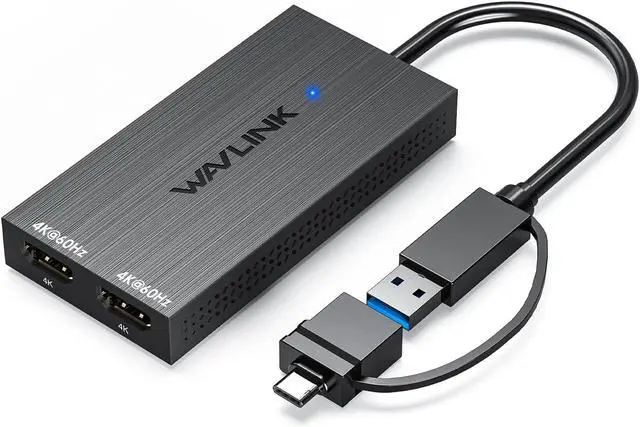
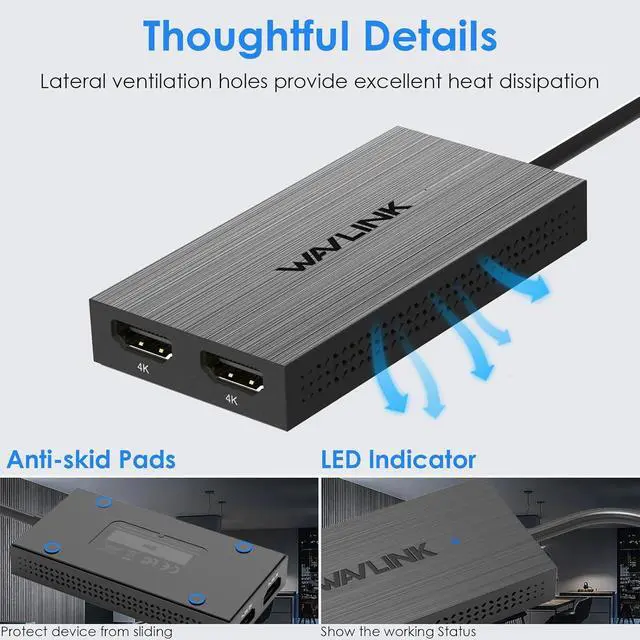
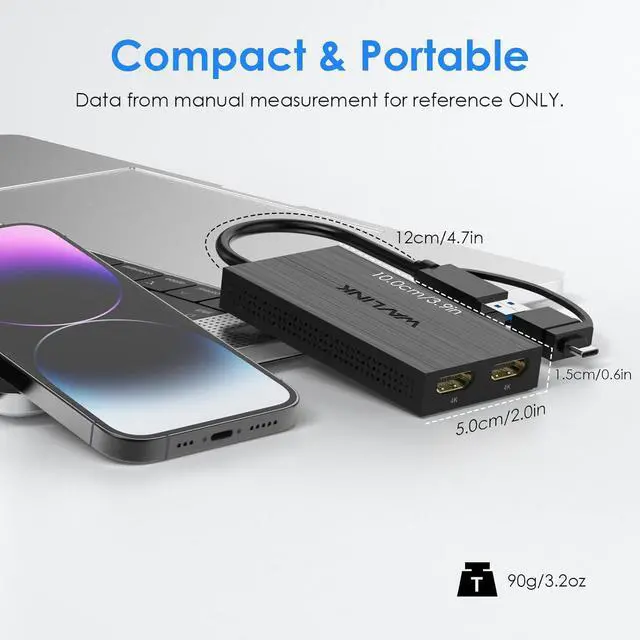


USB 3.0 & USB C to Dual HDMI Adapter 4K 60Hz for Dual Monitor, DisplayLink USB C HDMI Adapter for Apple Mac M1/M2/M3, Windows 10/11, ChromeOS, Android, HarmonyOS (No Linux/iPad/iOS/HDCP)
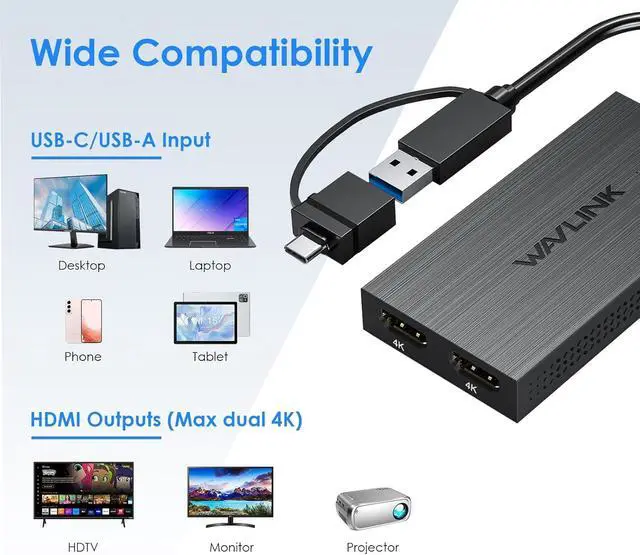
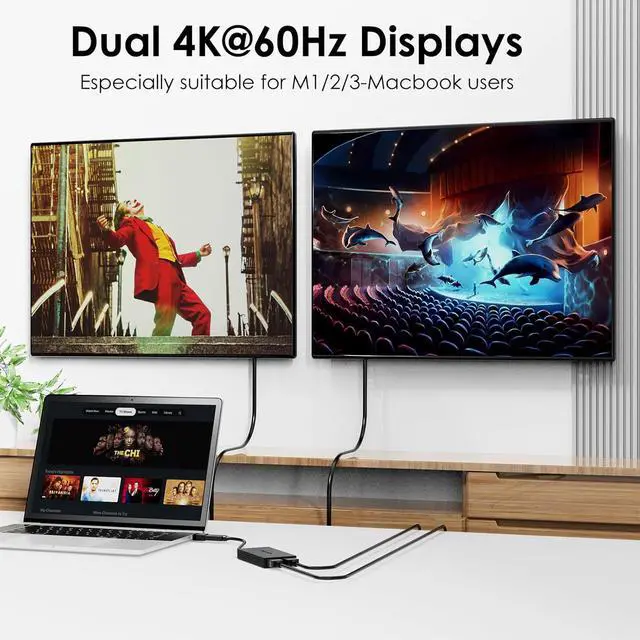
- USB-C to Dual HDMI Adapter - Expand productivity with dual HDMI ports supporting 4096x2160@60Hz resolution on two screens simultaneously. Connect via USB 3.1/USB-C for crystal-clear visuals in office work, data analysis, or multitasking.
- Hybrid Cable for Universal Use - Flexible 2-in-1 cable works with USB-C/A, Thunderbolt 3/4, and USB 4 devices. Mirror/extend screens instantly after driver setup - perfect for MacBook, Windows laptops, Chromebooks, and Android devices.
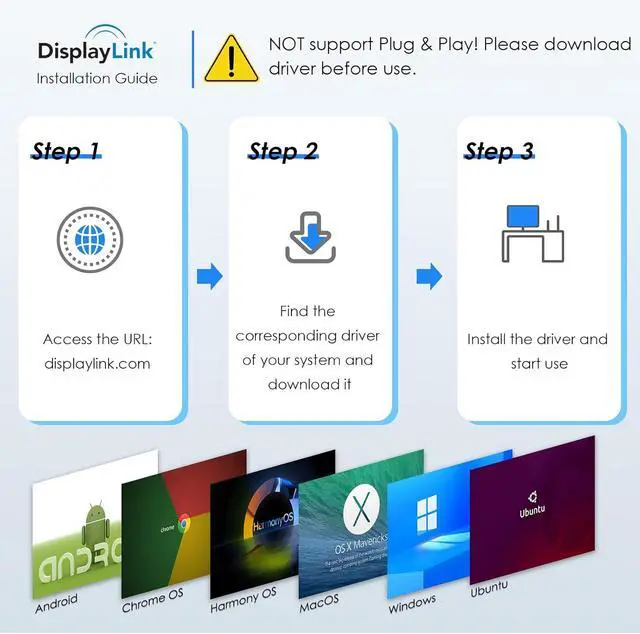
- Compatible with Windows 7/8/8.1/10/11, MacOS 10.14-13.x or later, Chrome OS, Android, Ubuntu and HarmonyOS. NOT Compatible with Linux, Unix, iPad OS & iOS. Please note that driver installation is required, NOT support plug and play! Please visit the website 'displaylink.com' to download the latest driver.
- Package Includes - 1x USB A/C to HDMI Dual Display Adapter(cable length: 120mm/4.7in), 1x CD-Shaped Card for Driver Download Links, 1x Quick Start Guide.
- Work Efficiency Booster - Ideal for professionals handling spreadsheets, coding, video conferences, and cross-platform research. Note: Not recommended for gaming/HDCP content. Compact design fits seamlessly into mobile workstations.
+
+
Overview
Specs
Reviews

Any questions? Our AI mode will help you find out quickly.
Try me now
How to install the driver correctly? Any important notes?
- Please visit the DisplayLink website to download the latest driver. Select the version matching your OS, install it, and restart your computer. For Mac users: Grant screen recording permission to DisplayLink Manager in System Settings.
Is this adapter compatible with M1/M2/M3 MacBooks? Does it support dual-screen extension?
- It's compatible with M1/M2/M3 MacBooks (macOS 10.14 or later) for dual-screen extended display. Not compatible with iPadOS/iOS devices. Older Macs may require the latest macOS update.
Can I use this adapter for gaming or video editing?
- Not recommended: Designed for office tasks (documents, web browsing). Unsuitable for gaming or graphics-intensive work. HDCP protocol is NOT supported Blocks playback of Netflix, Blu-ray, etc.
What are the limitations when connecting Android devices?
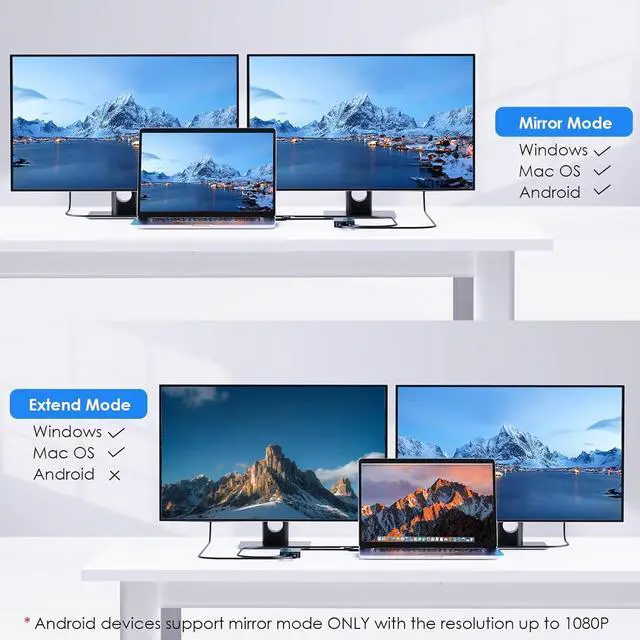
- Mirroring mode ONLY: Android devices can mirror screens up to 1080P resolution. Ensure your Android device supports USB video output. Extended mode is NOT supported.
How to set up extended or mirrored display modes?
- Windows: Right-click desktop Display settings Choose Extend or Duplicate displays.
- Mac: Go to System Settings Displays Arrangement Uncheck Mirror Displays for extended mode.
Warranty & Returns
Warranty, Returns, And Additional Information
Warranty
- Please contact the Seller directly for warranty information. Warranty information may also be found on the Manufacturer's website.
- CONTACT
Return Policies
- Return for refund within: 30 days
- Return for replacement within: 30 days
- This item is covered by Superior Quality Return Policy
Manufacturer Contact Info
- For a directory of all our manufacturers, please click below.
- Manufacturers Directory
LOADING...