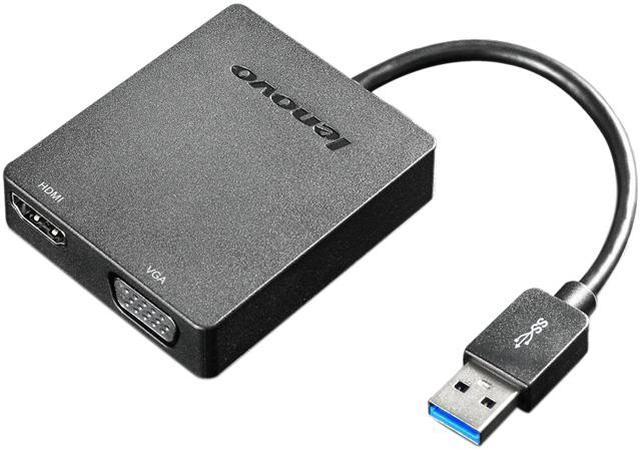
The Lenovo 4X90H20061 is a USB 3.0 video adapter that adds either HDMI or VGA display output, making it suitable for users of the listed compatible Lenovo laptops who need to connect to a monitor or projector.
Recommended For
- Office workers who need to add an HDMI monitor to a laptop over USB 3.0, including when the laptop’s built-in display outputs are already in use.
- Presenters who use older VGA projectors or monitors and want a USB-connected video output; the adapter also has HDMI for compatible displays.
- Desk-based users who want to extend a compatible laptop to two displays using the adapter’s VGA and HDMI outputs; Lenovo specifies connecting VGA first for dual-display use.
- Users with a compatible computer and a USB 3.0 port who need a compact way to add an external display without installing a graphics card.
Real-World Use Scenarios
- At a home or office desk, add an external monitor to a compatible laptop to keep email or reference documents visible while working on the laptop screen; the adapter adds USB-based display output without installing a graphics card.
- For a presentation in a meeting room or classroom, connect a compatible laptop to an HDMI-equipped display or projector; HDMI can also carry audio, so the presentation’s sound can go through the connected display.
- When a meeting-room projector or older monitor has VGA rather than HDMI, use the adapter’s VGA output to connect the laptop; this provides a way to use legacy display equipment without a separate USB-to-VGA adapter.
- For a two-display workspace, connect one VGA display and one HDMI display to the adapter to spread work across both screens; Lenovo specifies connecting VGA first for dual-output use.
- If a compatible laptop has an available USB 3.0 port but its built-in video connections are already in use, use the adapter to add another external display connection; the result depends on the laptop and display setup.




 here!