
Your Browsing History





Any questions? Our AI beta will help you find out quickly.
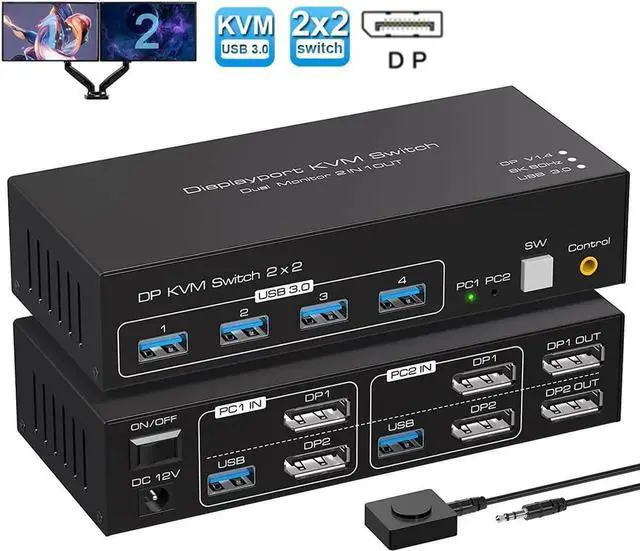
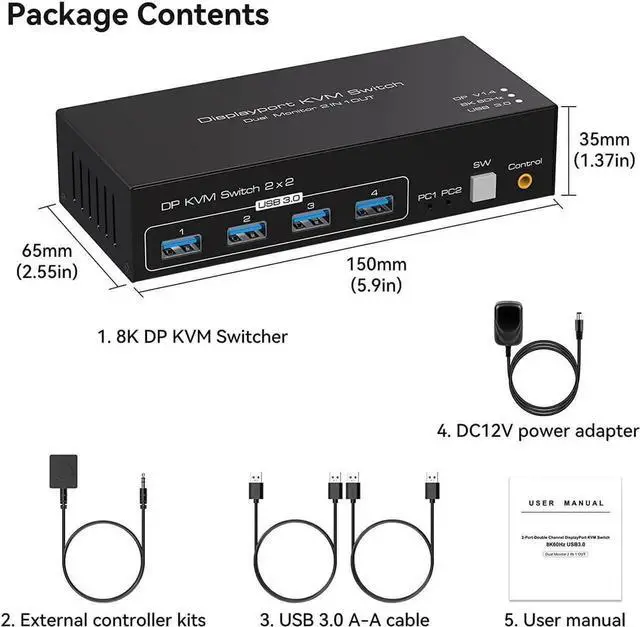
Dual Monitor Displayport KVM Switch 2 computers share 2 monitor and 4 USB 3.0 device
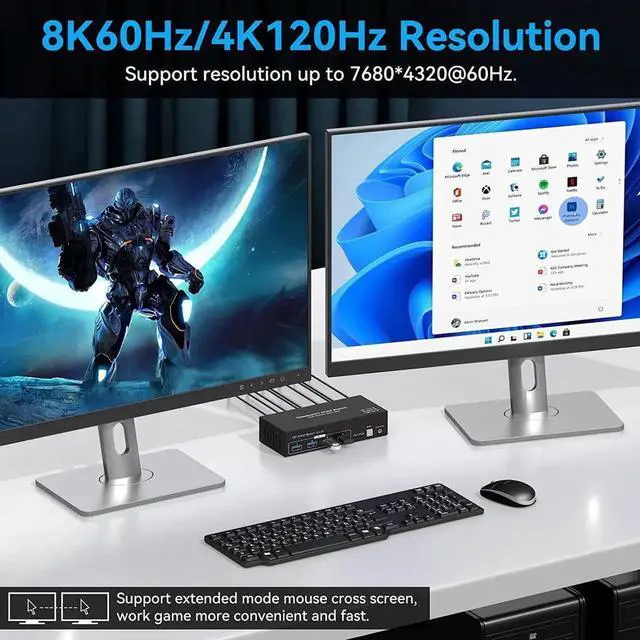
Supports resolutions up to 7680*4320@60Hz, backwards compatible with lower resolutions (e.g. 4K@60Hz, 1080p, etc.)
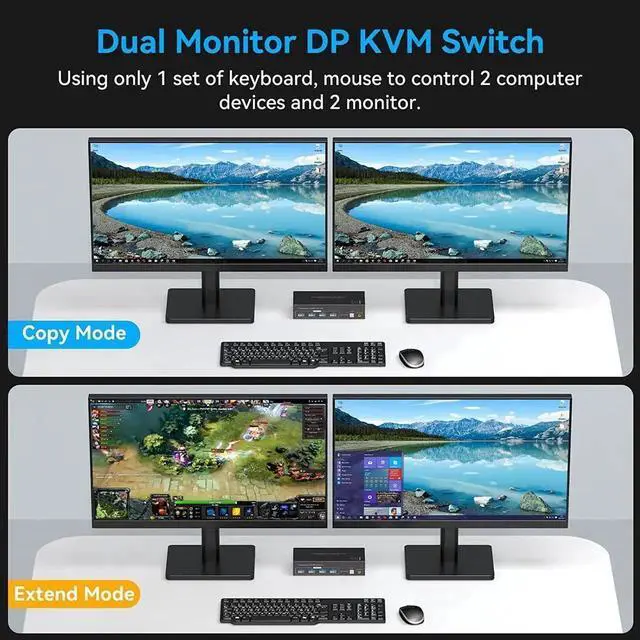
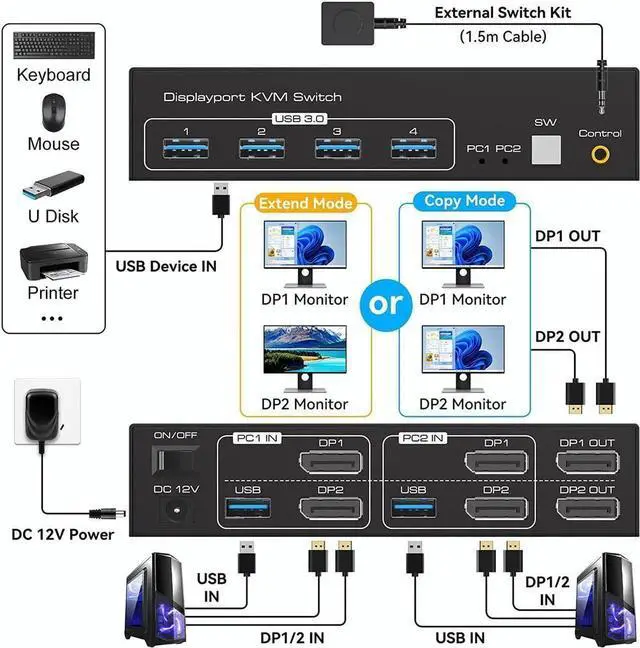
KVM Switch Displayport 2 monitors 2 computers supports 2 modes
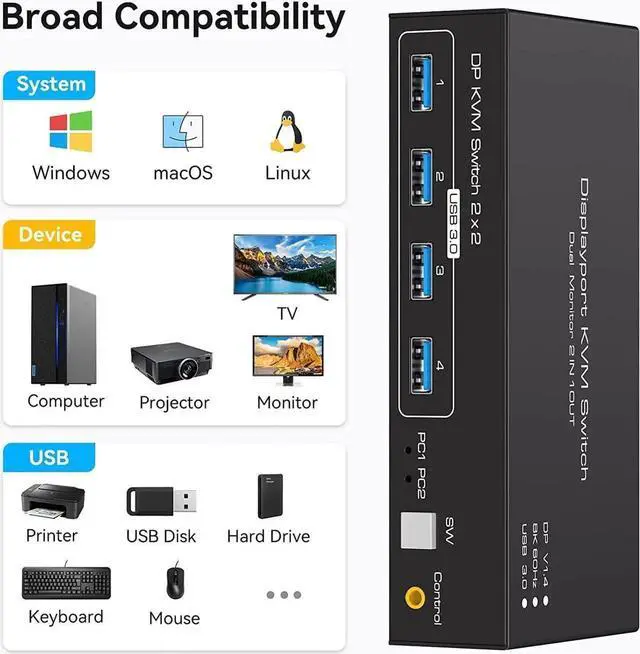
with 4 x USB 3.0 Ports
Data transfer rates up to 5Gbps and backward compatibility with USB 2.0 and USB 1.1 devices
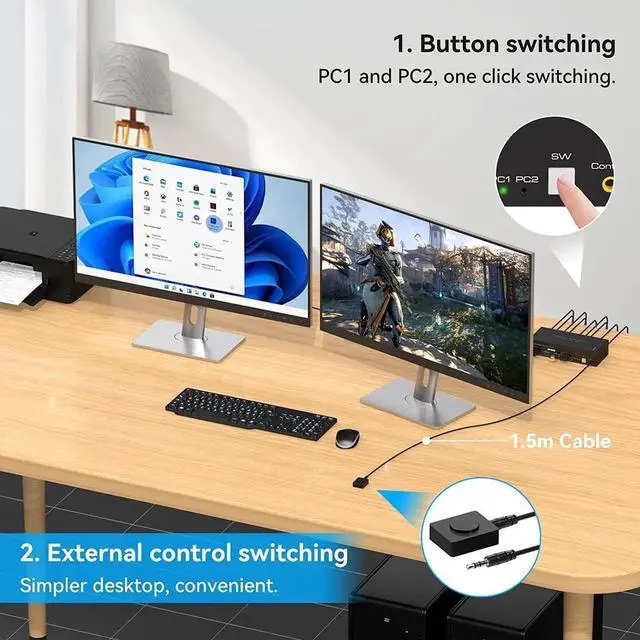
Supports key switching
You can easily and quickly switch between computers with the push of a button on the control panel.
Support for external in-line control
A push-button controlled switch extension cable is included for easy switching without having to get up when using it.
Support for indicator design
LED lights are designed to show active devices so you can clearly see which device is in use.
Having a Dual monitor KVM DP switch gives you a tidier desktop and makes your work more efficient and convenient.
[KVM Switch 2 monitors 2 computers] The DP KVM switch can be connected to 2 computer hosts, sharing 1 set of keyboard, mouse and 2 monitors. Supports copy and expansion modes for computer hosts (computer host graphics card needs to have 2 DP outputs).
[Push-button switching and external cable control] Supports front panel push-button and external cable control switching, allowing you to switch between two sources at the touch of a button.
[Support up to 4K120Hz] The KVM switch 2 computers 2 monitors supports resolutions up to 7680*4320@60Hz, backwards compatible with lower resolutions (e. g. 4K@60Hz, 1080p, etc. ) Compliant with DP 1.4 standard.
[4-port USB 3.0 and wide compatibility] 4xUSB 3.0 ports and supports video bandwidth up to 48Gbps, data transfer rates up to 5Gbps and is backwards compatible with USB 2.0 and USB 1.1 devices. It supports various operating systems such as Windows/Vista/XP and Mac OS, Linux and Unix, and is plug and play.