
Your Browsing History







Any questions? Our AI beta will help you find out quickly.
Friendly Reminder:
1. For durable and stable performance, best practice is to power off everything after daily use and avoid damage on ports.
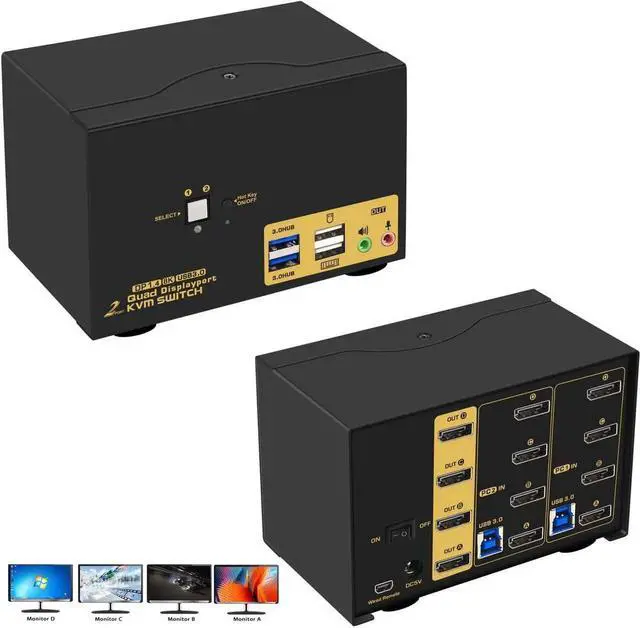
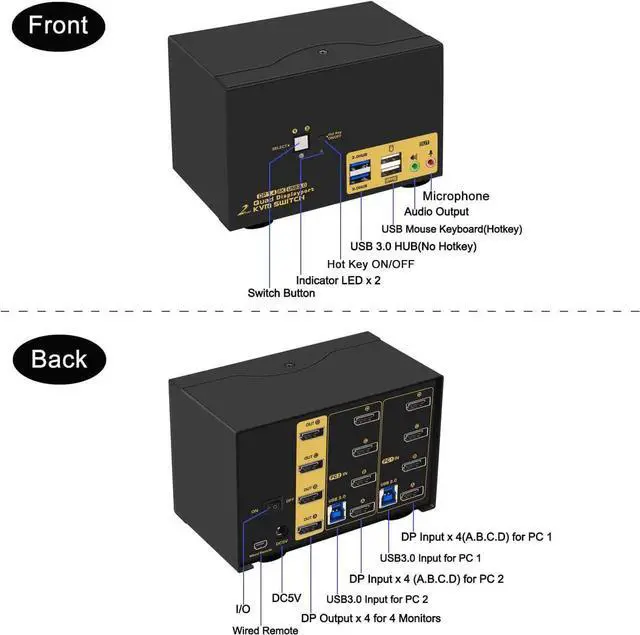
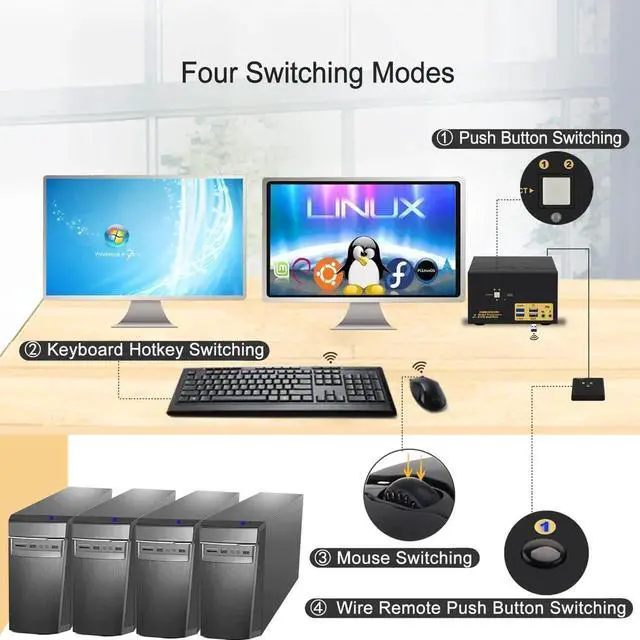
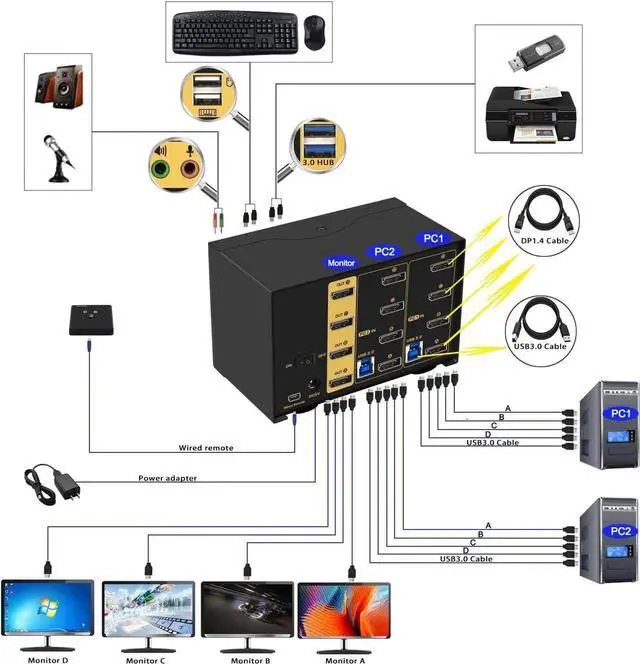
2. Some keyboard with special features like gaming, programing, multi-media, mechnical, back lights may not be well supported on the USB keybaord and mouse port which are dedicated for hotkeys, if so you can plug the keyboard and mouse into the USB 3.0 ports or turn off the hotkey then the USB keyboard and mouse port will turn into standard USB 2.0 port, without hotkeys, you can use the included wired remoter to switch between computers.
3. If you are using wireless set of keyboard and mouse which share a unifying dongle, you can plug the dongle into either the USB keyboard or mouse port (hotkey supported), or USB 3.0 port (no hotkeys).
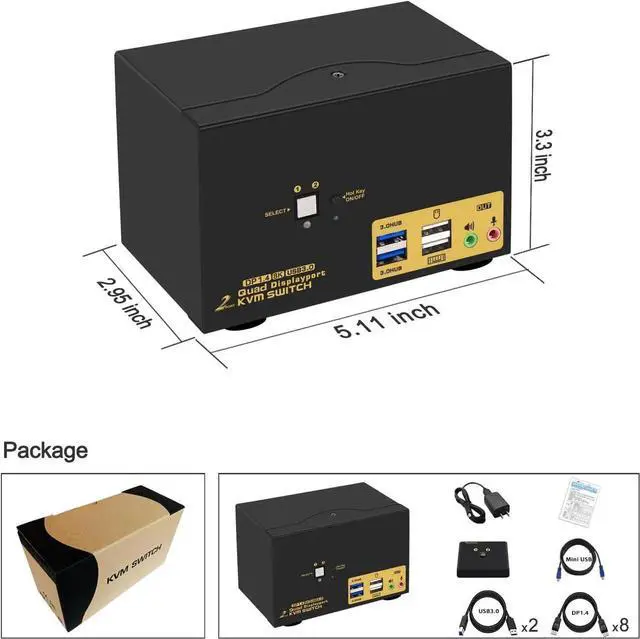
4. The USB 3.0 cable Also draws power from USB 3.0 port on computers to drive the KVM switch, also included a USB to DC power cord as additional power supply if in case the computer does not have a USB 3.0 port.