- Free 30-day Returns
Meet Your Seller
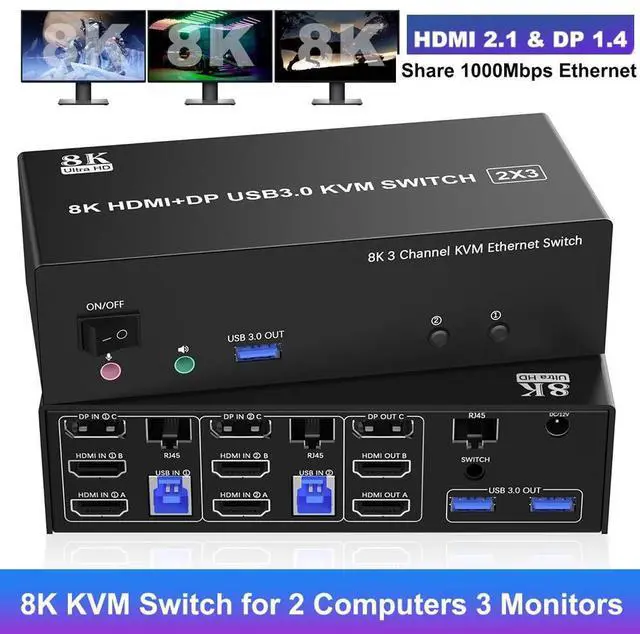
KVM Switch 3 Monitors 2 Computers 8K@60Hz 4K@144Hz, 2 HDMI + DisplayPort Triple Monitor KVM Switch for 2 PCs Share 1000Mbps Ethernet, 3 USB 3.0 Ports, Audio & Microphone, Wired Remote included
- [KVM Switch 2 Computers 3 Monitors] The KVM Switch allow 2 computers to share 3 monitors, 3 USB 3.0 ports, 1000Mbps Ethernet and Audio, You only need one set of keyboard and mouse to control all the monitors, and it supports splicing, extend and mirror di
Any questions? Our AI beta will help you find out quickly.
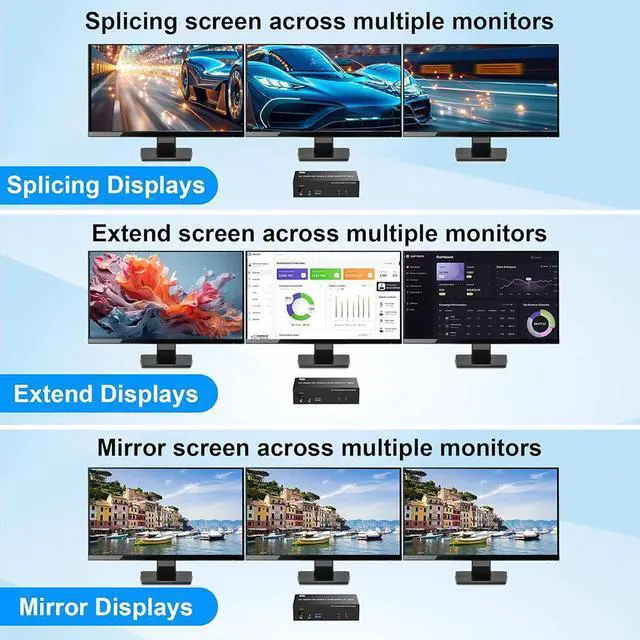
The KVM Switch 3 Monitors allow 2 computers to share 3 monitors, 3 USB 3.0 ports, 1000Mbps Ethernet and Audio, You only need one set of keyboard and mouse to control all the monitors, and it supports splicing, extend and mirror displays mode.
Splicing Mode: Computer host outputs splice screens on 3 monitors.
Extended Mode: PC host in output 3 different images on 3 monitors.
Copy Mode: Computer host outputs 3 identical images on 3 monitors. (Note: Please make sure your computer supports multi-display and each connected computer requires 2HDMI+DP ports)
Features:
1. 8K Triple Monitor KVM Switch allows 2 computers/laptops to share one set of keyboard, mouse, and 3 monitors (2 HDMI+1 DisplayPort)
2. Support HDMI 2.1 & DP 1.4 standards and downward compatibility. 3 monitors output support up to 8K@60Hz 4K@144Hz for extended, mirrored or spliced display(Depends on your computer's graphics card. )
3. 2
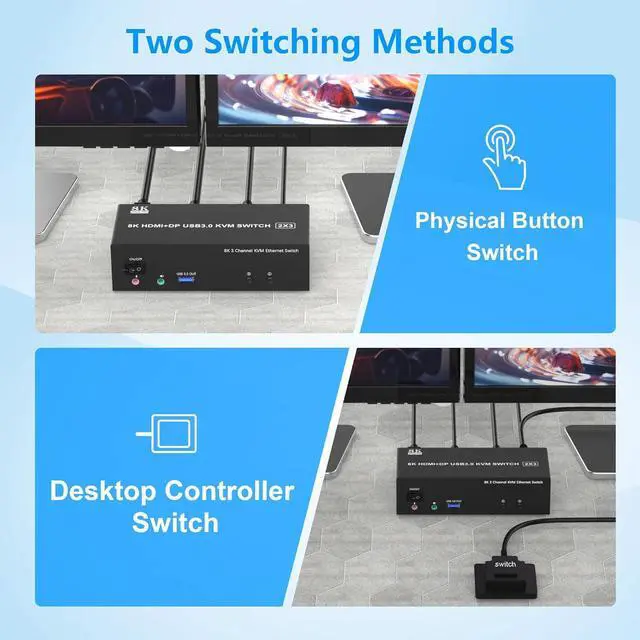
Switching modes: Button switch and wired remote.
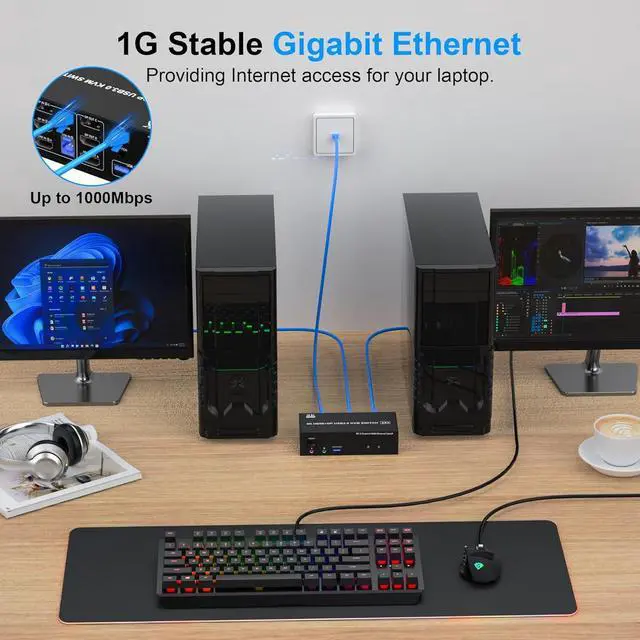
4. This triple monitor KVM Switch share 1000Mbps gigabit ethernet between 2 computers, providing Internet access for your laptop.
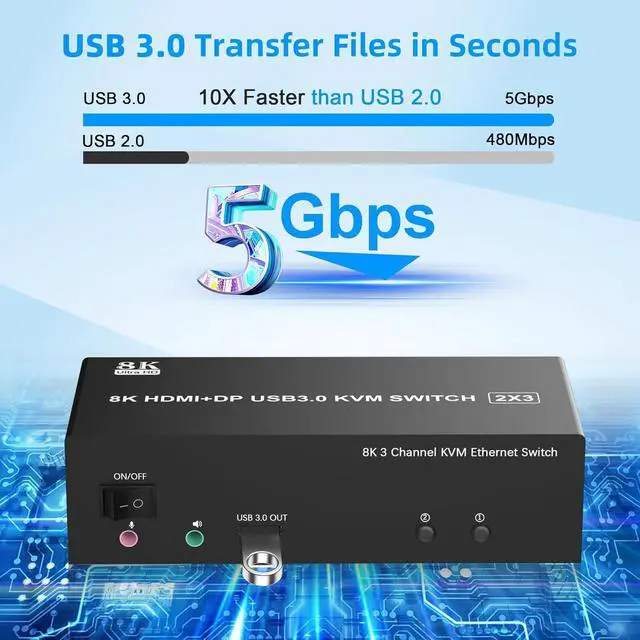
5. 3 monitor KVM switch equipped with 3 USB 3.0 ports for USB devices, and with extra Audio Microphone output
6. Equipped with a 12V power supply, ensuring stable operation even when high-power devices are connected.
7. Plug and play, compatible with Windows, Linux, Mac, Unix, Ubuntu, Raspberry and most other major OS.
8. The ports that need to plug in HDMI/DisplayPort/USB cables are all hidden behind the triple monitor KVM switch, so the desktop doesn't get cluttered, you can enjoy the clean workspace.
installation steps:
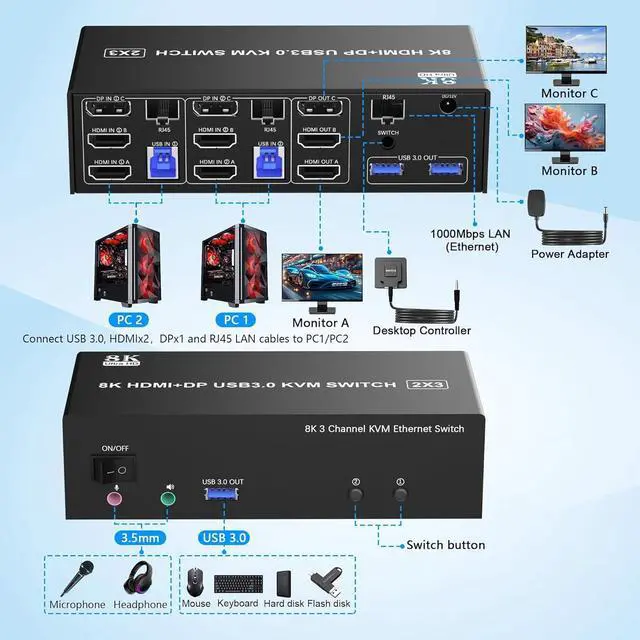
1. Insert the DC/12V adapter into the KVM;
2. Plug the Ethernet RJ45 cable into the KVM switch;
3. Plug the 2*HDMI cable and 1*DisplayPort cable into the KVM switch and monitor; (HDMI OUT A, HDMI OUT B, DP OUT C)
4. Plug the DisplayPort cable, HDMI cable, RJ45 cable, and USB cable into the KVM switch and your computer/laptop (HDMI and DP cables are not included) (Input)
HDMI IN 1A +HDMI IN 1B + DP IN 1C + RJ45 + USB IN 1=PC1
HDMI IN 2A + HDMI IN 2B + DP IN 2C + RJ45 + USB IN 2=PC2
Please check whether HDMI IN 1A, HDMI IN 1B, DP IN 1C, RJ45, and USB IN 1 corresponding, and whether HDMI IN 2A, HDMI IN 2B, DP IN 2C, RJ45 and USB IN 2 are corresponding. Mixed insertion is not supported.
4. Insert the mouse and keyboard into the KVM switch
5. If needed, you can connect a microphone and audio port
Note:
1. Most of the reasons why only one video output works is because of incorrect connection. Please make sure each PC has(2 HDMI +1 DP+USB cable) connect to the KVM.
2. If the input USB 3.0 ports are not connected or connected incorrectly, the output USB device will not be recognized.
3.
Note: HDMI, DP and ethernet cables are not included
Warranty & Returns
Warranty, Returns, And Additional Information
Warranty
- Please contact the Seller directly for warranty information. Warranty information may also be found on the Manufacturer's website.
- CONTACT
Return Policies
- Return for refund within: 30 days
- Return for replacement within: 30 days
- This item is covered by Lou Di Shi Lou Xing Qu Liu Li Shang Mao Return Policy
Manufacturer Contact Info
- For a directory of all our manufacturers, please click below.
- Manufacturers Directory