




 here!
here!
I’m your shopping assistant for PC builds, upgrades, and everything tech.
Got questions? Ask away!
Start a conversation
here!
I’m your shopping assistant for PC builds, upgrades, and everything tech.
Got questions? Ask away!
Start a conversation




Any questions? Ask CelesteSM will help you find out quickly.
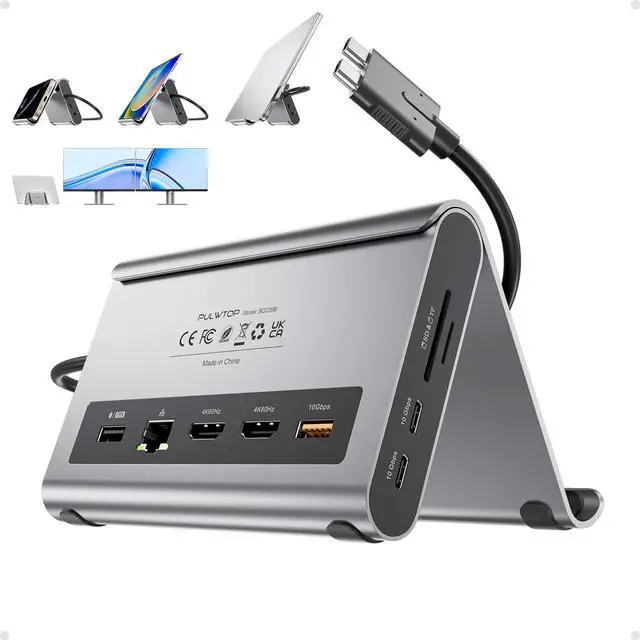
PULWTOP MacBook Pro Docking Station - 11-in-2 Dual Monitor Hub, 4K@60Hz, Dock Stand for MacBook Pro/Air, with 100W PD Charging, 10Gbps USB A/C,3.5mm Audio, SD/TF, RJ45
Product Specifications:
Model: PULWTOP MacBook Docking Station
Compatibility:
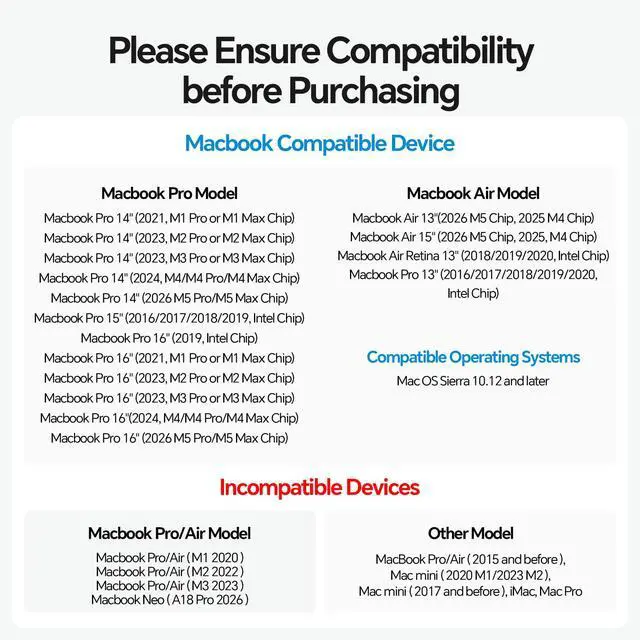
Designed for Mac: Optimized for macbook pro docking station and macbook air docking station models with Intel or Apple Silicon (M4/M5 Pro/Max).
Supported Devices: MacBook Pro 14""/16"" (2026 M5 Pro/Max, 2025 M5, 2024 M4, 2023 M3 Pro/Max, 2023 M2 Pro/Max, 2021 M1 Pro/Max); MacBook Air 13""/15"" (2026 M5, 2025 M4); Intel-based MacBook Pro 13""/15""/16"" (2016-2020); Intel-based MacBook Air 13"" (2018-2020); iPad Pro (M4 chip).
Please Note: Not compatible with standard M1/M2/M3 MacBooks (non-Pro/Max), MacBook Neo A18 Pro, Windows PCs, or Chrome devices.
Video Output:
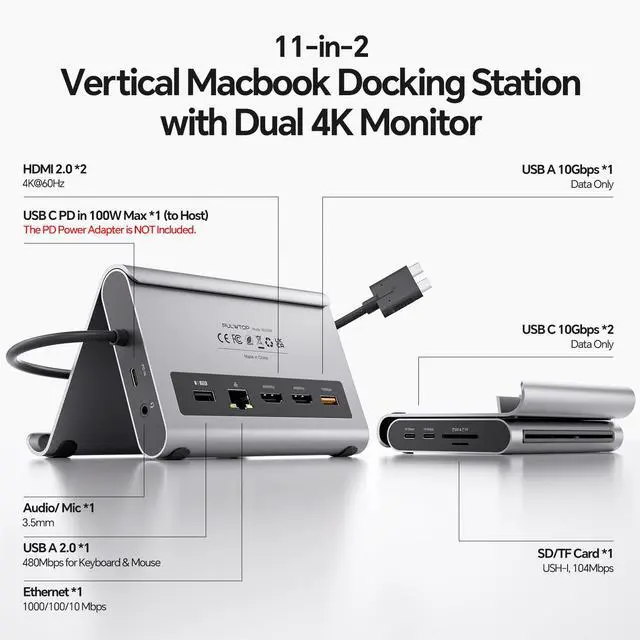
Ports: 2 x HDMI ports
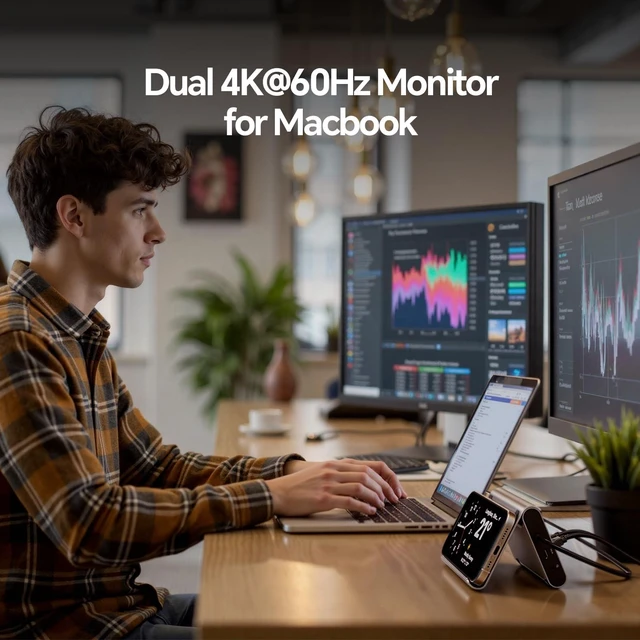
Maximum Resolution: Dual monitor support up to 2 x 4K Ultra HD (3840x2160) @ 60Hz simultaneously. This macbook pro docking station dual monitor and macbook air docking station dual monitor setup is ideal for video editing, multitasking, and high-definition content.
Power Delivery (PD) Charging:
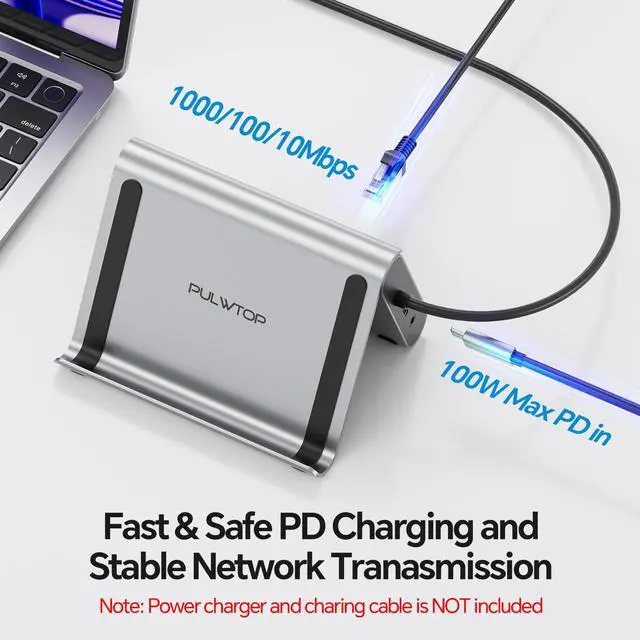
PD Input: Up to 100W
PD Output to Laptop: Up to 95W (via host USB-C cable from dock to MacBook)
Requirement: A separate 65W or higher USB-C Power Adapter is REQUIRED (not included) to enable charging and full dock functionality.
High-Speed Data & Connectivity:
USB Ports:
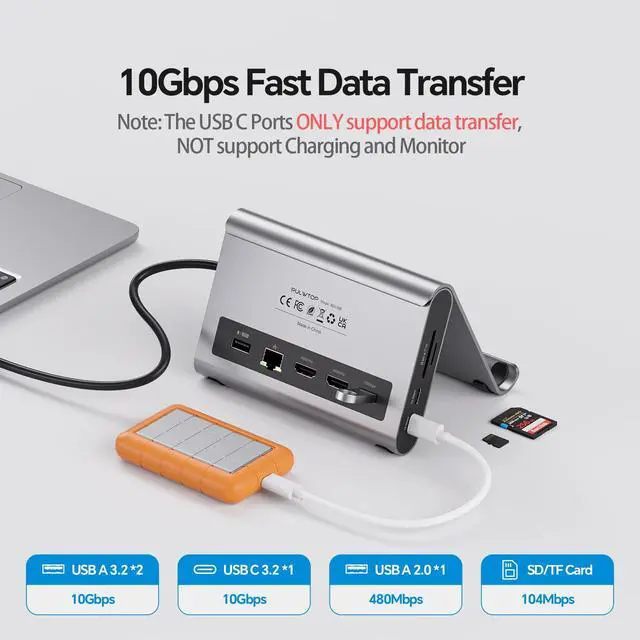
1 x USB-A (10Gbps / USB 3.2 Gen 2) for fast data transfers.
2 x USB-C (10Gbps / USB 3.2 Gen 2) for fast data transfers. (Note: These USB-C data ports do not support video output or charging.)
1 x USB-A (480Mbps / USB 2.0) dedicated for peripherals like keyboard and mouse.
Ethernet: 1 x Gigabit RJ45 port (1000Mbps) for stable, high-speed wired internet.
Card Readers: 1 x SD card slot and 1 x MicroSD (TF) card slot (UHS-I speed standard).
Stand Function:
This macbook pro docking station stand also serves as an ergonomic laptop stand. Works perfectly as a macbook dock, macbook pro dock, macbook air dock, or macbook docking station stand for any desktop setup.
Package Contents:
1 x PULWTOP MacBook Docking Station (with integrated stand)
1 x dual USB-C to dual USB-C host cable (for connecting to your MacBook)
1 x User manual
Power Adapter is NOT included. A compatible 65W+ USB-C PD power adapter must be purchased separately.


