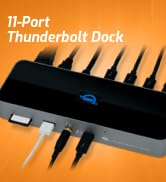
The OWC Thunderbolt Go Dock is an 11-port Thunderbolt 4 and USB-C docking station for laptop users who want to connect peripherals, HDMI displays, SD cards, and 2.5GbE networking through one dock while charging a notebook at up to 90W.
Recommended For
- Laptop users who move between a home or office desk and occasional work locations, and want one AC-powered dock without a separate power brick. It is portable in that sense, but its 2.09-pound, full-size design is better suited to occasional relocation than daily lightweight travel.
- Photographers and video creators who connect SD cards, external drives, a laptop, and a monitor at a work desk or while working away from a studio; the dock combines a card reader and multiple peripheral connections without a separate power brick.
- Thunderbolt laptop users building a dual-display workstation with several connected peripherals; reviewers tested the dock with two 4K displays, and it can supply up to 90W of laptop charging.
- People transferring files over a wired local network faster than standard gigabit Ethernet can support, provided their computer, network equipment, and cabling also support 2.5GbE.
Real-World Use Scenarios
- At a home or office desk, connect a compatible laptop to a monitor, wired network, and USB accessories through the dock; reconnecting the laptop with one Thunderbolt cable restores the workstation and charges it.
- For work across multiple offices or job sites, pack the dock and its power cord instead of a separate dock power brick; at the destination, it can provide desktop-style connections for a compatible laptop.
- When transferring project files to or from a NAS, connect through wired Ethernet; transfers can be faster than standard gigabit Ethernet when the rest of the network also supports multi-gig speeds.
- After a shoot, insert an SD card to import photos or video to the laptop, then connect external storage for the next step in the editing workflow.
- For a compact creative or productivity desk, connect supported external displays alongside storage and USB peripherals; the dock can reduce the need to plug each accessory directly into the laptop.




 here!