OWC USB-C Travel Dock E, 6 Port, Bus-Powered, USB Type-C 100W Pass Through, one 4K Display, (2) USB 3.2 Type-A, HDMI, SD Card, Gigabit Ethernet, Compatible with Thunderbolt Devices
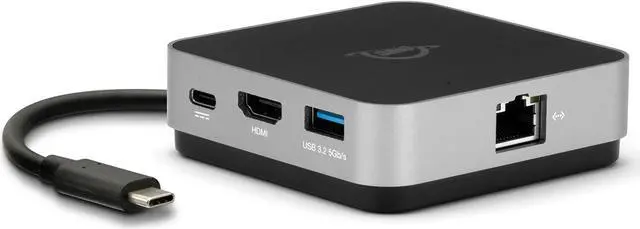
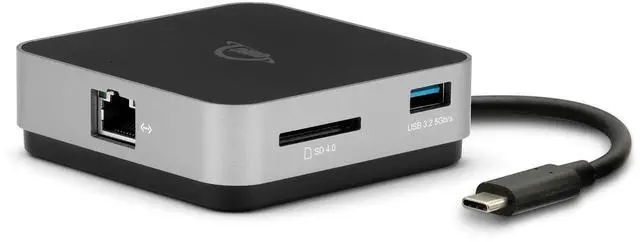
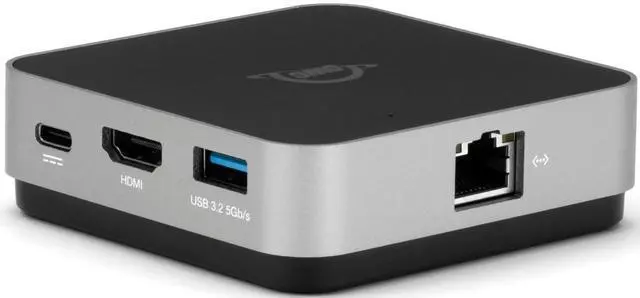
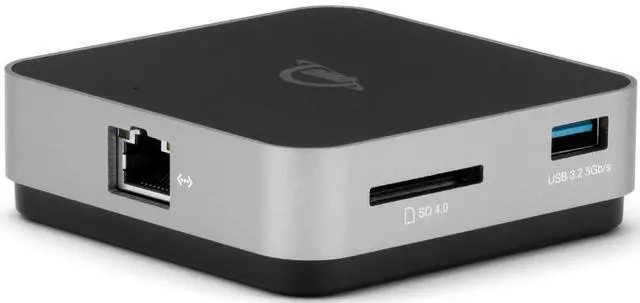
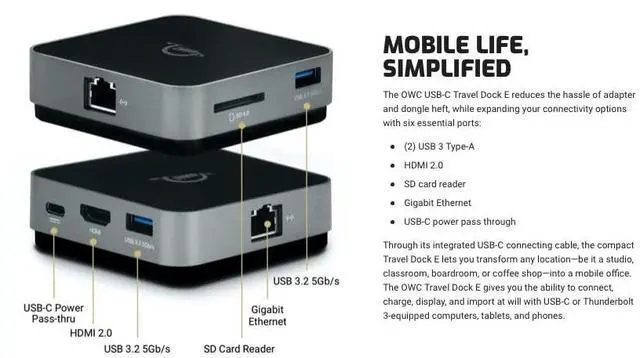
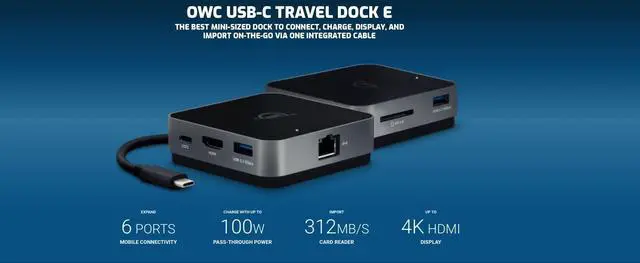
6 ports of connectivity: (2) USB 3.2 Type-A, (1) HDMI 2.0, (1) SD card reader, (1) Gigabit Ethernet, (1) USB-C power pass through
Powerful options: bus powered or use existing USB-C power adapter
Charge while working: Up to 100W pass-through power for a notebook or other devices
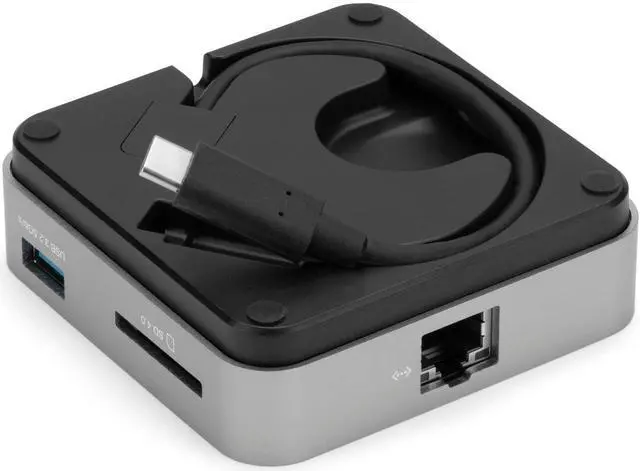
Neat and tidy: Built-in cable storage
Works with all: Adds ports to Macs, PCs, tablets, or phones with a built-in USB-C or Thunderbolt 3 port
Innergize Enabled: custom OWC software for complete health, performance, and field upgrade management when using OWC Atlas Memory Cards with OWC Atlas Card Readers and card reader-equipped products
2 Year OWC Limited Warranty
+
+
Overview
Specs
Reviews
Any questions? Ask CelesteSM will help you find out quickly.
Try me now
Power Delivery Notes:
1. USB 3 port supports bus-powered drives with .9A (900mA) or less power requirements as well as drives connected to a power adapter.
2. USB 3 port provides 0.9A (900mA) of power. This will charge devices?requiring 1.0A at slightly slower rate than factory power adapter. Larger devices like tablets requiring 2.1A or higher will not charge.?There is no power supplied to USB 3 port while host computer is turned off or in “sleep” mode.
3. When connected to a power adapter, the dock will draw up to 8W power from the adapter instead of bus-powering from the host computer. Depending on the adapter connected, the dock can pass up to 92W to the host computer. Any power not used by the dock and its ports is passed to the host for battery charging, if applicable.
Capture
Create
Collaborate
When the gadget pros at Ars Technica called the OWC USB-C Travel Dock the Best Hub for iPad and the Best Travel Hub overall, we thought our work was done. Their and other tech users - wish for an Ethernet port was our command to make the best even better. All the high-speed data performance, pass-through power, and versatility no other mini-sized hub can matchnow with the reliability of Gigabit Ethernet connectivity. Welcome to the 6-port USB-C Travel Hub E.
The OWC USB-C Travel Dock E reduces adapter and dongle heft and hassle while expanding your connectivity options with six essential ports: USB 3 Type-A, HDMI 2.0, SD card reader, Gigabit Ethernet, and USB-C power pass through. Through its integrated USB-C connecting cable, the diminutive Travel Dock E lets you transform a studio, classroom, boardroom, or coffee shop into your mobile office with the ability to connect, charge, display, and import at will with USB-C or Thunderbolt 3 equipped computers, tablets, and phones.
Nothing can quash productivity faster than slow, low-quality Wi-Fi. With its Gigabit Ethernet port with industry standard RJ-45 connector, you can plug in the Travel Dock E anywhere for a speedy server connection, uninterrupted downloads and reliable file transfers.
Unlike other mini-docks that sacrifice some usability to remain portable, OWC USB-C Travel Dock E packs a heavyweight punch akin to a desktop dock. Similar to the size and weight of a hockey puck, this compact dock can be used via bus power when you dont have access to a power outlet. Or, connect a USB-C power adapter to the Travel Dock Es USB-C power delivery port to charge your device with up to 100W of power.
OWC Dock Ejector software safely disconnects drives connected to the OWC USB-C Travel Dock E in a single click. Designed by OWC hardware and software engineers, Dock Ejector ensures all data is written before disconnection, saving time and protecting against data loss. Use it to move quickly between workstations and get the most out of your OWC USB-C Travel Dock E. Download Dock Ejector
OWC Innergize is the first stage of the Capture to Completion ecosystem of OWC products designed to seamlessly propel professional photographers, videographers, and content creators to the highest level of workflow performance and reliability. This OWC custom-designed app is a complete health, performance, and field upgrade management tool when using OWC Atlas memory cards with OWC Atlas readers and reader-equipped products.
Health: Over time and use cycles, flash memory does wear out. Innergize verifies and reports the percentage of use life remaining. Now you can work with full confidence your OWC Atlas memory card will deliver the reliability you can trust.
Sanitize: Writes, deletes, and formatting all take their toll on memory cards. Innergize cleans and restores the flash memory performance of your OWC Atlas memory card so you can get the best results on every use.
Field Upgrade: When new cameras or firmware updates to existing cameras are introduced, they may not work properly with flash memory cards. Innergize gives OWC Atlas memory card users the ability to quickly upgrade their firmware in the field for full compatibility, additional performance enhancements, and bug fixes for optimal reliability.
Innergize is free to use with OWC Atlas memory cards, card readers, and card reader-equipped products. Download for OWC Innergize for Mac or OWC Innergize for Windows.
Device Ports
(2) USB 3.2 Gen 1 Type-A Ports up to 600MB/s
(1) USB Type-C Charge Port
(1) HDMI Port
(1) Gigabit Ethernet (GbE) RJ-45 Port
Display Support
Up to one 4K display @ 60Hz
Learn more about the Detailed Specifications
Details
Color
Black/Gray
Ports Spec
1 x HDMI
Features
Function
Notebook
Additional Information
First Listed on Newegg
March 11, 2025
There are no reviews yet.
Do you own this product?
Warranty & Returns
Warranty, Returns, And Additional Information
Warranty
Please contact the Seller directly for warranty information. Warranty information may also be found on the Manufacturer's website.
The OWC USB-C Travel Dock E is a compact, six-port dock for people using a USB-C or Thunderbolt 3-equipped Mac, PC, tablet, or phone who need extra connections, one 4K display output, SD card access, and Gigabit Ethernet, with USB-C power pass-through up to 100W.
Recommended For
Mobile laptop workers who move between desks, hotels, or meeting rooms and want one compact hub for wired Ethernet, USB-A accessories, and a single external display. Reviewers highlight its travel size and Gigabit Ethernet as practical strengths.
Photographers or field workers who use SD cards and want to transfer files, connect an external drive, and review images on one screen while away from a full workstation.
USB-C iPad users who work with a keyboard and mouse or connect an external display and storage, and want those connections through a small travel hub.
Laptop users who need to keep a USB-C charger connected while using the dock, with up to 100W power pass-through for the host device.
Real-World Use Scenarios
At a hotel or shared desk, connect a USB-C laptop to one external HDMI monitor and plug in a keyboard and mouse; the dock adds a compact single-display workstation without requiring separate adapters.
When hotel or office Wi-Fi is unreliable, connect the laptop to a wired network through Ethernet; this provides a direct network connection for calls, downloads, or work that benefits from steadier connectivity.
After a photo shoot, insert an SD card and connect an external USB drive to transfer or review files on a laptop; the dock puts card access and USB-A storage connections in the same travel setup.
At a coffee shop or temporary workspace, connect USB-A accessories and pass power from a compatible USB-C charger through the dock; this can reduce desk clutter while you work, though charging compatibility may vary by laptop and adapter.
Using a compatible USB-C iPad with a keyboard or other USB-A accessory, connect the dock to add ports and an external display; it can make a tablet more convenient for desk-based tasks without replacing a full desktop dock.




 here!