Your Browsing History
Meet Your Seller
Plugable USB 3.0 and USB-C Universal Laptop Docking Station with 2 HDMI Ports for Windows, Mac (Driver Required), and ChromeOS. Gigabit Ethernet, Audio
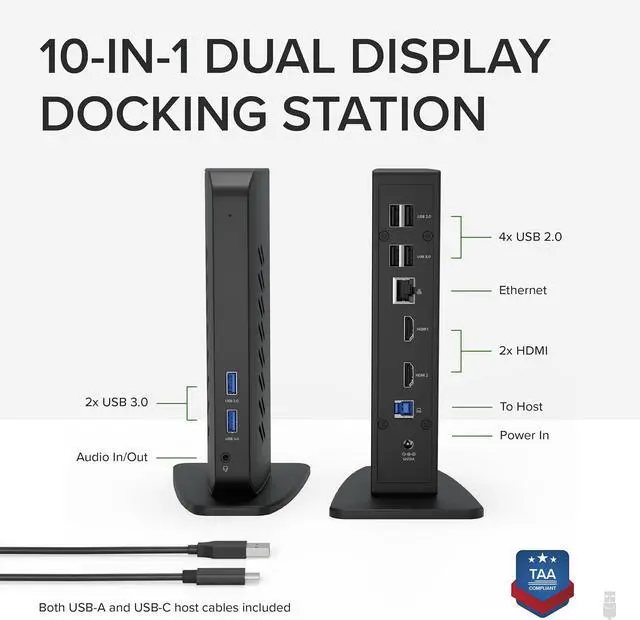
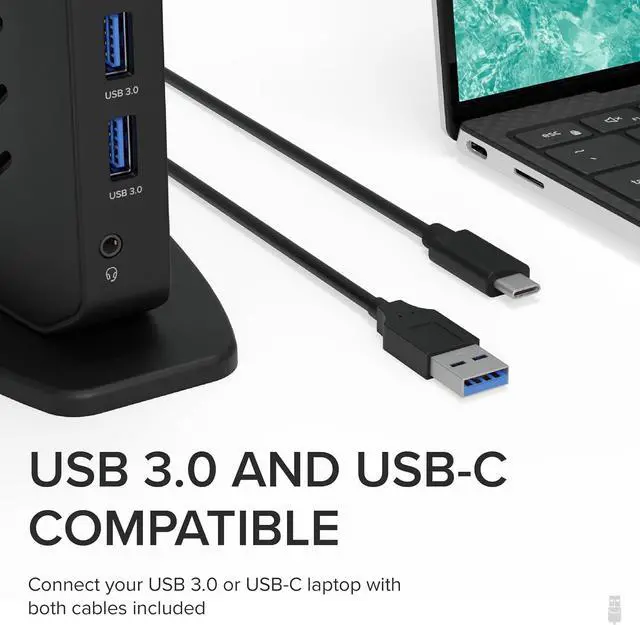
- Flexible Expandability - This USB 3.0 laptop docking station provides dual HD HDMI video outputs, wired Gigabit Ethernet, a 3.5mm combination audio jack, two USB 3.0 ports, and four USB 2.0 ports. Includes both USB 3.0 and USB-C cables for flexible host connectivity
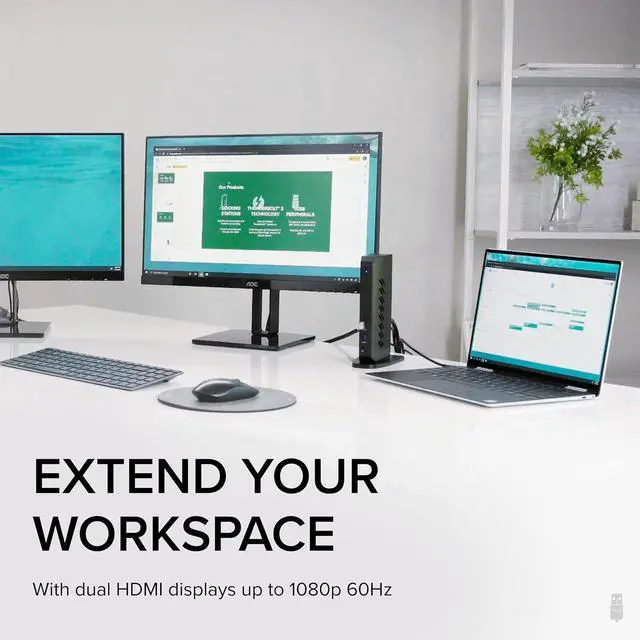
- Docking Station Dual Monitor - 2x HDMI ports let you easily connect two HDMI monitors, even if your computer only supports one output like an M1, M2, or M3 Mac. Supports resolutions up to 1920x1200; lower resolutions such 1080p (1920x1080) are also supported
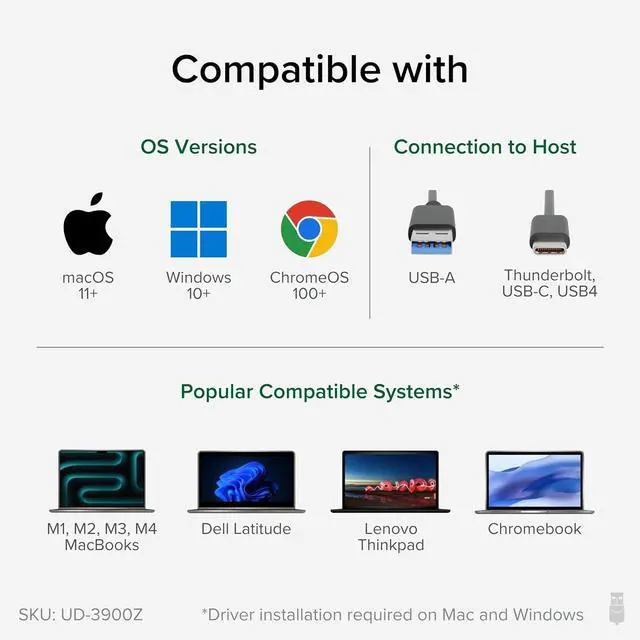
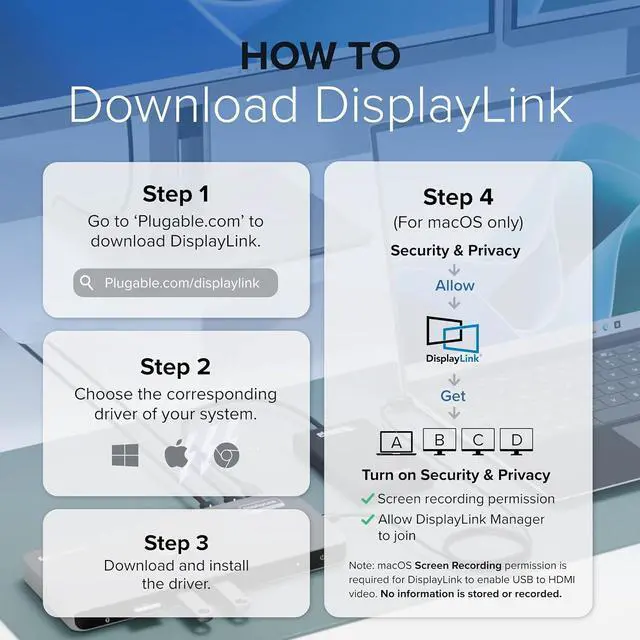
- Compatibility - Universal docking station for laptop compatible with Windows 11, 10, 8.x, and 7 systems, macOS 10.14+ (Driver Required), and ChromeOS 100+. Plug and play driver installation via Windows Update. Manual driver installation required on Mac. Linux not supported. Dock does not charge host PC
- Recommended Use - For use with web and productivity software at home or the office. Not recommended for gaming. DisplayPort connections not supported. This USB C do
+
+
Overview
Specs
Reviews
Any questions? Our AI beta will help you find out quickly.
Try me now
Flexible Expandability - This USB 3.0 laptop docking station provides dual HD HDMI video outputs, wired Gigabit Ethernet, a 3.5 mm combination audio jack, two USB 3.0 ports, and four USB 2.0 ports. Includes both USB 3.0 and USB-C cables for flexible host connectivity
Docking Station Dual Monitor - 2x HDMI ports let you easily connect two HDMI monitors, even if your computer only supports one output like an M1, M2, or M3 Mac. Supports resolutions up to 1920x1200; lower resolutions such 1080p (1920x1080) are also supported
Compatibility - Universal docking station for laptop compatible with Windows 11, 10, 8. x, and 7 systems, macOS 10.14 + (Driver Required), and ChromeOS 100+. Plug and play driver installation via Windows Update. Manual driver installation required on Mac. Linux not supported. Dock does not charge host PC
Recommended Use - For use with web and productivity software at home or the office. Not recommended for gaming. DisplayPort connections not supported. This USB C dock does not support HDCP, will not playback encrypted or copy-protected content
2-Year Coverage, Lifetime Support - Every Plugable product, including this docking station, is covered against defects for 2 years and comes with lifetime support. If you ever have questions, contact our North American-based team - even before purchase

Docking Station Dual Monitor - 2x HDMI ports let you easily connect two HDMI monitors, even if your computer only supports one output like an M1, M2, or M3 Mac. Supports resolutions up to 1920x1200; lower resolutions such 1080p (1920x1080) are also supported
Compatibility - Universal docking station for laptop compatible with Windows 11, 10, 8. x, and 7 systems, macOS 10.14 + (Driver Required), and ChromeOS 100+. Plug and play driver installation via Windows Update. Manual driver installation required on Mac. Linux not supported. Dock does not charge host PC
Recommended Use - For use with web and productivity software at home or the office. Not recommended for gaming. DisplayPort connections not supported. This USB C dock does not support HDCP, will not playback encrypted or copy-protected content
2-Year Coverage, Lifetime Support - Every Plugable product, including this docking station, is covered against defects for 2 years and comes with lifetime support. If you ever have questions, contact our North American-based team - even before purchase
Warranty & Returns
Warranty, Returns, And Additional Information
Warranty
- Please contact the Seller directly for warranty information. Warranty information may also be found on the Manufacturer's website.
- CONTACT
Return Policies
- Return for refund within: 30 days
- Return for replacement within: 30 days
- This item is covered by DianLan Return Policy
Manufacturer Contact Info
- For a directory of all our manufacturers, please click below.
- Manufacturers Directory
LOADING...