

shipping Holiday Shipping Details & Extended Holiday Returns
WAVLINK USB C Docking Station Triple Display With 2 HDMI, VGA, Ethernet,100W PD Charging, 5 USB, Gigabit Ethernet, SD/TF Card Reader,Audio Dell HP Surface Lenovo MacBook Laptop
  •  
  • $42.99 
  • $59.99
  • Free 30-day Returns
  • Price alert
    Sold by BelTie

    Shipped by BelTie

    Shop it at NeweggBusiness.

    Meet Your Seller

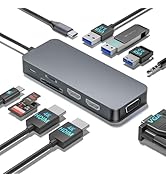
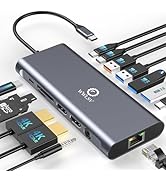
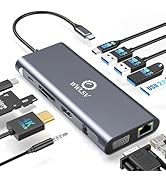
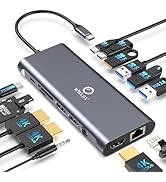
    Docking Station Dual Monitor for MacBook/Dell/HP/Lenovo Laptop, Dual 4K@60Hz HDMI Adapter for 2 Monitors, 14-in-1 USB C Hub, USB C Docking Station with USB 3.1/100W PD/Ethernet/SD/TF/Audio/Mic

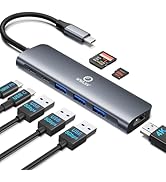
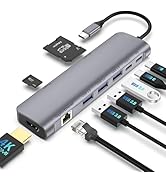
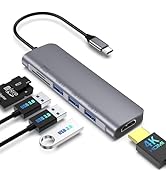
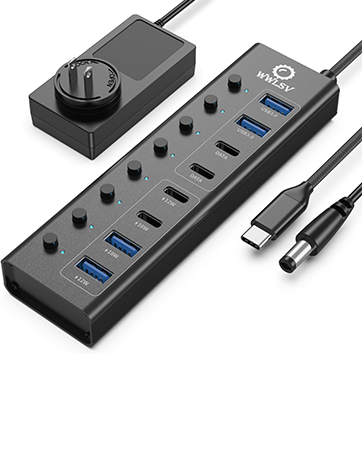
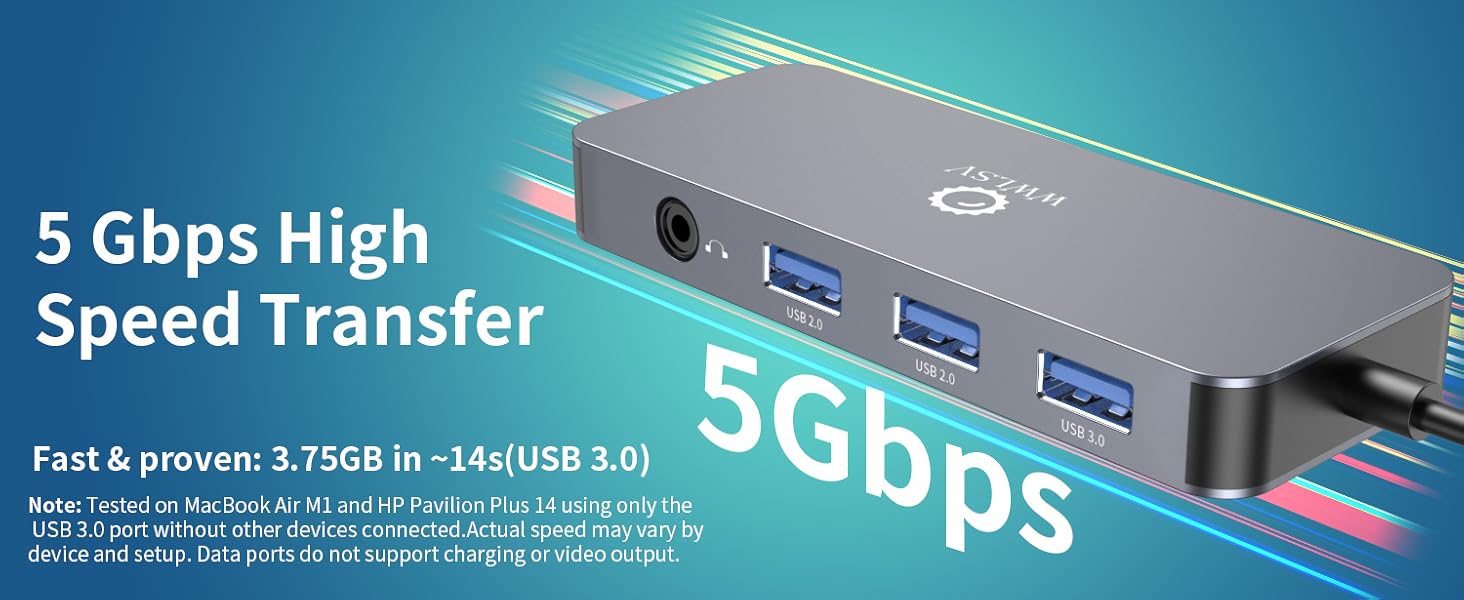
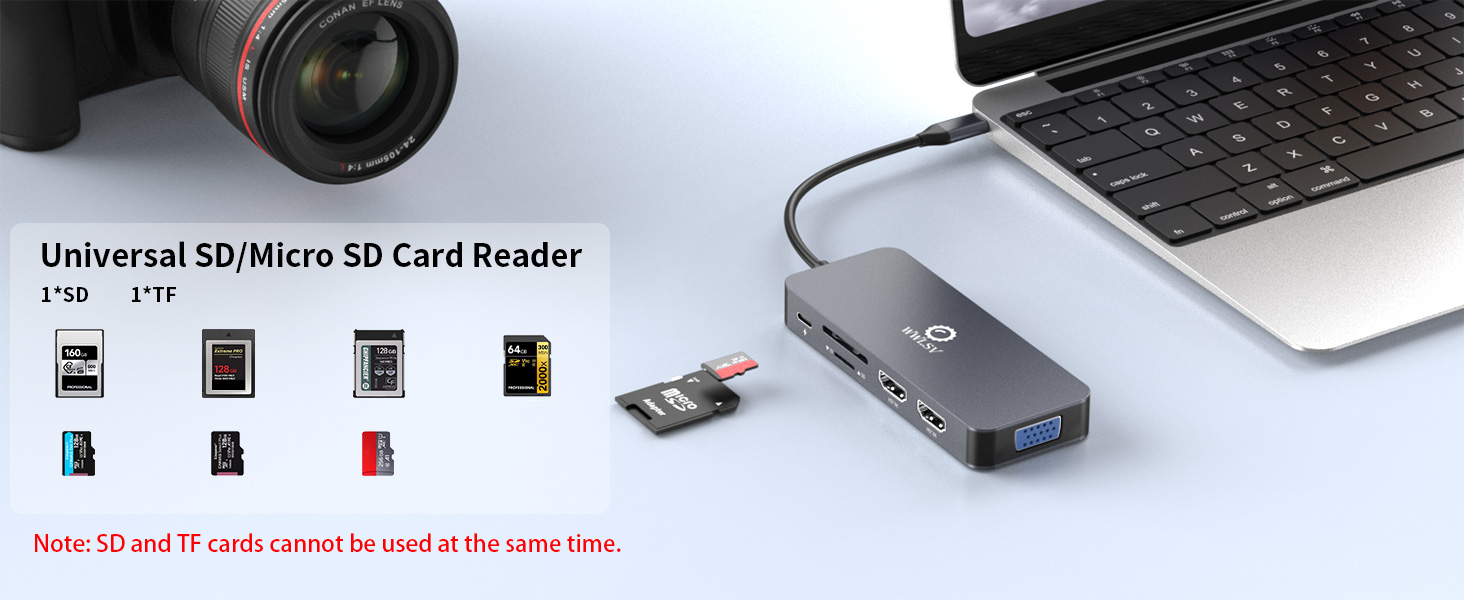
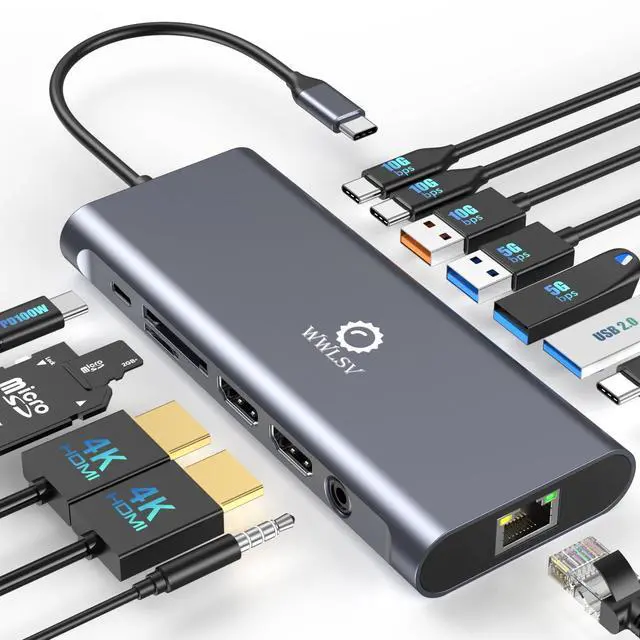
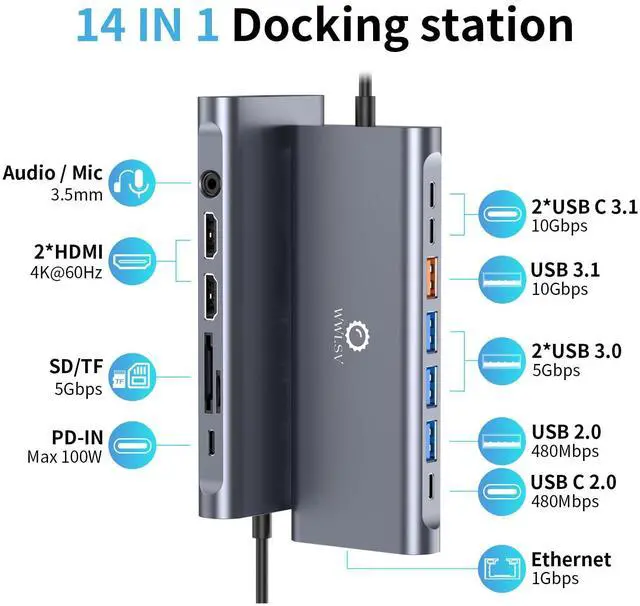
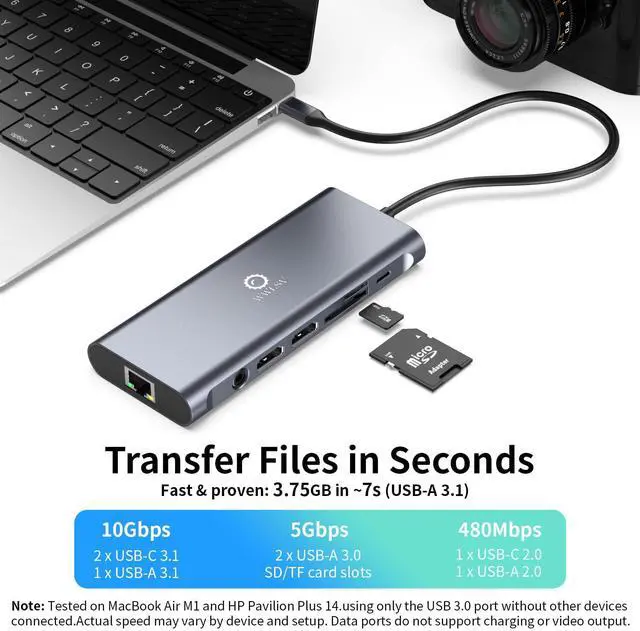
    • [14-in-1 USB-C Docking Station]Upgrade your USB-C or Thunderbolt laptop into a powerful workstation. Features dual 4K@60Hz HDMI ports for dual monitors, 3 USB-C/A 3.1 ports with up to 10Gbps transfer speeds, 2 USB-A 3.0 ports (5Gbps), USB-C & USB-A 2.0 ports, 100W USB-C Power Delivery for fast laptop charging, 1Gbps Ethernet, SD/microSD card readers (up to 104MB/s), and a 3.5mm audio/mic jack. Replaces multiple adapters for a cleaner setup. Plug and play with no driver requiredideal for home office, creative projects, and travel.
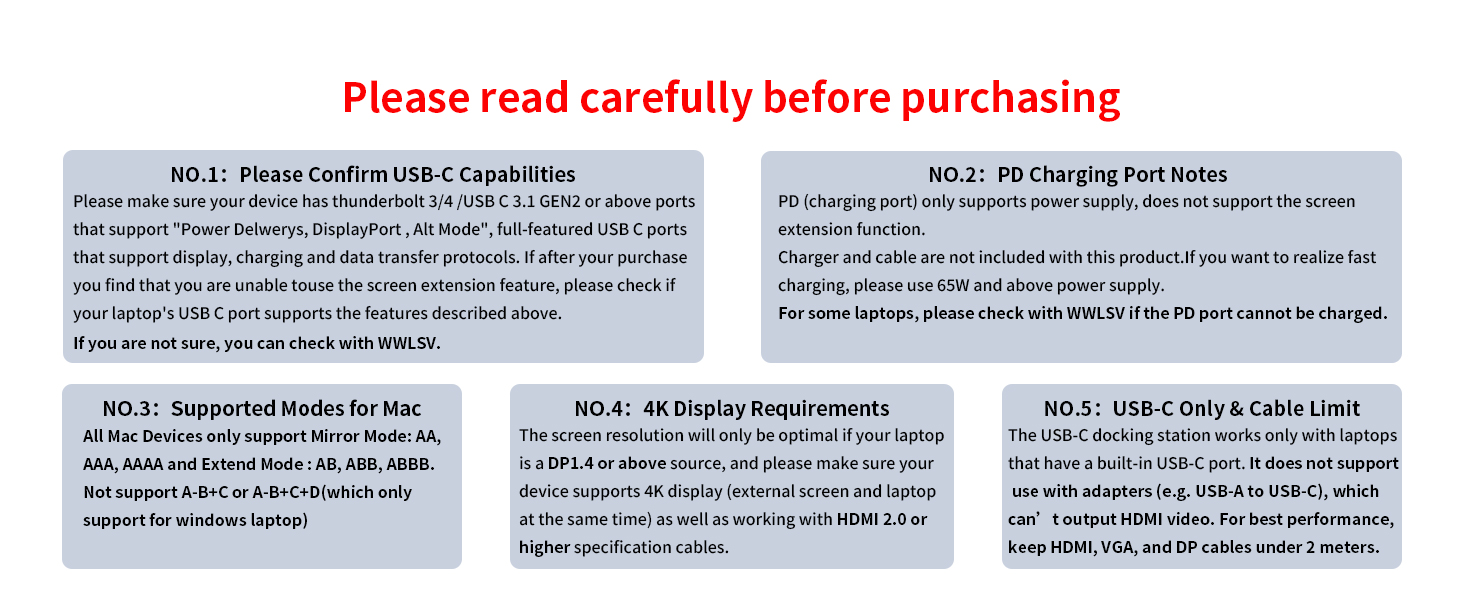
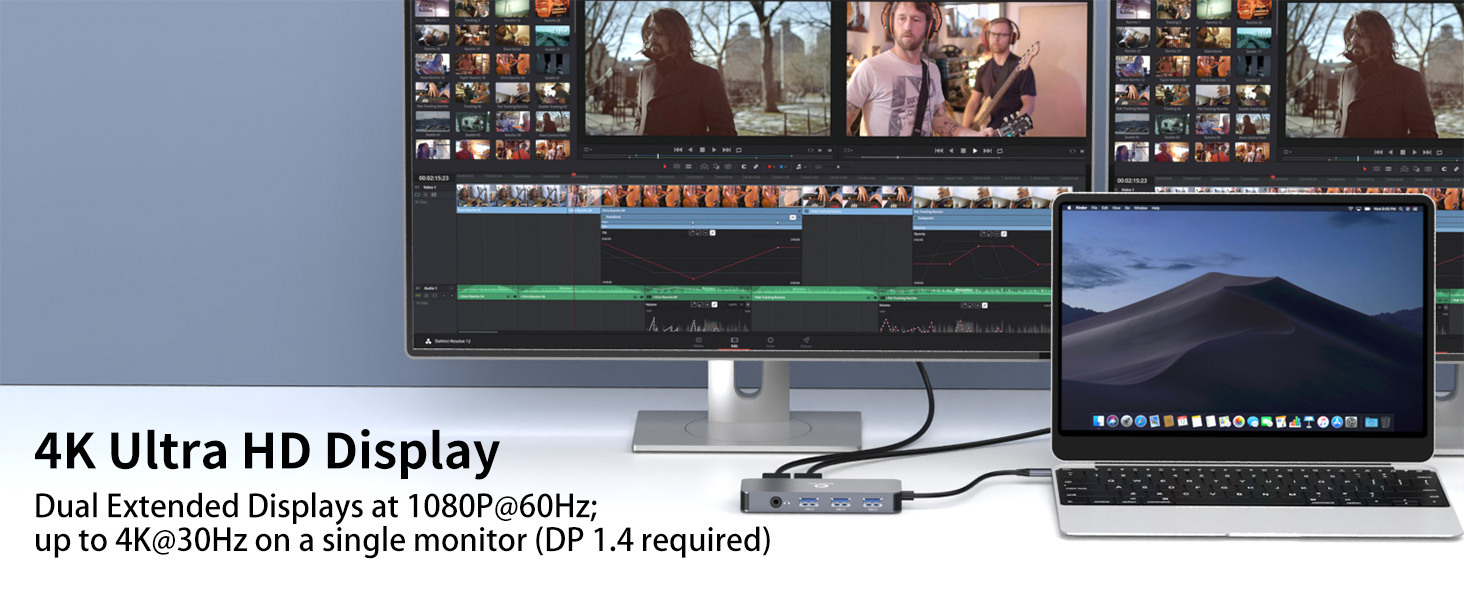
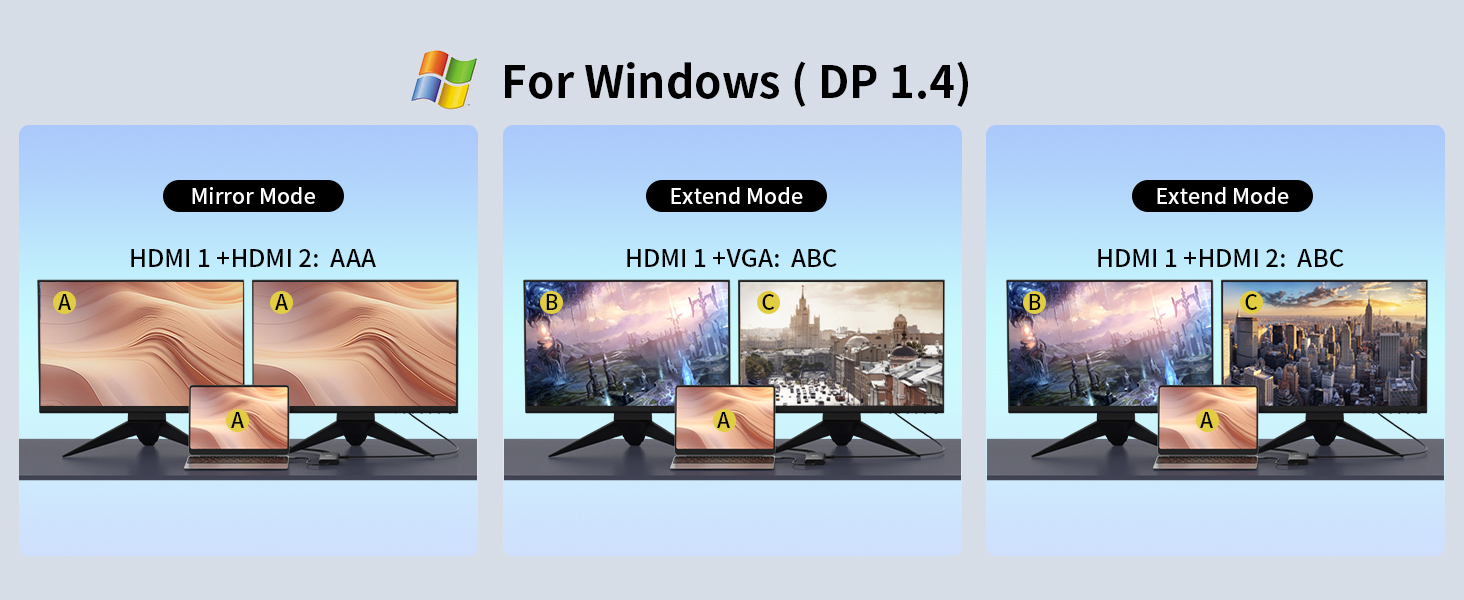
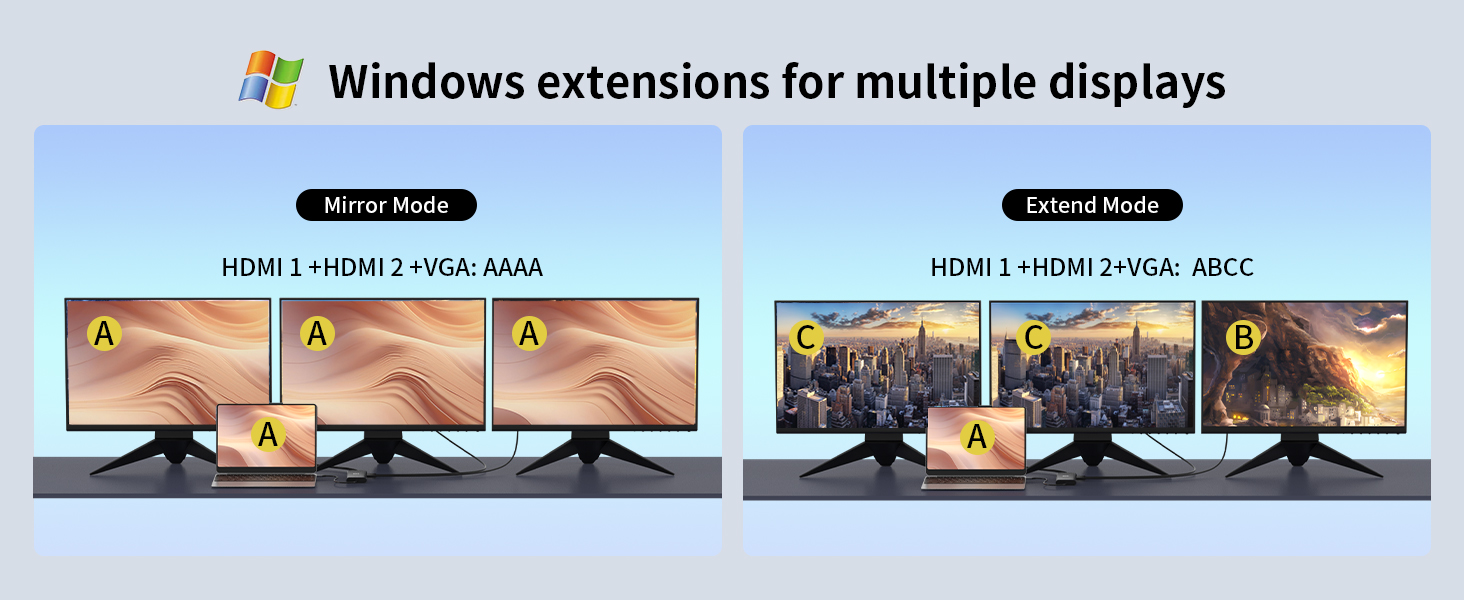
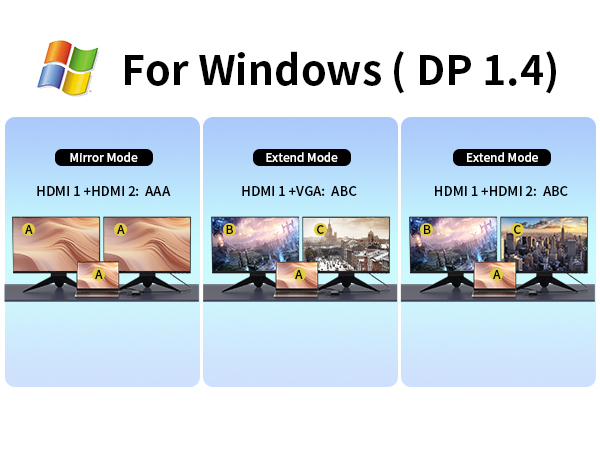
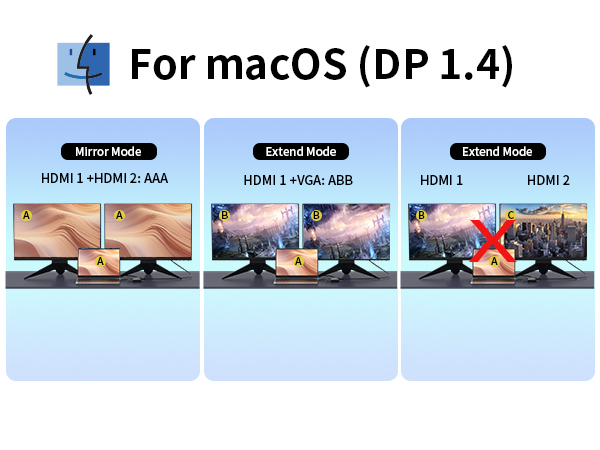
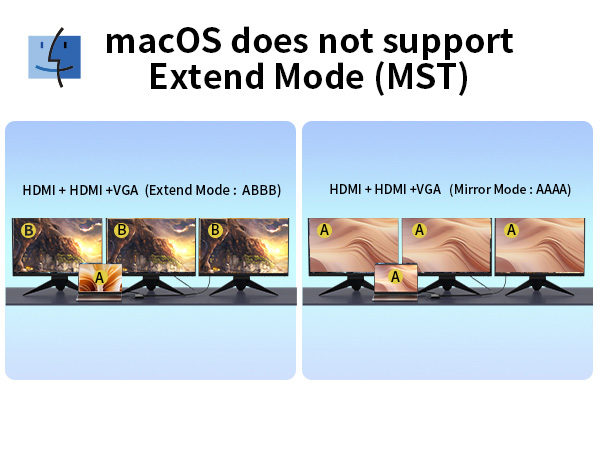
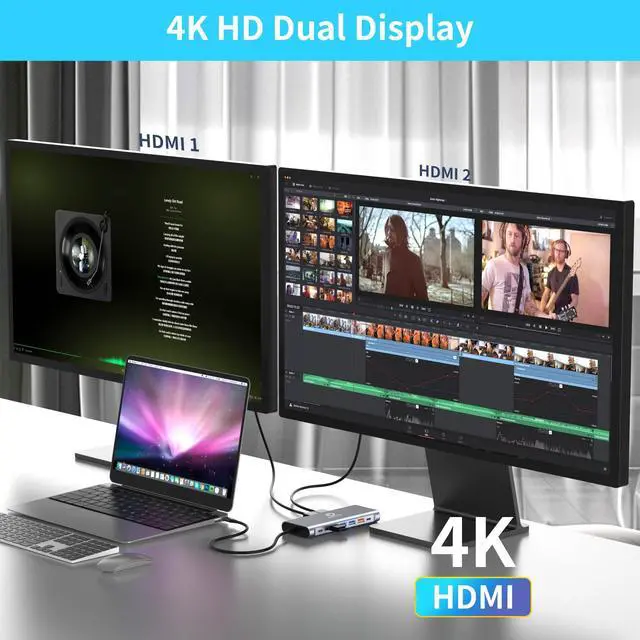
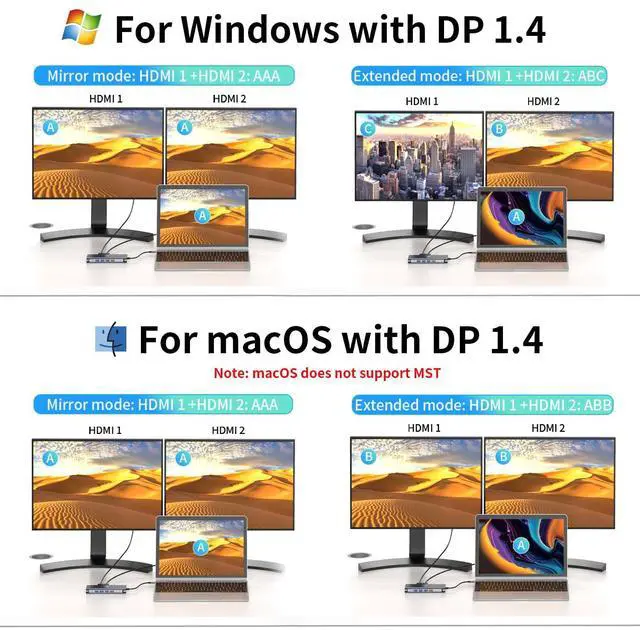
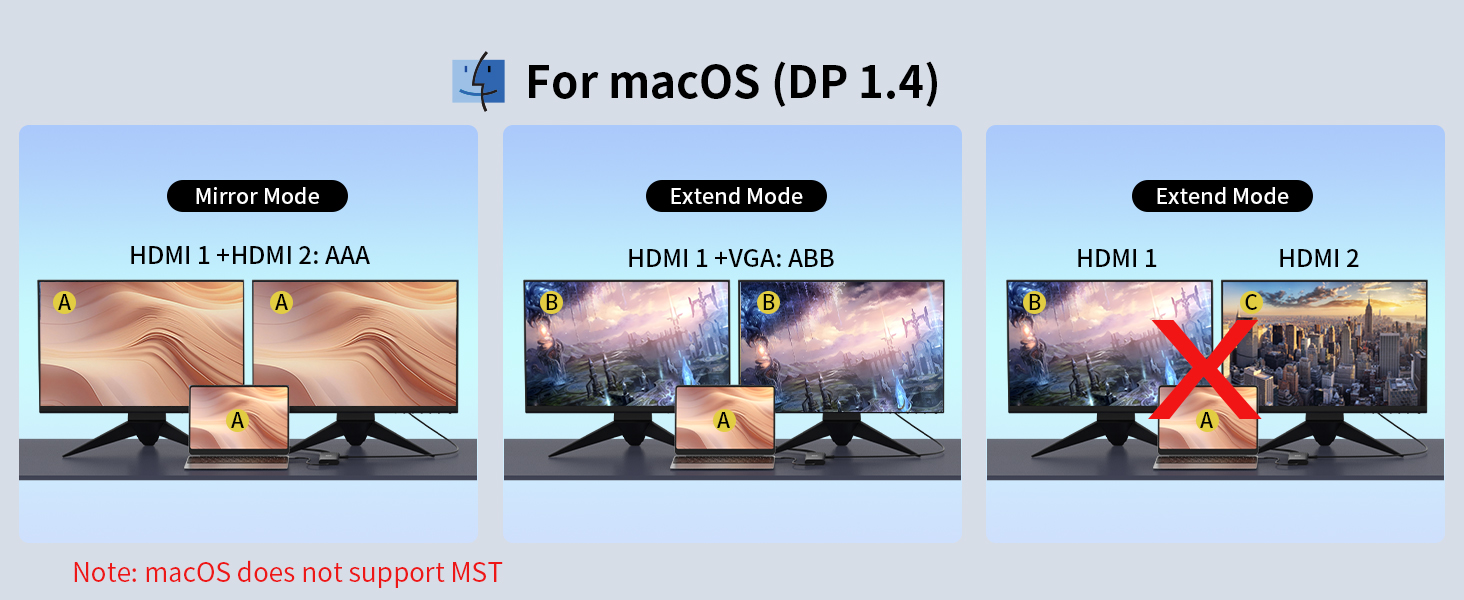
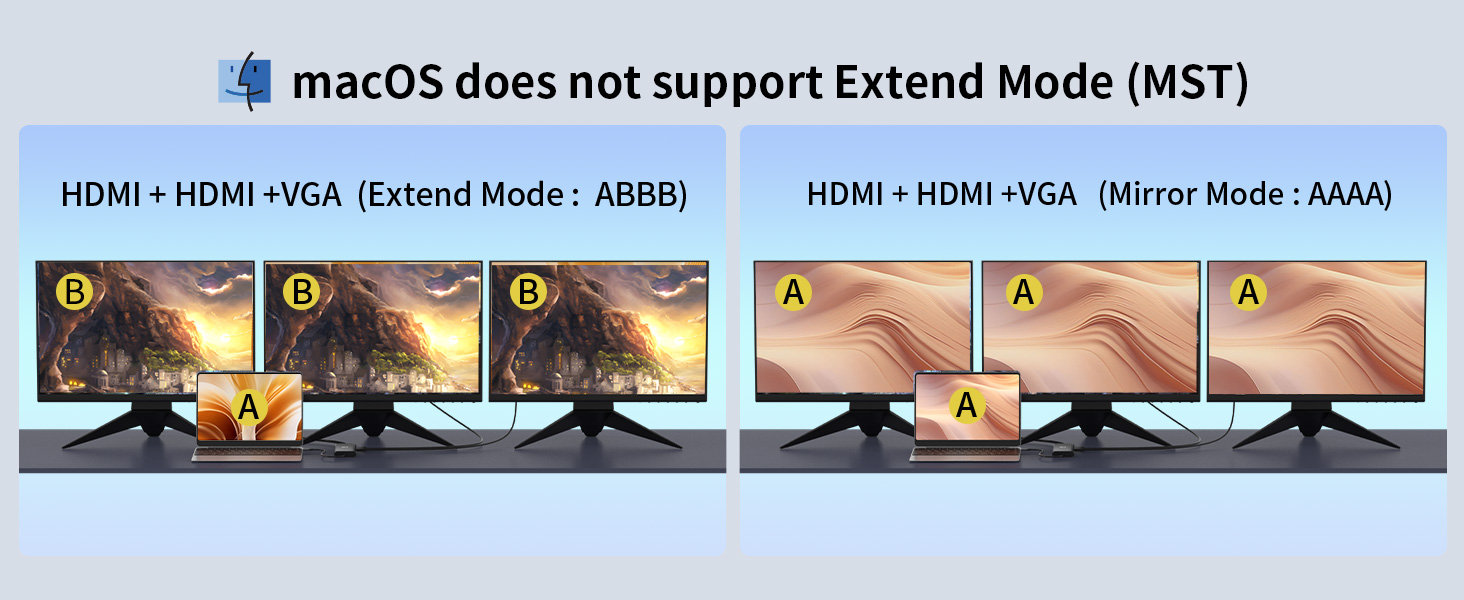
    • [Dual 4K@60Hz HDMI & Dual Monitor Support]Equipped with dual HDMI ports, this docking station supports connecting one or two monitors with up to 4K resolution at 60Hz, ideal for multitasking and enhancing productivity. To achieve 4K@60Hz output, your laptop must support DisplayPort 1.4, your monitors need to support 4K resolution, and HDMI cables must be version 2.0 or higher. On macOS, dual displays work in mirror or extended mode, but MST (multi-stream transport) is not supported.
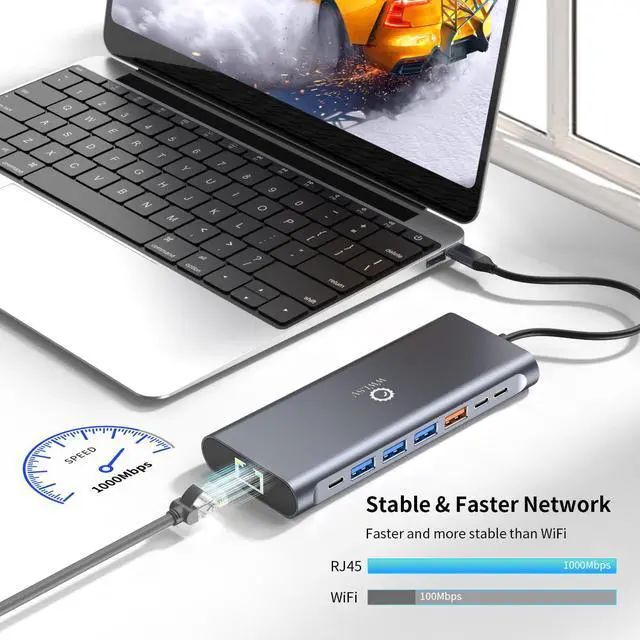
    • [1Gbps Gigabit Ethernet & 3.5mm Audio/Mic Jack]Enjoy a stable, low-latency wired internet connection with the built-in 1Gbps Gigabit Ethernet portperfect for smooth video calls, online gaming, and fast large file downloads. The integrated 3.5mm combo audio and mic jack delivers clear sound for music, calls, and video conferences.
    +
    +
    Overview
    Specs
    Reviews
    avatar

    Any questions? Our AI beta will help you find out quickly.

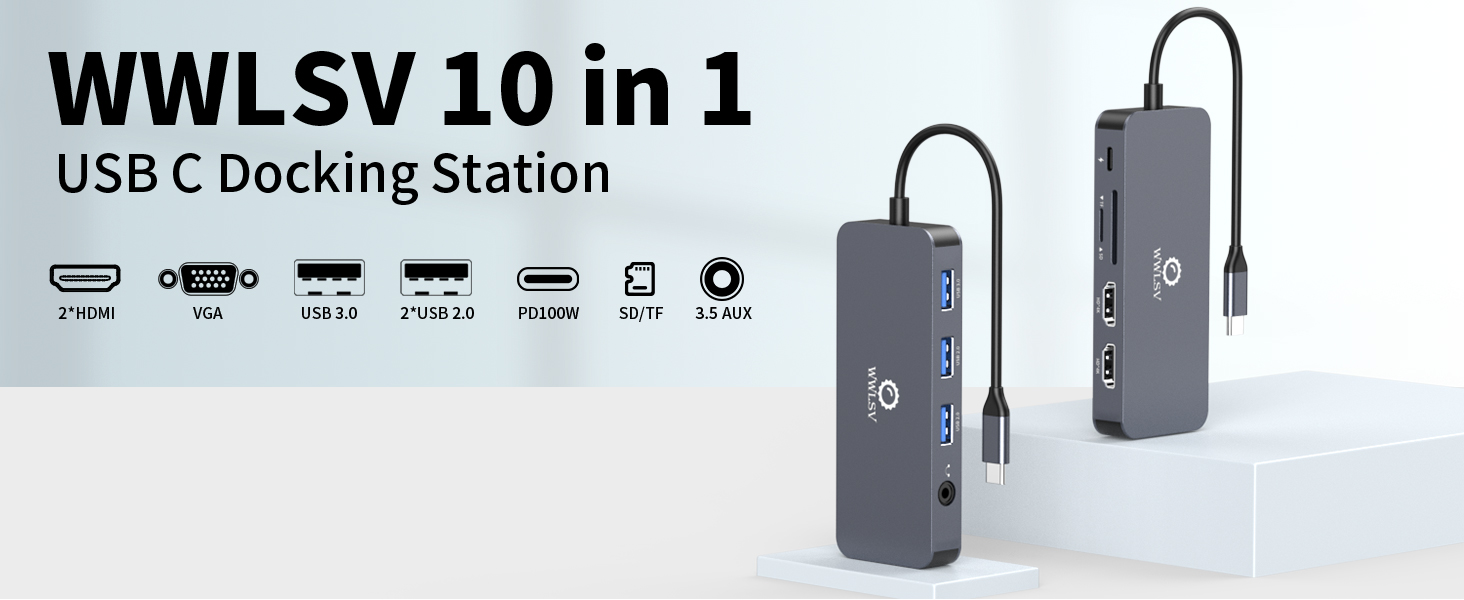
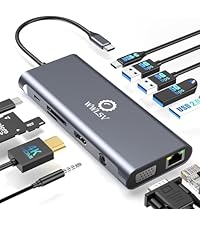
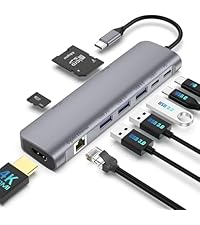
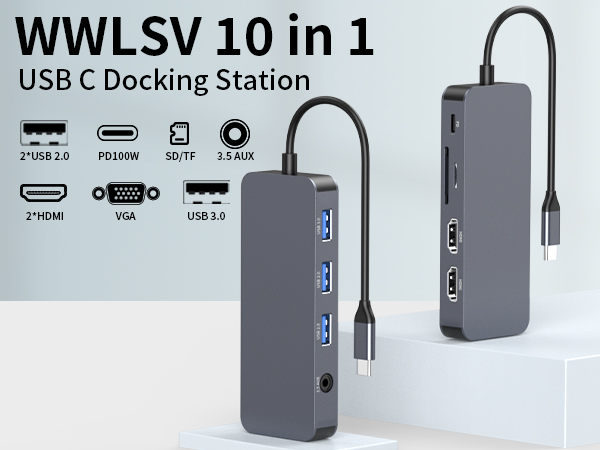
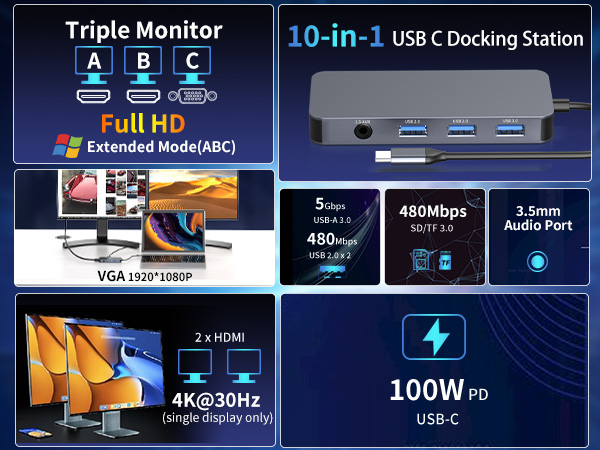
    WWLSV 10-in-1 USB-C docking station, all-in-one with dual HDMI, VGA, 100W PD & data ports.

    Specifications
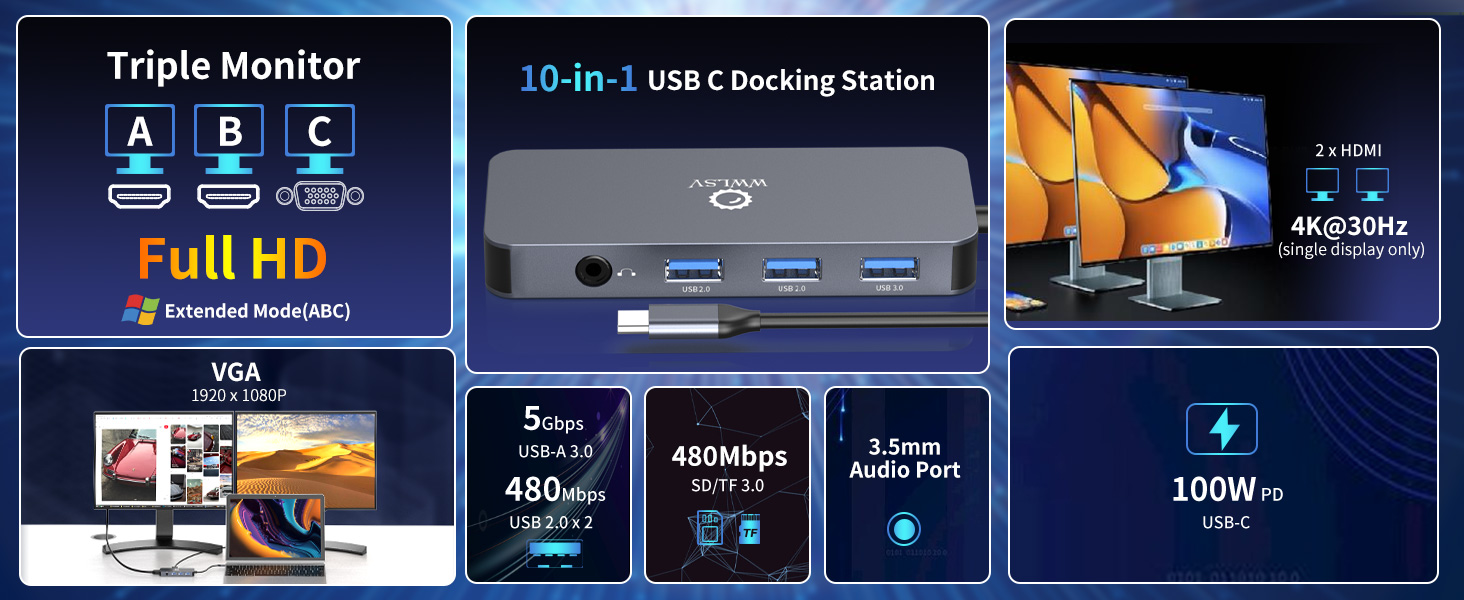
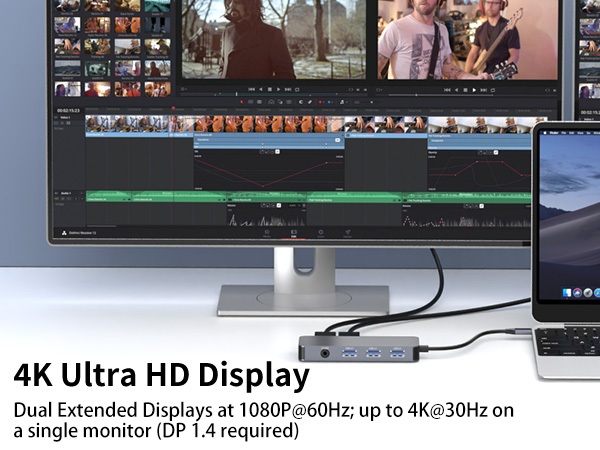
    HDMI resolution: Supports 4K@30Hz (max 1 display) / 1080P@60Hz (multiple displays)
    VGA resolution: 1920*1080P
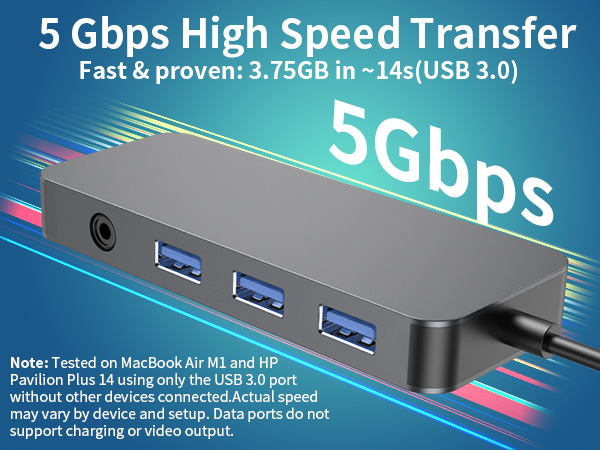
    USB-A 3.0: Transfer speed up to 5Gbps (tested: 3.75GB file transferred in ~14 seconds under optimal conditions)
    USB-A 2.0: Transfer speed up to 480Mbps
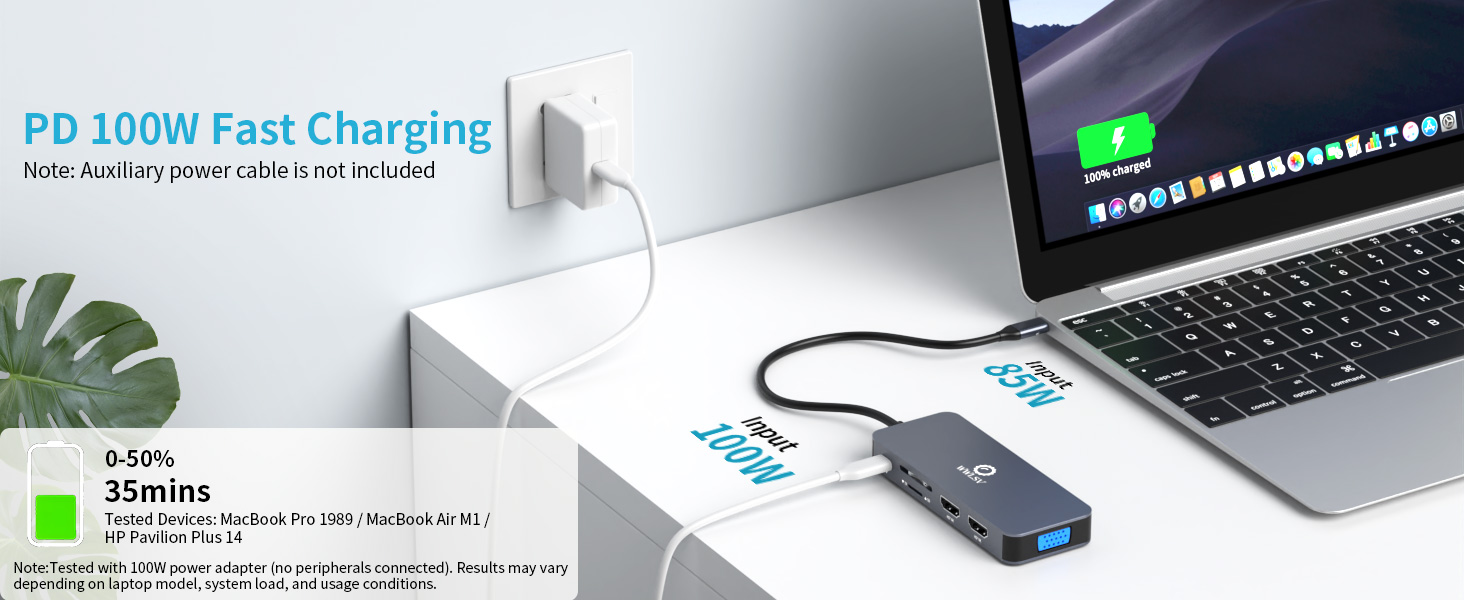
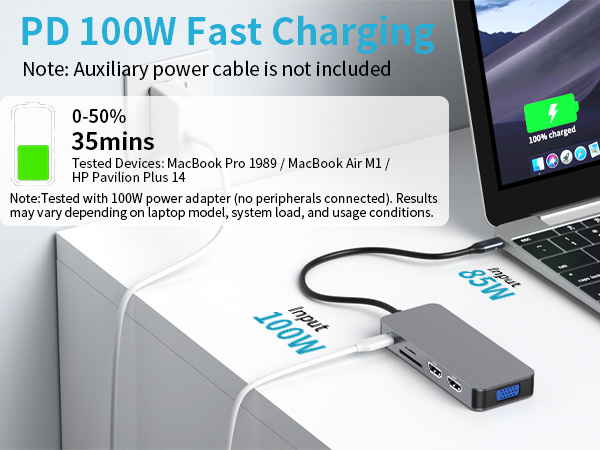
    USB-C PD: Standard 60 Watts – Maximum 100 Watts. Tested with a 100W charger: charges a laptop from 0% to 50% in approximately 35 minutes (with no other devices connected)
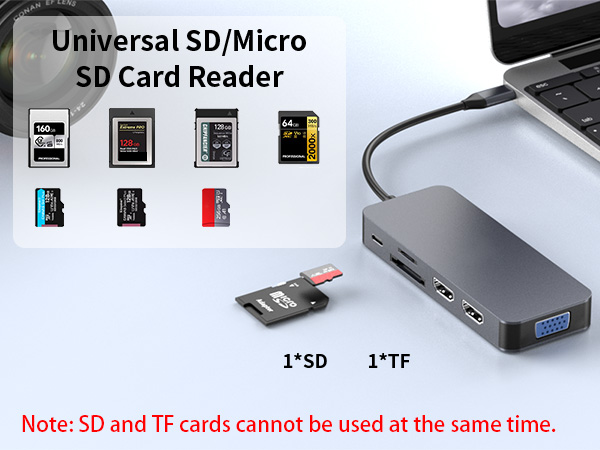
    Card reader interface: Micro SD/TF card reader 480Mps simultaneous card reading
    3.5mm Audio: Supports audio
    Material: Aluminum alloy/ ABS
    Cable length: +/- 6.7 inches
    Dimensions: 4.33 × 1.69 × 0.55 in
    Weight: 95g
    Note: *Aluminum dissipates heat quickly through the chassis. Surface may be warmer to touch when all ports are connected. This does not affect the integrity of the internal components. Normal operating temperature: 25°C – 50°C (82°F-122°F)

    WWLSV Laptop Docking Stations

    https://m.media-amazon.com/images/S/aplus-media-library-service-media/81589e0a-8438-4615-833e-4e1d54341b18.__AC_SR200,225___.jpg

    10-in-1 Docking Station

    https://m.media-amazon.com/images/S/aplus-media-library-service-media/0b26cbb2-ab1c-443e-8cd6-72fa43bab600.__AC_SR200,225___.jpg

    14-in-1 Docking Station

    https://m.media-amazon.com/images/S/aplus-media-library-service-media/db040225-208c-40fe-8bcd-3e6e6b06f6a9.__AC_SR200,225___.jpg

    12-in-1 Docking Station

    https://m.media-amazon.com/images/S/aplus-media-library-service-media/696fc69f-34e6-4c90-8fdd-173f72d156a0.__AC_SR200,225___.jpg

    9-in-1 Docking Station

    Customer Reviews
    Price
    Dual HDMI
    ? ? ? ?
    VGA
    ? ? ? ?
    5Gpbs Transfer Speed
    ? ? ? ?
    USB Data Ports
    3*USB A 1*USB C + 5*USB A 1*USB C + 4*USB A 1*USB C + 3*USB A
    1000Mbps Gigabit Ethernet
    ? ? ? ?
    100W Charge Power
    ? ? ? ?
    SD/TF
    ? ? ? ?

    Compatible Devices (INCOMPLETE LIST)

    compatible Mac Laptops: MacBook Pro (2023 / 2022/2021/2020/2019/2018/2016); MacBook Air (2022); Mac mini (2022); MacBook A1534; Mac mini A1993 , etc
    compatible Lenovo Laptops: ThinkBook 14 Gen4 (14”Intel) Laptop; ThinkPad X1 Carbon Gen10/12 (14”Intel) Laptop; ThinkPad P16/s Gen2 (16”Intel); ThinkPad T16 (16” Intel); ThinkPad X1 Yoga Gen8 (14”Intel) 2-in-1; ThinkPad?E16?Gen?1 (16? Intel); Thinkpad L14 Gen1 , etc
    compatible HP Laptops: HP?EliteBook?830?G10/840; HP?ZBook?Fury?16?G10; HP?OMEN?16;HP?Envy?x360?(14?); HP?Victus?15;HP?Pavilion?x360?14; HP Spectre?x360?13; HP Envy?x360?13;ProBook 635 , etc
    compatible Surface Laptops: Surface Laptop 4/5; Surface Go 4; Surface Laptop Studio2; Microsoft Surface Book , etc
    compatible Dell Laptops: Latitude?3440/3540/5430/5440; Inspiron?14?5425/5430/7420/7445; Inspiron?16 5620/5625/5630/5635/5420/7425; Vostro 16 5620; XPS 13/15 , etc
    Incompatible MacBook Devices: MacBook Air 7.2, Macbook pro 2020(M1), macbook air 2020(M1), Mac mini 2020(M1)Air 7.2, Macbook pro 2020(M1), macbook air 2020(M1), Mac mini 2020(M1), etc
    Incompatible Lenovo Devices: Lenovo AMD and IdeaPad Series;ThinkPad 1490/E580/T490;IdeaPad Slim 3 Chromebook (14? MediaTek)/Slim 3i Chromebook (14? Intel)/ Pro 5i (16? Intel); IdeaPad Flex 5 2 in 1, etc
    Incompatible Dell Devices: Dell Inspiron 17-5000 series/15-5000 series/14-5410 15-3000/15-3583/17-3793 Business, Dell inspiron 5379/5635/3593/3525 /7706 2n1,Dell Inspiron 15 Laptop Model 3000/3535/3525/3530/3520/3511/7000, etc
    Incompatible HP Devices: Elitebook 840 G3/745 G4/820 G3/828 G4/x360 1030 G2;ProBook 6550b/650 G2/440 G8/455 G4/430 G5;HP 15-dy2032nr/dw3xxx/dw3205ng/dy2176nr/ef2xxx/dw 3033 dx;HP model 15s-eq1355ng, etc
    Q1: Why is there no image output from HDMI or VGA after connecting?
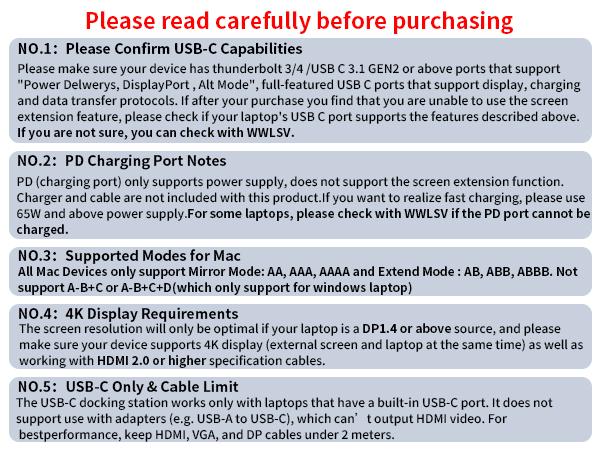
    A1: (1) Make sure the USB-C port of the laptop supports the video function; (2)Check the port is firmly plugged in; Adjust the resolution setting of the laptop; (3)Select the correct input signal source (some require manual selection of the signal source.
    Q2: Can I extend different diaplays across two monitors when connecting HDMI and VGA?
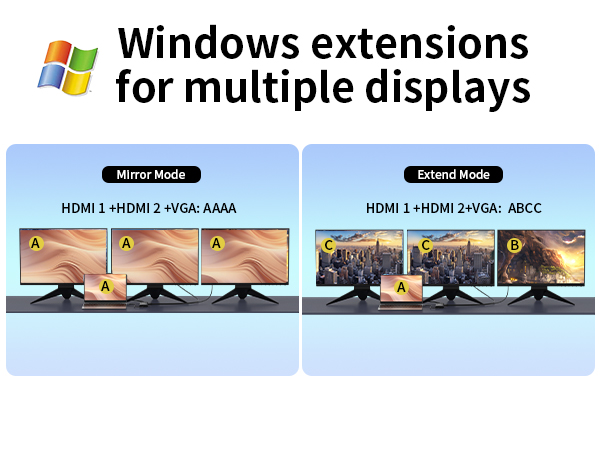
    A2: On Windows systems, you can extend different displays across HDMI and VGA monitors (Extended Mode). On macOS, due to system limitations, additional monitors will only mirror the primary display (Mirror Mode).
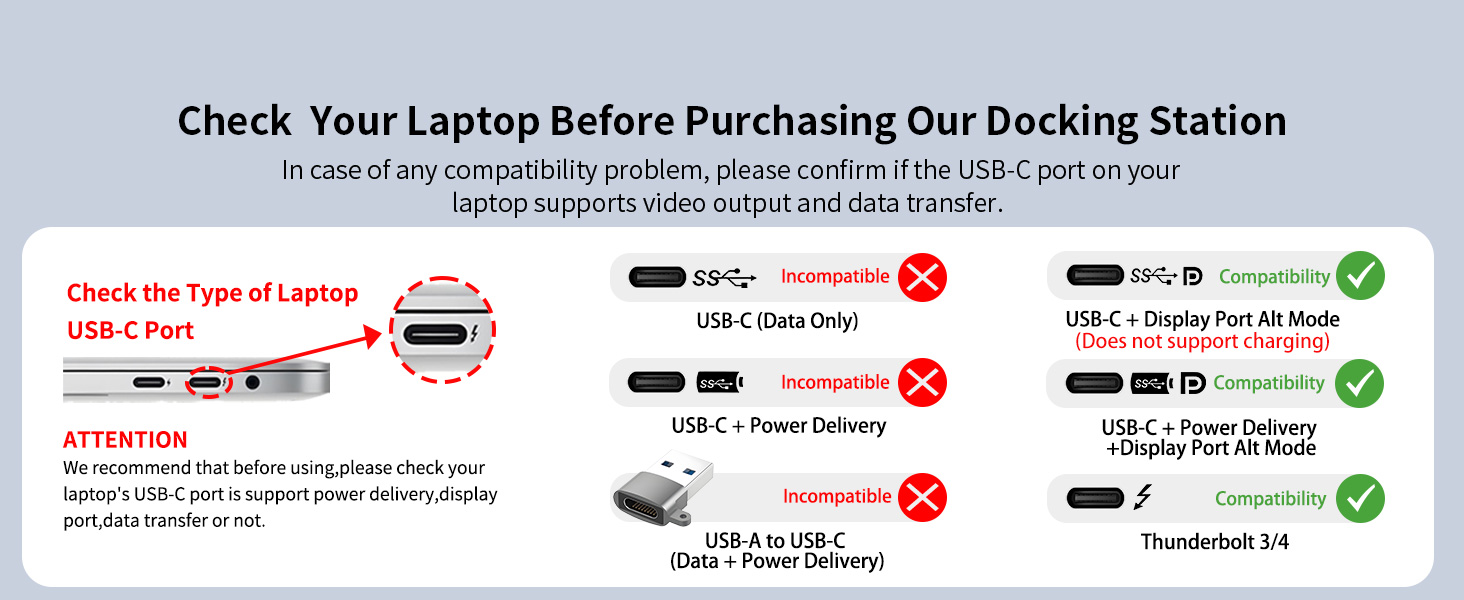
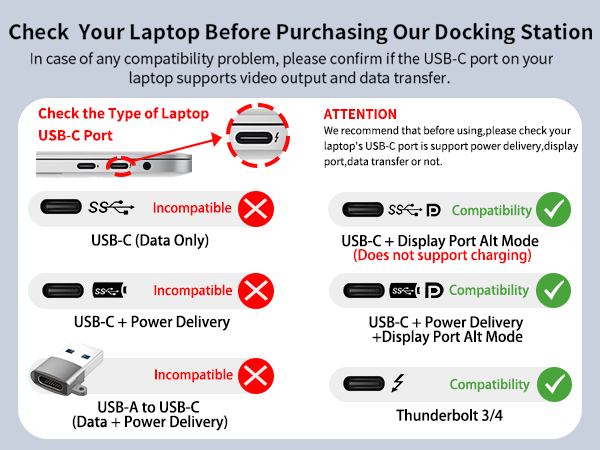
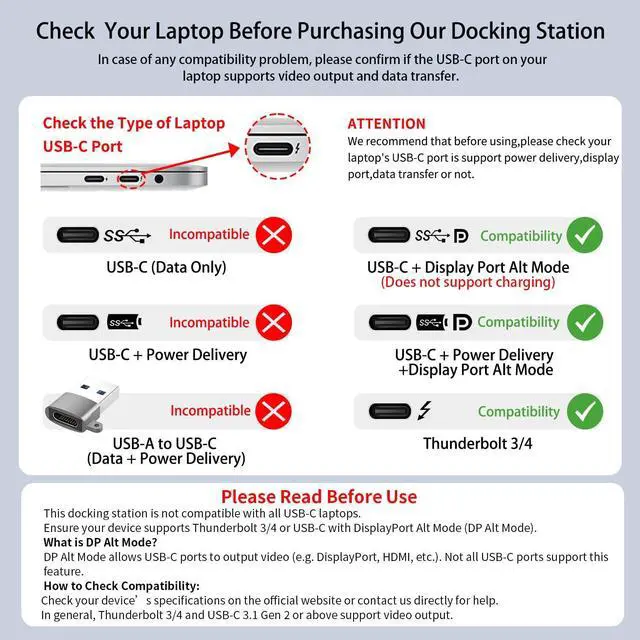
    **NOTE 1** Please ensure that your device has a thunderbolt 3/4 / USB-C 3.1 Gen 2 or USB-C 3.2 Gen 2 that support "Power Delivery&DisplayPort Alt Mode" to support video output. HDMI function needs to confirm if the usb c port of your device supports DisplayPort Alternate Mode. If not sure please check with us. WWLSV Dokcing Station are happy check if this dock is compatible for your device.
    **NOTE 2** When using the HDMI port external monitor for the first time, it takes a few seconds to recognize the connection. If the monitor has multiple video ports, it may need to check each signal source one by one (which also takes a few seconds).
    **NOTE 3** The USB-C Power Delivery input only supports charging. The USB-A and USB-C data ports do not support media display or charging.
    WWLSV 10-IN-1 USB C HUB

    Specifications
    HDMI resolution: Supports 4K@30Hz (max 1 display) / 1080P@60Hz (multiple displays)
    VGA resolution: 1920*1080P
    USB-A 3.0: Transfer speed up to 5Gbps (tested: 3.75GB file transferred in ~14 seconds under optimal conditions)
    USB-A 2.0: Transfer speed up to 480Mbps
    USB-C PD: Standard 60 Watts – Maximum 100 Watts. Tested with a 100W charger: charges a laptop from 0% to 50% in approximately 35 minutes (with no other devices connected)
    Card reader interface: Micro SD/TF card reader 480Mps simultaneous card reading
    3.5mm Audio: Supports audio
    Material: Aluminum alloy/ ABS
    Cable length: +/- 6.7 inches
    Dimensions: 4.33 × 1.69 × 0.55 in
    Weight: 95g
    Note: *Aluminum dissipates heat quickly through the chassis. Surface may be warmer to touch when all ports are connected. This does not affect the integrity of the internal components. Normal operating temperature: 25°C – 50°C (82°F-122°F)

    WWLSV Laptop Docking Stations
    https://m.media-amazon.com/images/S/aplus-media-library-service-media/81589e0a-8438-4615-833e-4e1d54341b18.__AC_SR200,225___.jpg

    10-in-1 Docking Station

    https://m.media-amazon.com/images/S/aplus-media-library-service-media/0b26cbb2-ab1c-443e-8cd6-72fa43bab600.__AC_SR200,225___.jpg

    14-in-1 Docking Station

    https://m.media-amazon.com/images/S/aplus-media-library-service-media/db040225-208c-40fe-8bcd-3e6e6b06f6a9.__AC_SR200,225___.jpg

    12-in-1 Docking Station

    https://m.media-amazon.com/images/S/aplus-media-library-service-media/696fc69f-34e6-4c90-8fdd-173f72d156a0.__AC_SR200,225___.jpg

    9-in-1 Docking Station

    Customer Reviews
    Price
    Dual HDMI
    ? ? ? ?
    VGA
    ? ? ? ?
    5Gpbs Transfer Speed
    ? ? ? ?
    USB Data Ports
    3*USB A 1*USB C + 5*USB A 1*USB C + 4*USB A 1*USB C + 3*USB A
    1000Mbps Gigabit Ethernet
    ? ? ? ?
    100W Charge Power
    ? ? ? ?
    SD/TF
    ? ? ? ?

    Compatible Devices (INCOMPLETE LIST)

    compatible Mac Laptops: MacBook Pro (2023 / 2022/2021/2020/2019/2018/2016); MacBook Air (2022); Mac mini (2022); MacBook A1534; Mac mini A1993 , etc
    compatible Lenovo Laptops: ThinkBook 14 Gen4 (14”Intel) Laptop; ThinkPad X1 Carbon Gen10/12 (14”Intel) Laptop; ThinkPad P16/s Gen2 (16”Intel); ThinkPad T16 (16” Intel); ThinkPad X1 Yoga Gen8 (14”Intel) 2-in-1; ThinkPad?E16?Gen?1 (16? Intel); Thinkpad L14 Gen1 , etc
    compatible HP Laptops: HP?EliteBook?830?G10/840; HP?ZBook?Fury?16?G10; HP?OMEN?16;HP?Envy?x360?(14?); HP?Victus?15;HP?Pavilion?x360?14; HP Spectre?x360?13; HP Envy?x360?13;ProBook 635 , etc
    compatible Surface Laptops: Surface Laptop 4/5; Surface Go 4; Surface Laptop Studio2; Microsoft Surface Book , etc
    compatible Dell Laptops: Latitude?3440/3540/5430/5440; Inspiron?14?5425/5430/7420/7445; Inspiron?16 5620/5625/5630/5635/5420/7425; Vostro 16 5620; XPS 13/15 , etc
    Incompatible MacBook Devices: MacBook Air 7.2, Macbook pro 2020(M1), macbook air 2020(M1), Mac mini 2020(M1)Air 7.2, Macbook pro 2020(M1), macbook air 2020(M1), Mac mini 2020(M1), etc
    Incompatible Lenovo Devices: Lenovo AMD and IdeaPad Series;ThinkPad 1490/E580/T490;IdeaPad Slim 3 Chromebook (14? MediaTek)/Slim 3i Chromebook (14? Intel)/ Pro 5i (16? Intel); IdeaPad Flex 5 2 in 1, etc
    Incompatible Dell Devices: Dell Inspiron 17-5000 series/15-5000 series/14-5410 15-3000/15-3583/17-3793 Business, Dell inspiron 5379/5635/3593/3525 /7706 2n1,Dell Inspiron 15 Laptop Model 3000/3535/3525/3530/3520/3511/7000, etc
    Incompatible HP Devices: Elitebook 840 G3/745 G4/820 G3/828 G4/x360 1030 G2;ProBook 6550b/650 G2/440 G8/455 G4/430 G5;HP 15-dy2032nr/dw3xxx/dw3205ng/dy2176nr/ef2xxx/dw 3033 dx;HP model 15s-eq1355ng, etc
    Q1: Why is there no image output from HDMI or VGA after connecting?
    A1: (1) Make sure the USB-C port of the laptop supports the video function; (2)Check the port is firmly plugged in; Adjust the resolution setting of the laptop; (3)Select the correct input signal source (some require manual selection of the signal source.
    Q2: Can I extend different diaplays across two monitors when connecting HDMI and VGA?
    A2: On Windows systems, you can extend different displays across HDMI and VGA monitors (Extended Mode). On macOS, due to system limitations, additional monitors will only mirror the primary display (Mirror Mode).
    **NOTE 1** Please ensure that your device has a thunderbolt 3/4 / USB-C 3.1 Gen 2 or USB-C 3.2 Gen 2 that support "Power Delivery&DisplayPort Alt Mode" to support video output. HDMI function needs to confirm if the usb c port of your device supports DisplayPort Alternate Mode. If not sure please check with us. WWLSV Dokcing Station are happy check if this dock is compatible for your device.
    **NOTE 2** When using the HDMI port external monitor for the first time, it takes a few seconds to recognize the connection. If the monitor has multiple video ports, it may need to check each signal source one by one (which also takes a few seconds).
    **NOTE 3** The USB-C Power Delivery input only supports charging. The USB-A and USB-C data ports do not support media display or charging.

    usb hub usb c hub docking station docking station dual monitor laptop docking station usb c docking station computer docking station hdmi docking station usb c hub for laptop usb c hub ethernet usb c hub multiport adapter usb c docking station dual hdmi hdmi splitter for dual monitors usb c docking station dual monitor dual monitor docking station laptop docking station dual monitor hp docking station for laptop dell docking station dual monitor plugable docking station hdmi splitter extended display HDMI Splitter for Dual Monitors Extended Display dual monitor docking station for laptop usb c multiport adapter docking station for hp laptop docking station for macbook pro docking station for dell laptop dual hdmi docking station usb hub with hdmi dual hdmi adapter for 2 monitors dual hdmi adapter dual monitor hdmi splitter docking station dual monitor hdmi hdmi hub for multiple monitors macbook hdmi adapter dual monitor adapter macbook docking station dual monitor


    Product information

    Brand WWLSV
    Color Grey
    Hardware Interface 3.5mm Audio, HDMI, MicroSD, USB 3.0, USB 3.0 Type C, USB 3.1 Type A, USB 3.1 Type C
    Special Feature Dual 4K@60Hz HDMI, Dual Display, 10Gbps Super-Speed Data Transmission, 1Gbps Ethernet, 100W PD Charging, 104Mb/s SD/Micro SD Card Reader, 3.5mm Audio & Mic, Heat Resistant, Plug and Play, Lightweight and Portable
    Compatible Devices MacBook Pro (20232016), MacBook Air (20182022), MacBook Air M1 (2020), MacBook Pro M1 (2020), Mac mini M1 (2020); HP EliteBook 830 G10 13.3", HP EliteBook 830 G9, HP EliteBook 830 G8, HP ZBook Fury 16" G10, HP ProBook 450 G10 15.6"; Dell Latitute 5310/5340/5411/5420/5421/5430/5400/5440/5491, Dell Inspiron 7506/7610, Dell Precision 7730/7750/7670/7680/7770/7780;ThinkPad X1 Carbon Gen 7/8/10/12, ThinkPad X1 Yoga Gen 5/7/8, ThinkPad T14/T14s Gen 3/4, ThinkBook 16 Gen 6 (Intel/AMD); Surface Pro X/9/8/7, Surface Laptop 3/4/5 Surface Laptop Studio2/2+, Microsoft Surface Book 2, Surface Go 4/Go 3
    Product Dimensions 5.67 x 2.01 x 0.67 inches
    Item Weight 4.6 ounces
    Date First Available February 17, 2025
    Manufacturer WWLSV

    Additional Features

    • [10Gbps SuperSpeed Data Transfer &100W Fast Charging]USB-C/A 3.1 ports deliver ultra-fast data transfer speeds up to 10Gbps, with real tests showing a 3.75GB file transfers in about 7 seconds under ideal conditions. Perfect for photographers, videographers, and professionals needing reliable, high-speed transfers. The USB-C Power Delivery port supports 100W input and safely delivers up to 85W output to charge your laptop while powering the dock. Tested with a 100W charger, it can charge a laptop from 0% to 50% in around 35 minutes (no other devices connected), ensuring smooth performance during demanding tasks.
    • [Wide Compatibility]This USB C docking station works with laptops featuring Thunderbolt 3/4 or full-featured USB-C ports that support video, charging, and data transfer. Compatible models include Dell XPS 13/15/17, Dell Latitude 5420/7420, Lenovo ThinkPad and Yoga series, HP EliteBook 840 and Envy, Surface Pro 7/8, and MacBook Pro/Air.

    Warranty & Returns

    Warranty, Returns, And Additional Information

    Warranty

    • Please contact the Seller directly for warranty information. Warranty information may also be found on the Manufacturer's website.
    • CONTACT

    Return Policies

    • Return for refund within: 30 days
    • Return for replacement within: 30 days
    • This item is covered by BelTie Return Policy

    Manufacturer Contact Info

    LOADING...