


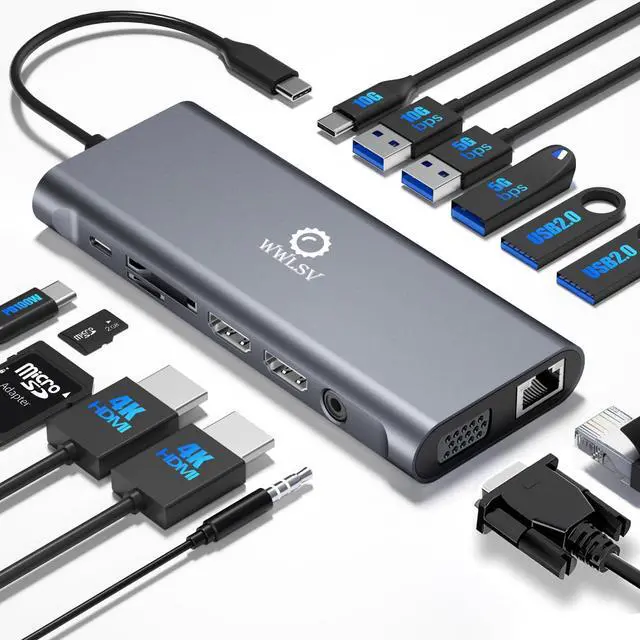




WWLSV is built on craftsmanship and innovation, delivering stable, high-performance docking solutions. We believe in seamless connectivity and powerful performance, helping professionals work smarter.
“Docking Made Simple, Performance Made Powerful.” Through precise engineering and rigorous testing, we ensure quality-driven products that enhance efficiency.
WWLSV Effortless Docking, Limitless Performance.
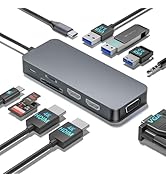
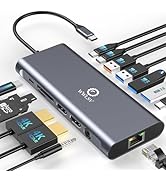
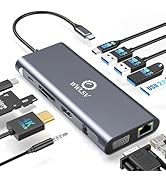
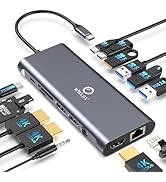
WWLSV Docking Station
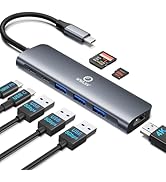
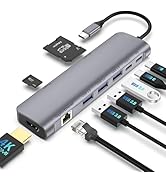
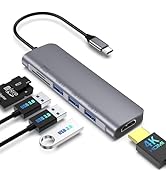
WWLSV USB C Hub
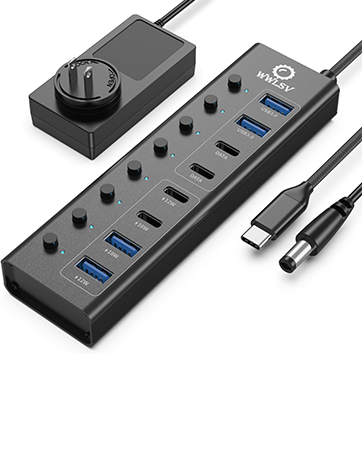
8-in-1 Powered USB Hub
This powered USB hub featuring a 65W USB-C PD-IN port, 2 USB-A 3.0 ports (5Gbps), 2 USB-C data ports, and 4 dedicated charging ports.
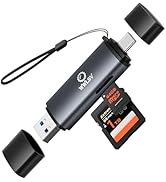

Memory Card Readers


At WWLSV, we are committed to delivering high-quality, durable, and performance-driven products. Each item undergoes rigorous testing to ensure reliability and efficiency. Our goal is to provide a seamless experience, so you can use our docking solutions with confidence, every day.
Specifications
WWLSV Laptop Docking Stations
 14 in 1 Docking Station | 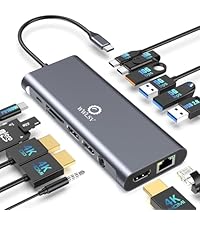 14 in 1 Docking Station | 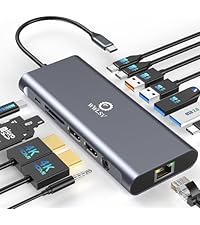 14 in 1 Docking Station | 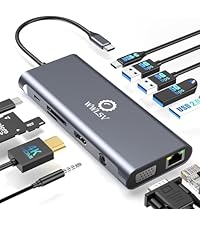 12 in 1 Docking Station | |
|---|---|---|---|---|
Customer Reviews | — | — | — | — |
Price | — | — | — | — |
Dual HDMI | ? | ? | ? | ? |
DisplayPort | ? | ? | ? | ? |
VGA | ? | ? | ? | ? |
10Gbps Transfer Speed | ? | ? | ? | ? |
USB Data Ports | 1*USB C + 5*USB A | 2*USB C + 4*USB A | 3*USB C + 4*USB A | 1*USB C + 4*USB A |
1000Mbps Gigabit Ethernet | ? | ? | ? | ? |
100W Charge Power | ? | ? | ? | ? |
SD/TF | ? | ? | ? | ? |
WWLSV USB C Docking Station Compatible and Incompatible list (Not a full list)
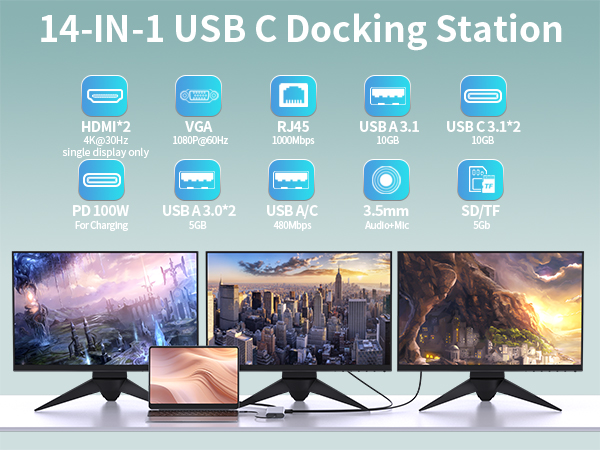
Specifications
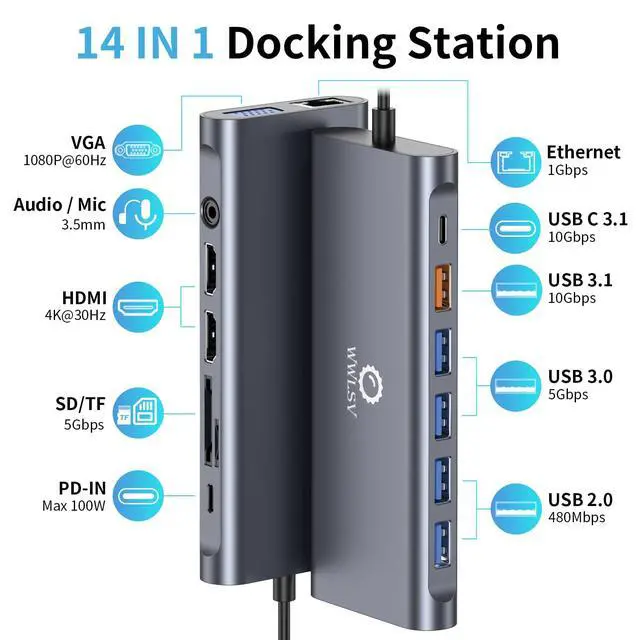
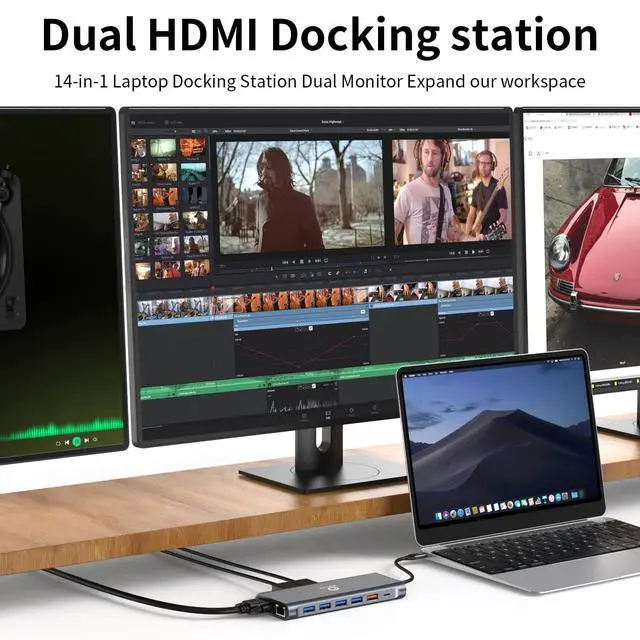
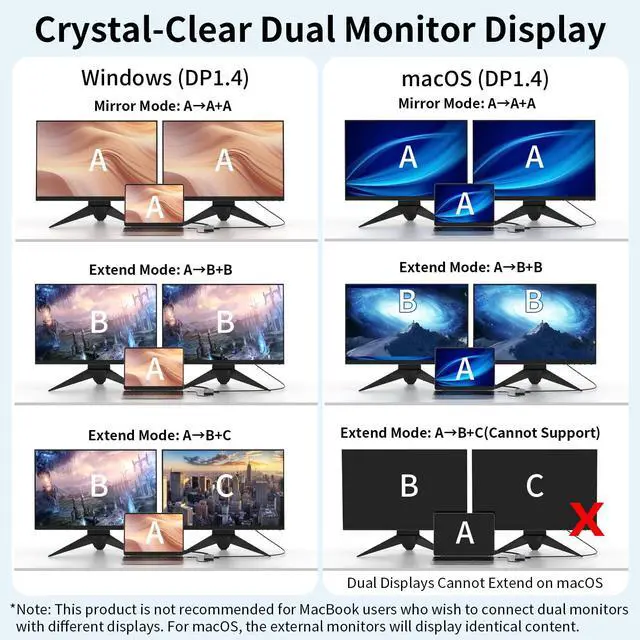
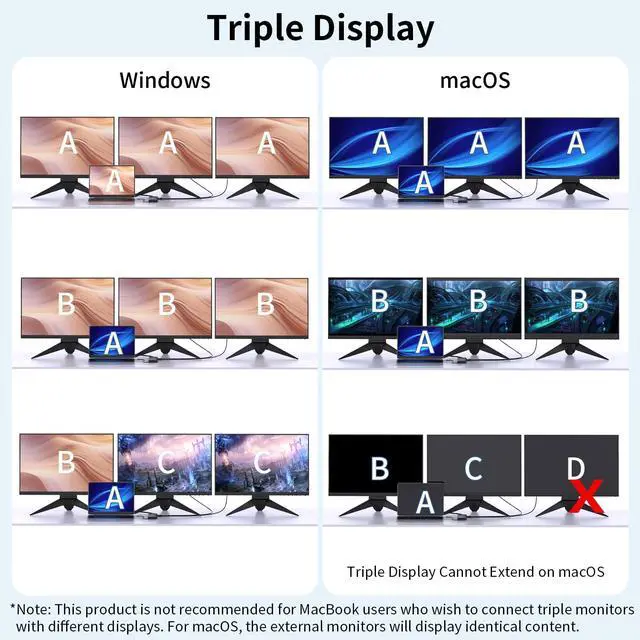
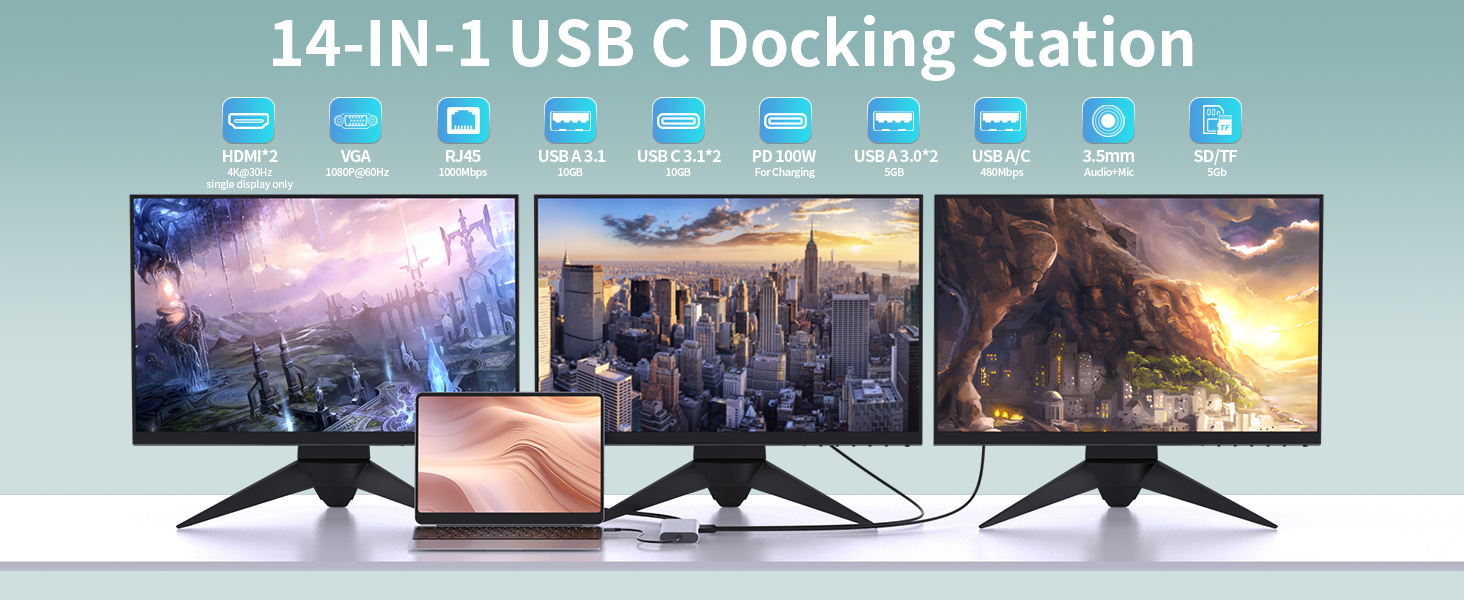
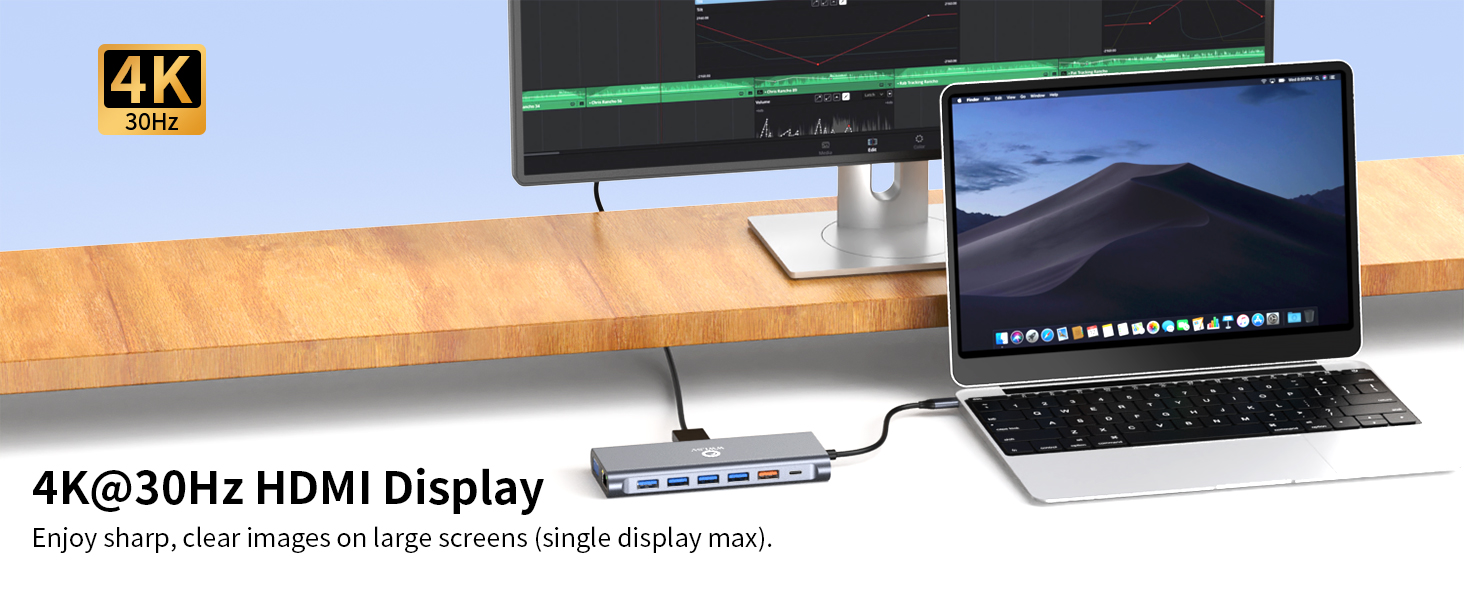
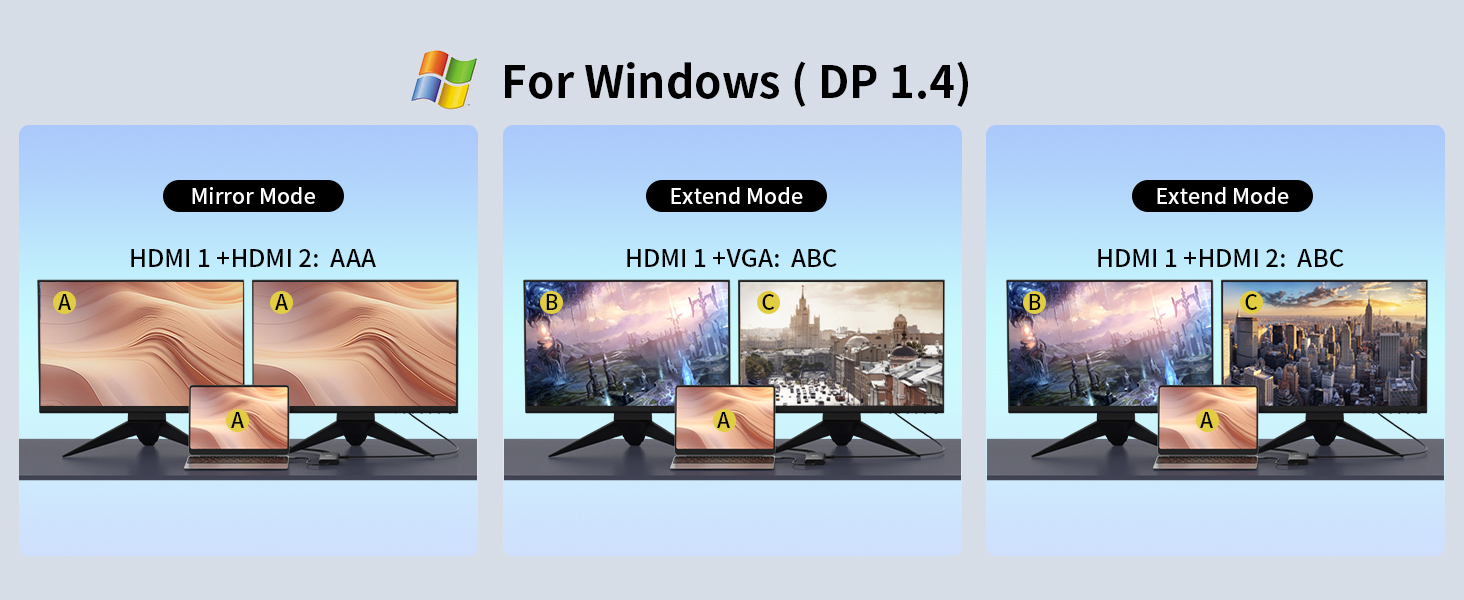
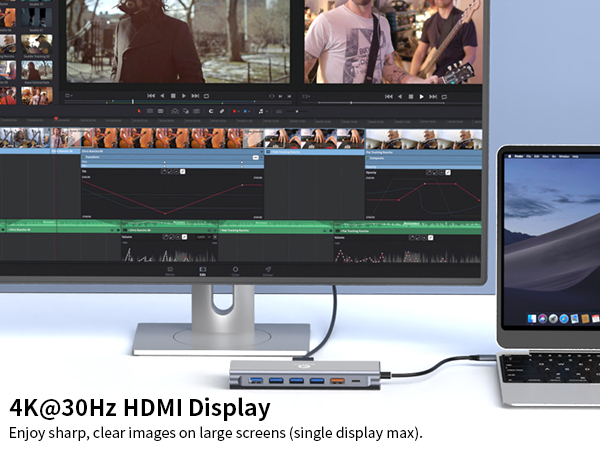
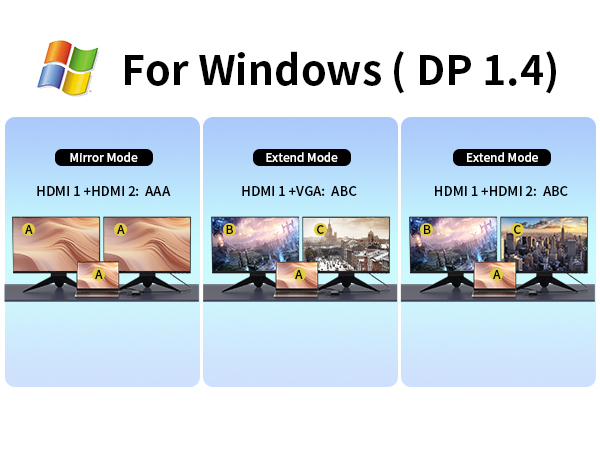
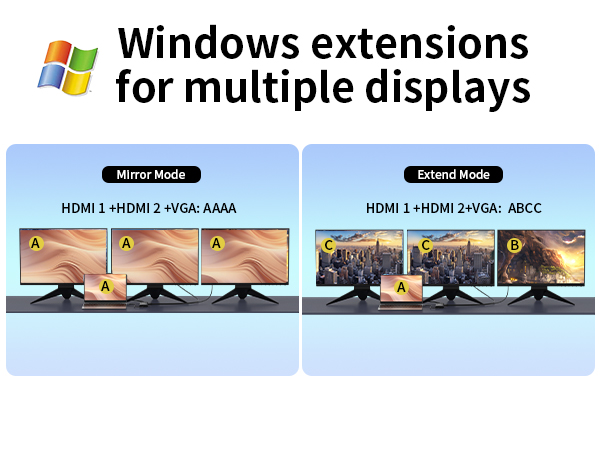
| HDMI resolution: | Supports 4K@30Hz (max 1 display) / 1080P@60Hz (multiple displays) |
|---|---|
| VGA resolution: | Supports 1920*1080P |
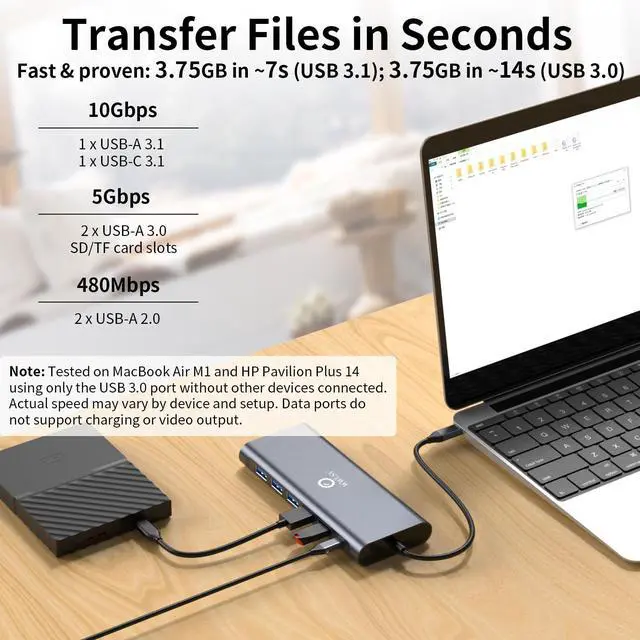
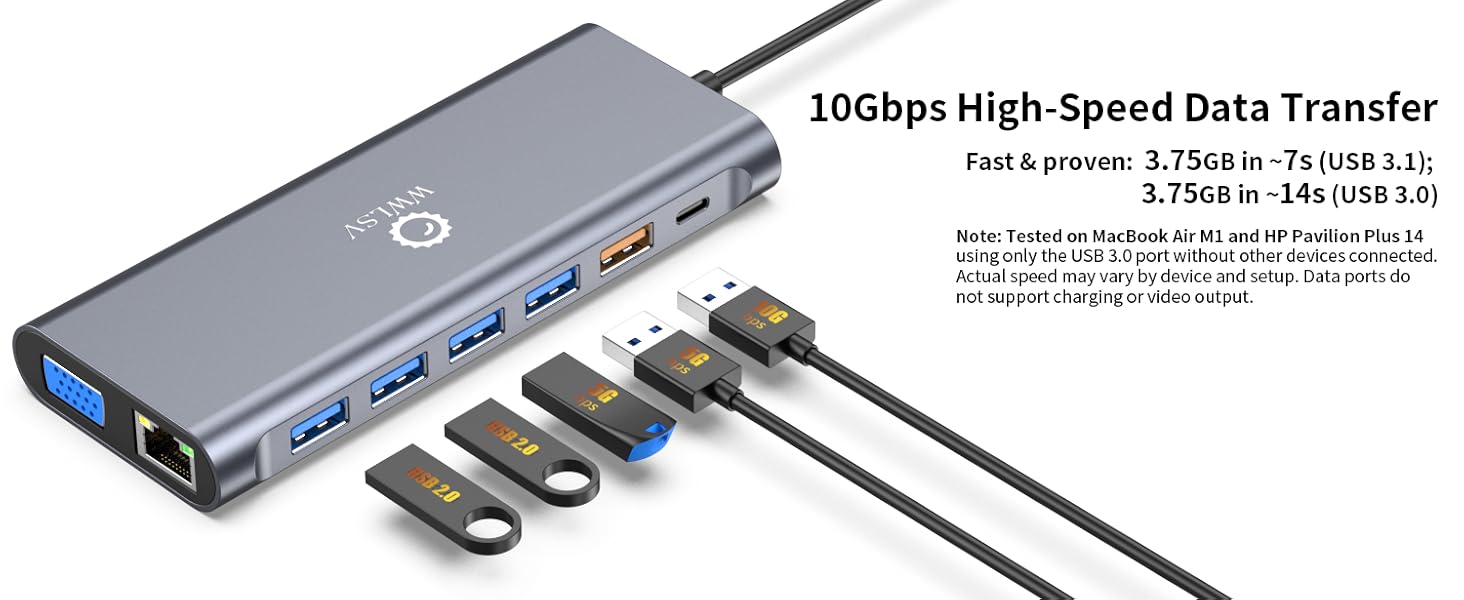
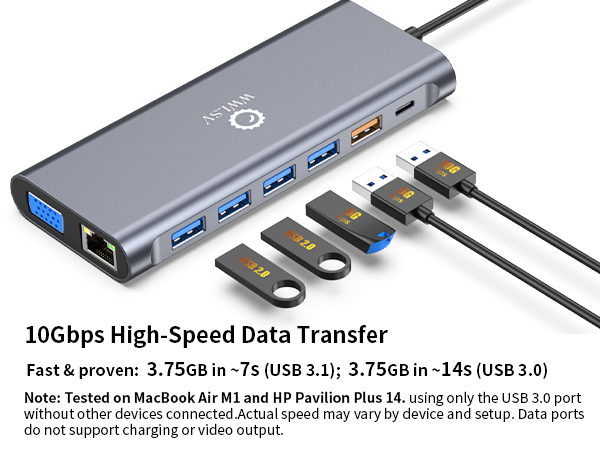
| USB-C 3.1: | Transfer speed up to 10Gbps(tested: 3.75GB file transferred in ~7 seconds under optimal condition) |
| USB-A 3.1: | Transfer speed up to 10 Gbps(tested: 3.75GB file transferred in ~7 seconds under optimal condition) |
| USB-A 3.0: | Transfer speed up to 5Gbps(tested: 3.75GB file transferred in ~14 seconds under optimal condition) |
| USB-A 2.0: | Transfer speed up to 480Mbps |
| USB-C PD: | Standard 60 Watts – Maximum 100 Watts;Tested with a 100W charger: charges a laptop from 0% to 50% in approximately 35 minutes (with no other devices connected |
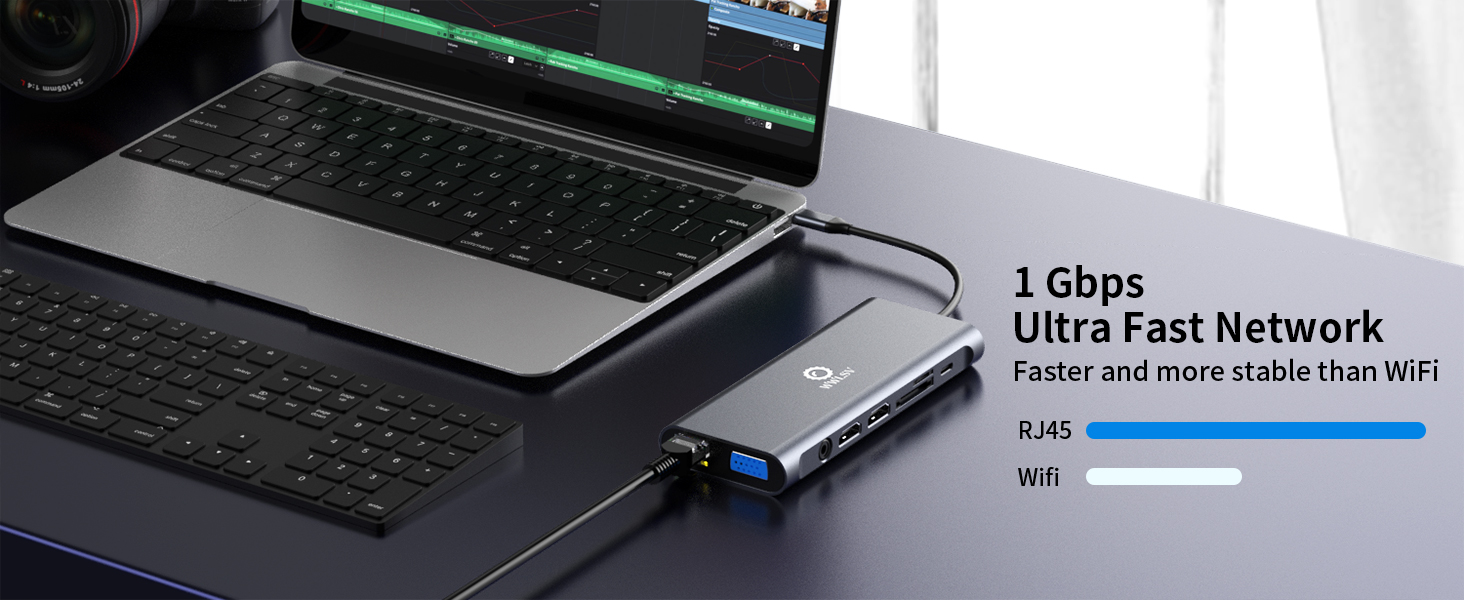
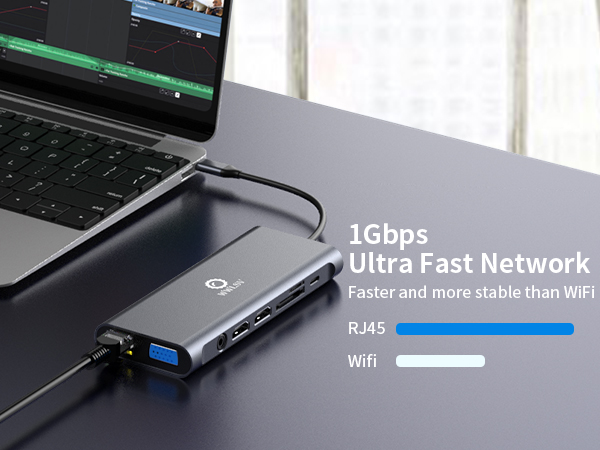
| Network interface: | RJ45 Gigabit (1000Mbps) |
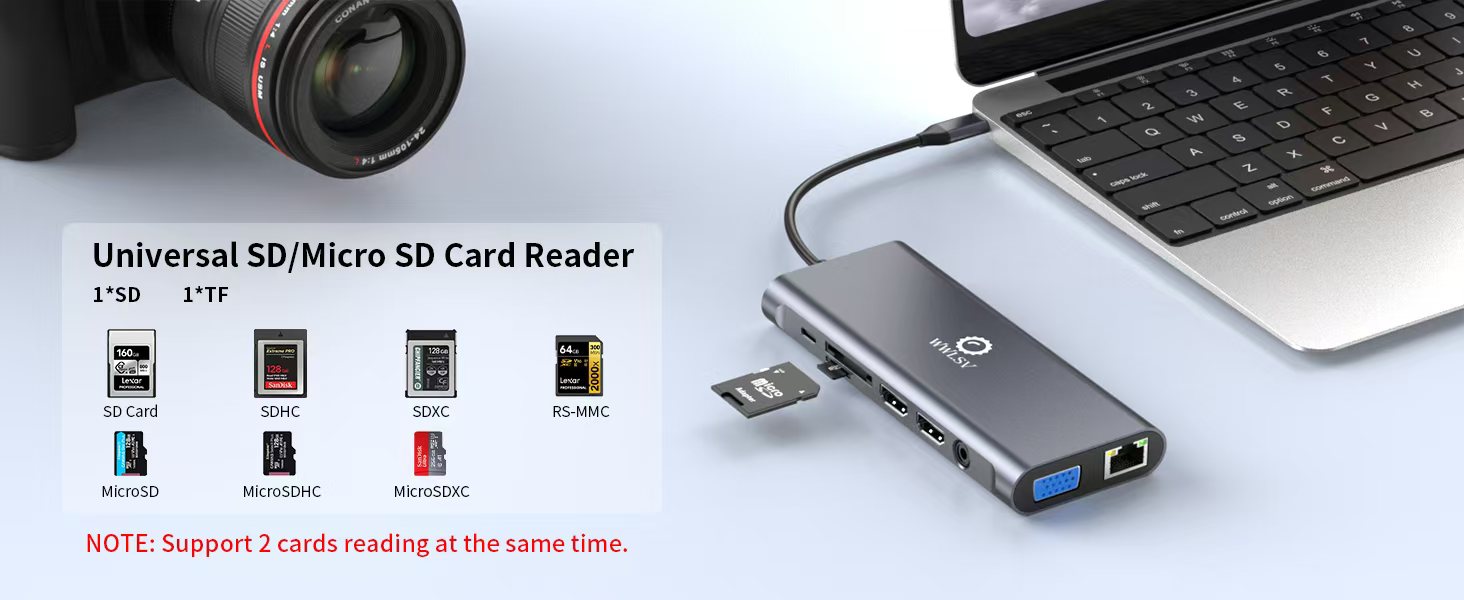
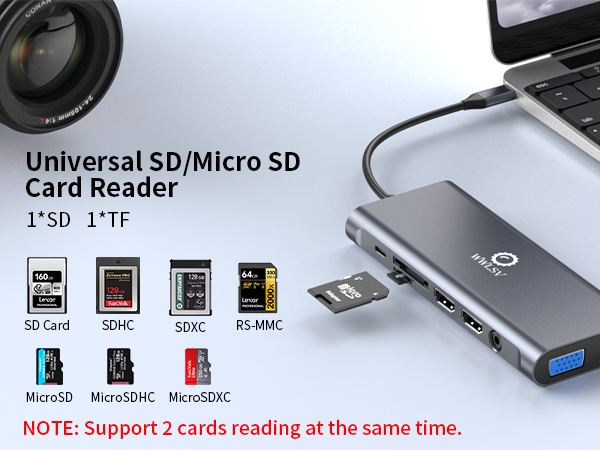
| Card reader interface: | Micro SD/TF card reader Max 104 MB/s simultaneous card reading |
| 3.5mm Audio + Mic: | Supports audio and mic |
| Material: | Aluminum alloy/ ABS |
| Cable length: | +/- 6.7 inches |
| Dimensions: | 5.67 × 2.01 × 0.67 in |
| Weight: | 108 grams |
| Note: | *Aluminum dissipates heat quickly through the chassis. Surface may be warmer to touch when all ports are connected. This does not affect the integrity of the internal components. Normal operating temperature: 25°C – 50°C (82°F-122°F) |
WWLSV Laptop Docking Stations
14 in 1 Docking Station | 14 in 1 Docking Station | 14 in 1 Docking Station | 12 in 1 Docking Station |
|---|---|---|---|
| Customer Reviews | |||
| — | — | — | — |
| Price | |||
| — | — | — | — |
| Dual HDMI | |||
| ? | ? | ? | ? |
| DisplayPort | |||
| ? | ? | ? | ? |
| VGA | |||
| ? | ? | ? | ? |
| 10Gbps Transfer Speed | |||
| ? | ? | ? | ? |
| USB Data Ports | |||
| 1*USB C + 5*USB A | 2*USB C + 4*USB A | 3*USB C + 4*USB A | 1*USB C + 4*USB A |
| 1000Mbps Gigabit Ethernet | |||
| ? | ? | ? | ? |
| 100W Charge Power | |||
| ? | ? | ? | ? |
| SD/TF | |||
| ? | ? | ? | ? |
WWLSV USB C Docking Station Compatible and Incompatible list (Not a full list)
| compatible Devices: | Compatible Device's Models (not full list) |
|---|---|
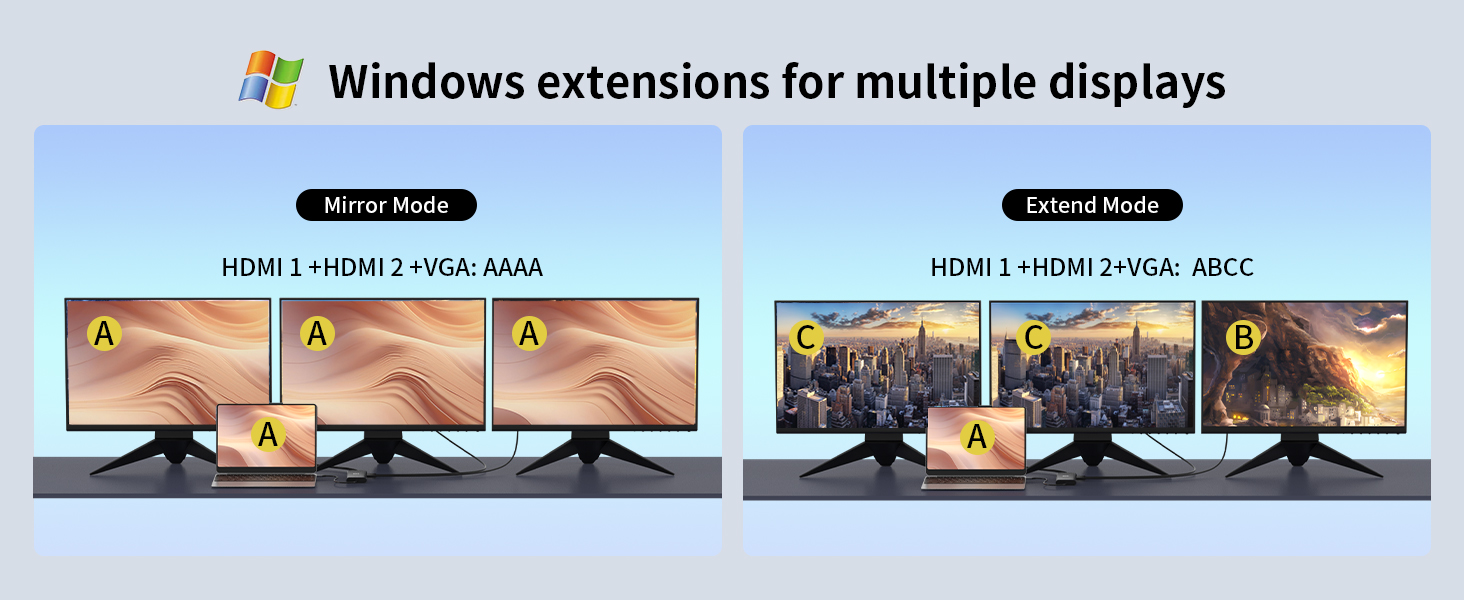
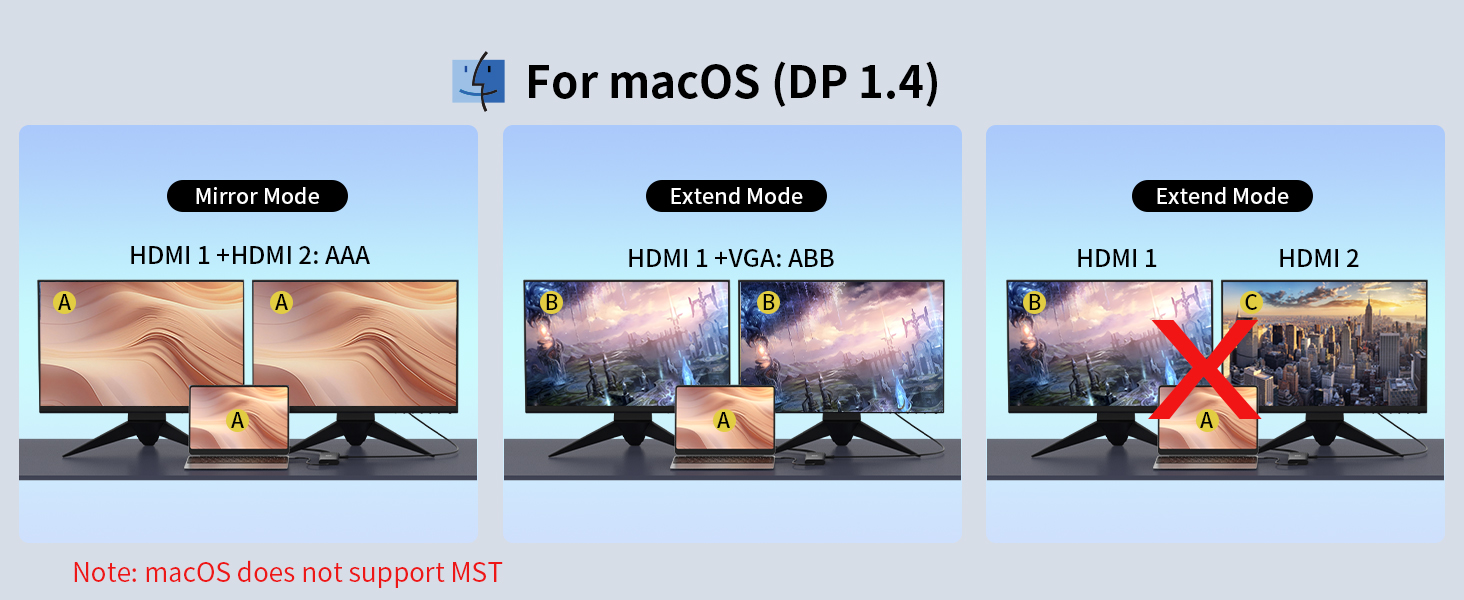
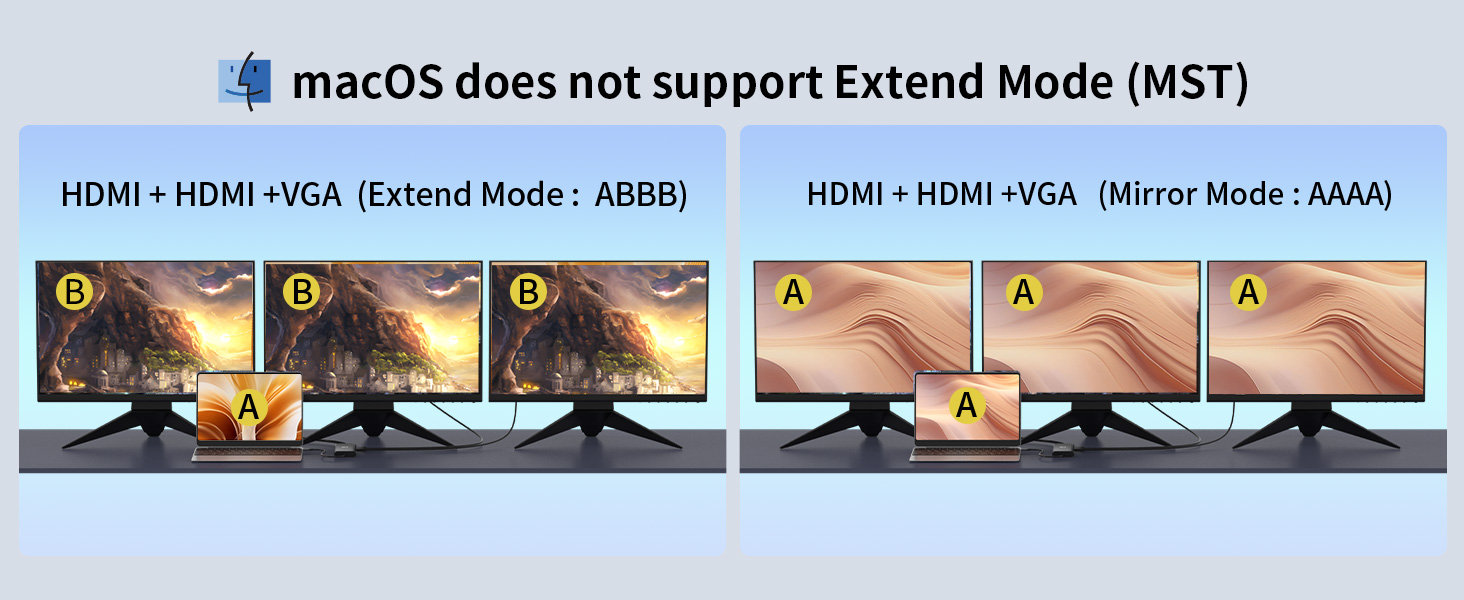
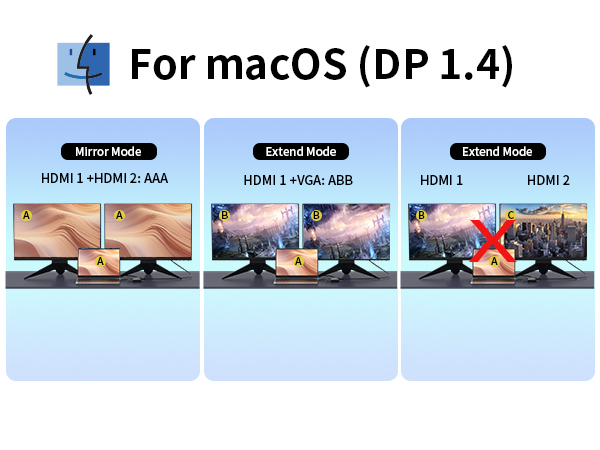
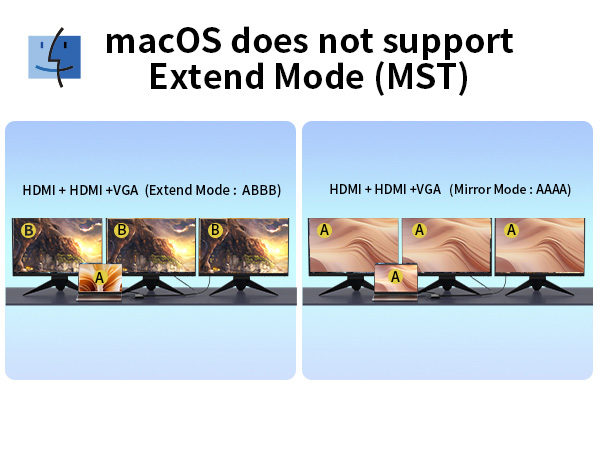
| Mac (Not Support MST): | MacBook Pro (2023/2022/2021/2020/2019/2018/2017/2016); Macbook Air 2018-2022, Mac mini 2018-2022; iPad Pro 2018; iMac 27" 2020 (Notice: doesn't compatible with new M1-based Macs like MacBook Air M1 2020, MacBook Pro M1 2020,Mac mini M1). |
| Lenovo Laptops: | Lenovo ThinkPad t490;ThinkPad X1 Carbon Gen 7/8/10/12 (14"Intel) Laptop; ThinkBook 14 Gen4 (14"Intel) Laptop;ThinkPad X1 Yoga Gen 5/7/8 (14"Intel) 2 in 1; ThinkPad t15/t16 Gen1; ThinkPad T14/T14s Gen4/3 (14"Intel); T16 (16"Intel); ;ThinkPad P1 Gen5/6 (16"Intel);ThinkPad P16/s Gen2 (16"Intel);Yoga 900/920/720/730,etc. |
| Lenovo Laptops: | Yoga C730 (13"/15"); Yoga C740/C940 (14"/15"); E16 Gen 1 (16"Intel) Laptop;ThinkBook 14 Gen4;Thinkbook 13x/13s Gen4 (13"Intel) Laptop; ThinkBook 16 Gen 6 (16" Intel/AMD); ThinkPad P50/P70; ThinkBook Plus Gen4 (13" Intel); ThinkPad L13/L390/X380/X390 Yoga (13") Laptop,etc. |
| HP Laptops: | HP Elitebook 830 G10 13.3 in/830 G/830 G8 / 840 G10 14 in/840 G9 14 in/840 G8/850 G5 /860 G10 16 inch/860 G9 16inch/1040 G9 14inch/1040 G10 14 in; Zbook FURY 16 in G10/Fury 15.6 in G10/ STUDIO 16 in G10/ Firefly 14 inch G10/Firefly 14 g7/Firefly 14 G8 Laptop;HP ProBook 450 G10 15.6 inch/455 G8, etc |
| HP Laptops: | HP Spectre x360/Spectre x2/Spectre x360 13t/Spectre Laptop 13-af001TU/Spectre folio (13t-ak000cto); HP Elite×2 1012/Elitebook Folio G1; Envy x360 13-bd0080ngPavilion 2-IN-1 X360 14 in Laptop 14-EK1040TU/14-EK1025TU/14-EK1026TU/14-EK1027TU; Omen 16.1 in Laptop 16-wf0015TX/wf0014TX/WF0013TX;Victus 15.6 in Laptop 15-fa0023TX/FA1035TX,etc |
| Surface Laptops: | Surface Pro X/9/8/7;Surface Laptop 3/4/5;Surface Laptop Studio2/2+;Microsoft Surface Book 2;Surface Go 4/Go 3 |
| Dell Laptops: | Dell Latitute 3420/3440/3445/3510/3520/3540/5310/5340/5411/5420/5421 /5430/5400/5440/5491/5510/5520/5540/5530/5580/7230/7280/7300/7330/7320/7340 /7400/7410/7420/7430/7440/7480/7490/7530/7640/9420/9430/9440; Dell Inspiron 3420/ 5420/5425/5430/5620/5625/5630/5635/7420/7425/7430/7435/7506/7610; Dell Precision 3551/3470/3480/3570/3571/3580/3581/5470/5480/5570/5680/7730 /7750/7670/7680/7770/7780; Dell Vostro 5410/5620; XPS 9380/13/15/17;Dell G16-7630/G15-5530 |
| Incompatible Devices: | Incompatible Compatible Device's Models (not full list) |
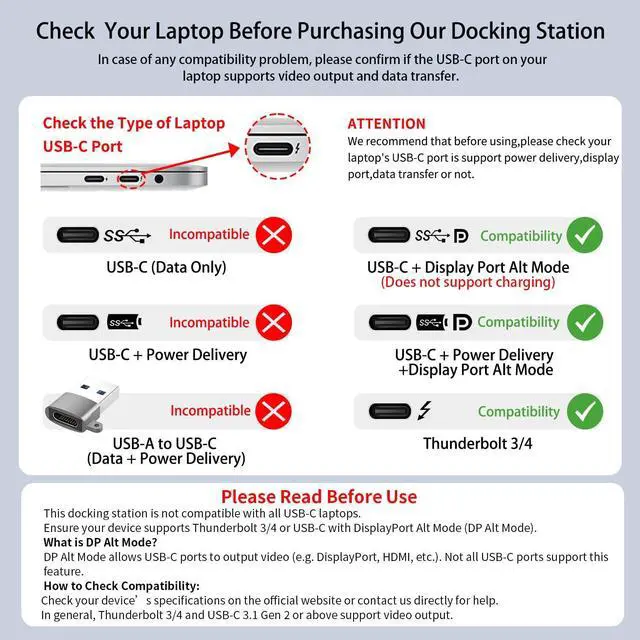
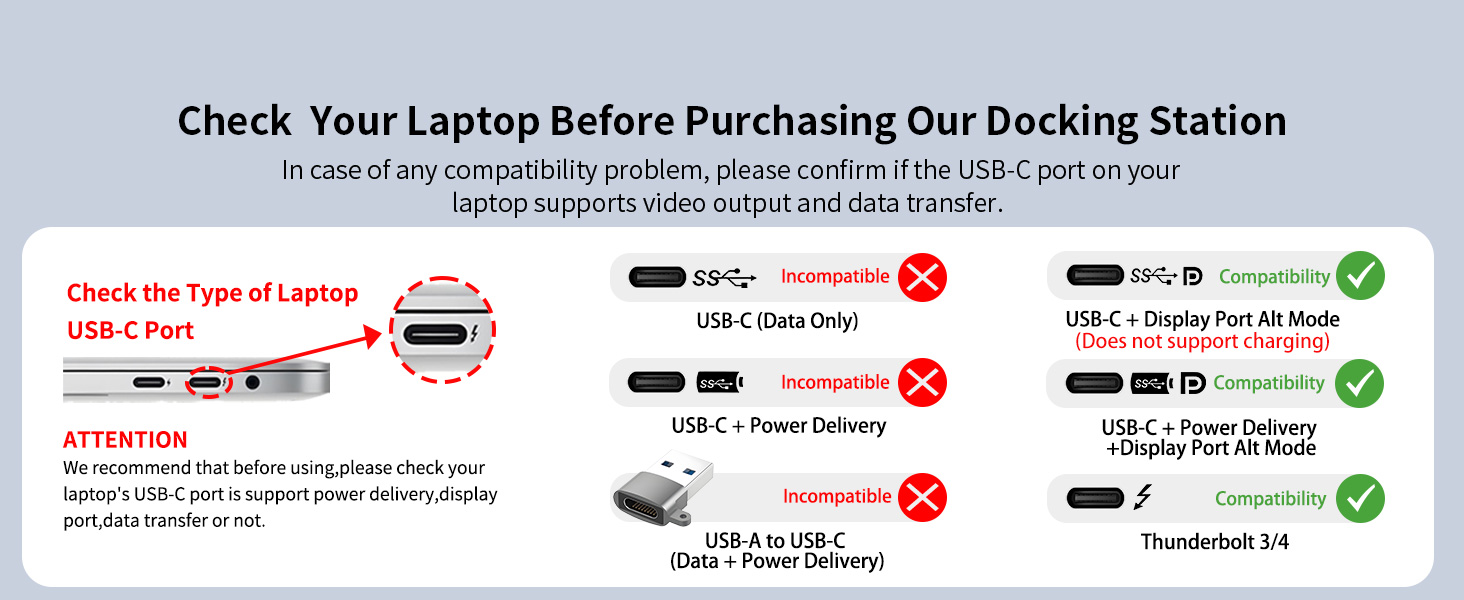
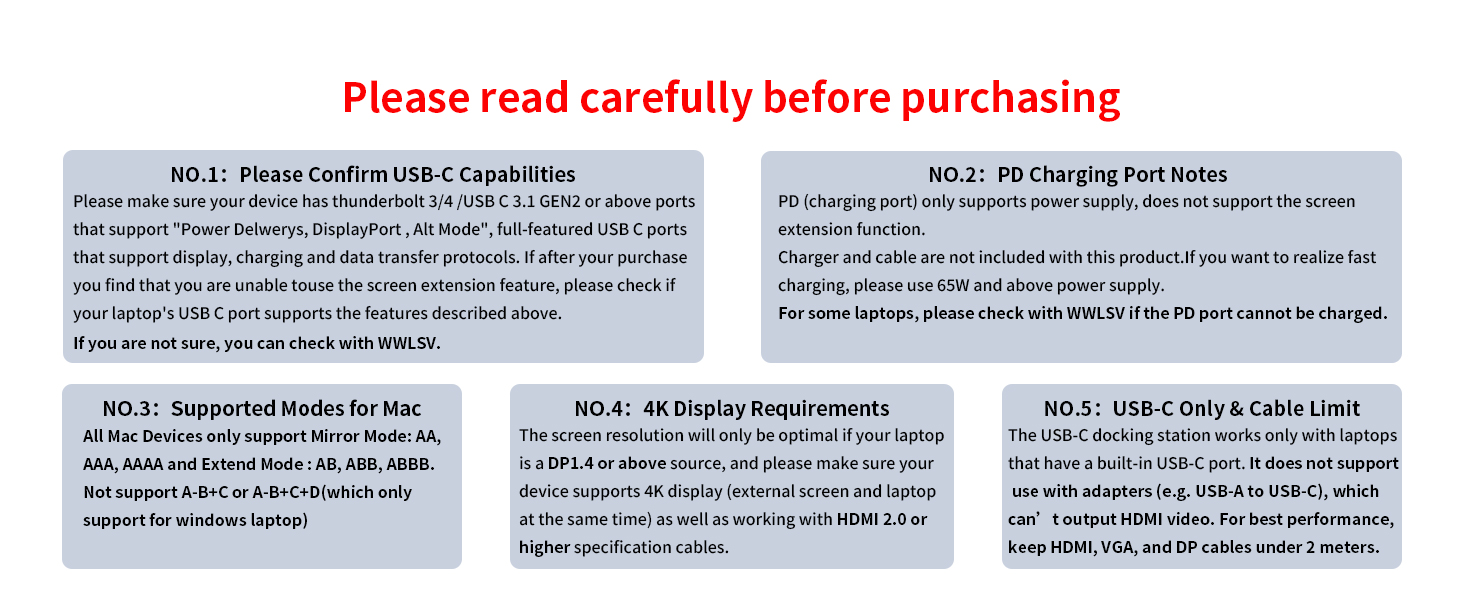
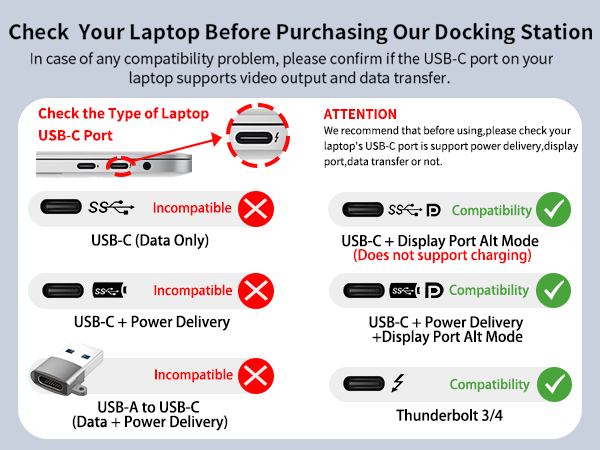
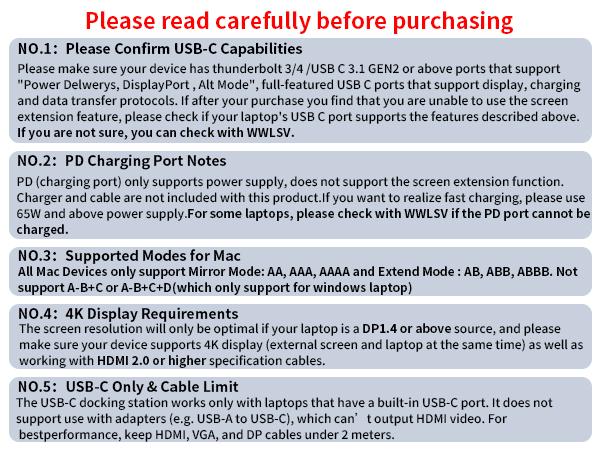
| **NOTE** | Please ensure that your device has a Thunderbolt 3/4, USB-C 3.1 Gen 2, or USB-C 3.2 Gen 2 port that supports Power Delivery and DisplayPort Alt Mode for video output. To use the HDMI function, your device's USB-C port must support DisplayPort Alternate Mode. If you are unsure, please refer to your device’s manual or the manufacturer’s official specifications. |
| Incompatible MacBook Devices: | MacBook Air 7.2, Macbook pro 2020(M1), macbook air 2020(M1), Mac mini 2020(M1)Air 7.2, Macbook pro 2020(M1), macbook air 2020(M1), Mac mini 2020(M1) |
| Incompatible HP Devices: | Elitebook 840 G3/745 G4/820 G3/828 G4/x360 1030 G2;ProBook 6550b/650 G2/440 G8/455 G4/430 G5;HP 15-dy2032nr/dw3xxx/dw3205ng/dy2176nr/ef2xxx/dw 3033 dx;HP model 15s-eq1355ng; HP Laptop 14-dq2033cl;HP Pavilion x360-14-ba151sa/15-dq1001ng;Pavillion 15 ck009/cs3000/cs1014-ng/cw1003ng/15t-eg200/All-in-one 24-k0xxx;Pavilion-14 bf116tx/8ce1004TX 14;Pavilion Power 15-cb,HP bs049dx;ENVY U110nr;Essential FC0087AU/FC0084AU/FD0064TU/FD0060TU/FD0062TU/FD0068TU/ 15S-FQ5057TU/14-EP0049TU/EP0048TU/17-CN3000TX |
| Incompatible Lenovo Devices: | Lenovo AMD and IdeaPad Series;ThinkPad 1490/E580/T490;IdeaPad Slim 3 Chromebook (14? MediaTek)/Slim 3i Chromebook (14? Intel)/ Pro 5i (16? Intel); IdeaPad Flex 5 2 in 1;15ITL05/Flex 3i Chromebook (15” Intel) 2 in 1; IdeaPad 1-15IJL7;IdeaPad 5 15ial7/pro14acn6 82l700bpus;IdeaPad 720 Miix;IdeaPad 3 15ITL6/3i (15”, Intel) ;Yoga Flex 5;IdeaPad 5 pro14acn6 82l700bpus; IdeaPad C340-14API;T14 Gen 2,T15 Gen 2,P14s Gen 2 P15s Gen 2 AMD ;Chromebook Duet 3 (11”)/Duet 5 13”;ThinkPad X240;V15 G2; legion y540 |
| Incompatible Dell Devices: | Dell Inspiron 17-5000 series/15-5000 series/14-5410 15-3000/15-3583/17-3793 Business, Dell inspiron 5379/5635/3593/3525 /7706 2n1,Dell Inspiron 15 Laptop Model 3000/3535/3525/3530/3520/3511/7000, Inspiron 11 3000 2-in-1, Inspiron 17 3000; Dell Chromebook 5190; Dell Latitude 3390/5510/E7270/E7470/E7440/E7450/3520/ e5430/ e6520/e6230;Dell Chromebook 5190;Dell Latitude 3390/5510; Vostro 15 Laptop Model 3530 3535; Vostro 14 Laptop Model3430;Vostro 3520/3420 Laptop |
| Incompatible ASUS Devices: | ASUS VivoBook N3704VA-AU081W PC Portable 17” FHD (Processeur Intel Core i9-13900H, RAM 16 Go DDR4, 1 to SSD PCIe, Windows 11 Home);VivoBook Laptop X421EAYB K413EA;VivoBook Laptop X1704ZA - i7 1700MHz 10 Cœurs 12 processeurs. Bios IEFI 3.5 - WINDOWS 11; VivoBook 15 X1500EA;VivoBook 17-X705UA-GC340T;VivoBook flip 14;VivoBook E210MA-GJ969WS;ASUS TP410/K513EA/X1504ZA/ X515;ASUS Laptop Model # F 1502 ZA-SB96;ASUS 202C Chromebook nitro5/fx571gt/ A509JA |
| Incompatible Acer Devices: | Acer Aspire A717-72G,Acer Aspire A515-44-R1DM, Acer Aspire a515-54 model,Acer Aspire E15, Acer chromebook model CB515-1HT-C2AE;Acer Nitro 5 AN515-45 AN515-57 AN517-41 AN517-54;Acer predator helios neo;Acer F5-573G;CB515-1HT-C2AE |
WWLSV is built on craftsmanship and innovation, delivering stable, high-performance docking solutions. We believe in seamless connectivity and powerful performance, helping professionals work smarter.
“Docking Made Simple, Performance Made Powerful.” Through precise engineering and rigorous testing, we ensure quality-driven products that enhance efficiency.
WWLSV Effortless Docking, Limitless Performance.
WWLSV Docking Station
WWLSV USB C Hub
8-in-1 Powered USB Hub
This powered USB hub featuring a 65W USB-C PD-IN port, 2 USB-A 3.0 ports (5Gbps), 2 USB-C data ports, and 4 dedicated charging ports.
Memory Card Readers
At WWLSV, we are committed to delivering high-quality, durable, and performance-driven products. Each item undergoes rigorous testing to ensure reliability and efficiency. Our goal is to provide a seamless experience, so you can use our docking solutions with confidence, every day.