





Vicfluxion was founded with a simple goal: to make connectivity effortless and efficient.
Our docking stations and connectivity accessories are crafted with premium components and advanced core chips to deliver stable performance, high-speed transmission, and effective heat management you can trust.
We believe great technology should simplify your workspace—not complicate it.


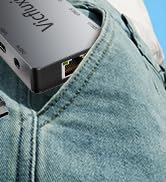
Compact & Portable
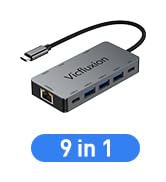
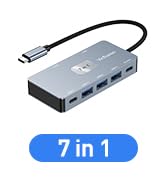
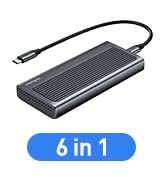
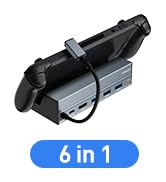
USB C Docking Station
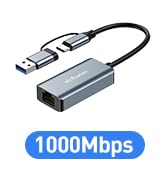
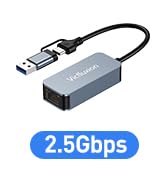
USB C Ethernet Adapter
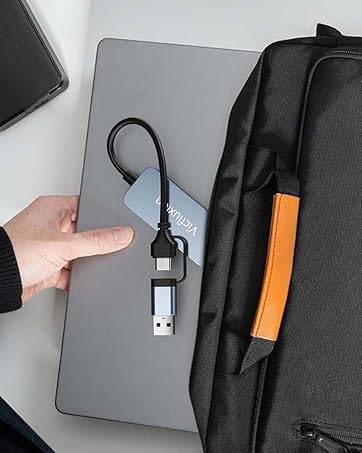
Work Better
One Plug, Everything Connected

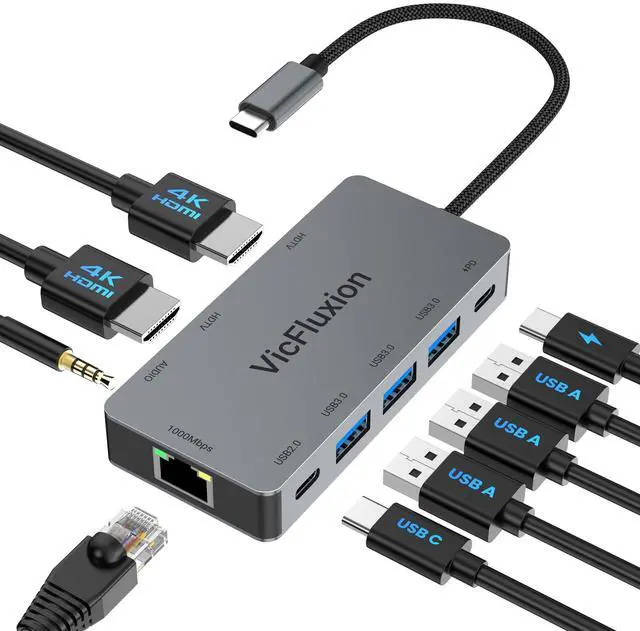
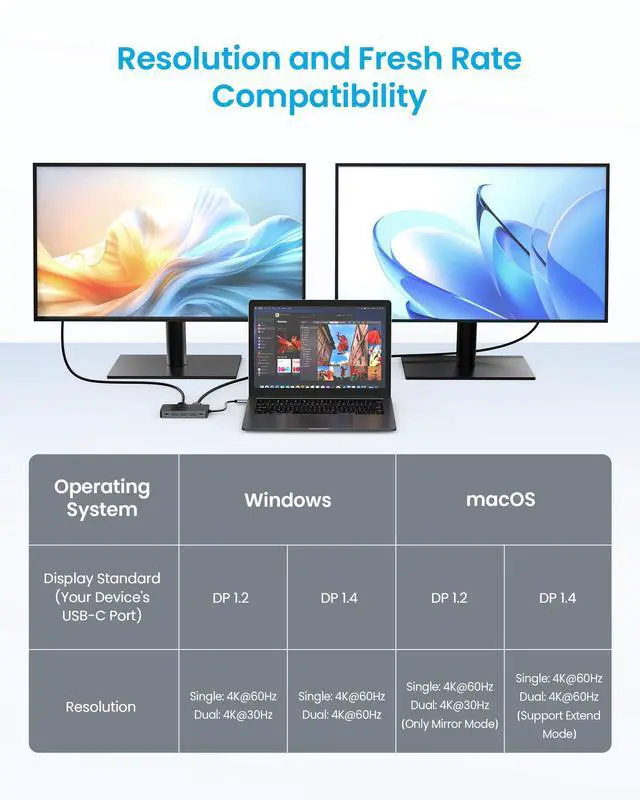
Vicfluxion Docking Station Dual Monitor 4K@60Hz
Merchant Video

Please note:
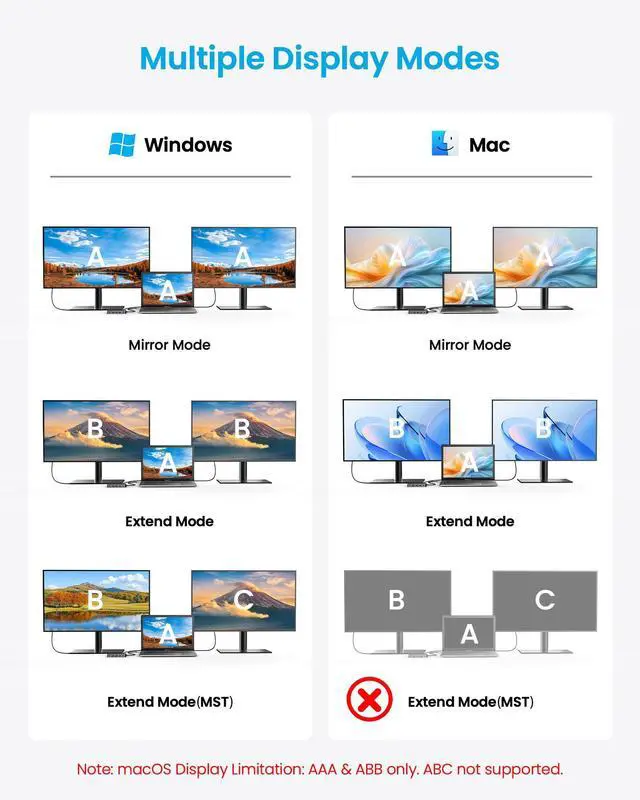
If screens go dark when adding a second monitor, your laptop’s USB-C port may not support dual displays, not the dock issue.
Some older laptops support only one external display. Check your specs or ask us if unsure.
A brief blackout is normal while reconnecting. Wait a few seconds.


Frequently Asked Questions
- Why is my wireless mouse/keyboard lagging when connected to the dock?
Caused by interference from USB 3.0 devices (like hard drives). Try following steps to fix:
1) Plug receiver directly into computer; 2) Use a quality USB extension cable (1m) to move receiver away; 3) Keep receiver far from hard drives on the dock; 4) Use 5GHz or Bluetooth if supported.
- Can I use the USB-C PD port to charge other devices or transfer data?
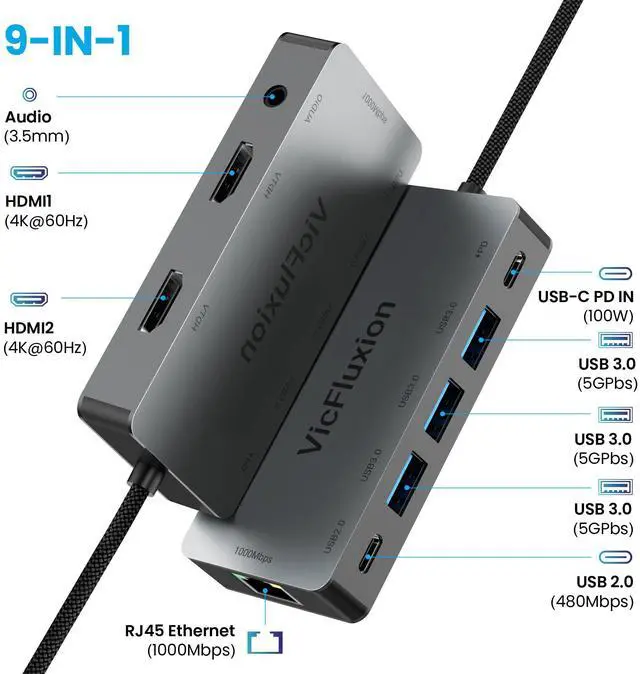
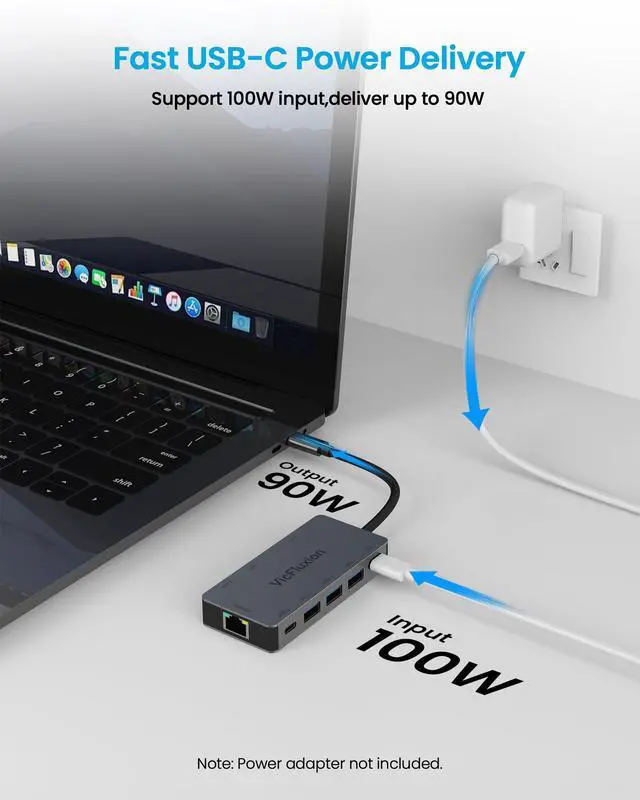
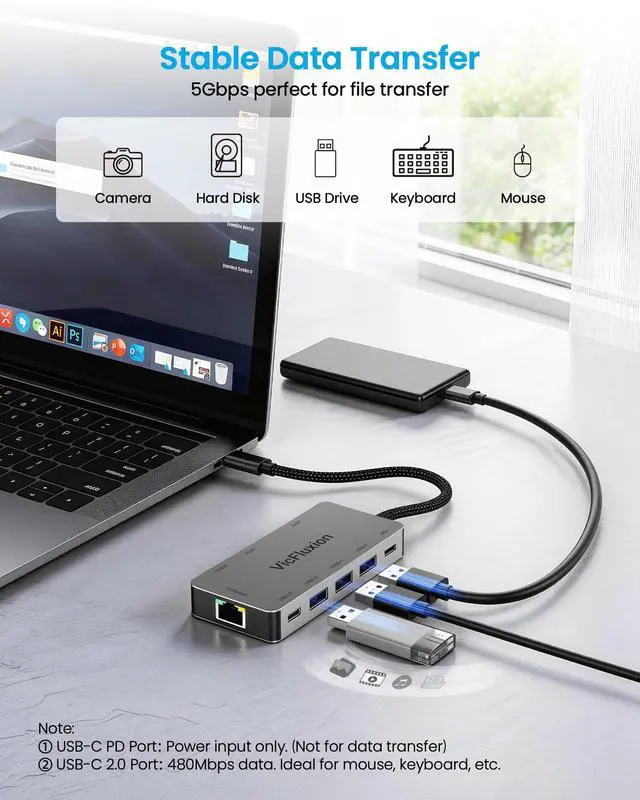
No. This port is for power input only, it's designed to connect charger to power the docking station and, through the upstream USB-C cable, to charge your laptop. It does not output power to charge other devices, nor does it support data transfer.
- Why is my laptop charging slowly through the PD port?
Charging speed depends on the weakest link in this chain: Charger Wattage ? Cable Capability ? Laptop's Power Policy ? Current Usage. A 100W charger with a 60W cable = 60W max. Heavy tasks may drain battery even when "charging." For best results: Use your laptop's original charger and a certified 5A USB-C cable.
What if the docking station suddenly stops working?
Try this "cold restart": 1. Disconnect all cables from the dock; 2. Wait 5 minutes for reset; 3. Restart your computer; 4. Reconnect everything after boot-up. These resolve most temporary issues.
Do I need drivers?
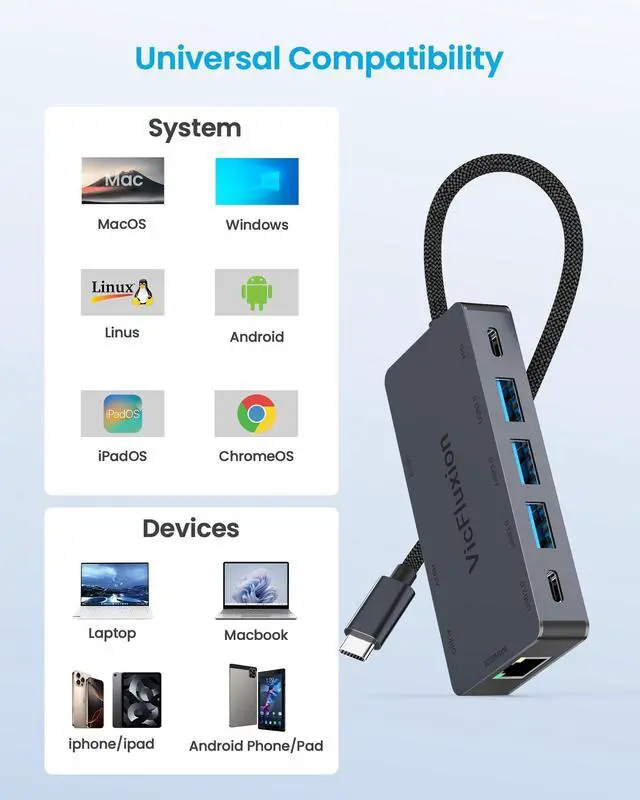
No drivers required for Windows 10/11 and macOS-plug and play.
For outdated systems (e.g. Windows 7), basic functions work but some features (like ethernet) may needupdates.
Why does the dock get hot?
Normal. Heat means heat is being effectively drawn away from internal components. The aluminum casingacts as a heatsink to protect the dock and extend lifespan.
External screen keeps turning off. Fix?
Usually power management settings:
Windows: Settings System > Power & sleep > Set "Turn off screen" to "Never" (when plugged in)macOS: System Settings > Battery > Power Adapter Set display off to "Never''
Slow or unstable data transfers?
Insufficient power (connect PD charger for HDDs)
Device speed limits (HDDs max out at 100-250MB/s)
File types (many small files)
Cable quality (use short, high-quality cables)
Connect device directly. If still slow, it's the device/cable issue.
Vicfluxion Docking Station Dual Monitor 4K@60Hz
Merchant Video

Please note:
If screens go dark when adding a second monitor, your laptop’s USB-C port may not support dual displays, not the dock issue.
Some older laptops support only one external display. Check your specs or ask us if unsure.
A brief blackout is normal while reconnecting. Wait a few seconds.


Frequently Asked Questions
- Why is my wireless mouse/keyboard lagging when connected to the dock?
Caused by interference from USB 3.0 devices (like hard drives). Try following steps to fix:
1) Plug receiver directly into computer; 2) Use a quality USB extension cable (1m) to move receiver away; 3) Keep receiver far from hard drives on the dock; 4) Use 5GHz or Bluetooth if supported.
- Can I use the USB-C PD port to charge other devices or transfer data?
No. This port is for power input only, it's designed to connect charger to power the docking station and, through the upstream USB-C cable, to charge your laptop. It does not output power to charge other devices, nor does it support data transfer.
- Why is my laptop charging slowly through the PD port?
Charging speed depends on the weakest link in this chain: Charger Wattage ? Cable Capability ? Laptop's Power Policy ? Current Usage. A 100W charger with a 60W cable = 60W max. Heavy tasks may drain battery even when "charging." For best results: Use your laptop's original charger and a certified 5A USB-C cable.
What if the docking station suddenly stops working?
Try this "cold restart": 1. Disconnect all cables from the dock; 2. Wait 5 minutes for reset; 3. Restart your computer; 4. Reconnect everything after boot-up. These resolve most temporary issues.
Do I need drivers?
No drivers required for Windows 10/11 and macOS-plug and play.
For outdated systems (e.g. Windows 7), basic functions work but some features (like ethernet) may needupdates.
Why does the dock get hot?
Normal. Heat means heat is being effectively drawn away from internal components. The aluminum casingacts as a heatsink to protect the dock and extend lifespan.
External screen keeps turning off. Fix?
Usually power management settings:
Windows: Settings System > Power & sleep > Set "Turn off screen" to "Never" (when plugged in)macOS: System Settings > Battery > Power Adapter Set display off to "Never''
Slow or unstable data transfers?
Insufficient power (connect PD charger for HDDs)
Device speed limits (HDDs max out at 100-250MB/s)
File types (many small files)
Cable quality (use short, high-quality cables)
Connect device directly. If still slow, it's the device/cable issue.
Vicfluxion was founded with a simple goal: to make connectivity effortless and efficient.
Our docking stations and connectivity accessories are crafted with premium components and advanced core chips to deliver stable performance, high-speed transmission, and effective heat management you can trust.
We believe great technology should simplify your workspace—not complicate it.
Compact & Portable
USB C Docking Station
USB C Ethernet Adapter
Work Better
One Plug, Everything Connected