



Please read carefully before purchasing:
1.Please make sure your device has thunderbolt 3/4/ USB 4/ USB C 3.1 GEN2 or above ports that support "Power-Delivery, DisplayPort , Alt Mode", full-featured USB C ports that support display, charging and data transfer protocols. If after your purchase you find that you are unable to use the screen extension feature, please check if your laptop's USB-C port supports the features described above.
If you are not sure, you can check with Melelink.
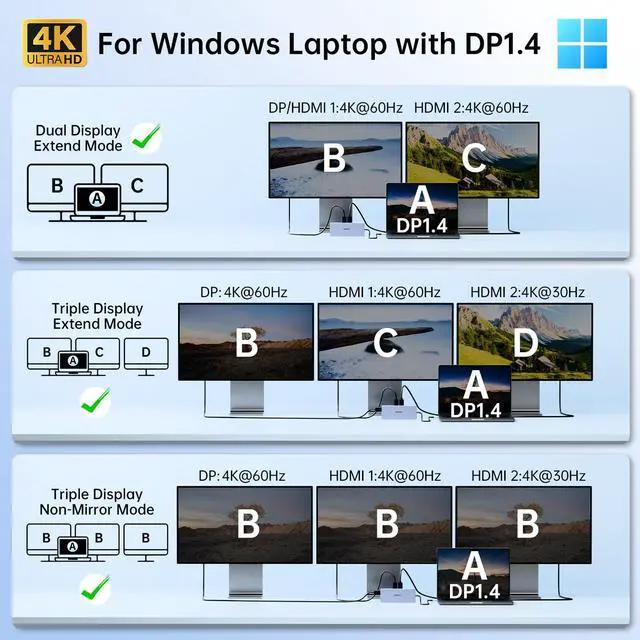
2.The screen resolution will only be optimal if your laptop is a DP1.4 source, and please make sure your device supports 4K display (external screen and laptop at the same time) as well as working with HDMI 2.0 or higher specification cables.
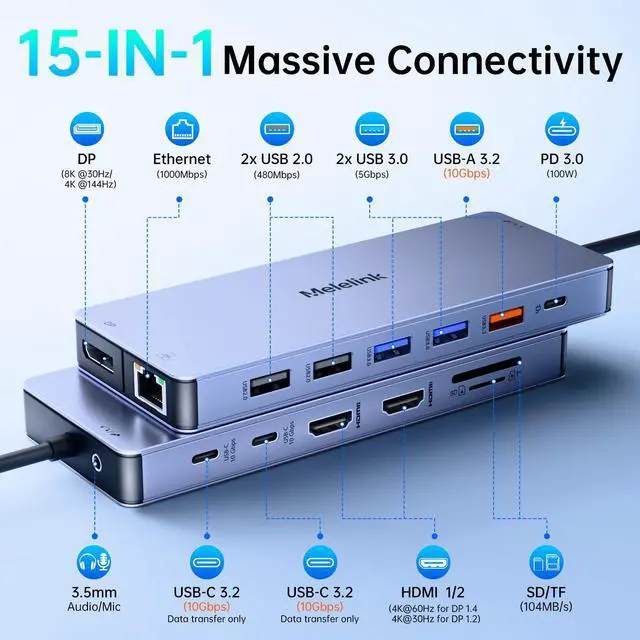
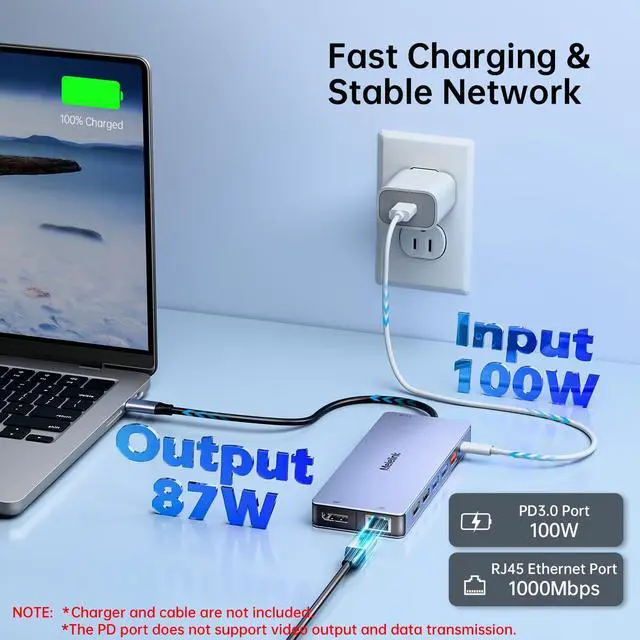
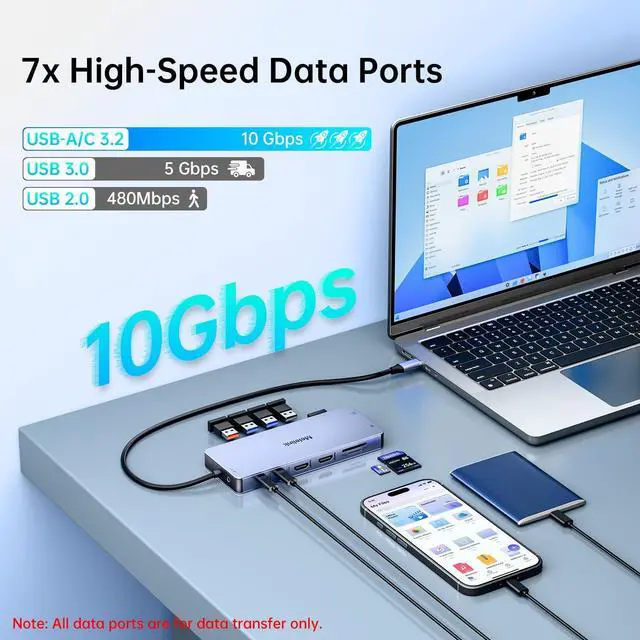
3. PD (charging port) only supports power supply, USB-C data ports (10Gbps) only supports data transfer, does not support the screen extension function.
4.Charger and cable are not included with this product.
5. If you want to realize fast charging, please use 65W and above power supply.
6.The hub will need 7-8W of power consumption for the other ports of the hub to work properly. So it's best to keep the hub in charging state, so that the hub can work better. If there is a slow charging warning, you can ignore it.
7.Only applicable to laptops with built-in usb c port, this usb c docking station Can't be used with converter, (?) such as usb to usb c converter, HDMI to DVI, HDMI to VGA,etc;the HDMI and DP cable cannot exceed 3 meters.
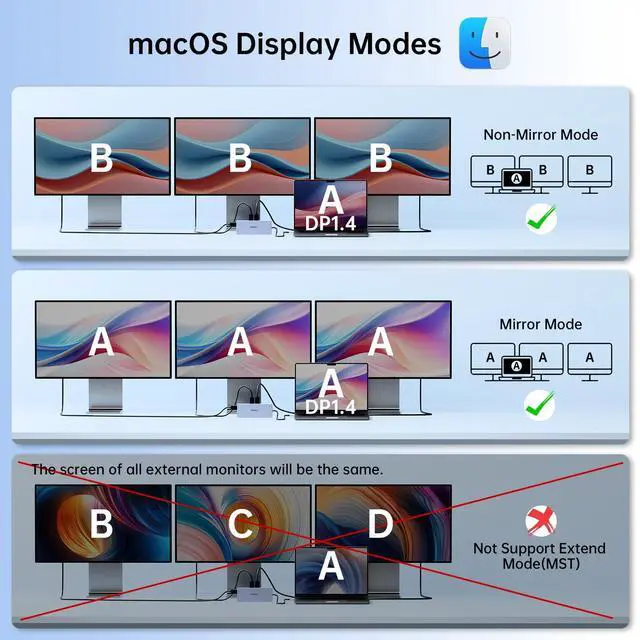
8.All Mac Devices only support Mirror Mode: AA,AAA,AAAA and Extend Mode : AB,ABB,ABBB. Not support A-B+C or A-B+C+D(which only support for windows laptop)
9.If the Ethernet port cannot connect properly. 9-1: Please install the driver; 2: For Mac devices, add this adapter in the Network settings page. Go to "System Preferences"-->"Network"--> "+" -->Select the network card with the corresponding name--> "Create"


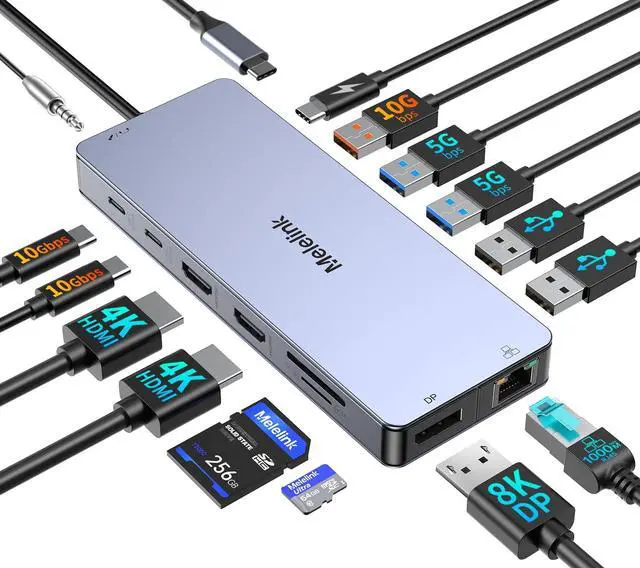
8K Displayport/ 4K HDMI


Please read carefully before purchasing:
1.Please make sure your device has thunderbolt 3/4/ USB 4/ USB C 3.1 GEN2 or above ports that support "Power-Delivery, DisplayPort , Alt Mode", full-featured USB C ports that support display, charging and data transfer protocols. If after your purchase you find that you are unable to use the screen extension feature, please check if your laptop's USB-C port supports the features described above.
If you are not sure, you can check with Melelink.
2.The screen resolution will only be optimal if your laptop is a DP1.4 source, and please make sure your device supports 4K display (external screen and laptop at the same time) as well as working with HDMI 2.0 or higher specification cables.
3. PD (charging port) only supports power supply, USB-C data ports (10Gbps) only supports data transfer, does not support the screen extension function.
4.Charger and cable are not included with this product.
5. If you want to realize fast charging, please use 65W and above power supply.
6.The hub will need 7-8W of power consumption for the other ports of the hub to work properly. So it's best to keep the hub in charging state, so that the hub can work better. If there is a slow charging warning, you can ignore it.
7.Only applicable to laptops with built-in usb c port, this usb c docking station Can't be used with converter, (?) such as usb to usb c converter, HDMI to DVI, HDMI to VGA,etc;the HDMI and DP cable cannot exceed 3 meters.
8.All Mac Devices only support Mirror Mode: AA,AAA,AAAA and Extend Mode : AB,ABB,ABBB. Not support A-B+C or A-B+C+D(which only support for windows laptop)
9.If the Ethernet port cannot connect properly. 9-1: Please install the driver; 2: For Mac devices, add this adapter in the Network settings page. Go to "System Preferences"-->"Network"--> "+" -->Select the network card with the corresponding name--> "Create"