• $33.99
  • Free 30-day Returns
  • Sold by Heitenoy

    Shipped by Heitenoy

    Price alert
    Shop it at NeweggBusiness.

    Meet Your Seller

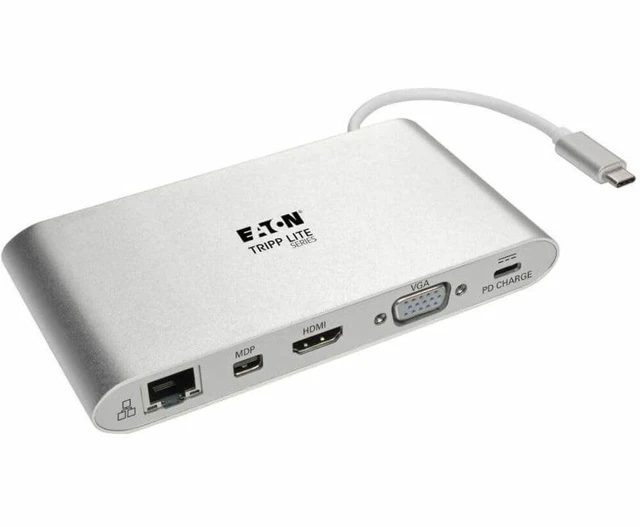
    USB-C Docking Station for Dual Monitors, 4K @ 30 Hz HDMI, Mini DisplayPort mDP, VGA, Gigabit Ethernet, Memory Card, 3.5mm Audio, 100W USB-C PD Charging, 3-Year Warranty (U442-DOCK1)

    • USB-C DOCKING STATION: Connects 2 displays at the same time for easy multitasking and increasing productivity. Compatible with Thunderbolt 3. Extend, mirror, or video wall options available. HDMI and VGA video ports will not work simultaneously.
    • HIGH DEFINITION VIDEO: Mini DisplayPort (mDP) and HDMI outputs support Ultra HD video resolutions up to 4K (3840 x 2160 ) at 30 Hz. The VGA output supports HD resolutions up to 1920 x 1200, including 1080p, at 60 Hz.
    • BROAD COMPATIBILITY: Gigabit Ethernet (GbE) port up to 1000 Mbps speeds. Mini stereo 3.5mm jack conveniently offers audio port. USB-A 3.2 Gen 1 hub offers 5 Gbps data speeds and accepts up to three USB peripherals including flash drives, mice, keyboards and printers.
    • EASY TO USE: Plug-and-play USB-C dock for Windows laptops, Chromebooks and other devices requires no software, drivers or external power. The compact unit fits easily into a pocket, briefcase or laptop bag for connecting on the go.
    • RELIABLE PRODUCT FULLY BACKED AND SUPPORTED: This product is covered by a 3-Year Limited Warranty and is supported by Tripp Lite's Chicago-based expert technical support team over phone and email.
    +
    +
    Overview
    Specs
    Reviews

    Any questions? Ask CelesteSM will help you find out quickly.
    https://m.media-amazon.com/images/S/aplus-media/vc/afc88293-6bf3-44d8-a1ff-44516313db4f._SR970,300_.png
    https://m.media-amazon.com/images/S/aplus-media/vc/7715600c-cd73-4ef0-85fa-685b6f3f60fd._SR285,285_.png

    Transform Your Laptop’s USB-C Port into a Multiport Workstation Wherever You Go

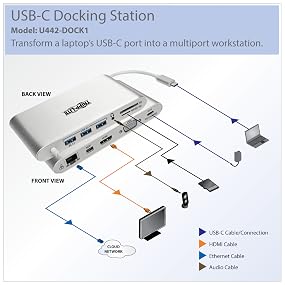
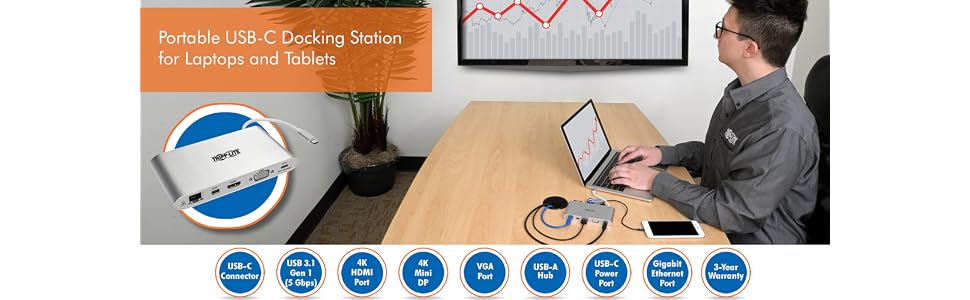
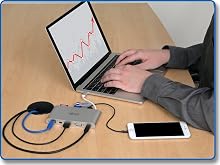
    Newer tablets, laptops, Chromebook and MacBook notebooks, desktop computers and even smartphones often have USB Type-C ports, but come equipped with few others. Using a single USB-C or Thunderbolt 3 port, this Tripp Lite docking station adds 11 connection options to your device.
    • Send video to an HDMI, Mini DisplayPort (mDP) or VGA monitor.
    • Add multiple USB-A peripherals.
    • Power and charge your laptop.
    • Connect to a Gigabit Ethernet network.
    • Access MicroSD, SD and MMC memory cards.
    • Listen to music with headphones.
    • Charge additional devices like smartphones.
    • Convert your MacBook or Chromebook into a powerful and portable workstation.

    https://m.media-amazon.com/images/S/aplus-media/vc/32772eca-de62-4fbe-bc7b-bc42550fcf65._SL220__.png

    Simplify Travel with a Bus-Powered, All-In-One USB-C Dockin

    One USB-C connection provides 11 different ports, so you don’t need multiple adapters. This docking station is also bus-powered, so you don’t have to travel with a separate external power supply. When used as a permanent docking solution on your desk, it offers the convenience of having a single USB-C cable to unplug when you take your laptop on the road.

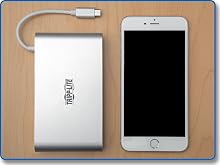
    - With a footprint similar in size to popular smartphones, this portable docking station fits almost anywhere.

    - Lightweight, streamlined design doesn’t add weight to your load.

    - Built-in cable eliminates the chance of losing or forgetting the USB-C cord.

    - Plug-and-play operation means you don’t need software or drivers.

    https://m.media-amazon.com/images/S/aplus-media/vc/5400bd6b-0e82-49cf-b37e-e8f7856eaa2f._SL220__.png

    Display HD Video on an HDMI, mDP or VGA Monitor

    This docking station supports USB DisplayPort Alternate Mode (Alt Mode) for transmitting video to a monitor, television or projector. The HDMI port and mDP support digital video resolutions up to 3840 x 2160 (4K x 2K) at 30 Hz. The VGA port supports video resolutions up to 1920 x 1200, including 1080p, at 60 Hz.

    - Show the same video on your laptop and a second monitor.

    - Use a second monitor as your primary screen.

    - Extend video across a second monitor.

    - Share audio/video in a conference room, classroom or auditorium setting.
    https://m.media-amazon.com/images/S/aplus-media/vc/0f6e5362-84ea-42e0-bdd4-343e7fe00572._SL220__.png

    Connect USB Peripherals

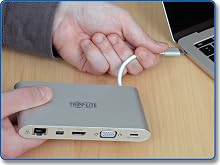
    The USB-A ports allow you to connect a huge variety of USB devices, including flash drives, cameras, keyboards, mice and external hard drives. You can also connect a printer with a USB cable when a wireless connection isn’t feasible. The ports support USB 3.1 Gen 1 data transfer rates up to 5 Gbps. They also support device charging and are backward compatible with previous USB generations.
    https://m.media-amazon.com/images/S/aplus-media/vc/567a1f09-7416-4def-8bba-c26e6f3dbf71._SL220__.png

    Keep Ports Available While Your Laptop Charges

    Limited USB-C ports can force you to choose between connecting a peripheral and charging your laptop’s battery. The USB-C Power Delivery (PD) port powers and charges your laptop without affecting the other connections. Your laptop’s wall charger connects to the USB-C PD port, which supports power input up to 20V, 3A (60W).

    https://m.media-amazon.com/images/S/aplus-media/vc/9207eda6-faf8-45ae-a94c-24b76990b5bc._SR970,300_.PNG
    https://m.media-amazon.com/images/S/aplus-media/vc/afc88293-6bf3-44d8-a1ff-44516313db4f._SR970,300_.png

    Transform Your Laptop’s USB-C Port into a Multiport Workstation Wherever You Go

    https://m.media-amazon.com/images/S/aplus-media/vc/7715600c-cd73-4ef0-85fa-685b6f3f60fd._SR285,285_.png

    Newer tablets, laptops, Chromebook and MacBook notebooks, desktop computers and even smartphones often have USB Type-C ports, but come equipped with few others. Using a single USB-C or Thunderbolt 3 port, this Tripp Lite docking station adds 11 connection options to your device.

    • Send video to an HDMI, Mini DisplayPort (mDP) or VGA monitor.
    • Add multiple USB-A peripherals.
    • Power and charge your laptop.
    • Connect to a Gigabit Ethernet network.
    • Access MicroSD, SD and MMC memory cards.
    • Listen to music with headphones.
    • Charge additional devices like smartphones.
    • Convert your MacBook or Chromebook into a powerful and portable workstation.
    https://m.media-amazon.com/images/S/aplus-media/vc/32772eca-de62-4fbe-bc7b-bc42550fcf65._SL220__.png

    Simplify Travel with a Bus-Powered, All-In-One USB-C Dockin

    One USB-C connection provides 11 different ports, so you don’t need multiple adapters. This docking station is also bus-powered, so you don’t have to travel with a separate external power supply. When used as a permanent docking solution on your desk, it offers the convenience of having a single USB-C cable to unplug when you take your laptop on the road.

    - With a footprint similar in size to popular smartphones, this portable docking station fits almost anywhere.

    - Lightweight, streamlined design doesn’t add weight to your load.

    - Built-in cable eliminates the chance of losing or forgetting the USB-C cord.

    - Plug-and-play operation means you don’t need software or drivers.

    https://m.media-amazon.com/images/S/aplus-media/vc/5400bd6b-0e82-49cf-b37e-e8f7856eaa2f._SL220__.png

    Display HD Video on an HDMI, mDP or VGA Monitor

    This docking station supports USB DisplayPort Alternate Mode (Alt Mode) for transmitting video to a monitor, television or projector. The HDMI port and mDP support digital video resolutions up to 3840 x 2160 (4K x 2K) at 30 Hz. The VGA port supports video resolutions up to 1920 x 1200, including 1080p, at 60 Hz.

    - Show the same video on your laptop and a second monitor.

    - Use a second monitor as your primary screen.

    - Extend video across a second monitor.

    - Share audio/video in a conference room, classroom or auditorium setting.

    https://m.media-amazon.com/images/S/aplus-media/vc/0f6e5362-84ea-42e0-bdd4-343e7fe00572._SL220__.png

    Connect USB Peripherals

    The USB-A ports allow you to connect a huge variety of USB devices, including flash drives, cameras, keyboards, mice and external hard drives. You can also connect a printer with a USB cable when a wireless connection isn’t feasible. The ports support USB 3.1 Gen 1 data transfer rates up to 5 Gbps. They also support device charging and are backward compatible with previous USB generations.
    https://m.media-amazon.com/images/S/aplus-media/vc/567a1f09-7416-4def-8bba-c26e6f3dbf71._SL220__.png

    Keep Ports Available While Your Laptop Charges

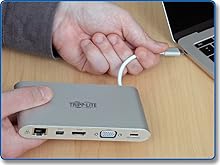
    Limited USB-C ports can force you to choose between connecting a peripheral and charging your laptop’s battery. The USB-C Power Delivery (PD) port powers and charges your laptop without affecting the other connections. Your laptop’s wall charger connects to the USB-C PD port, which supports power input up to 20V, 3A (60W).

    https://m.media-amazon.com/images/S/aplus-media/vc/9207eda6-faf8-45ae-a94c-24b76990b5bc._SR970,300_.PNG
    USB-C Docking Station for Dual Monitors, 4K @ 30 Hz HDMI, Mini DisplayPort mDP, VGA, Gigabit Ethernet, Memory Card, 3.5 mm Audio, 100W USB-C PD Charging, 3-Year Warranty (U442-DOCK1)

    Warranty & Returns

    Warranty, Returns, And Additional Information

    Warranty

    • Please contact the Seller directly for warranty information. Warranty information may also be found on the Manufacturer's website.
    • CONTACT

    Return Policies

    • Return for refund within: 30 days
    • Return for replacement within: 30 days
    • This item is covered by Heitenoy Return Policy

    Manufacturer Contact Info

    LOADING...