• $49.99
  • Free 30-day Returns
  • Sold by Heitenoy

    Shipped by Heitenoy

    Price alert
    Shop it at NeweggBusiness.

    Meet Your Seller

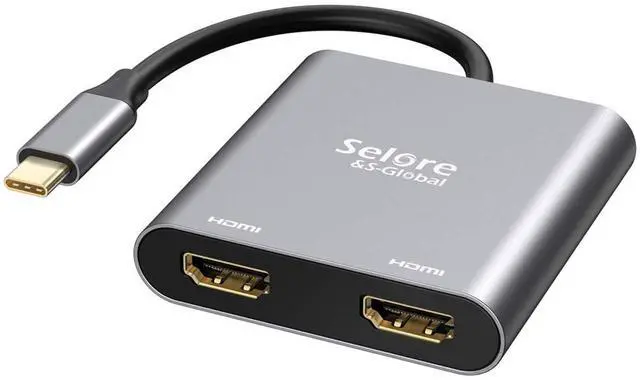
    USB C to Dual HDMI Adapter 4K @60hz, Type C to HDMI Converter for MacBook Pro Air 2020/2019/2018,LenovoYoga 920/Thinkpad T480,Dell XPS 13/15/17,etc

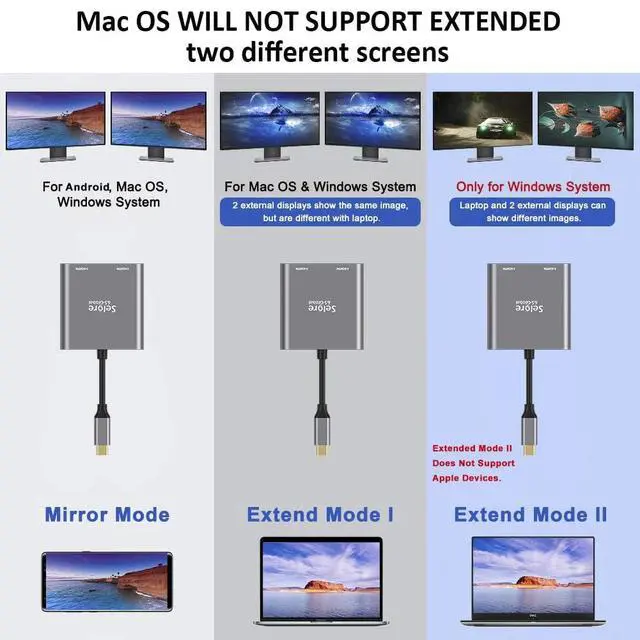
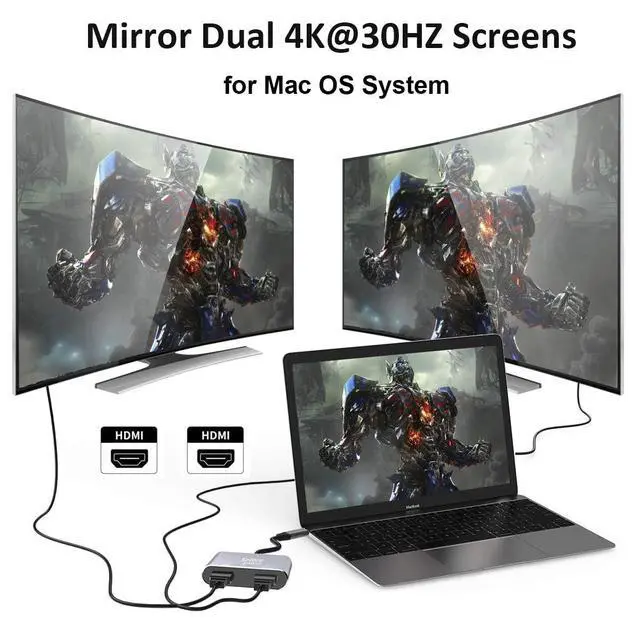
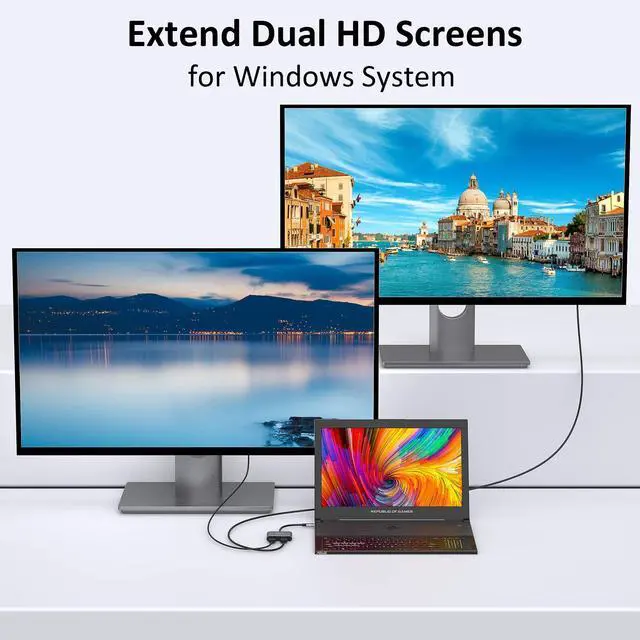
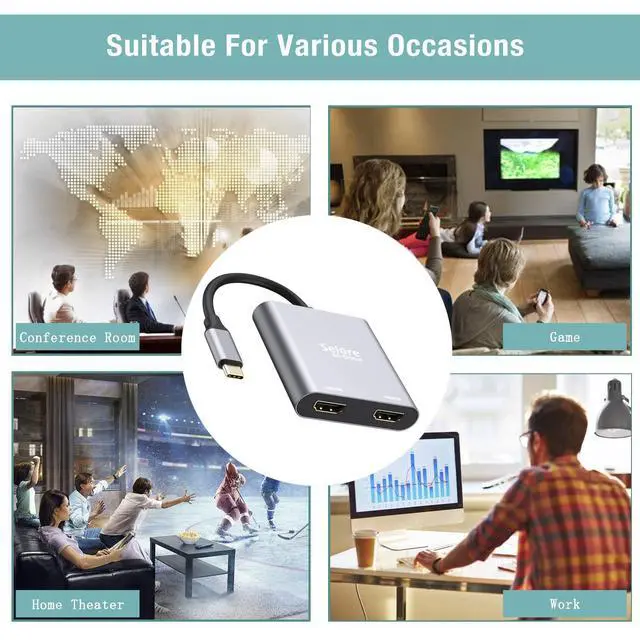
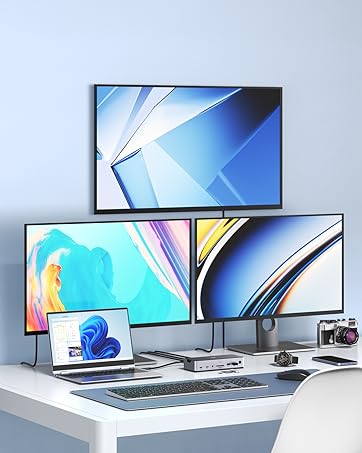
    • USB-C to Dual HDMI Adapter Hub 2 in 1: Note: For Mac OS, this adapter only supports mirror mode (repeated display), dual screen extension with two different screens is not available on macOS! Connect device with USB Type C (tunderbolt 3) port to two external monitors with 4K HDMI output; You can enjoy movies,games with your families on external ultra HD big screen; Windows OS supports both SST and MST mode, if you not sure how to setting, please contact us, or download the user guide in Product information->Product information
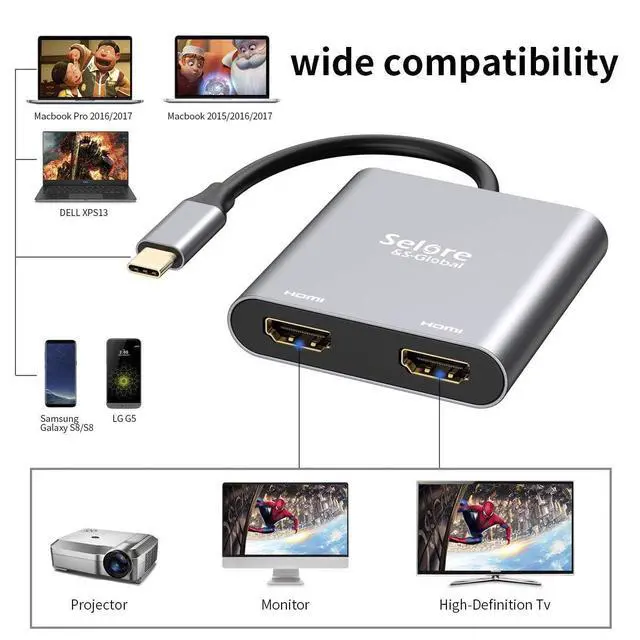
    • Wide Compatibility: (Note: Compatible exclusively with Thunderbolt 3/4/5 ports, full-featured USB-C ports, or USB4 ports.Such as it will NOT work with HP Pavilion or Lenovo IdeaPad series. ).This HDMI Reader works well with Thunderbolt 3 compatible devices,such as MacBook/MacBook Pro2021 2020 2019 2018 2017,MacBook Air2020-2018,iPad Pro 2018 ,Dell XPS13/15,Samsung Galaxy S9/S9+,etc
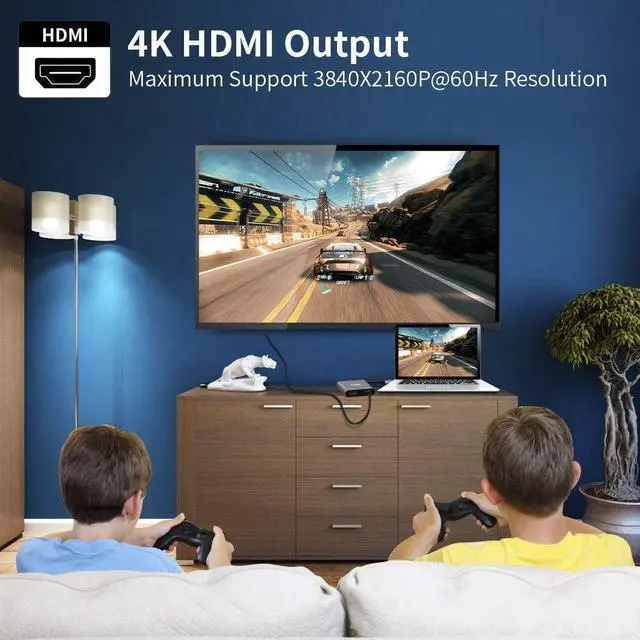
    • Vivid 3D Effect Video Sync: This usb c to hdmi adapter resolution up to 4K(3840X2160P@60HZ), dual monitor with HDMI at 3840x2160@30Hz; Dual monitor HDMI adapter also support 1440p and 1080p at 60Hz offered by the DisplayPort MST technology; with this high-performance USB-C adapter when you play games the screen without any millisecond delay. (Important: ONLY when your devices support 4K resolution, the video output will be 4K,please make sure to use a HDMI 2.0 cable or better.)
    +
    +
    Overview
    Specs
    Reviews

    Any questions? Ask CelesteSM will help you find out quickly.

    Please carefully read the tested compatible models before purchasing:

    • ONLY support Mirror Mode For: MacBook/ MacBook Pro (2021/2020/2019/2018/2017/2016), Macbook Air 2018-2021,Mac mini 2018-2020, iPad Pro 2018
    • For: Dell XPS12(9250) /Dell XPS13(9350) /Dell XPS15(9550), Dell Latitude 13 7000/Latitude 13 E7370
    • For: Lenovo Yoga 720-13IKB/ Yoga 900-13ISK/ Yoga 910/ Yoga 920/ Yoga 930
    • For: LG G5, LG gram 14Z990-V.AA52C
    • For: HP Spectre Laptop 13-af001TU 13'' ASUS Zenbook UX330UA
    • For: Microsoft Surface Book 2/ Surface Go/ Surface Laptop 3
    • For: Huawei Macbook Mate10/ Mate10 pro/ Mate20/ Mate20 pro / Mate30/ Mate30Pro
    • For: Samsung Galaxy S10+/S10/S9+ /S9 /S8+ /S8 Plus, Note 10 / 9 / 8

    If your laptop not included in the list,please let us know, we are very gladly to help you check if the adapter can work with your device.

    usb c to dual monitors adapter

    Compatibility: This docking station only compatible with those laptop with thunderbolt or full function USB C port.

    Important Notice:

    • This hub requires your laptop's USB-C port to support Thunderbolt 3 and DisplayPort Alt Mode. Check your laptop specs before purchase.
    • For Mac users: Only mirror mode (same screen on both displays) is supported. Extended dual-screen mode is NOT available due to macOS limitation.

    Can NOT work with (Tested):

    • HP EliteBook 745 G4 / HP Elitebook 820 G3 / HP EliteBook 828 G4 / HP 14s-be102TX / HP 14-ce1004TX 14 / HP Probook 650 G2 / HP Probook 455 G4 / HP Probook 430 G5 / HP Pavilion-14 bf116tx / HP Pavilion 15 ck009 / HP Pavilion Power Laptop 15-cb / Lenovo ideapad 340s, Tablets / Google Pixel phones / Nintendo Switch / Acer Aspire A5 / Oneplus 5T Phone

    usc to dual hdmi adapter

    This Dual HDMI USB C Adapter ONLY work with those devices that the USB Type C Port supports video output or DP Alt Mode.Not for all USB C laptop.

    2019macbook pro adapter

    Mac OS ONLY Support Mirror Mode

    • Mirror Mode:A-A/AA

    ( 3 Screens' image will be the same.)

    • Mirror Mode:A-B/BB

    ( 2 monitors' image will be the same.)

    Please Noted:

    • Does not support 2 external displays show different images for Apple computers in extend mode.

    usb c to dual hdmi

    Support Windows 10 OS

    • Mirror Mode:A-A/AA

    ( 3 Screens' image will be the same.)

    • Extend Mode: A-B/BB/BC

    ( 2monitors' image can be same or different.)

    Please Noted:

    • For different modes if you are not clear how to setting, we can help you.

    usb c to dual hdmi adapter

    Important Noted

    • For Mac OS it support Mirror mode (AAA), and Extend mode (ABB)
    • For Windows OS it support Mirror mode (AAA), Extend mode (ABB), and Extend mode (ABC)

    Please Noted:

    • For Apple device, it doesn't support extend 3 different screens.

    usb c hdmi adapter

    Support Android OS

    • Mirror Mode:A-A/AA

    ( 3 Screens' image will be the same.)

    Please Noted:

    • Please supply power for Samsung cellphone when setting Samsung DeX Mode.

    dual monitor hdmi adapter
    usb c to dual hdmi adapter

    Dual Video Resolution Configurations:

    3840x2160@60Hz = 1 display / 3840x2160@30Hz = 2 displays / 2560x1440@60Hz = 2 displays / 1920x1080@60Hz = 2 displays

    Please Noted: The final resolution of HDMI output depends on your host devices, (Only when your devices support 4K resolution, the video output will be 4K).

    FAQ:

    • How to switch Mac device to Extend Mode?

    "Setting" ? "Display" ? click the "mirror display" box to switch to Extend mode ? then you can drag a window of website/movie to the rightest side of your desktop screen until it disappear on your desktop screen and show up on the external monitor screen.

    ( Important Note: As Apple company itself limited, for Mac OS devices use in extend mode, the image on the two external screens will be the same.)

    • How to connect Extend Mode for Windows OS?

    Right-click desktop? select Intel display Settings ? pop-up Settings screen select display? select multi-screen display? expand the desktop

    (If the display 3 is not display, please to manually select the display?click apply confirm can set OK).

    • If one of display does not display, How to do?

    Right click desktop > Graphics Settings > Select One or More Active Displays.

    Friendly Reminders:

    • Different systems' setting may be slightly different,If you are not sure how to operate, please feel free to let us know ,we are very gladly to help you; or you can download the (User Guide) in Product information>Technical Specification.
    • Make sure the Type C port of your host device supports video output (some for data only), Please reset the default audio output device if you want to play audio via the HDMI devices.
    • Not Support Mac devices to output two split screens, including: MacBook Air / Pro, iMac, etc.

    https://m.media-amazon.com/images/S/aplus-media-library-service-media/01be3cbf-7b9d-42d4-8337-3cc1682664fe.__CR0,0,150,300_PT0_SX150_V1___.jpg
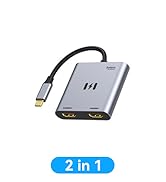
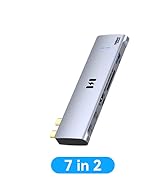
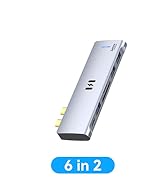
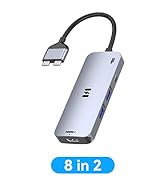
    2 in 1 Dual HDMI Adapter
    https://m.media-amazon.com/images/S/aplus-media-library-service-media/1fa04445-02b4-4757-a90c-66dbcbcfe72c.__CR0,0,150,300_PT0_SX150_V1___.jpg
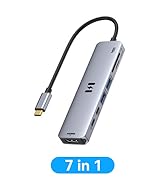
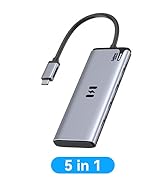
    7 IN 1 USB C to Dual HDMI Adapter
    https://m.media-amazon.com/images/S/aplus-media-library-service-media/705fcfc4-c45c-4f5f-ae14-80b3666282df.__CR0,0,150,300_PT0_SX150_V1___.jpg
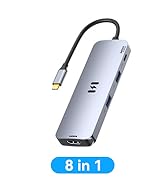
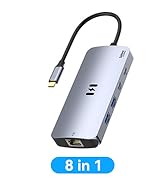
    8 IN 1 USB C Docking Station
    https://m.media-amazon.com/images/S/aplus-media-library-service-media/ef7b3a5e-b9c1-4849-ab43-e9cb92a20207.__CR0,0,150,300_PT0_SX150_V1___.jpg
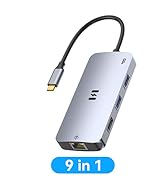
    9 IN 1 USB C Docking Station
    Customer Reviews ————
    Price ——— — no data
    Video Output Port 2*HDMI 2*HDMI+1*VGA+1*DP 2*HDMI 1*HDMI+2DP
    USB Port no data 3*USB 2.0 2*USB 3.0 3*USB 3.0
    USB C Data Port no datano data ? no data
    Charging Port no datano data ? ?
    SD/Micro SD no datano data ? ?

    Please carefully read the tested compatible models before purchasing:

    • ONLY support Mirror Mode For: MacBook/ MacBook Pro (2021/2020/2019/2018/2017/2016), Macbook Air 2018-2021,Mac mini 2018-2020, iPad Pro 2018
    • For: Dell XPS12(9250) /Dell XPS13(9350) /Dell XPS15(9550), Dell Latitude 13 7000/Latitude 13 E7370
    • For: Lenovo Yoga 720-13IKB/ Yoga 900-13ISK/ Yoga 910/ Yoga 920/ Yoga 930
    • For: LG G5, LG gram 14Z990-V.AA52C
    • For: HP Spectre Laptop 13-af001TU 13'' ASUS Zenbook UX330UA
    • For: Microsoft Surface Book 2/ Surface Go/ Surface Laptop 3
    • For: Huawei Macbook Mate10/ Mate10 pro/ Mate20/ Mate20 pro / Mate30/ Mate30Pro
    • For: Samsung Galaxy S10+/S10/S9+ /S9 /S8+ /S8 Plus, Note 10 / 9 / 8

    If your laptop not included in the list,please let us know, we are very gladly to help you check if the adapter can work with your device.

    usb c to dual monitors adapter

    Compatibility: This docking station only compatible with those laptop with thunderbolt or full function USB C port.

    Important Notice:

    • This hub requires your laptop's USB-C port to support Thunderbolt 3 and DisplayPort Alt Mode. Check your laptop specs before purchase.
    • For Mac users: Only mirror mode (same screen on both displays) is supported. Extended dual-screen mode is NOT available due to macOS limitation.

    Can NOT work with (Tested):

    • HP EliteBook 745 G4 / HP Elitebook 820 G3 / HP EliteBook 828 G4 / HP 14s-be102TX / HP 14-ce1004TX 14 / HP Probook 650 G2 / HP Probook 455 G4 / HP Probook 430 G5 / HP Pavilion-14 bf116tx / HP Pavilion 15 ck009 / HP Pavilion Power Laptop 15-cb / Lenovo ideapad 340s, Tablets / Google Pixel phones / Nintendo Switch / Acer Aspire A5 / Oneplus 5T Phone

    usc to dual hdmi adapter

    This Dual HDMI USB C Adapter ONLY work with those devices that the USB Type C Port supports video output or DP Alt Mode.Not for all USB C laptop.

    2019macbook pro adapter

    Mac OS ONLY Support Mirror Mode

    • Mirror Mode:A-A/AA

    ( 3 Screens' image will be the same.)

    • Mirror Mode:A-B/BB

    ( 2 monitors' image will be the same.)

    Please Noted:

    • Does not support 2 external displays show different images for Apple computers in extend mode.

    usb c to dual hdmi

    Support Windows 10 OS

    • Mirror Mode:A-A/AA

    ( 3 Screens' image will be the same.)

    • Extend Mode: A-B/BB/BC

    ( 2monitors' image can be same or different.)

    Please Noted:

    • For different modes if you are not clear how to setting, we can help you.

    usb c to dual hdmi adapter

    Important Noted

    • For Mac OS it support Mirror mode (AAA), and Extend mode (ABB)
    • For Windows OS it support Mirror mode (AAA), Extend mode (ABB), and Extend mode (ABC)

    Please Noted:

    • For Apple device, it doesn't support extend 3 different screens.

    usb c hdmi adapter

    Support Android OS

    • Mirror Mode:A-A/AA

    ( 3 Screens' image will be the same.)

    Please Noted:

    • Please supply power for Samsung cellphone when setting Samsung DeX Mode.

    dual monitor hdmi adapter
    usb c to dual hdmi adapter

    Dual Video Resolution Configurations:

    3840x2160@60Hz = 1 display / 3840x2160@30Hz = 2 displays / 2560x1440@60Hz = 2 displays / 1920x1080@60Hz = 2 displays

    Please Noted: The final resolution of HDMI output depends on your host devices, (Only when your devices support 4K resolution, the video output will be 4K).

    FAQ:

    • How to switch Mac device to Extend Mode?

    "Setting" ? "Display" ? click the "mirror display" box to switch to Extend mode ? then you can drag a window of website/movie to the rightest side of your desktop screen until it disappear on your desktop screen and show up on the external monitor screen.

    ( Important Note: As Apple company itself limited, for Mac OS devices use in extend mode, the image on the two external screens will be the same.)

    • How to connect Extend Mode for Windows OS?

    Right-click desktop? select Intel display Settings ? pop-up Settings screen select display? select multi-screen display? expand the desktop

    (If the display 3 is not display, please to manually select the display?click apply confirm can set OK).

    • If one of display does not display, How to do?

    Right click desktop > Graphics Settings > Select One or More Active Displays.

    Friendly Reminders:

    • Different systems' setting may be slightly different,If you are not sure how to operate, please feel free to let us know ,we are very gladly to help you; or you can download the (User Guide) in Product information>Technical Specification.
    • Make sure the Type C port of your host device supports video output (some for data only), Please reset the default audio output device if you want to play audio via the HDMI devices.
    • Not Support Mac devices to output two split screens, including: MacBook Air / Pro, iMac, etc.

    https://m.media-amazon.com/images/S/aplus-media-library-service-media/01be3cbf-7b9d-42d4-8337-3cc1682664fe.__CR0,0,150,300_PT0_SX150_V1___.jpg
    2 in 1 Dual HDMI Adapter
    https://m.media-amazon.com/images/S/aplus-media-library-service-media/1fa04445-02b4-4757-a90c-66dbcbcfe72c.__CR0,0,150,300_PT0_SX150_V1___.jpg
    7 IN 1 USB C to Dual HDMI Adapter
    https://m.media-amazon.com/images/S/aplus-media-library-service-media/705fcfc4-c45c-4f5f-ae14-80b3666282df.__CR0,0,150,300_PT0_SX150_V1___.jpg
    8 IN 1 USB C Docking Station
    https://m.media-amazon.com/images/S/aplus-media-library-service-media/ef7b3a5e-b9c1-4849-ab43-e9cb92a20207.__CR0,0,150,300_PT0_SX150_V1___.jpg
    9 IN 1 USB C Docking Station
    Customer Reviews ————
    Price ——— — no data
    Video Output Port 2*HDMI 2*HDMI+1*VGA+1*DP 2*HDMI 1*HDMI+2DP
    USB Port no data 3*USB 2.0 2*USB 3.0 3*USB 3.0
    USB C Data Port no datano data ? no data
    Charging Port no datano data ? ?
    SD/Micro SD no datano data ? ?

    Product information

    BrandSelore&S-Global
    ColorGrey
    Hardware InterfaceUSB 3.0
    Special FeaturePlug and Play
    Compatible DevicesMacBook/ MacBook Pro (2021/2020/2019/2018/2017/2016); Macbook Air 2018-2021;Mac mini 2018-2020;iPad Pro 2018,Dell XPS 9380/ XPS 13 9365/ XPS 15 2018;Dell Latitude E7370/ E7470/ E7480/ Dell Latitude 13 7000/ E7370L/ New XPS 15 i7;Lenovo Yoga 720-13IKB/Yoga 910; Yoga15 Thinkpad Ultrabook Pro; Thinkpad E590/ Thinkpad P72/ Lenovo C930; Microsoft Surface Book 2/ Surface Laptop 3; Surface Pro 7/ Surface Pro 8/ Surface Go; Galaxy Book Flex Alpha 2-in-1 13.3" QLED Touch-Screen Laptop; Galaxy Tab S5e/ Galaxy Tab S4; HP Spectre Laptop 13-af001TU/ Spectre x360 13t; Elitebook 840 G5 series/ Elitebook x360 1030 G3; Envy Geforce mx250/ Z book 15u G3 ASUS Zenbook UX330UA/ Zenbook Flip ux370u; Acer Aspire 5 2019; D17w3 Aspire c24-865; Samsung Galaxy S10+/ S10/ S9+/ S9/ S8+/ S8 Plus; Note 10/ 9/ 8
    Additional FeaturesPlug and Play
    Total Usb Ports2
    Data Transfer Rate60 hertz
    Number of Ports2
    Minimum Required Operating System VersionMac OS 13 Ventura, Windows 11
    Operating SystemWindows 10, macOS
    Enclosure MaterialCopper
    Item Dimensions L x W x H2.5"L x 2.4"W x 0.6"H
    Item Weight2.4 ounces
    Number of Packs1
    ManufacturerSelore&S-Global
    UPC667581878611
    Number of Items1
    Unit Count1 Count
    Model NumberSEUC0703
    Mfr Part NumberUC703
    Warranty DescriptionAt SELORE we offer 1-year defective product refund/replacement and friendly customer service

    Additional Features

    • Hassle-Free Setup: Multi-stream transport offers an easy setup by natively working on device that supports DP Alt Mode over USB Type-C; SELORE dual hdmi monitor adapter just plug-and-play, no drivers or software required. (NOTED:Please connect the monitor (HDMI port) first, then the laptop (usb c port), You may need to change the settings of "the default audio output device" on system preferences to deliver sound.)
    • What you get a: 1* USB Type C Adapter, 1* User Manual, At SELORE we offer 1-year defective product refund/replacement and friendly customer service; If there is any problem with this Dual HDMI Converter (such as: how to setting, how to use it...), please don't hesitate to let me know. I will always do my best to help on it.Note: Only compatible with Thunderbolt 3/4/5 ports, full-featured USB-C ports or USB4 ports, and requires a standard HDMI cable.

    Warranty & Returns

    Warranty, Returns, And Additional Information

    Warranty

    • Please contact the Seller directly for warranty information. Warranty information may also be found on the Manufacturer's website.
    • CONTACT

    Return Policies

    • Return for refund within: 30 days
    • Return for replacement within: 30 days
    • This item is covered by Heitenoy Return Policy

    Manufacturer Contact Info

    LOADING...