here!
I’m your shopping assistant for PC builds, upgrades, and everything tech.
Got questions? Ask away!
Start a conversation
here!
I’m your shopping assistant for PC builds, upgrades, and everything tech.
Got questions? Ask away!
Start a conversation
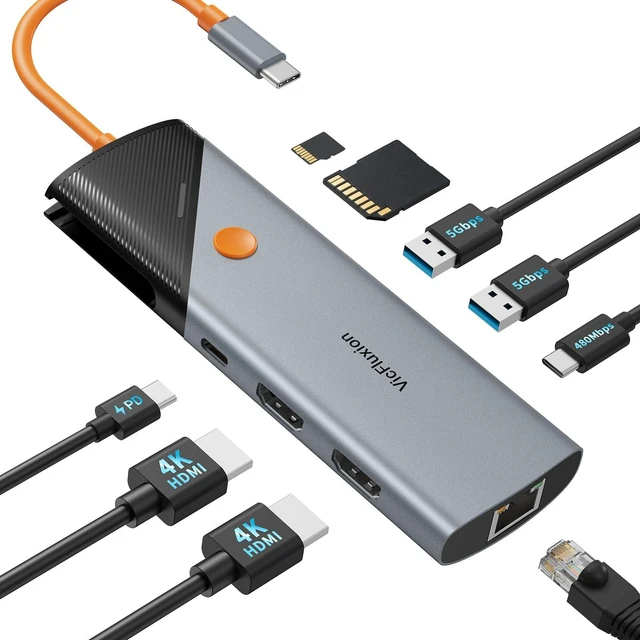
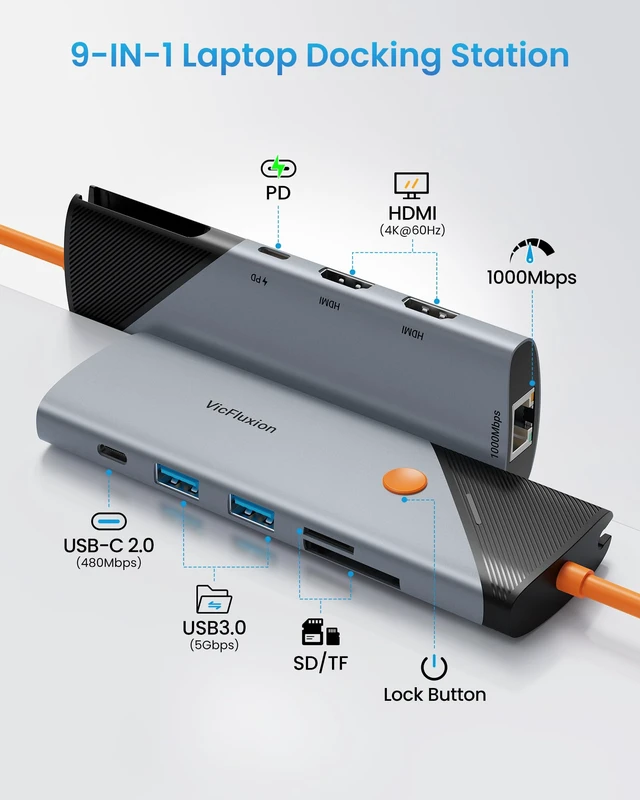

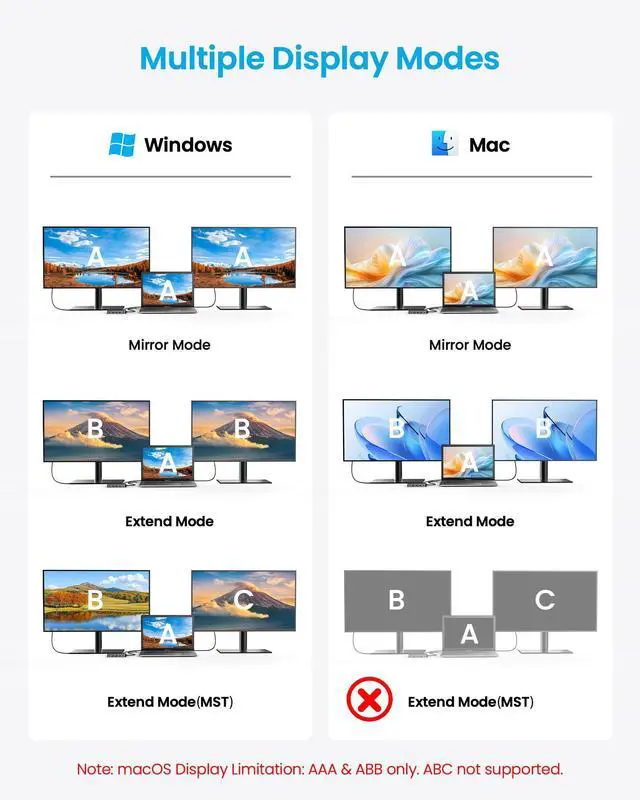
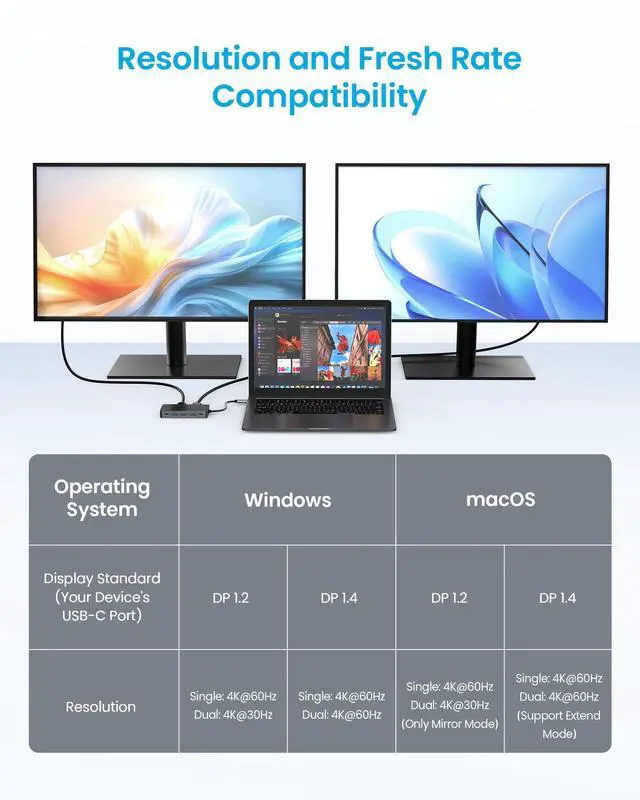




Any questions? Ask CelesteSM will help you find out quickly.

Why is my wireless mouse/keyboard lagging when connected to the dock?
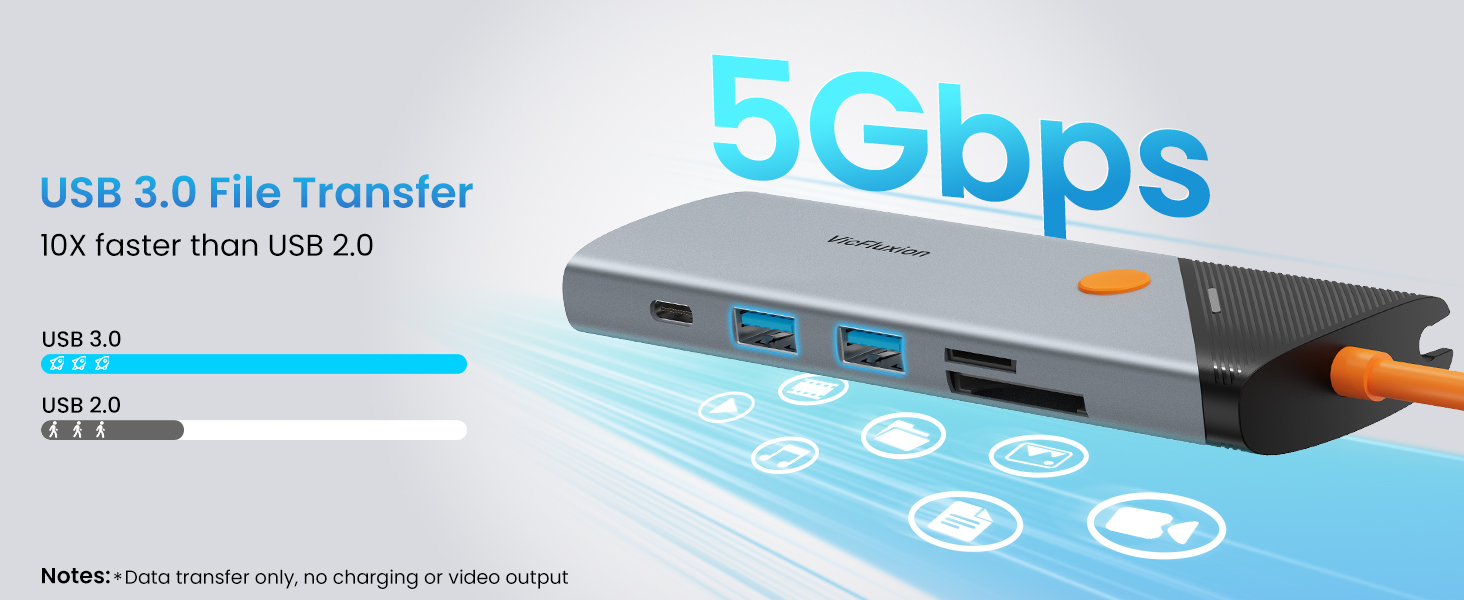
Caused by interference from USB 3.0 devices. Try following steps: 1) Plug receiver directly into computer 2) Use a quality USB extension cable to move receiver away 3) Keep receiver far from external SSD on the dock; 4) Use 5GHz or Bluetooth.
Can I use the USB-C PD port to charge other devices or transfer data?
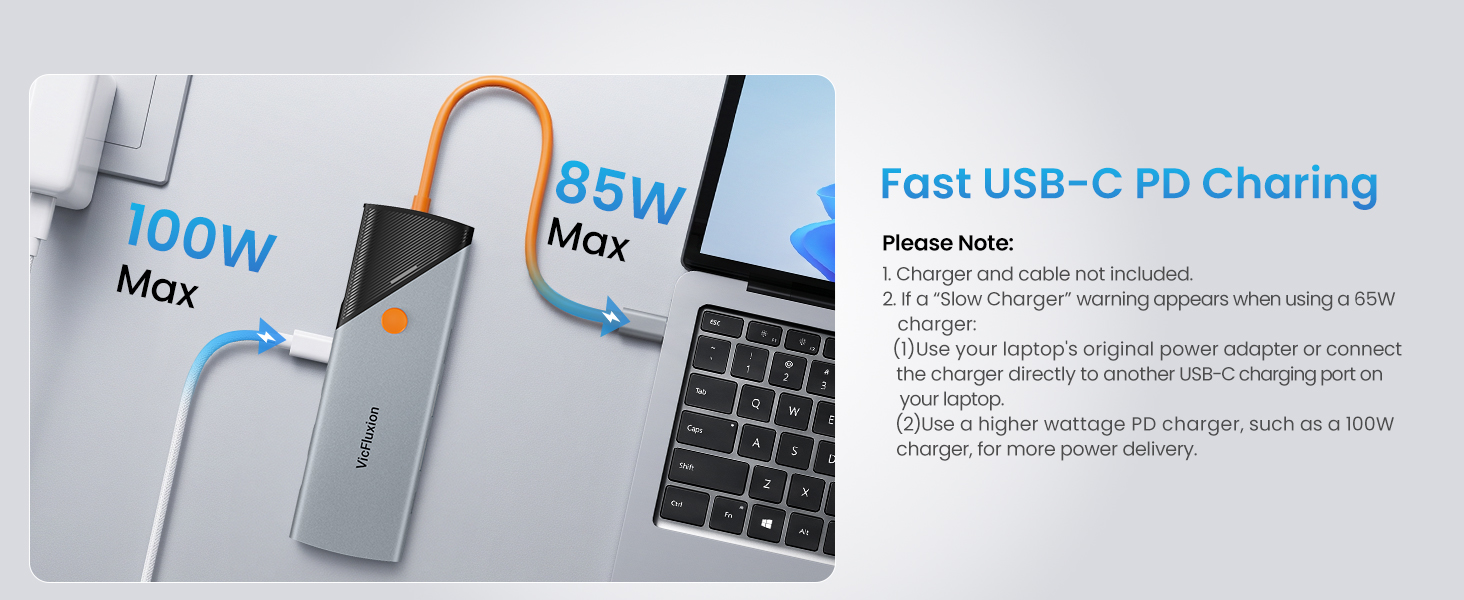
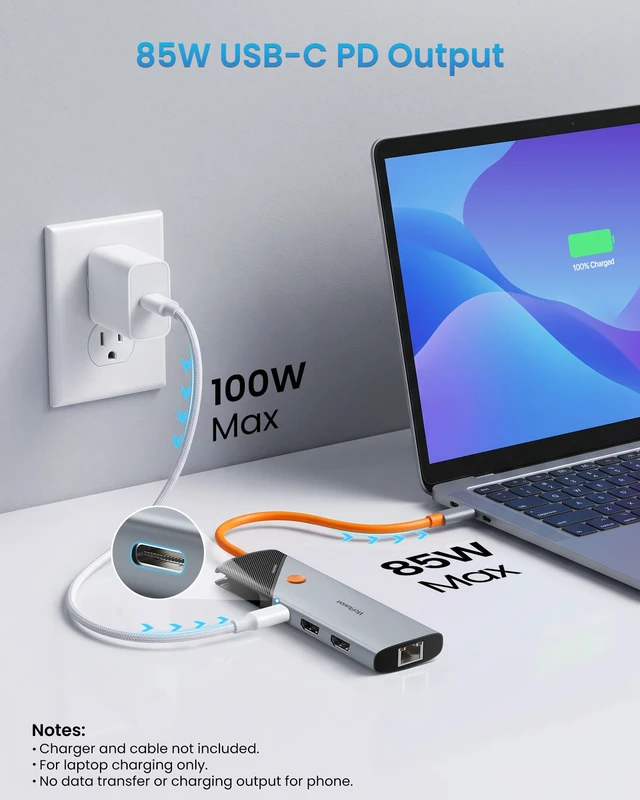
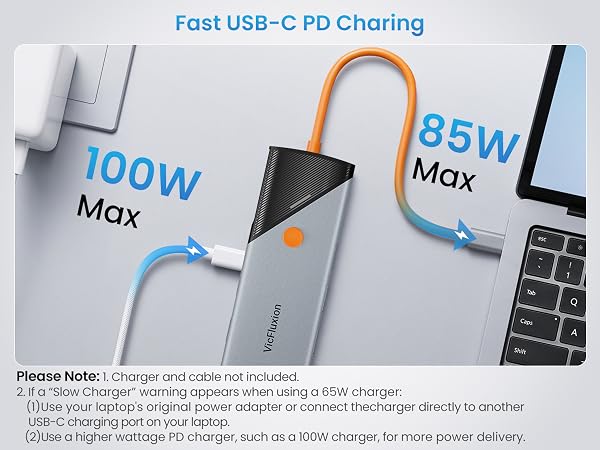
No. This port is for power input only, it's designed to connect charger to power the docking station and, through the upstream USB-C cable, to charge your laptop. It does not output power to charge other devices, nor does it support data transfer.
What if the docking station suddenly stops working?
Try this "cold restart": 1. Disconnect all cables from the dock; 2. Wait 5 minutes for reset; 3. Restart your computer; 4. Reconnect everything after boot-up. These resolve most temporary issues.
Why does the dock get hot?
It's normal. Heat means heat is being effectively drawn away from internal components. The aluminum casingacts as a heatsink to protect the dock and extend lifespan.








Why is my wireless mouse/keyboard lagging when connected to the dock?
Caused by interference from USB 3.0 devices. Try following steps: 1) Plug receiver directly into computer 2) Use a quality USB extension cable to move receiver away 3) Keep receiver far from external SSD on the dock; 4) Use 5GHz or Bluetooth.
Can I use the USB-C PD port to charge other devices or transfer data?
No. This port is for power input only, it's designed to connect charger to power the docking station and, through the upstream USB-C cable, to charge your laptop. It does not output power to charge other devices, nor does it support data transfer.
What if the docking station suddenly stops working?
Try this "cold restart": 1. Disconnect all cables from the dock; 2. Wait 5 minutes for reset; 3. Restart your computer; 4. Reconnect everything after boot-up. These resolve most temporary issues.
Why does the dock get hot?
It's normal. Heat means heat is being effectively drawn away from internal components. The aluminum casingacts as a heatsink to protect the dock and extend lifespan.