

Your Browsing History
- Free 30-day Returns
$297.34
Ships from China.

Meet Your Seller



Laptop Docking Station 3 Monitors, 12-1 USB Hub with 10Gbps M.2 PCIe/SATA SSD Enclosure, Expands MacBook/Mac mini (M4/M3/M2/M1), 4K@60Hz HDMI/DP, 100W PD, with 20V2A Independent Power Adapter
Limited time offer, ends 08/09 By GGnix
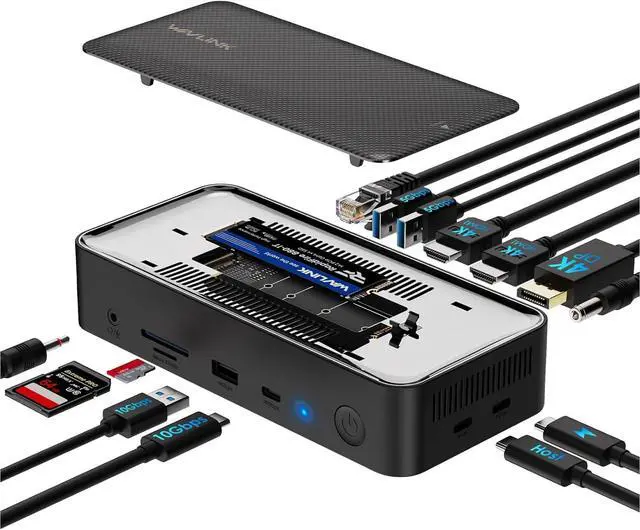
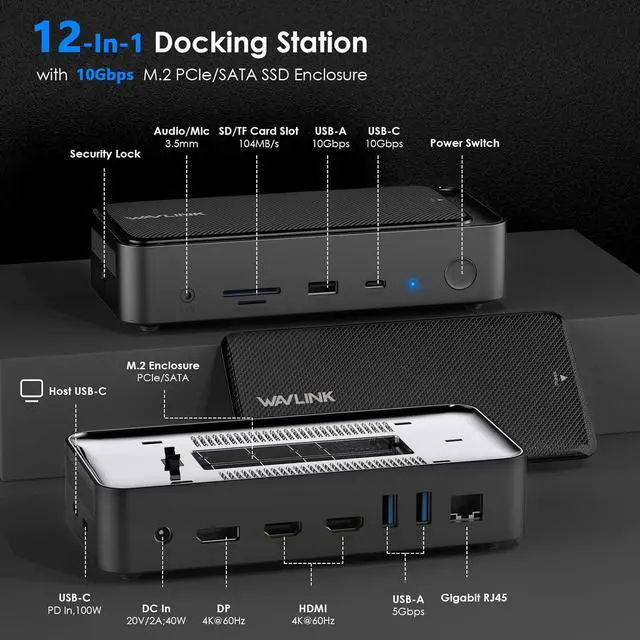
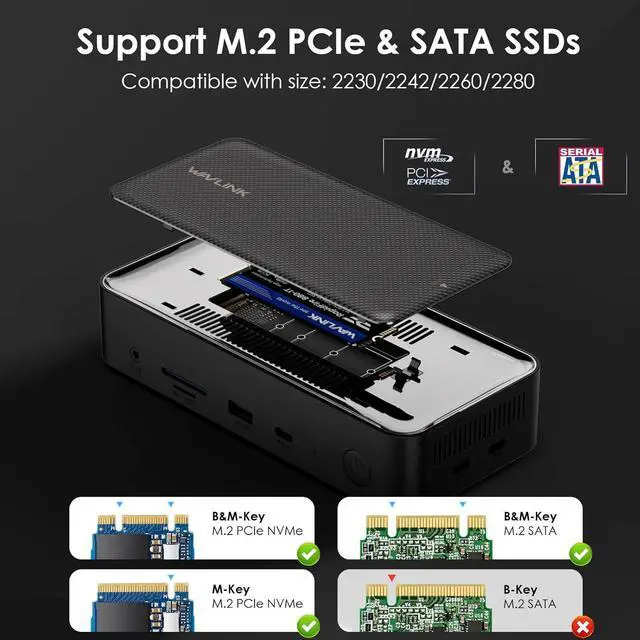
- 12-in-1 Laptop Docking Station: The WAVLINK multi-port USB-C dock features a built-in M.2 SSD enclosure, 20V DC In, 4K@60Hz DisplayPort, two 4K@60Hz HDMI ports, two 5Gbps USB-A ports, 1000Mbps Gigabit Ethernet, Host USB-C, 100W USB-C PD, 3.5mm Audio/Mic, 104MB/s SD/TF card slots, and 10Gbps USB-A/USB-C ports. It supports both M.2 PCIe NVMe and M.2 SATA (B&M-Key) SSDs
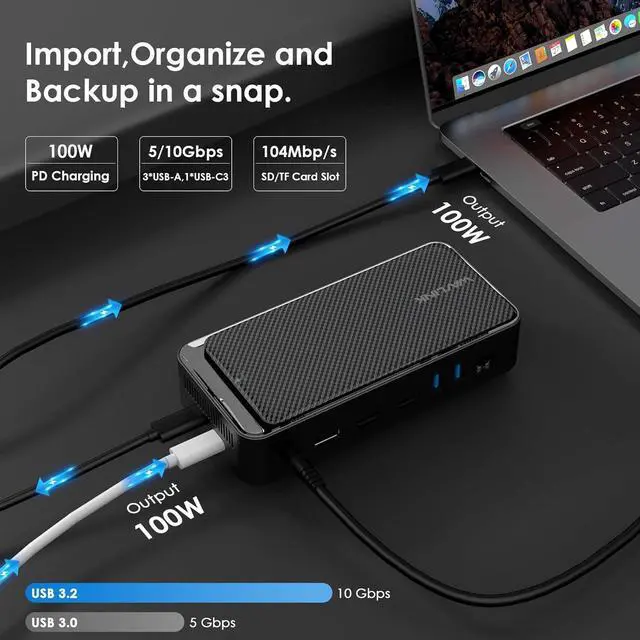
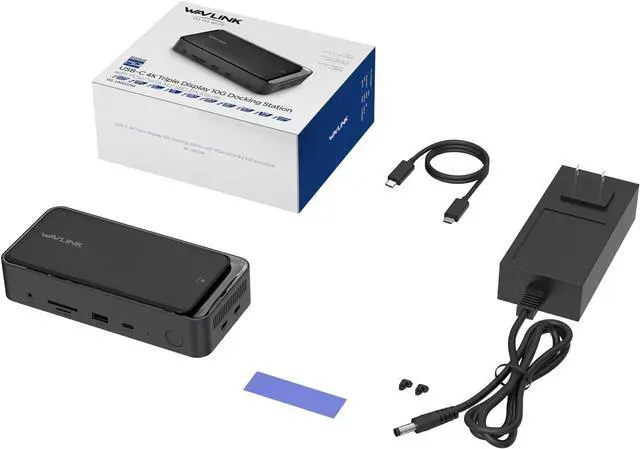
- 100W PD Charging & Enhanced Independent Power: This docking station supports up to 100W laptop charging and is backed by a dedicated 20V/2A (40W) power adapter for the dock itself. This independent power ensures stable, simultaneous operation of multiple high-power peripheralsincluding 4K HDMI/DP displays, the M.2 SSD enclosure, and all USB portssignificantly reducing risks of disconnection, screen flickering, or SSD drops. Note: For laptop charging, connect your own 100W PD charger (not included) to the USB-C PD input port, and ensure your host laptop's Type-C port supports charging
- Power Supply Guide: The included 20V/2A adapter powers the dock only (not your laptop); to charge your laptop, connect your own PD charger to the docks PD Input port (speed may vary); for nonPD laptops, using a DC charger requires exact voltage/connector/polarity compatibility to prevent damage; for best stability during highload use, Mode B (Expansion + Charging) is recommended
+
+
Overview
Specs
Reviews

Any questions? Our AI mode will help you find out quickly.
Try me now
- 12-in-1 Laptop Docking Station: The WAVLINK multi-port USB-C dock features a built-in M.2 SSD enclosure, 20V DC In, 4K@60Hz DisplayPort, two 4K@60Hz HDMI ports, two 5Gbps USB-A ports, 1000Mbps Gigabit Ethernet, Host USB-C, 100W USB-C PD, 3.5mm Audio/Mic, 104MB/s SD/TF card slots, and 10Gbps USB-A/USB-C ports. It supports both M.2 PCIe NVMe and M.2 SATA (B&M-Key) SSDs
- 100W PD Charging & Enhanced Independent Power: This docking station supports up to 100W laptop charging and is backed by a dedicated 20V/2A (40W) power adapter for the dock itself. This independent power ensures stable, simultaneous operation of multiple high-power peripheralsincluding 4K HDMI/DP displays, the M.2 SSD enclosure, and all USB portssignificantly reducing risks of disconnection, screen flickering, or SSD drops. Note: For laptop charging, connect your own 100W PD charger (not included) to the USB-C PD input port, and ensure your host laptop's Type-C port supports charging
- Power Supply Guide: The included 20V/2A adapter powers the dock only (not your laptop); to charge your laptop, connect your own PD charger to the docks PD Input port (speed may vary); for nonPD laptops, using a DC charger requires exact voltage/connector/polarity compatibility to prevent damage; for best stability during highload use, Mode B (Expansion + Charging) is recommended
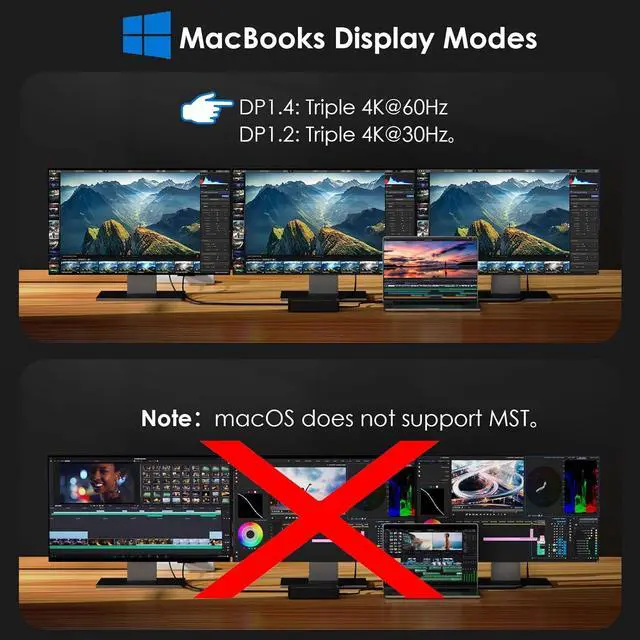
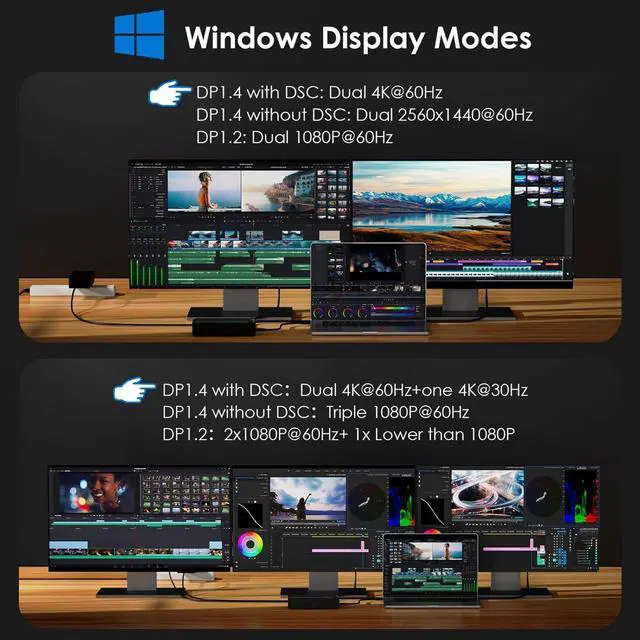
- USB C 4K Triple Display: The Type-C to 4K HDMI/DP multiport hub allows you to mirror or extend your screen. Connect up to three monitors with dual 4K@60Hz and one 4K@30Hz resolution via 2 HDMI and DP ports (under DP1.4 with DSC). Note: Some Windows laptops may only support 3 monitors (including the host screen) due to graphic card limitations. MacOS laptops can only extend to one external display with different content
- Transfer Files In Seconds: The built-in M.2 SSD enclosure supports 10Gbps M.2 PCIe NVMe and 6Gbps M.2 SATA SSDs. It includes one USB 3.2 Gen2 USB-A and USB-C port, both offering up to 10Gbps, ideal for fast file transfers. Additional 5Gbps USB-A ports are available for peripherals like keyboards, mice, or printers. SD/Micro SD card slots allow simultaneous reading at up to 104MB/s, and the Gigabit Ethernet port provides fast, reliable wired internet
Warranty & Returns
Warranty, Returns, And Additional Information
Warranty
- Please contact the Seller directly for warranty information. Warranty information may also be found on the Manufacturer's website.
- CONTACT
Return Policies
- Return for refund within: 30 days
- Return for replacement within: 30 days
- This item is covered by GGnix Return Policy
Manufacturer Contact Info
- For a directory of all our manufacturers, please click below.
- Manufacturers Directory
LOADING...