

Your Browsing History
- Free 30-day Returns
$263.32
Most customers receive within 5-9 days.

Meet Your Seller


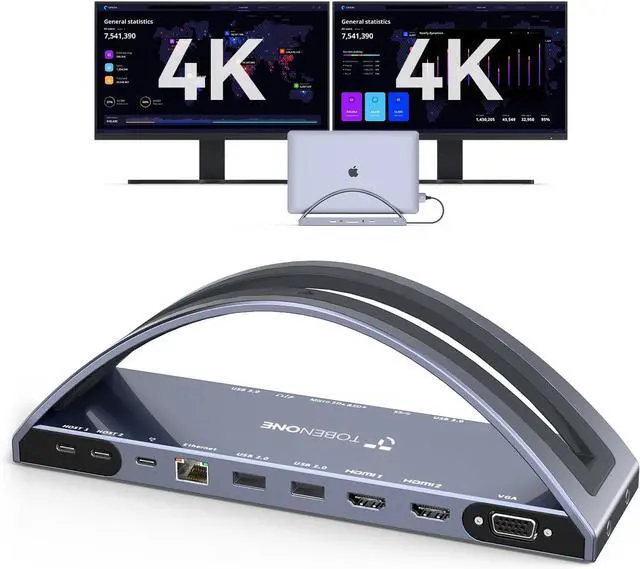
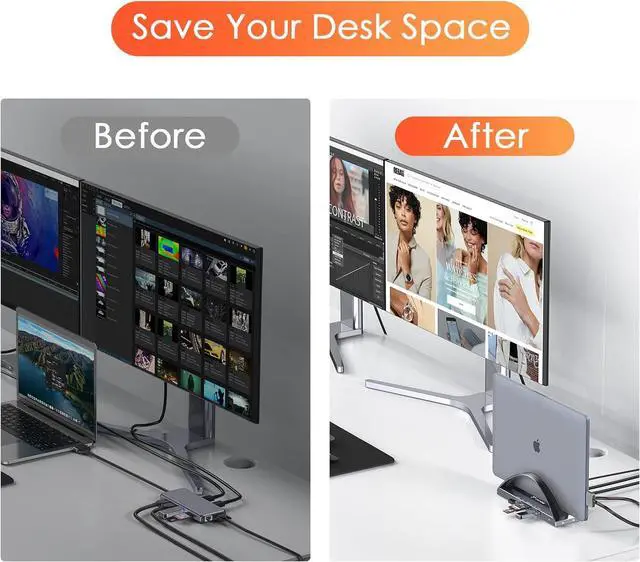


TobenONE USB C Docking Station Dual 4K Monitor for MacBook Pro/Air M3/M4, 13-in-2 Mac Docking Station Stand with 2 HDMI, VGA, 5 USB, 100W PD, Ethernet, SD/Micro SD, Audio (No Power Adapter Included)
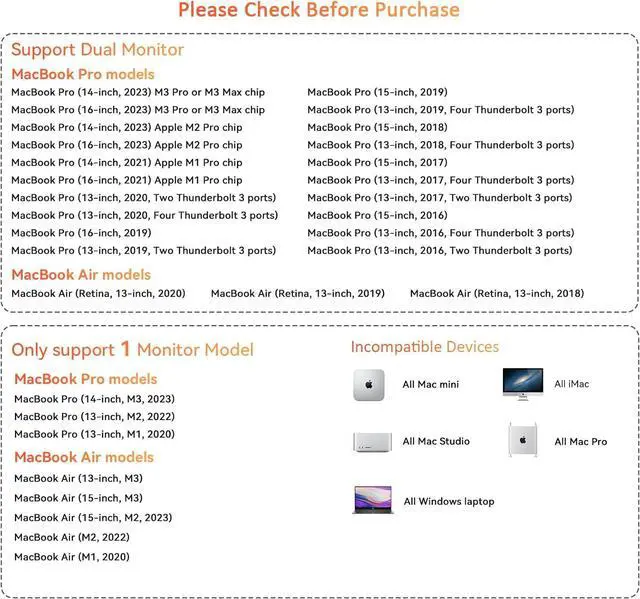
- Designed for your MacBook Pro/Air Dock: TobenONE USB C Dock Dual HDMI Station is compatible with your MacBook Pro and MacBook Air equipped with Intel, M1 Pro/Max, M2 Pro/Max, M3, M3 Pro/Max, and the latest M4, M4 Pro/Max chips. Note: For MacBooks equipped with M1/M chips, only one screen can be expanded at most, and laptops with M3 chips can expand dual monitors when the cover is closed. Before purchasing, please confirm your MacBook Pro/Air laptop model, or you can consult us for more detailed compatibility information
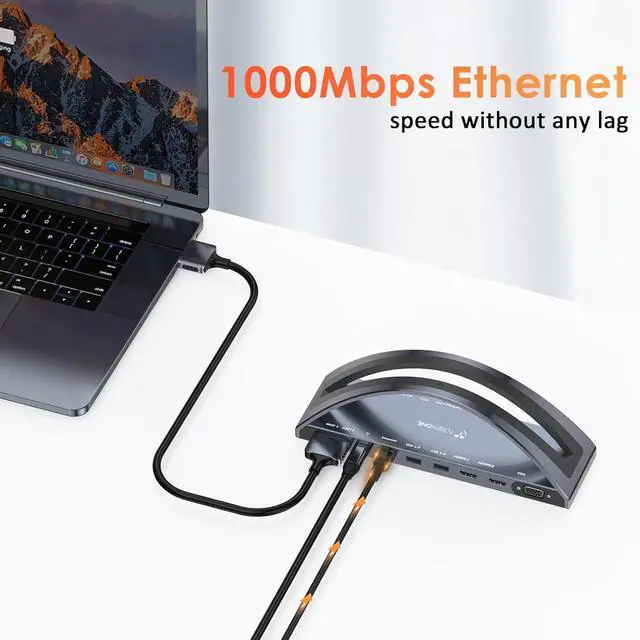
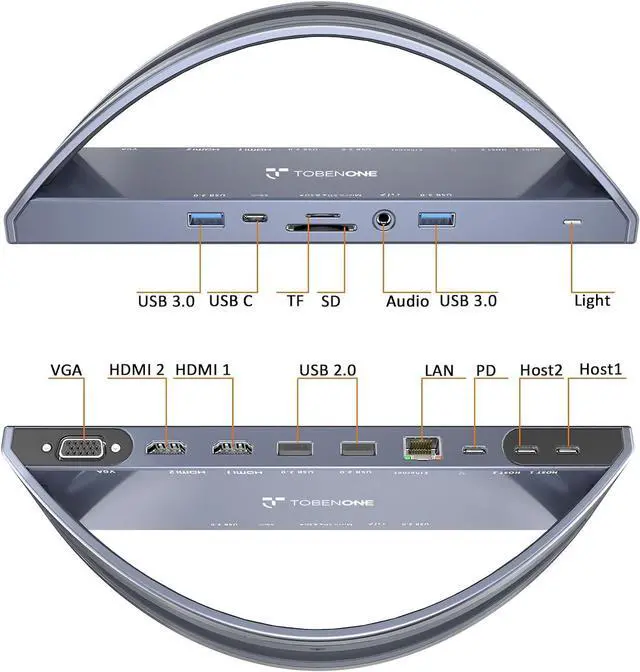
- Powerful USB C laptop dock stand: This USB C docking station dual monitor for macOS laptop are equipped with 2 4K HDMI and 1 VGA(for high-definition video output), USB C(5Gbps, only support data transfer), USB C PD 3.0(support max 100w input), 2 USB 3.0(up to 5Gbps), 2 USB 2.0 for wireless devices, SD/Micro SD(can read and write at the same time), RJ45 wired Gigabit Ethernet (10/100/1000Mbps) and 3.5 mm Audio, 2 USB C host(connect to the MacBook Pro and dock)
- Dual
+
+
Overview
Specs
Reviews

Any questions? Our AI mode will help you find out quickly.
Try me now
Designed for your
MacBook Pro/Air Dock: TobenONE USB C Dock Dual HDMI Station is compatible with your MacBook Pro and MacBook Air equipped with Intel, M1 Pro/Max, M2 Pro/Max, M3, M3 Pro/Max, and the latest M4, M4 Pro/Max chips.
Note: For MacBooks equipped with M1/M chips, only one screen can be expanded at most, and laptops with M3 chips can expand dual monitors when the cover is closed. Before purchasing, please confirm your MacBook Pro/Air laptop model, or you can consult us for more detailed compatibility information
Powerful USB C laptop dock stand: This USB C docking station dual monitor for macOS laptop are equipped with 2 4K HDMI and 1 VGA(for high-definition video output), USB C(5Gbps, only support data transfer), USB C PD 3.0 (support max 100w input), 2 USB 3.0 (up to 5Gbps), 2 USB 2.0 for wireless devices, SD/Micro SD (can read and write at the same time), RJ45 wired Gigabit Ethernet (10/100/1000Mbps) and 3.5 mm Audio, 2 USB C host (connect to the MacBook Pro and dock)
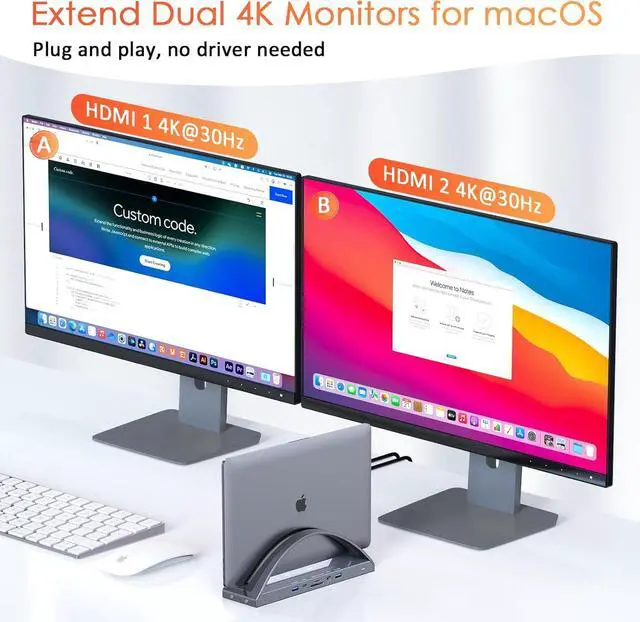
Dual 4K MacBook Pro Docking Station: You can access dual 4K@60Hz or 4K@30Hz additional monitors for your MacBooks laptop with HDMI1+HDMI2/VGA. You can extend 3 monitors for your MacBook Pro via two HDMI and VGA, but the HDMI2 and VGA will display the same content
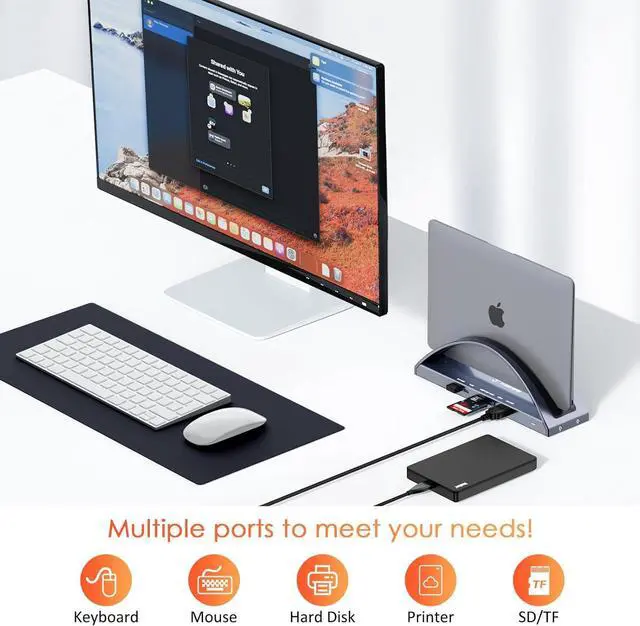
Superspeed Data Transfer docking station: This USB C MacBook Pro dock is equipped with 2 USB 3.0 ports and one USB C port which can transfer files at speeds up to 5 Gbps. 2 USB 2.0 ports allow you to connect wireless mouse/keyboard without lag. The SD/Micro SD slot is suitable for all kinds of data cards and can transfer files quickly (480Mbps) in a few seconds, improving your work efficiency.
Note: This USB C laptop docking station' s SD/Micro SD support 2 cards reading simultaneously
100W Power Delivery USB C hub: TobenONE MacBook Pro docking station dual monitor supports up to 100W power input (PD 3.0 ), and offers max 87W power charging for your MacBooks. You can quickly charge your MacBook Pro/Air laptop. Since this MacBook docking station doesn' t come with a power supply, you need to connect a USB C power supply with a power rating higher than 65W to the PD port so that the product can operate stably
Note: For MacBook models equipped with the M3 chip, if dual-display extension fails, it may be due to an outdated system version. Ensure your system is running macOS 14.6 or later. You can see the M3 chip' s system requirements on the official website. Additionally, disconnect all peripherals before updating the system. After updating, shut down and restart your laptop. Once restarted, reconnect peripherals and devices one by one
MacBook Pro/Air Dock: TobenONE USB C Dock Dual HDMI Station is compatible with your MacBook Pro and MacBook Air equipped with Intel, M1 Pro/Max, M2 Pro/Max, M3, M3 Pro/Max, and the latest M4, M4 Pro/Max chips.
Note: For MacBooks equipped with M1/M chips, only one screen can be expanded at most, and laptops with M3 chips can expand dual monitors when the cover is closed. Before purchasing, please confirm your MacBook Pro/Air laptop model, or you can consult us for more detailed compatibility information
Powerful USB C laptop dock stand: This USB C docking station dual monitor for macOS laptop are equipped with 2 4K HDMI and 1 VGA(for high-definition video output), USB C(5Gbps, only support data transfer), USB C PD 3.0 (support max 100w input), 2 USB 3.0 (up to 5Gbps), 2 USB 2.0 for wireless devices, SD/Micro SD (can read and write at the same time), RJ45 wired Gigabit Ethernet (10/100/1000Mbps) and 3.5 mm Audio, 2 USB C host (connect to the MacBook Pro and dock)
Dual 4K MacBook Pro Docking Station: You can access dual 4K@60Hz or 4K@30Hz additional monitors for your MacBooks laptop with HDMI1+HDMI2/VGA. You can extend 3 monitors for your MacBook Pro via two HDMI and VGA, but the HDMI2 and VGA will display the same content
Superspeed Data Transfer docking station: This USB C MacBook Pro dock is equipped with 2 USB 3.0 ports and one USB C port which can transfer files at speeds up to 5 Gbps. 2 USB 2.0 ports allow you to connect wireless mouse/keyboard without lag. The SD/Micro SD slot is suitable for all kinds of data cards and can transfer files quickly (480Mbps) in a few seconds, improving your work efficiency.
Note: This USB C laptop docking station' s SD/Micro SD support 2 cards reading simultaneously
100W Power Delivery USB C hub: TobenONE MacBook Pro docking station dual monitor supports up to 100W power input (PD 3.0 ), and offers max 87W power charging for your MacBooks. You can quickly charge your MacBook Pro/Air laptop. Since this MacBook docking station doesn' t come with a power supply, you need to connect a USB C power supply with a power rating higher than 65W to the PD port so that the product can operate stably
Note: For MacBook models equipped with the M3 chip, if dual-display extension fails, it may be due to an outdated system version. Ensure your system is running macOS 14.6 or later. You can see the M3 chip' s system requirements on the official website. Additionally, disconnect all peripherals before updating the system. After updating, shut down and restart your laptop. Once restarted, reconnect peripherals and devices one by one
Warranty & Returns
Warranty, Returns, And Additional Information
Warranty
- Please contact the Seller directly for warranty information. Warranty information may also be found on the Manufacturer's website.
- CONTACT
Return Policies
- Return for refund within: 30 days
- Return for replacement within: 30 days
- This item is covered by Nexus Drive Return Policy
Manufacturer Contact Info
- For a directory of all our manufacturers, please click below.
- Manufacturers Directory
LOADING...