

Your Browsing History



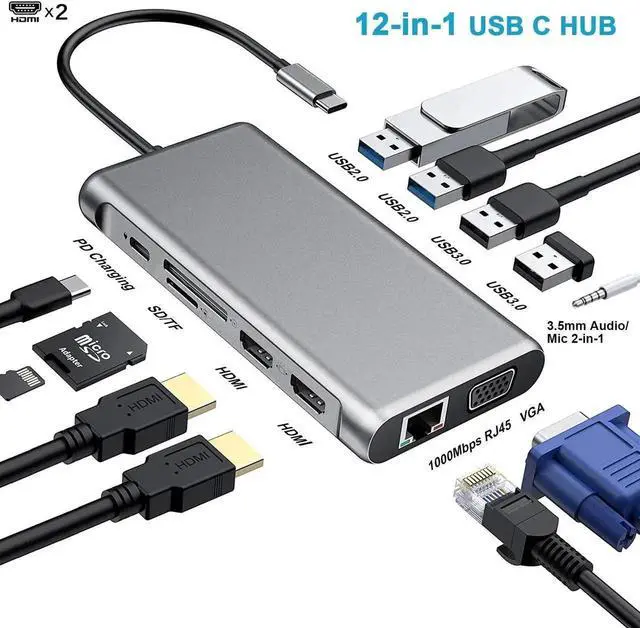


Docking Station Dual Monitor 12 in 1 USB C Hub Multiport Adapter Triple Display 4 USB Ports 2 HDMI VGA Gigabit Ethernet 100W PD TF/SD Audio for MacBook/Dell/HP/Lenovo Lap with Thunderbolt 3/4
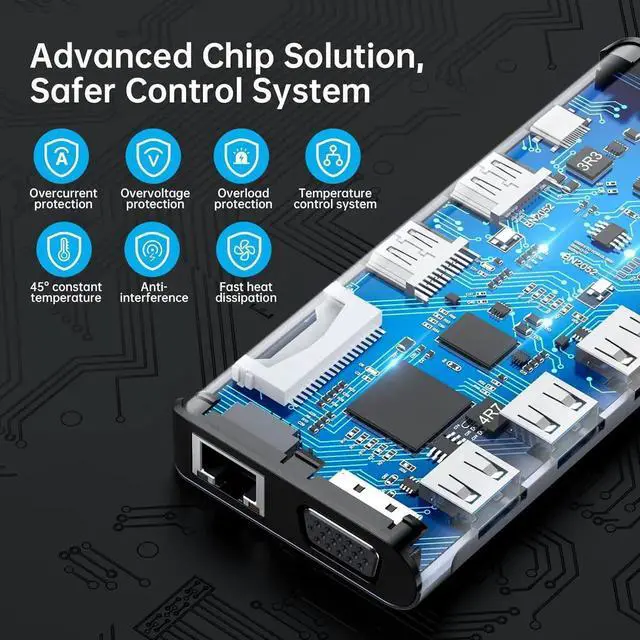
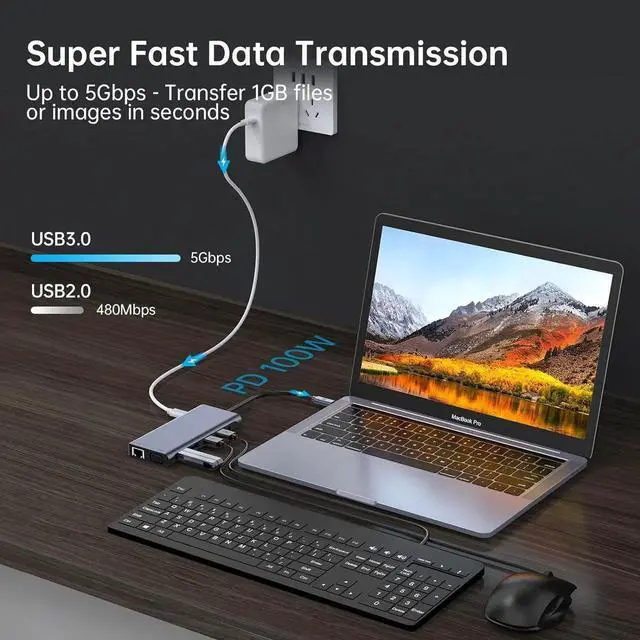
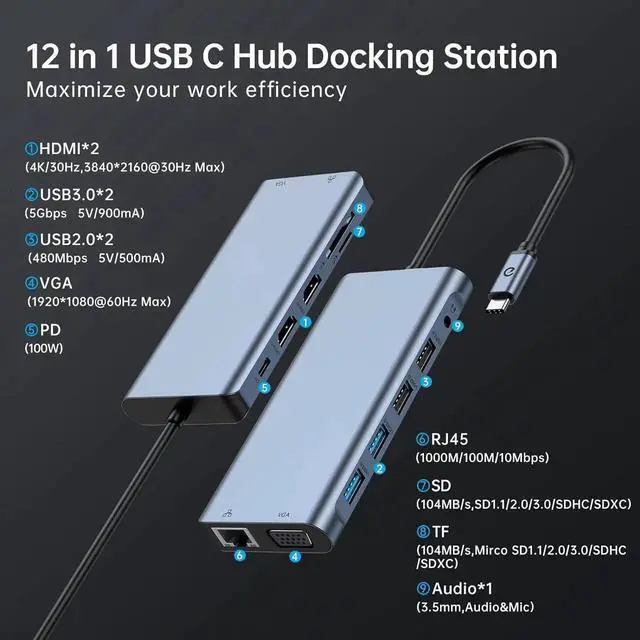
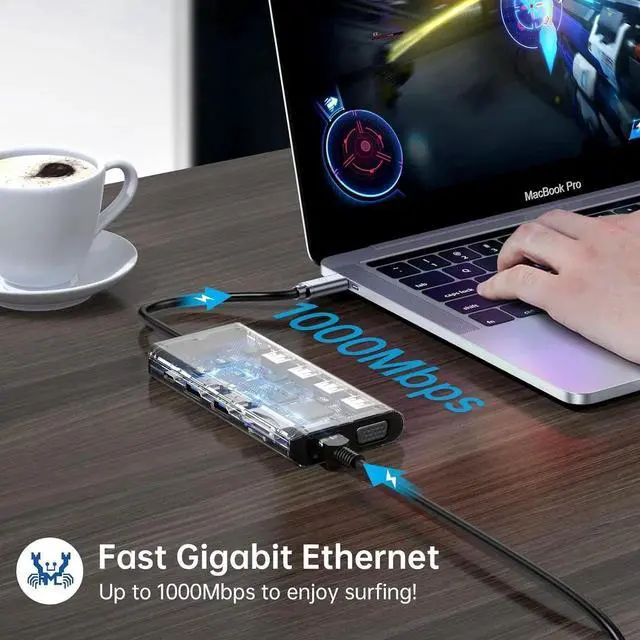
- Massive USB C Hub:12-in-1 USB C Hub Pro includes Ethernet/RJ-45 Port, Type C PD3.0 charging port, 2 USB 3.0 Ports, 2 USB 2.0 Ports, 2 HDMI-compatible video output with 4K resolution, VGA, and SD & TF card reader. Mic/Audio port in extremely compact and sleek design.
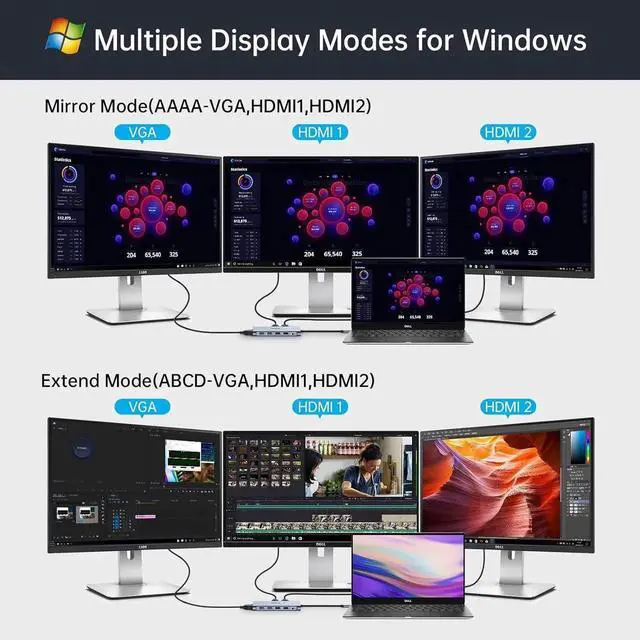
- Ultra HD 4K output& Triple display: mirror or extend your screen with the USB C adapter HDMI-compatible port and directly stream 4K UHD or full HD 1080P video to HDTV, monitors, or projectors for a cinema-like visual feast. Windows system supports Triple display. Connecting single HDMI-compatible supports up to 4K@30Hz and dual external monitor supports up to 1920x1080@60Hz on Windows.
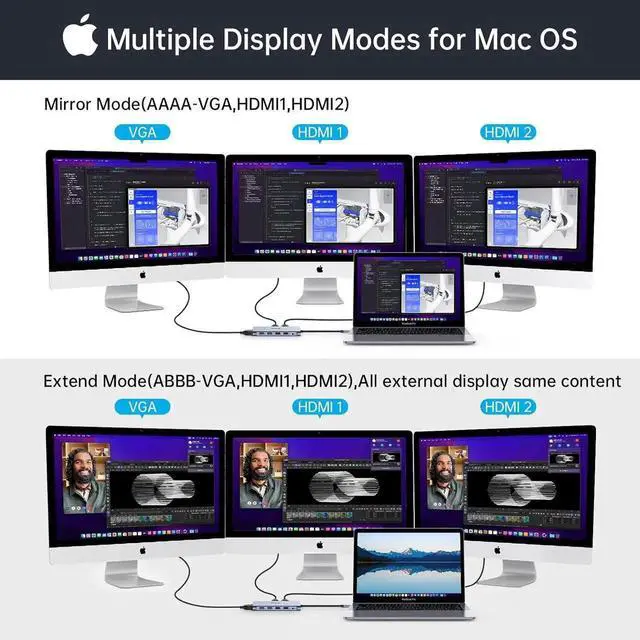
- Mirror/Non-Mirror Mode on Mac Os system: MAC OS system does not support MST. You can enjoy one private display content on your laptop and share all external monitors with another display content. Dual HDMI-compatible supports up to 4K(3840x2160@30Hz)on MAC OS system. The resolution is 1920x1080@60Hz when using VGA.
+
+
Overview
Specs
Reviews

Any questions? Our AI mode will help you find out quickly.
Try me now
Docking Station for Windows Laptops (Support Triple Display)
Windows supports triple display. But Please Note: When three monitors are connected, the four screens including the host will only display three screens, and the remaining one will be black screen
Note: For Window laptop, support HDMI display up to 3840*2160@30Hz. Once using the VGA port, the resolution will be limited to Max 1920x1080 displays @60Hz
Docking Station for MacBook (Does NOT support triple display)
MAC OS system does not support triple display. It only supports mirror mode and extend mode ( extend mode means all the external monitors show the same, but different from the host). It is the OS system restriction
Multiple Display USB C Docking Station Video Resolution Configurations:
Single Monitor: 1*4K@30Hz(3840x2160) (HDMI)
Single Monitor: 1*1080P@60Hz(1920x1080) (VGA)
Dual Monitors: 2*4K@30Hz (HDMI + HDMI),2*1080P@60Hz (HDMI + VGA)
Triple Monitors: 3*1080P@60Hz (HDMI + HDMI + VGA)
(To achieve optimal 3840 x 2160 resolution, please use it with a 4K screen display monitor)
Warranty & Returns
Warranty, Returns, And Additional Information
Warranty
- Please contact the Seller directly for warranty information. Warranty information may also be found on the Manufacturer's website.
- CONTACT
Return Policies
- Return for refund within: 30 days
- Return for replacement within: 30 days
- This item is covered by StarVelocity Technology Return Policy
Manufacturer Contact Info
- For a directory of all our manufacturers, please click below.
- Manufacturers Directory
LOADING...