

Your Browsing History
- $79.99
- Free 30-day Returns


Meet Your Seller




Docking Station Dual Monitor, USB C Laptop Docking Station Dual Monitor, Dual HDMI Adapter for 2 Monitors, 8 in 1 USB C Hub Multiport Adapter with HDMI/USB/PD/SD/TF
- About this item
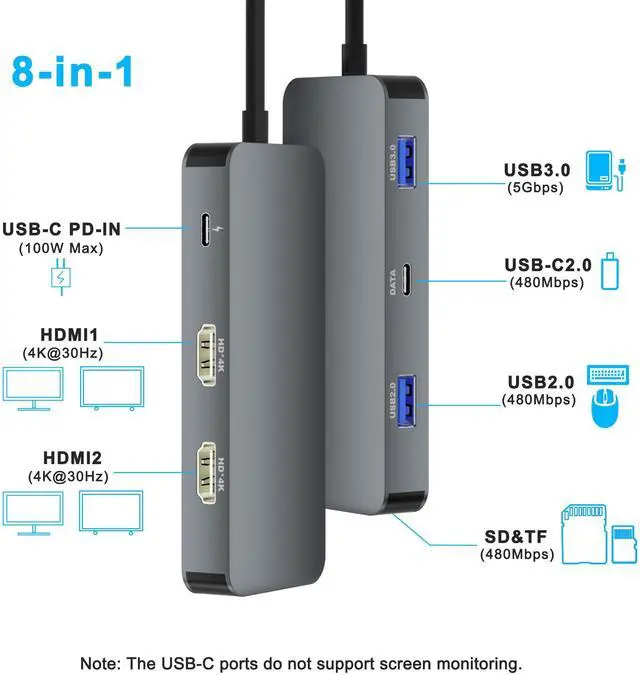
- 8 IN 1 Laptop Docking Station: This Laptop Docking Station converts your USB C Windows Laptops one Type C/Thunderbolt 3 port into 8 Ports: 2 x 4K@30Hz HDMI, 1 x USB 3.0, 1 x USB 2.0, 1 x USB C data, SD/TF card reader, 100W PD. Please note: not for all USB-C port laptops; make sure your laptop or PC supports video output (Thunderbolt 3/ Thunderbolt 4) or DP Alt Mode, which affects HDMI functionality.
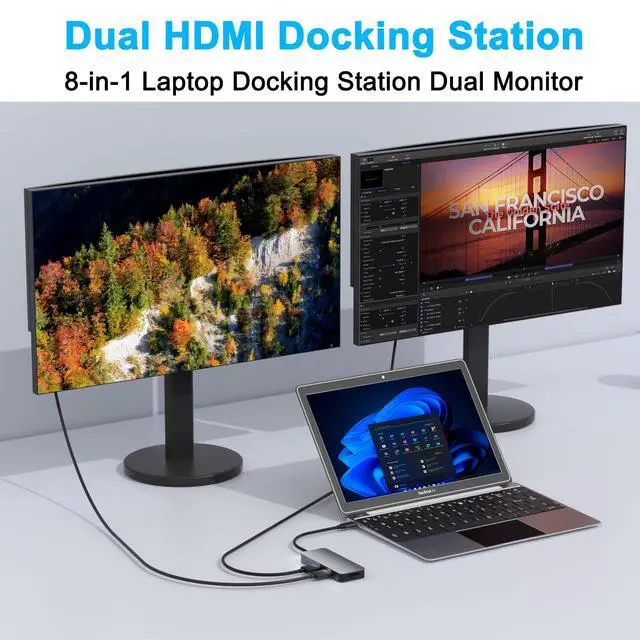
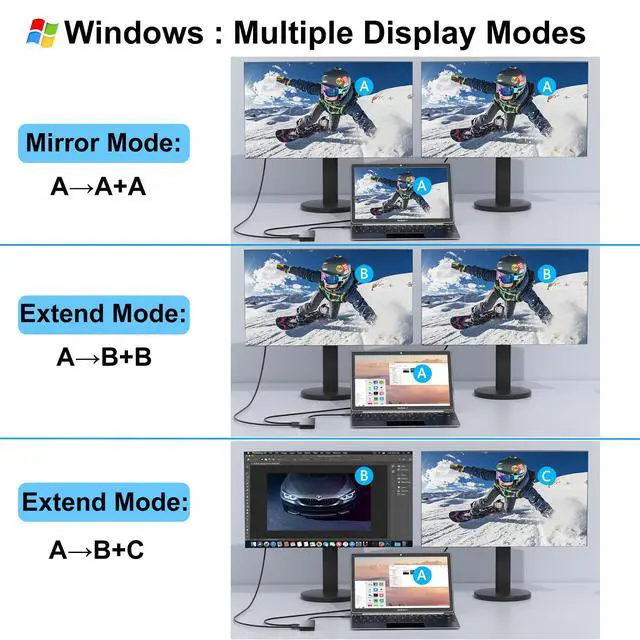
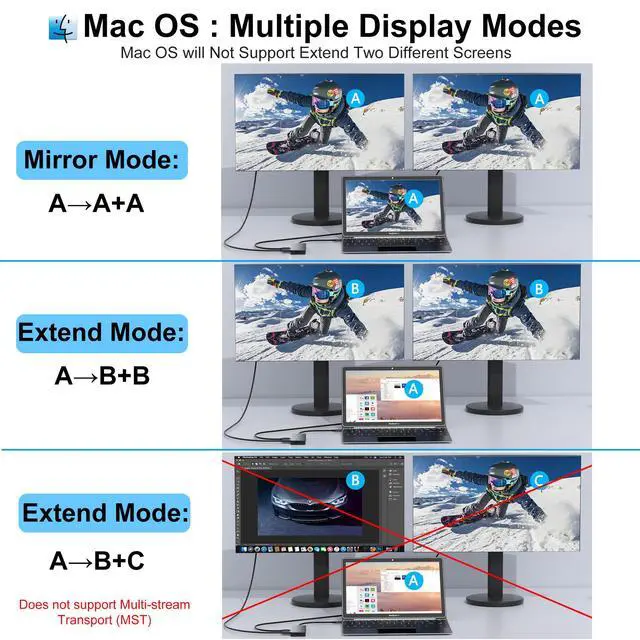
- Laptop Docking Station Dual Monitor: The USB C Dual HDMI adapter with 2 4K HDMI ports allows your USB C laptops to extend 2 different monitors, no drivers or software requiredjust plug and play. Supports both SST and MST modes. 2 HDMI ports can be used simultaneously, with a resolution of up to 4K@30Hz. Note: MacOS ONLY supports SST (Mirror Mode: display the SAME image) due to MacOS limitations. Windows supports MST (Extend Mode) and SST (Mirror Mode).
- Fast Data Transfer and SD/TF Card Reader: 3 USB ports (1 USB A 3.0, 1 USB A 2.0, 1 USB C data) facilitate high-speed data transfers (5Gbps for USB 3.0, 480Mbps for USB 2.0). We recommend connecting mouse and keyboard to USB 2.0. The SD/TF card reader can function independently with a writing/reading speed of 20MB/S, allowing quick access to files for Type-C devices; ideal for photographers, designers, and video editors. Note: The USB C data port is for data transfer only and does not support power delivery or monitor extension.
- 100W PD Powerful Charging: The Type-C PD port supports PD 3.0 protocol to qui
+
+
Specs
Reviews

Any questions? Our AI mode will help you find out quickly.
Try me now
Learn more about the Detailed Specifications
| First Listed on Newegg | March 12, 2026 |
|---|
Warranty & Returns
Warranty, Returns, And Additional Information
Warranty
- Please contact the Seller directly for warranty information. Warranty information may also be found on the Manufacturer's website.
- CONTACT
Return Policies
- Return for refund within: 30 days
- Return for replacement within: 30 days
- This item is covered by YingLiYingMeiKeJi Return Policy
Manufacturer Contact Info
- For a directory of all our manufacturers, please click below.
- Manufacturers Directory
LOADING...