

Your Browsing History
- $219.99
- Free 30-day Returns


Meet Your Seller

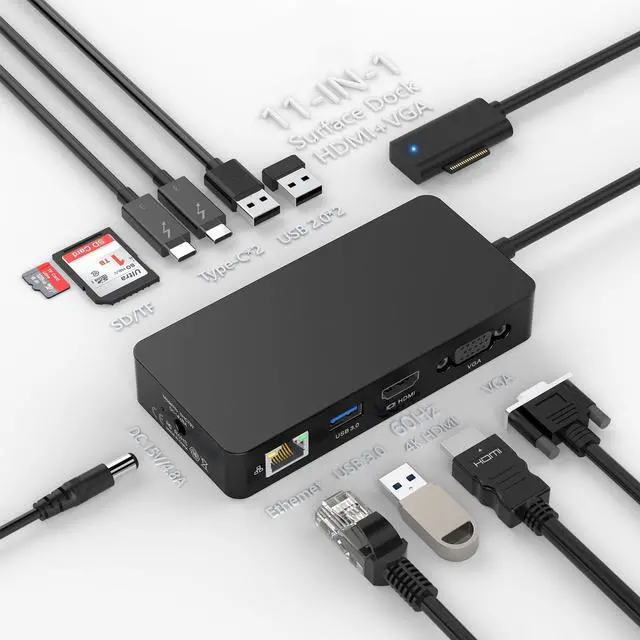
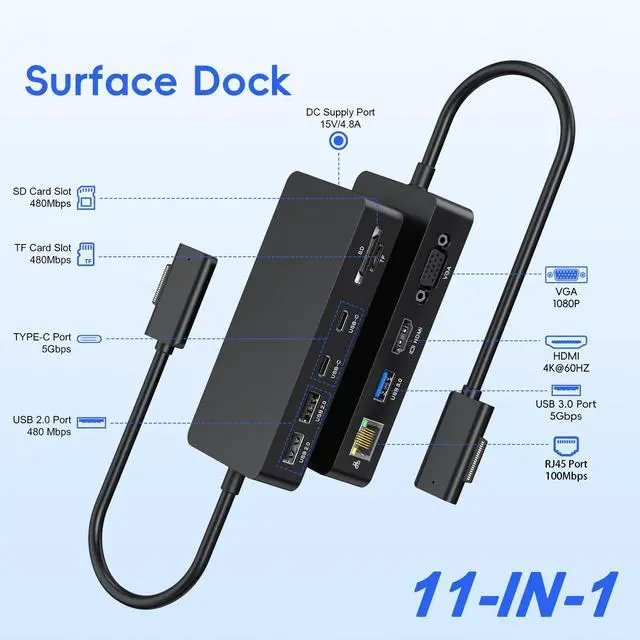


Surface Docking Station, 11-in-1 Surface Dock Dual Displays HDMI 4K@60HZ+VGA, Surface Pro Docking Station with Power Supply for Surface Pro 11/10/9/8/X/7/6/5/4/3, Book, Laptop, Go Dock
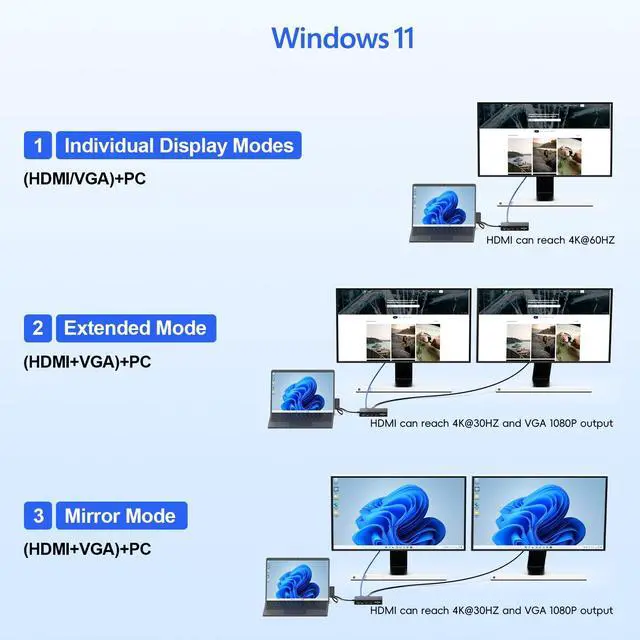
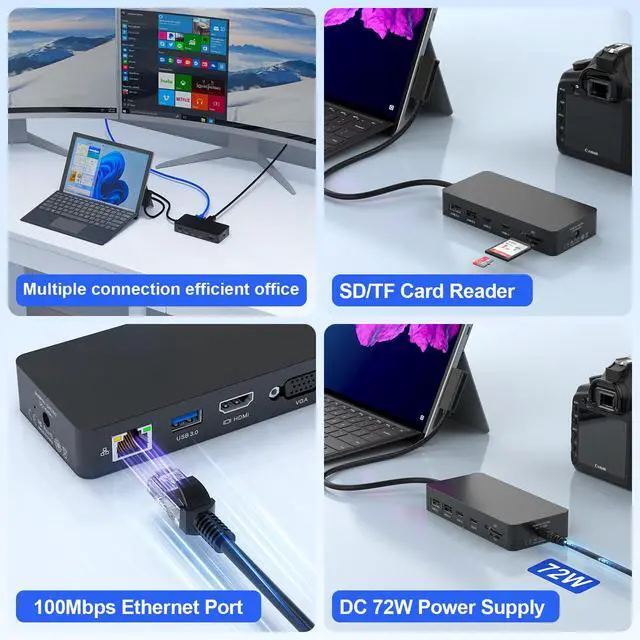
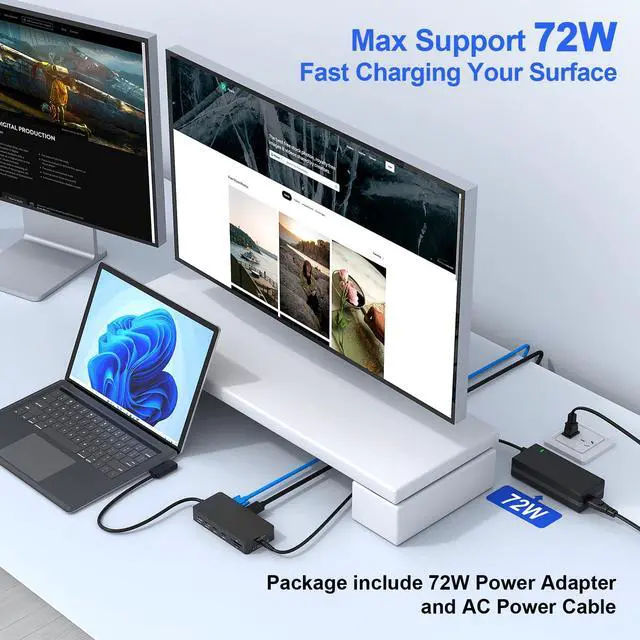
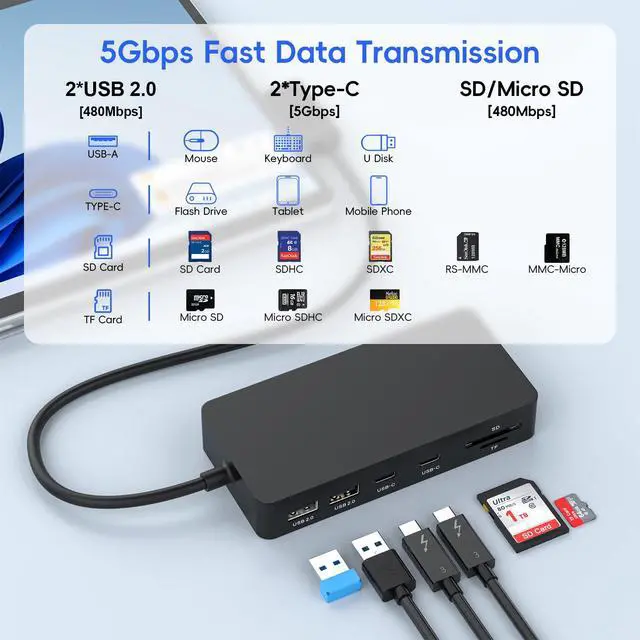
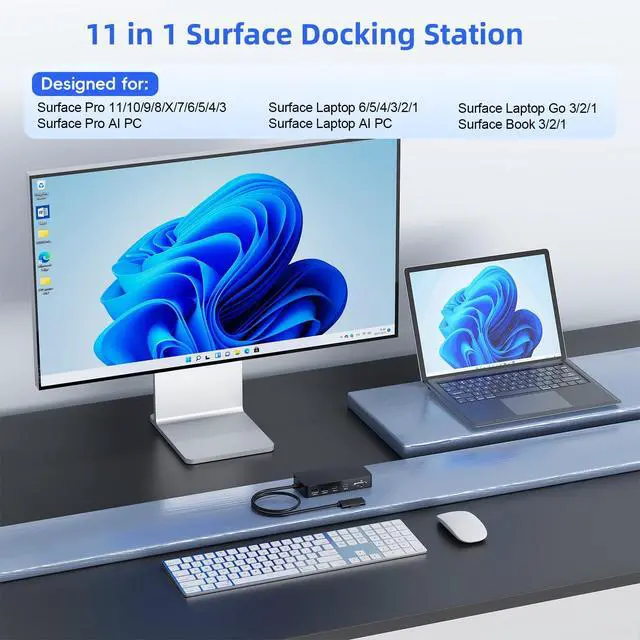
- This 11-in-1 Multi-Functional Surface Dock utilizes Surface Connection technology to provide extensive connectivity for your peripherals. It features a 4K@60Hz HDMI port, a 1080P@60Hz VGA port, a 100Mbps Gigabit RJ45 port, a USB A 3.0 port, two USB C data ports, two USB A 2.0 ports, an SD/TF card slot, and a 72W DC power port. Plug-and-play operation is simple and straightforward. Included is a magnetic surface connect cable, allowing you to transform your device into a desktop PC. Compatibility extends to Surface Pro 11/10/9/8/X/7/6/5/4/3, Surface Laptop 6/5/4/3/2/1, and Surface Laptop Go 3/2/1. For best results, attach the magnetic connector in the proper orientation and connect the power supply. This docking station enables dual monitor setups (HDMI+VGA) in either Extend or Mirror Mode, supporting up to two monitors for sharp, clear visuals. The 4K HDMI port delivers resolutions up to 3840 x 2160@60Hz, and the VGA port supports up to 1920 x 1080@60Hz. Note: When the VGA port is in use, all display outputs are limited to 1080P@60Hz. High-speed data transfer is available via the USB 3.0 port and two USB C ports, with speeds up to 5Gbps for fast photo and video transfers. Two USB 2.0 ports and a TF/SD Card Reader (up to 480Mbps) are ideal for connecting peripherals such as flash drives, hard drives, keyboards, mice, and printers. A built-in RJ45 Ethernet port offers a full 10/100Mbps connection for faster downloads, quicker file transfers, and reduced latency, ensuring a stab
+
+
Specs
Reviews

Any questions? Our AI mode will help you find out quickly.
Try me now
Learn more about the Detailed Specifications
| First Listed on Newegg | June 13, 2026 |
|---|
Warranty & Returns
Warranty, Returns, And Additional Information
Warranty
- Please contact the Seller directly for warranty information. Warranty information may also be found on the Manufacturer's website.
- CONTACT
Return Policies
- Return for refund within: 30 days
- Return for replacement within: 30 days
- This item is covered by PurePick Return Policy
Manufacturer Contact Info
- For a directory of all our manufacturers, please click below.
- Manufacturers Directory
LOADING...