

Your Browsing History

Meet Your Seller

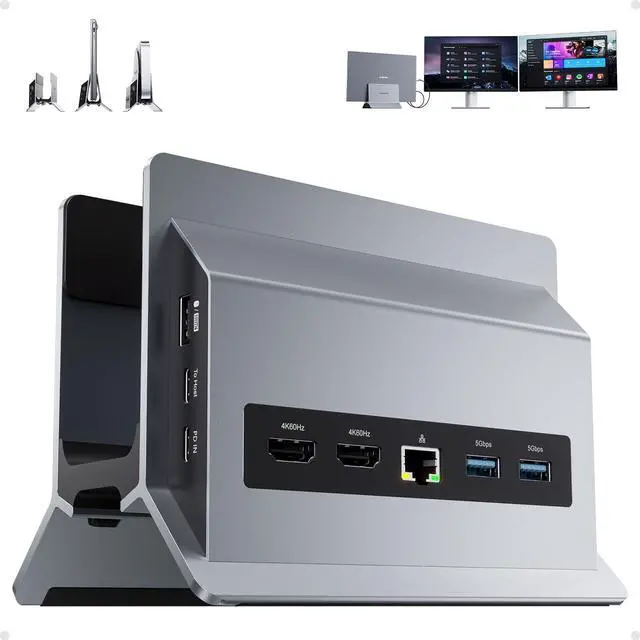
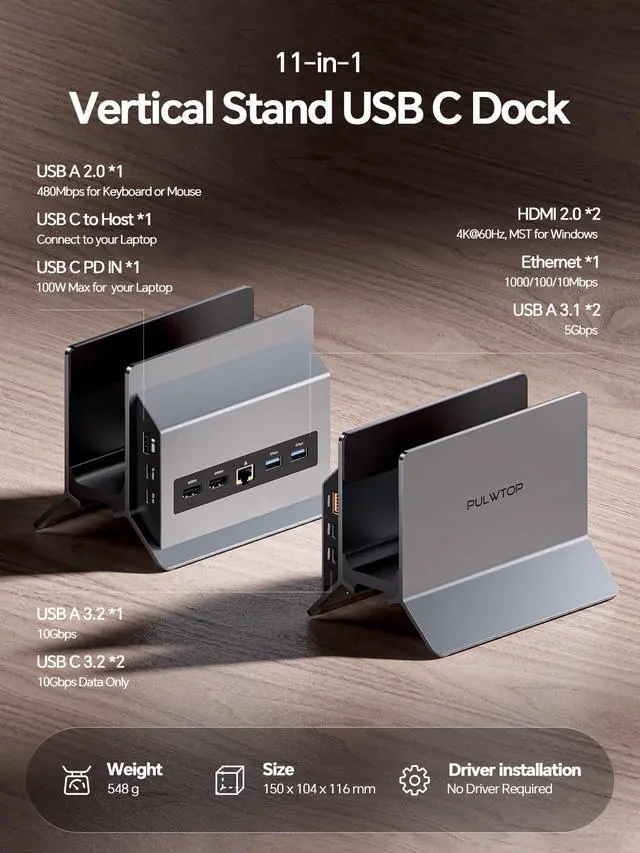
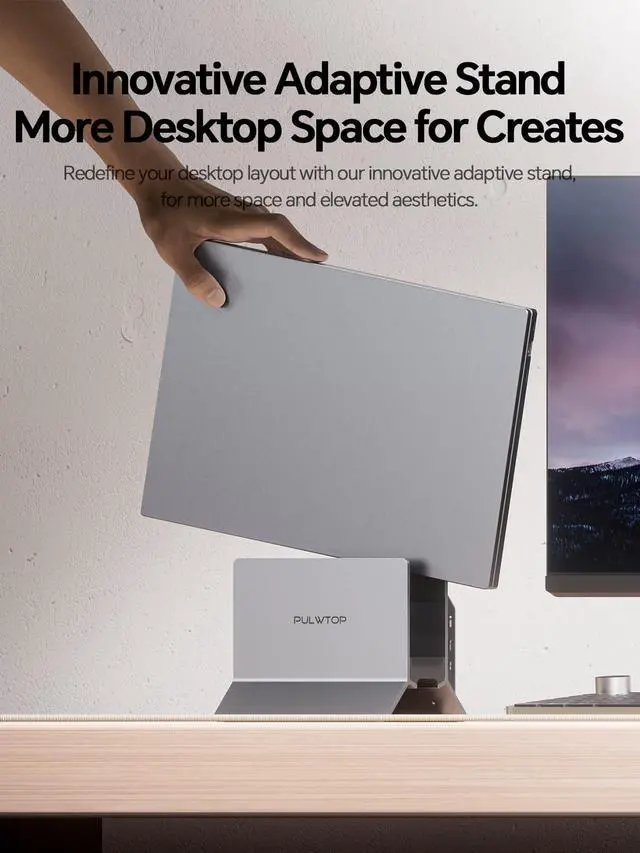


USB C Docking Station Dual Monitor 4K 60Hz, 11-in-1 Vertical Laptop Dock with Stand, 100W PD Charging, 10Gbps USB-C & USB-A, Gigabit Ethernet for Windows/Dell/Lenovo/HP Laptops
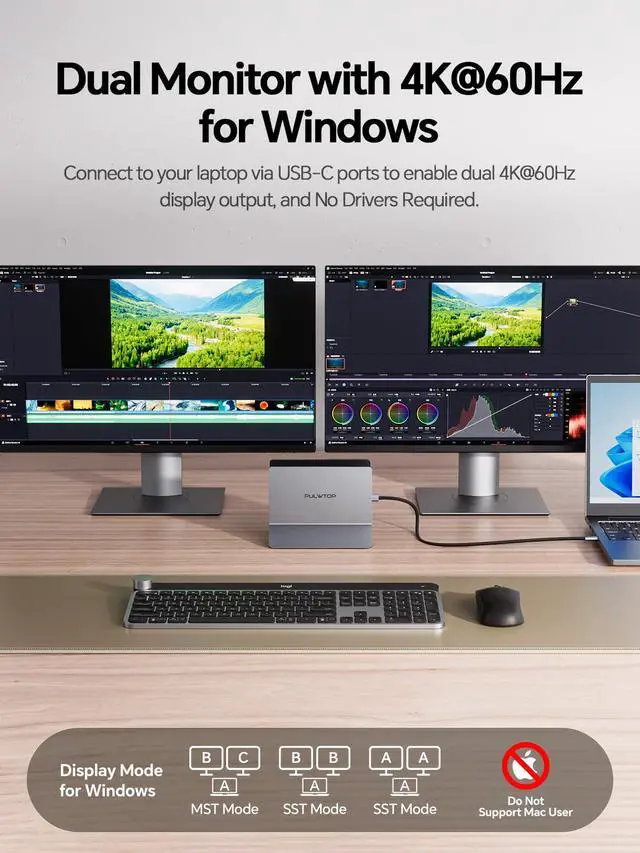
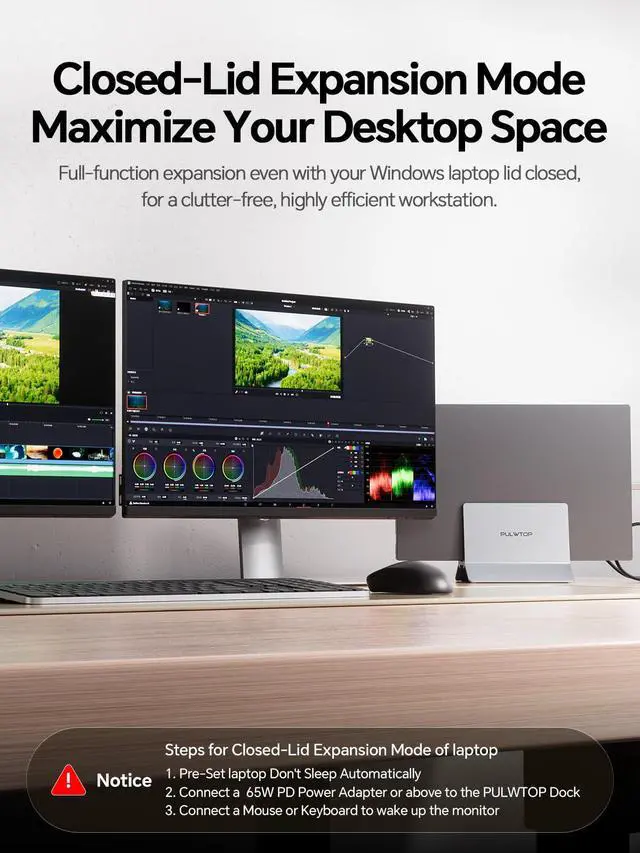
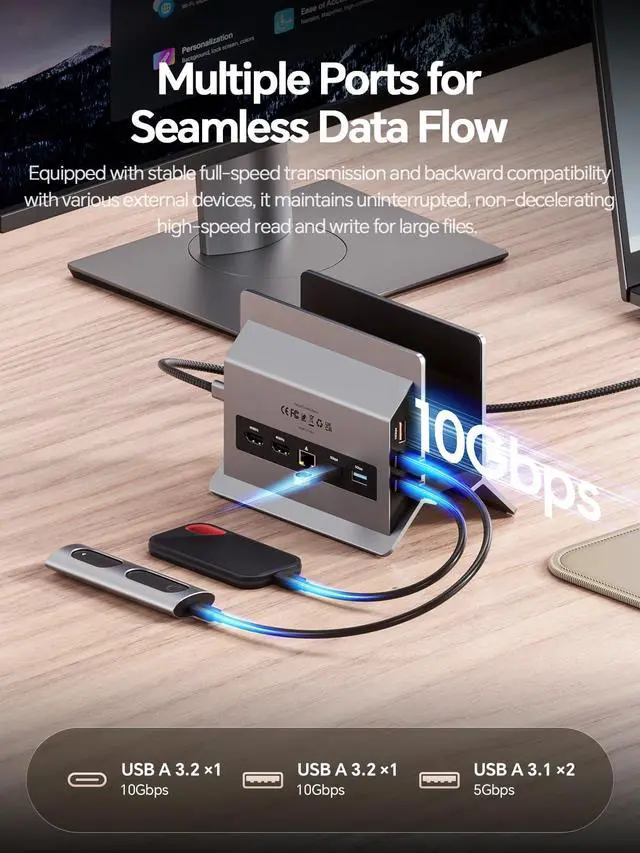
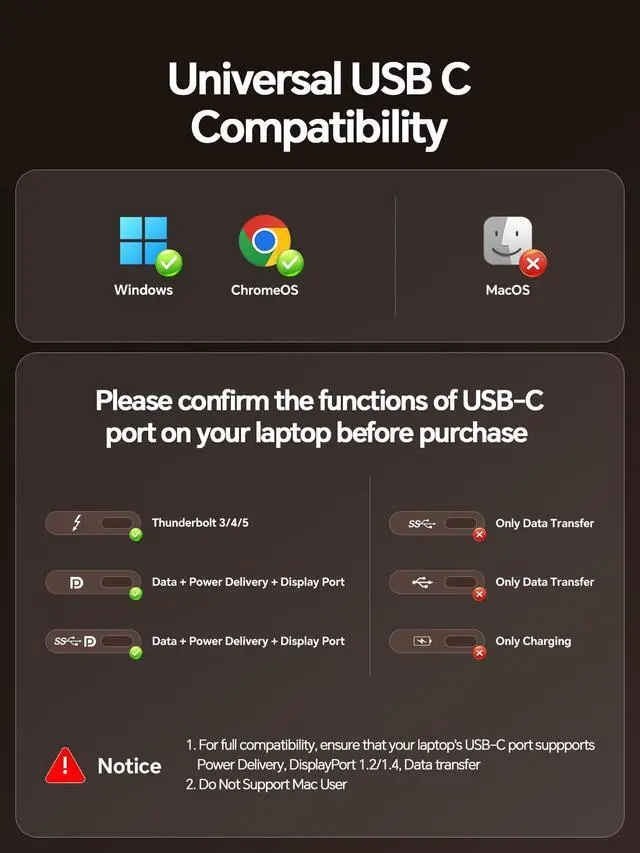
- This USB-C docking station provides comprehensive 11-in-1 connectivity, expanding your laptop's capabilities with 2x HDMI ports (4K@60Hz), 2x USB-C Gen2 ports (10Gbps), 1x USB-A Gen2 port (10Gbps), 2x USB 3.0 ports (5Gbps), a Gigabit Ethernet port, a USB 2.0 port, a USB-C PD 100W charging port, and a USB-C host port. It enables you to connect two external monitors for work, gaming, or entertainment, along with essential peripherals like a mouse, keyboard, and external drives, all through a single USB-C connection. Transform your laptop into a powerful dual-monitor workstation. Supporting MST (Multi-Stream Transport) mode, this dock can drive two 4K@60Hz displays in extended or mirrored configurations, ideal for multitasking, office work, creative projects, trading, or immersive gaming. Setup is plug-and-play with no drivers required. Note: It is not compatible with Mac systems. Experience high-speed data transfer with 10Gbps speeds via the USB-C 3.2 Gen 2 and USB-A 3.2 Gen 2 ports, perfect for moving 4K videos, photo libraries, and backups between laptops, external SSDs, flash drives, smartphones, and tablets. Two 5Gbps USB-A 3.0 ports connect printers and hard drives, while a dedicated USB-A 2.0 port provides stable, low-latency connections for a mouse and keyboard. Note: The USB-C ports do not support video output or charging. The dock includes a USB-C PD port supporting up to 100W input, delivering 85W to your laptop. The Gigabit Ethernet port ensures fast, stable wired in
+
+
Specs
Reviews

Any questions? Our AI mode will help you find out quickly.
Try me now
Learn more about the Detailed Specifications
| First Listed on Newegg | June 13, 2026 |
|---|
Warranty & Returns
Warranty, Returns, And Additional Information
Warranty
- Please contact the Seller directly for warranty information. Warranty information may also be found on the Manufacturer's website.
- CONTACT
Return Policies
- Return for refund within: 30 days
- Return for replacement within: 30 days
- This item is covered by PurePick Return Policy
Manufacturer Contact Info
- For a directory of all our manufacturers, please click below.
- Manufacturers Directory
LOADING...