

Your Browsing History

Meet Your Seller

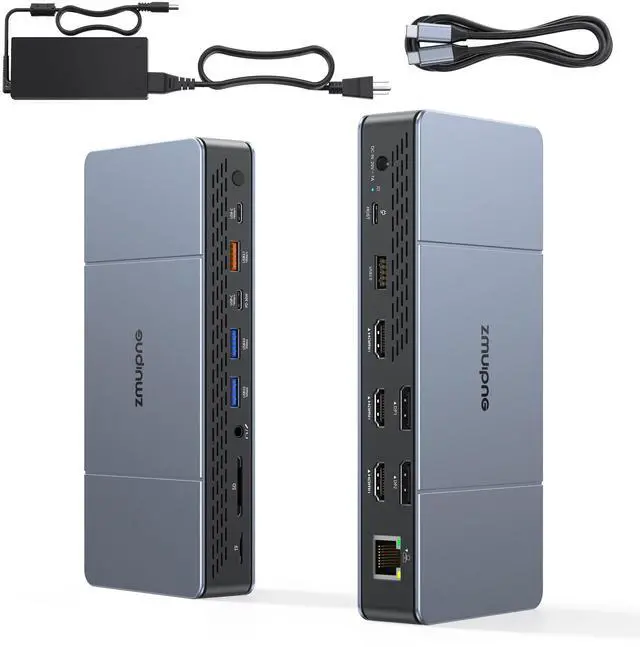
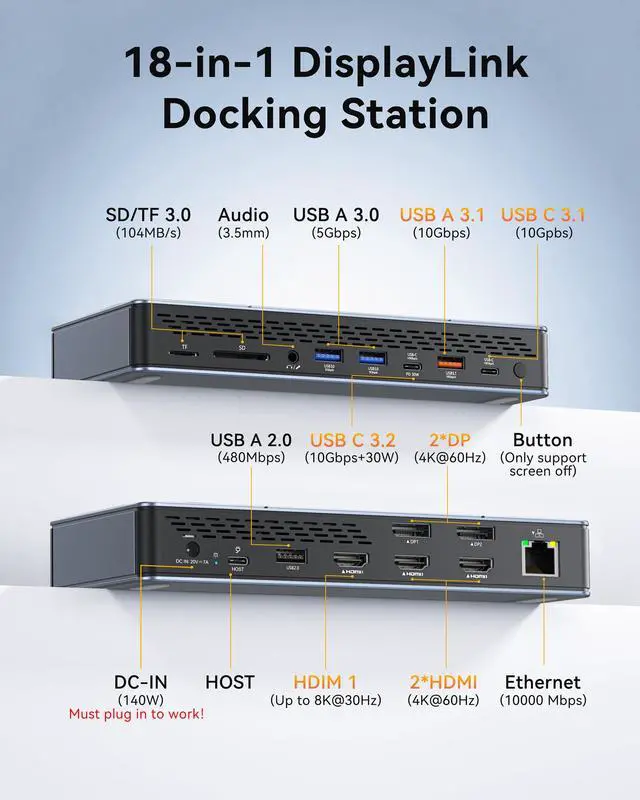
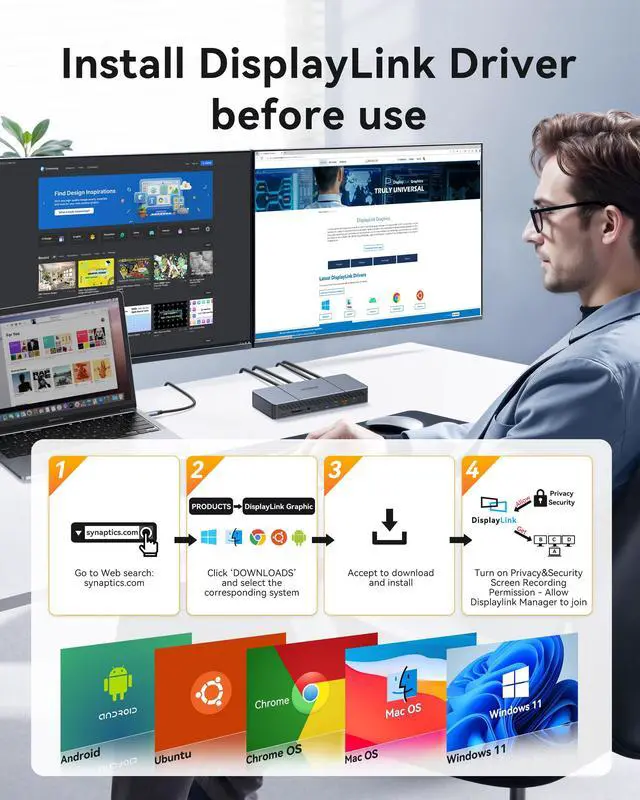
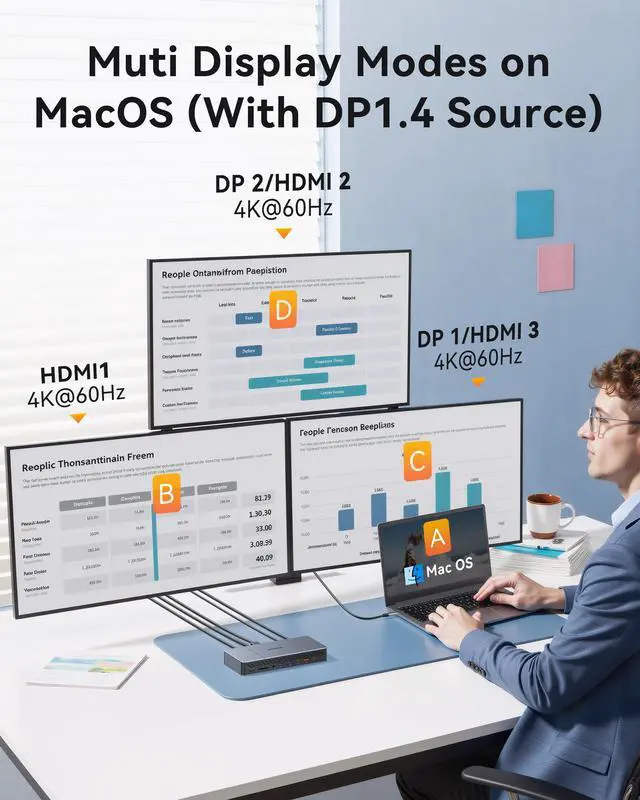


DisplayLink Docking Station 3 Monitors for MacBook M4/M3/M2/M1/USB-C Laptop Windows (DisplayLink Driver Required), 18-in-1 Mac Dock with 140W Power Adapter, 3 HDMI and 2 DP, 2 USB-C 3.2 and USB-A 3.1
Limited time offer, ends 07/06 By PurePick
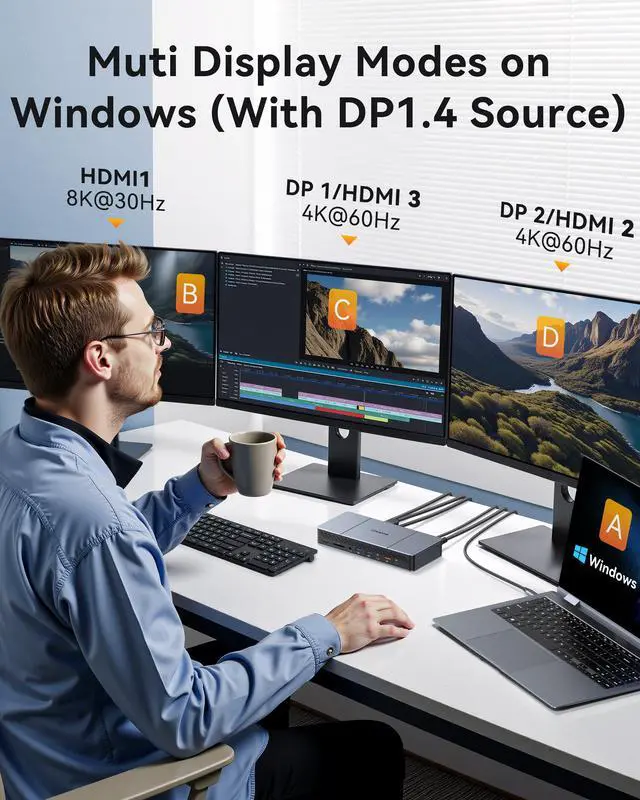
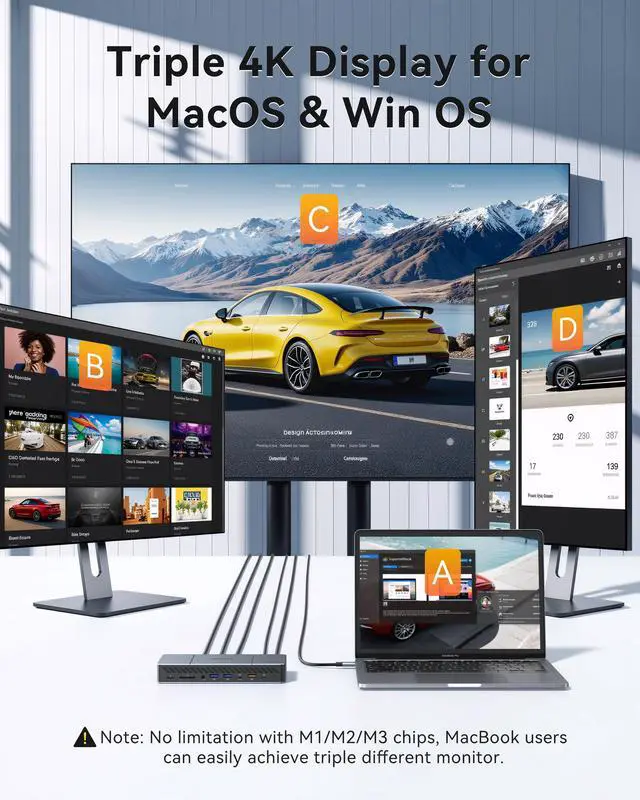
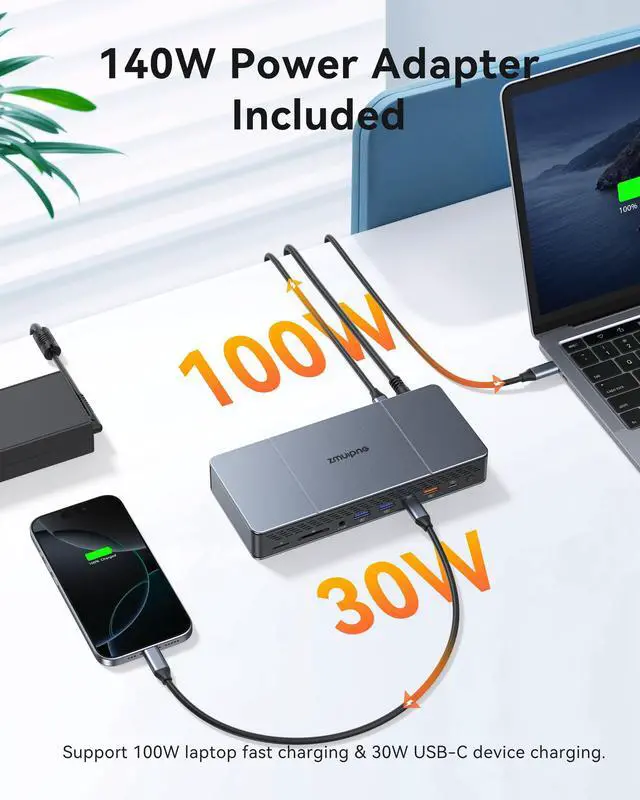
- Elevate your laptop into a command center with this docking station. It features 3 HDMI ports (HDMI 1 supports 8K@30Hz) and 2 DisplayPort ports (4K@60Hz). A total of 18 ports, including a 10Gbps USB-C 3.2 Gen2 port, USB 3.0/2.0 ports, a Gigabit Ethernet port, SD/Micro SD card reader slots, and an audio jack, expand your productivity for workstations and gaming setups. Experience a tri-screen powerhouse and glorious 8K resolution. Drive three vibrant 4K@60Hz displays simultaneously for ultimate multitasking. For Windows users with a DP1.4 source, connect a single monitor up to 8K resolution via the HDMI1 port for an immersive visual experience. Break through MacBook screen limits. By installing DisplayLink software, MacBook users can expand to up to 3 independent screens, bypassing macOS system mirroring restrictions. Note: You can only select one video port from each of the Display 1 and Display 2 port groups to pair with the HDMI 1 port for 3-screen expansion (e.g., HDMI2 + HDMI3 / DP1 + DP2 / DP1 + HDMI3 / DP2 + HDMI2). A powerful 140W adapter is included. It can fast-charge your MacBook at up to 100W (96W certified) and charge phones/tablets at up to 30W via the dedicated USB-C 3.2 Gen2 port. The docking station requires connection to this included 140W adapter for proper operation. Enjoy hyper-speed data transfer and pro-grade connectivity. With one 30W PD 10Gbps USB-C port, one USB-C 3.1 port, and one USB-A 3.1 port, this PC hub supports full-speed data transfer up to 10
+
+
Specs
Reviews

Any questions? Our AI beta will help you find out quickly.
Try me now
Learn more about the Detailed Specifications
| First Listed on Newegg | June 13, 2026 |
|---|
Warranty & Returns
Warranty, Returns, And Additional Information
Warranty
- Please contact the Seller directly for warranty information. Warranty information may also be found on the Manufacturer's website.
- CONTACT
Return Policies
- Return for refund within: 30 days
- Return for replacement within: 30 days
- This item is covered by PurePick Return Policy
Manufacturer Contact Info
- For a directory of all our manufacturers, please click below.
- Manufacturers Directory
LOADING...