Sold by Fornierwoly

Shipped by Fornierwoly

Price alert
Shop it at NeweggBusiness.

Meet Your Seller

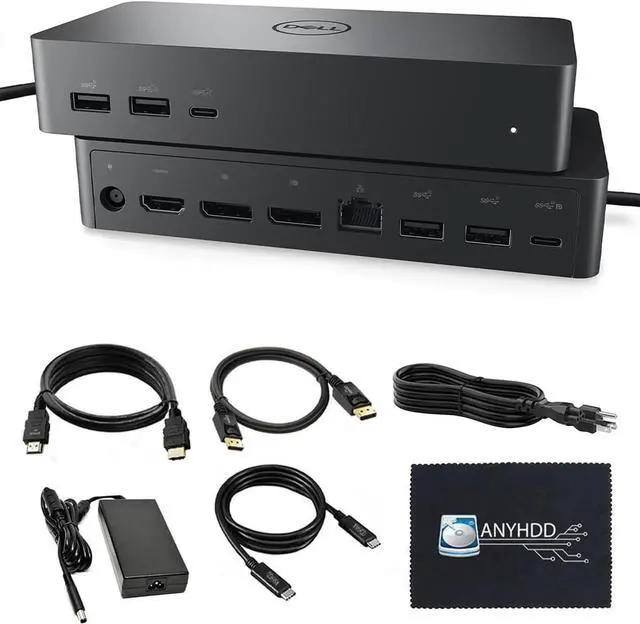
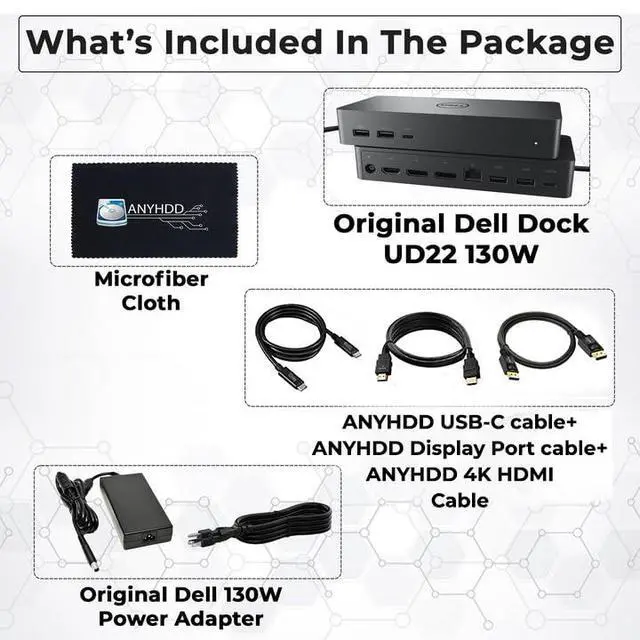
UD22 Dell Docking Station Dual Monitor Bundle - USB-C/USB-A Universal Dell Dock for Laptops Comes with 130W Adapter + HDMI, DisplayPort, USB-C Cables & Cloth - Supports Dual/Triple/4 Monitors

Limited time offer, ends 07/22 By Fornierwoly

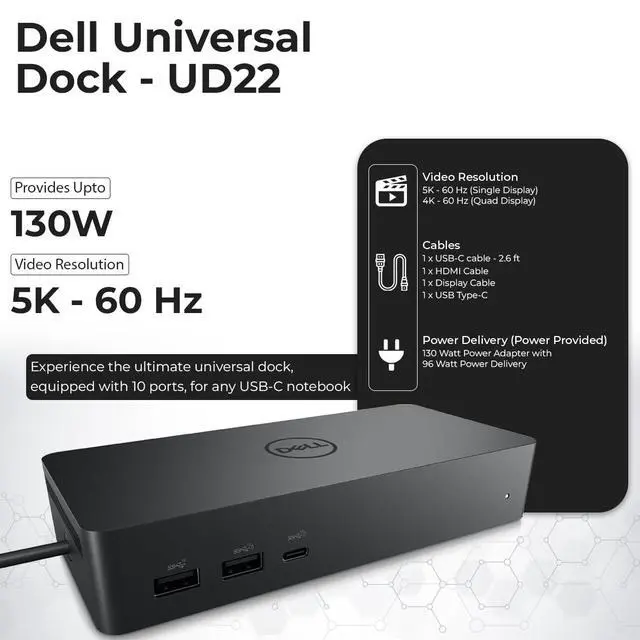
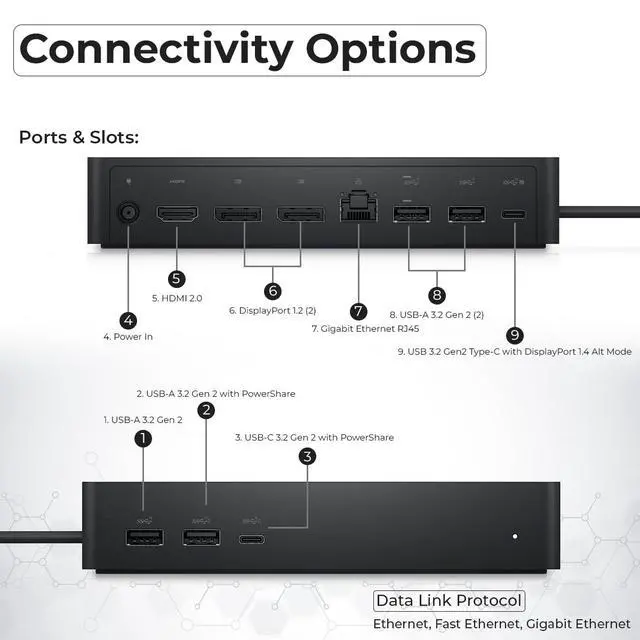
  • Enhance your collaborative workspaces with reliable support across various systems. Connect to any USB-C notebook and operate any operating system, including Windows, Ubuntu-OS, macOS, and ChromeOS. Maximize your efficiency by allowing connection of up to four 4K (60Hz) monitors using DisplayLink drivers. Ports include: 2 x display/video - DisplayPort - 20 pin DisplayPort (1.2), 1 x display/video - HDMI, 1 x USB-C 3.2 Gen 2/DisplayPort, 1 x USB 3.2 Gen 2 with PowerShare, 3 x USB 3.2 Gen 2, 1 x USB-C with PowerShare, 1 x network - RJ-45. Power Adapter is 130 Watt AC. Interfaces: USB, USB-C, HDMI, DisplayPort. A cable is included: 1x SuperSpeed USB-C cable (2.6 feet). Before purchase, please verify your computer is compatible with USB-C or Thunderbolt. If you experience problems, attempt updating the dock firmware for compatibility
+
+
Overview
Specs
Reviews
avatar

Any questions? Our AI beta will help you find out quickly.

Enhance your collaborative workspaces with reliable support across various systems. Connect to any USB-C notebook and operate any operating system, including Windows, Ubuntu-OS, macOS, and ChromeOS. Maximize your efficiency by allowing connection of up to four 4K (60Hz) monitors using DisplayLink drivers. Ports include: 2 x display/video - DisplayPort - 20 pin DisplayPort (1.2), 1 x display/video - HDMI, 1 x USB-C 3.2 Gen 2/DisplayPort, 1 x USB 3.2 Gen 2 with PowerShare, 3 x USB 3.2 Gen 2, 1 x USB-C with PowerShare, 1 x network - RJ-45. Power Adapter is 130 Watt AC. Interfaces: USB, USB-C, HDMI, DisplayPort. A cable is included: 1x SuperSpeed USB-C cable (2.6 feet). Before purchase, please verify your computer is compatible with USB-C or Thunderbolt. If you experience problems, attempt updating the dock firmware for compatibility

Warranty & Returns

Warranty, Returns, And Additional Information

Warranty

  • Please contact the Seller directly for warranty information. Warranty information may also be found on the Manufacturer's website.
  • CONTACT

Return Policies

Manufacturer Contact Info

LOADING...