

Your Browsing History




DisplayLink Laptop Docking Station, 4 HDMI, 4 DP, Quad Monitor 5K/4K@60Hz, Thunderbolt 5/4, USB-C/A, 180W Power, 100W Charging, SD 4.0 CR, 2.5Gbps LAN, M1M5 Mac/MacBook Neo/Windows/Chrome
Limited time offer, ends 09/14 By Eristy shop
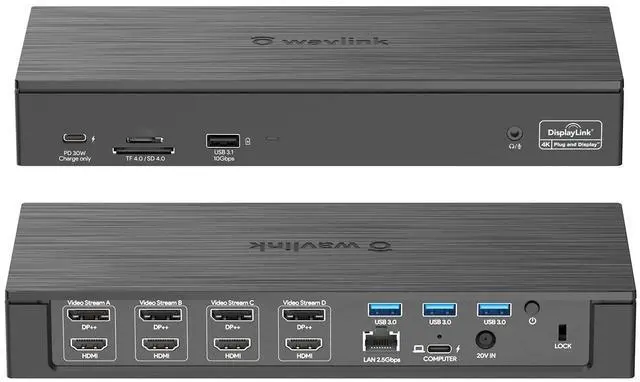
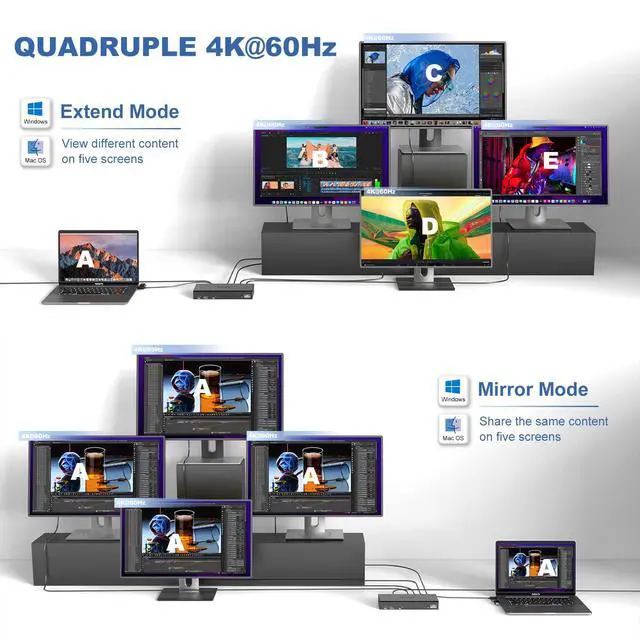
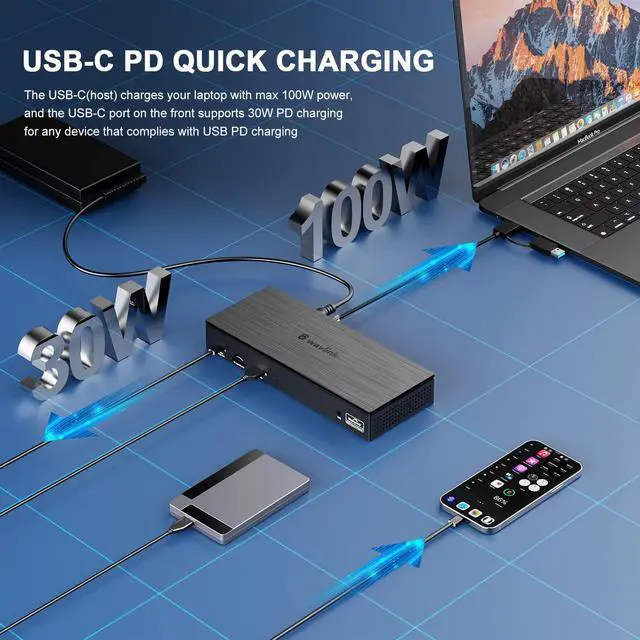
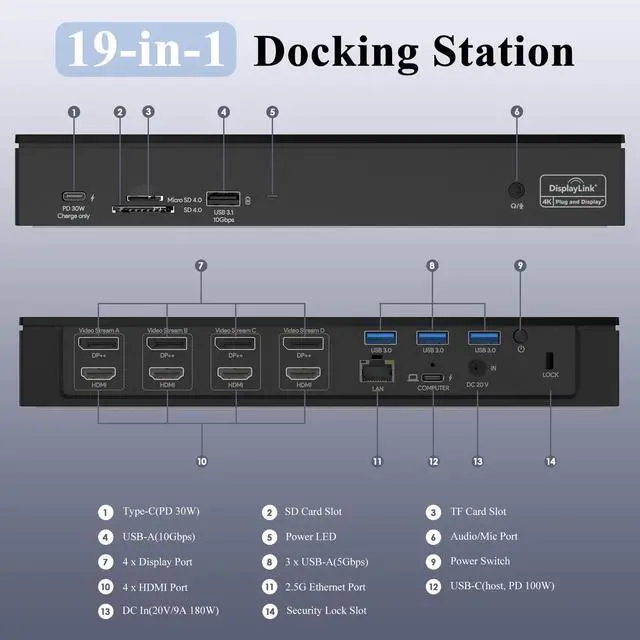
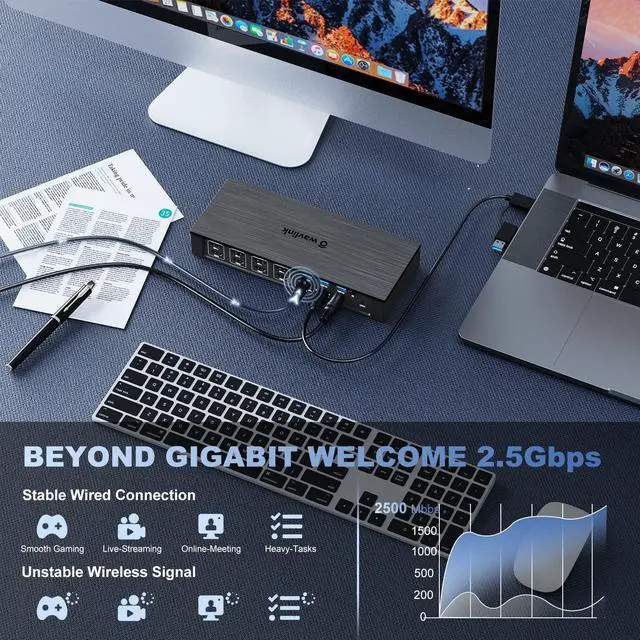
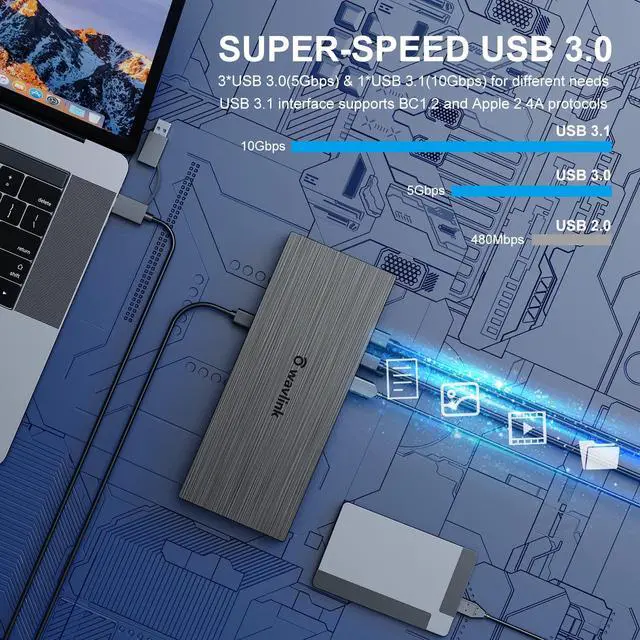
- 19-in-1 Docking Station: Features 4 HDMI, 4 DisplayPort, 100W host PD charging, 2.5Gbps RJ45 Ethernet, SD/TF card reader, PD 30W USB-C port (charge only), 3 USB-A ports (5Gbps), 1 USB-A port (10Gbps), and a 2-in-1 Audio & Mic. This docking station delivers an exceptional visual experience ideal for multitasking or streaming. 5K@60Hz Quad Display: Mirror or extend your screens to up to 4 external HDTVs, monitors, or projectors with resolution up to 5K (5120*1440)@60Hz via HDMI or DP port. Compatible with Thunderbolt 3, 4 and 5, USB-C Windows and Mac devices like Mac M1-M5, and New Macbook Neo. Note: Requires installation of DisplayLink Drivers before use. 100W Charging for your PC: Includes a 180W power adapter. This USB-C dock can charge your laptop up to 100W via the USB-C connector and charge your Type-C devices up to 30W via the PD port at the same time. Tips: 1) Please ensure the USB-C port of your device supports power delivery. 2) The USB-C port on the dock's front side does not support data transfer. Ultra-High Speed Data Transfer: 3 USB 3.0 ports provide easy data transfer up to 5Gbps. The USB 3.1 port offers 10Gbps data transmission and supports BC1.2 and Apple 2.4A fast charging. SD/TF card slots with a maximum speed of 312MB/s allow simultaneous work and support different memory card formats. Perfect for photographers, designers, and filmmakers. Stable Wired Internet: Up to 2.5Gbps high-speed wired connection ensures a more secure and stable network performance. A
+
+
Overview
Specs
Reviews

Any questions? Our AI mode will help you find out quickly.
Try me now
19-in-1 Docking Station: Features 4 HDMI, 4 DisplayPort, 100W host PD charging, 2.5Gbps RJ45 Ethernet, SD/TF card reader, PD 30W USB-C port (charge only), 3 USB-A ports (5Gbps), 1 USB-A port (10Gbps), and a 2-in-1 Audio & Mic. This docking station delivers an exceptional visual experience ideal for multitasking or streaming. 5K@60Hz Quad Display: Mirror or extend your screens to up to 4 external HDTVs, monitors, or projectors with resolution up to 5K (5120*1440)@60Hz via HDMI or DP port. Compatible with Thunderbolt 3, 4 and 5, USB-C Windows and Mac devices like Mac M1-M5, and New Macbook Neo. Note: Requires installation of DisplayLink Drivers before use. 100W Charging for your PC: Includes a 180W power adapter. This USB-C dock can charge your laptop up to 100W via the USB-C connector and charge your Type-C devices up to 30W via the PD port at the same time. Tips: 1) Please ensure the USB-C port of your device supports power delivery. 2) The USB-C port on the dock's front side does not support data transfer. Ultra-High Speed Data Transfer: 3 USB 3.0 ports provide easy data transfer up to 5Gbps. The USB 3.1 port offers 10Gbps data transmission and supports BC1.2 and Apple 2.4A fast charging. SD/TF card slots with a maximum speed of 312MB/s allow simultaneous work and support different memory card formats. Perfect for photographers, designers, and filmmakers. Stable Wired Internet: Up to 2.5Gbps high-speed wired connection ensures a more secure and stable network performance. A great solution for wireless problems such as dropped signals and spotty connections. Backward compatible with 10/100/1000Mbps. Connection Way: DP/HDMI (Video Stream A) + DP/HDMI (Video Stream B) + DP/HDMI (Video Stream C) + DP/HDMI (Video Stream D). This will greatly help you facilitate high-resolution works, graphically intensive images, video editing, CAD drawings, medical imagery, and more. Note: You can only connect either the DP port or HDMI port within the same video stream; if you plug in both, DP will be working, HDMI will not
Warranty & Returns
Warranty, Returns, And Additional Information
Warranty
- Please contact the Seller directly for warranty information. Warranty information may also be found on the Manufacturer's website.
- CONTACT
Return Policies
- Return for refund within: 30 days
- Return for replacement within: 30 days
- This item is covered by Eristy shop Return Policy
Manufacturer Contact Info
- For a directory of all our manufacturers, please click below.
- Manufacturers Directory
LOADING...