

Your Browsing History

Meet Your Seller


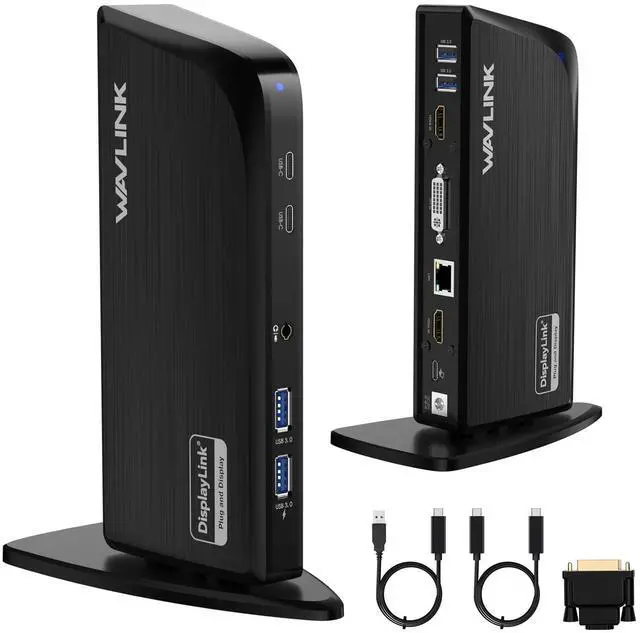



Displaylink Docking Station, 12-in-1 Triple Monitor Docking Station for Mac (DisplayLink Driver Required)/Windows/Chrome, 4K HDMI, 2K HDMI, 2K DVI, Gigabit Ethernet, 6X 5Gbps USB A/C, Audio
Limited time offer, ends 08/24 By Jeronrtion
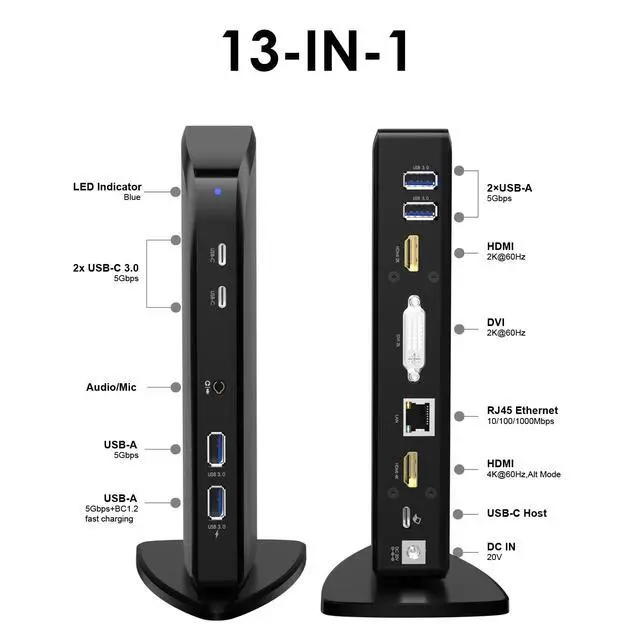
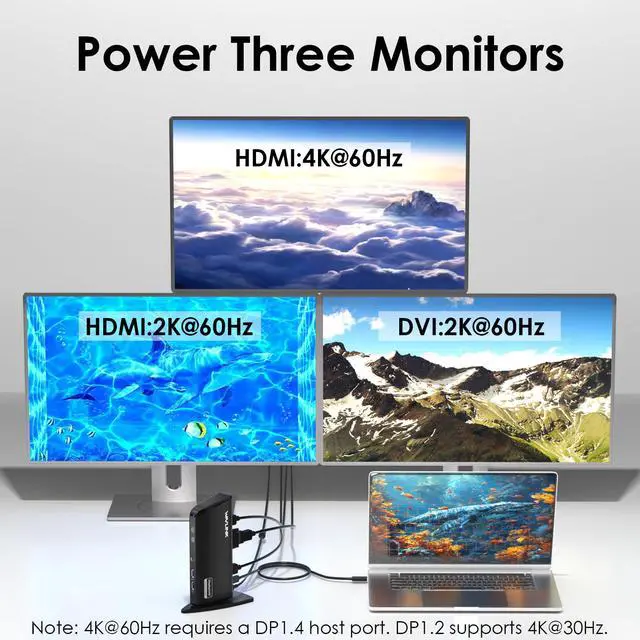
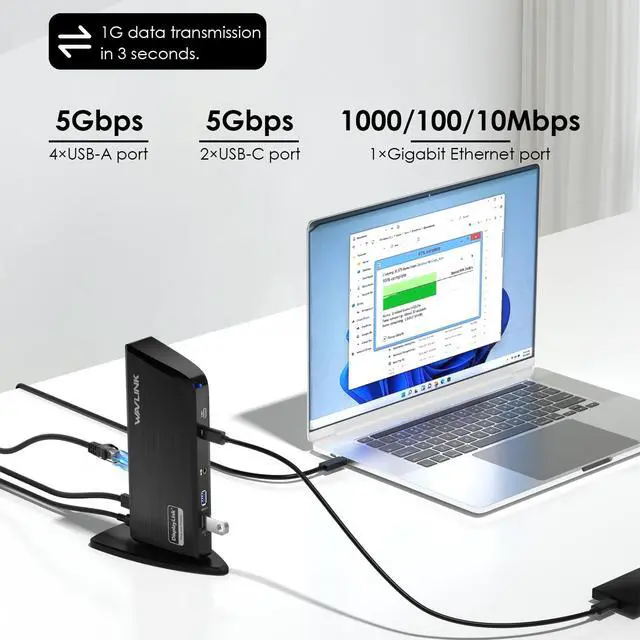
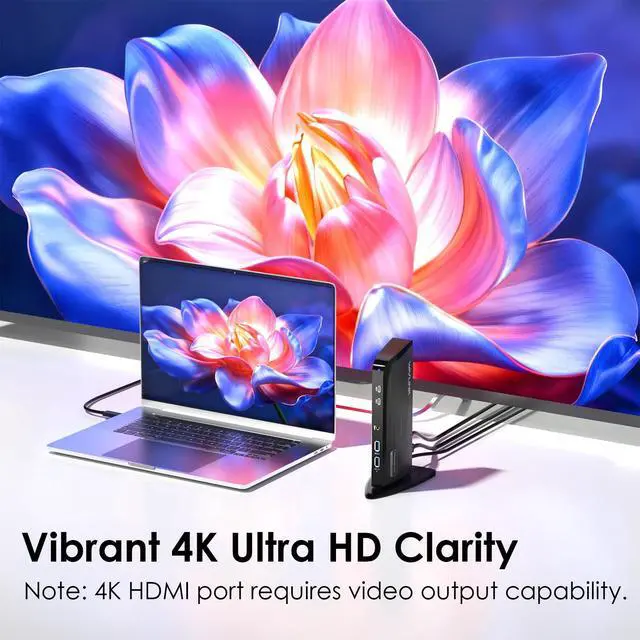
- This universal docking station enables triple display setups with one 4K HDMI (3840x2160@60Hz) plus two 2K outputs (HDMI and DVI) from a single USBC or USBA connection. It supports M1 to M5 MacBooks and MacBook Neo, and expands multi-monitor support on M1-M3 and Neo systems normally limited to one external display. This is a practical solution for organizations standardizing workstations across mixed device fleets. It does not charge laptops. The unit features 12 ports: one 4K HDMI port, one 2K HDMI port, one 2K DVI port, six 5Gbps USB ports (four USB-A and two USBC), Gigabit Ethernet, and a 3.5mm audio jack. Both USBC to C and USBA to C host cables are included, allowing compatibility with newer and older laptops, while the compact vertical design helps reduce desk clutter. It is designed for Windows and is compatible with MacBook Neo, macOS, and ChromeOS environments. Windows installs drivers automatically via Windows Update, macOS requires DisplayLink software installation for external displays, and ChromeOS works without additional setup. This makes it ideal for IT-managed deployments across multiple operating systems. The docking station is optimized for office and productivity use, including business software, web applications, and everyday productivity workflows. It does not support HDCP, so it cannot play encrypted or copyright-protected content such as Netflix or Hulu. It is not recommended for gaming or full-screen video playback. What you'll get: 1 x USB-C 4K
+
+
Overview
Specs
Reviews

Any questions? Our AI mode will help you find out quickly.
Try me now
This universal docking station enables triple display setups with one 4K HDMI (3840x2160@60Hz) plus two 2K outputs (HDMI and DVI) from a single USBC or USBA connection. It supports M1 to M5 MacBooks and MacBook Neo, and expands multi-monitor support on M1-M3 and Neo systems normally limited to one external display. This is a practical solution for organizations standardizing workstations across mixed device fleets. It does not charge laptops. The unit features 12 ports: one 4K HDMI port, one 2K HDMI port, one 2K DVI port, six 5Gbps USB ports (four USB-A and two USBC), Gigabit Ethernet, and a 3.5mm audio jack. Both USBC to C and USBA to C host cables are included, allowing compatibility with newer and older laptops, while the compact vertical design helps reduce desk clutter. It is designed for Windows and is compatible with MacBook Neo, macOS, and ChromeOS environments. Windows installs drivers automatically via Windows Update, macOS requires DisplayLink software installation for external displays, and ChromeOS works without additional setup. This makes it ideal for IT-managed deployments across multiple operating systems. The docking station is optimized for office and productivity use, including business software, web applications, and everyday productivity workflows. It does not support HDCP, so it cannot play encrypted or copyright-protected content such as Netflix or Hulu. It is not recommended for gaming or full-screen video playback. What you'll get: 1 x USB-C 4K Triple Display Universal Docking Station, 1x USB-C to C Cable (IM), 1x USB-A to C Cable (IM), 1 x Power Adapter (20V/2A), 1 x DVI to HDMI Adapter, 1 x Quick Start Guide. Note: For Mac: Install DisplayLink driver, then grant permission in System Settings > Privacy & Security > Screen Recording. For Windows: It is plug-and-play ready
Warranty & Returns
Warranty, Returns, And Additional Information
Warranty
- Please contact the Seller directly for warranty information. Warranty information may also be found on the Manufacturer's website.
- CONTACT
Return Policies
- Return for refund within: 30 days
- Return for replacement within: 30 days
- This item is covered by Jeronrtion Return Policy
Manufacturer Contact Info
- For a directory of all our manufacturers, please click below.
- Manufacturers Directory
LOADING...