

Your Browsing History
- $199.99
- Free 30-day Returns

Meet Your Seller




DisplayLink Docking Station, 14 in 1 Laptop USB C Docking Station Triple Monitors, Universal for MacBook and Windows,USB C Dock with USB-A & Cable, 2HDMI, VGA, 4USB-A
Limited time offer, ends 09/14 By Ceelys Store
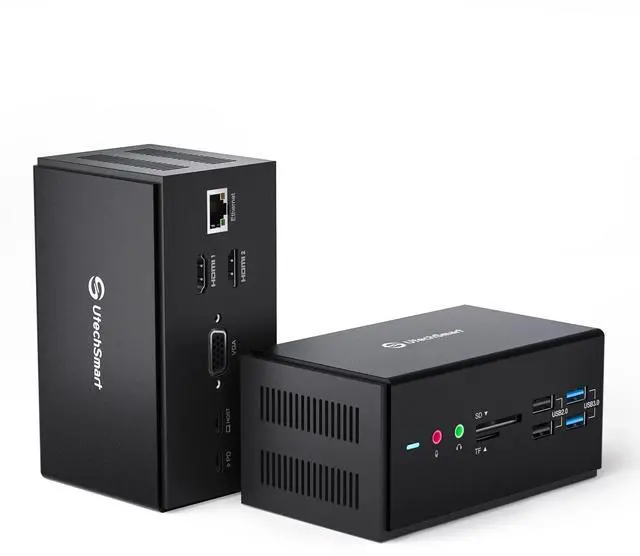
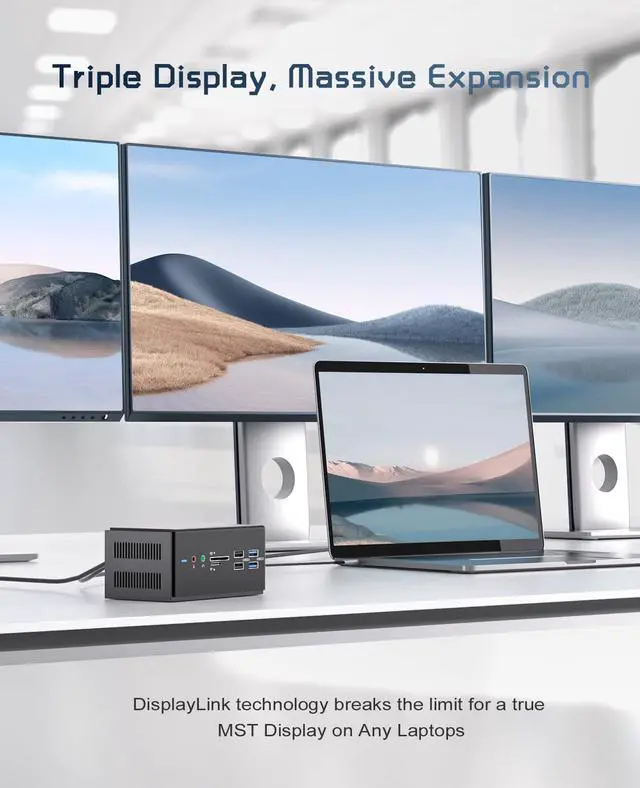
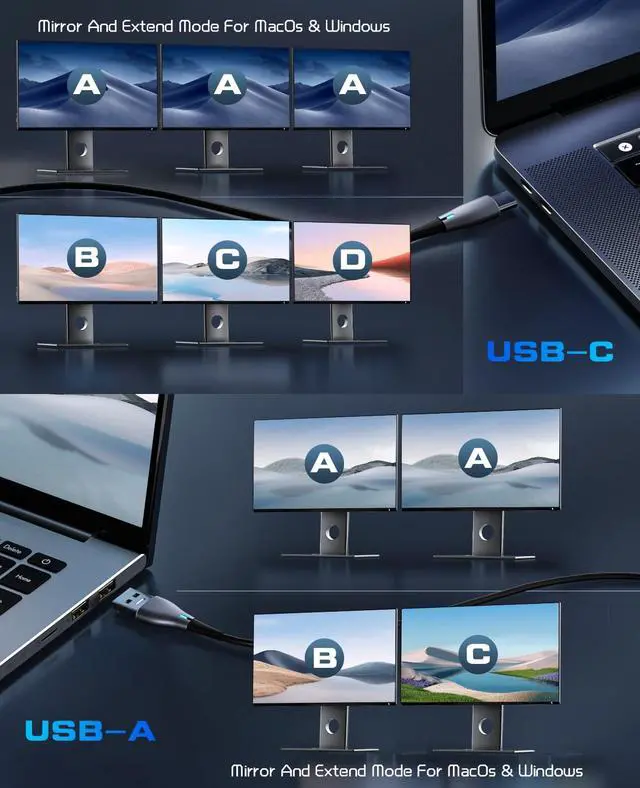
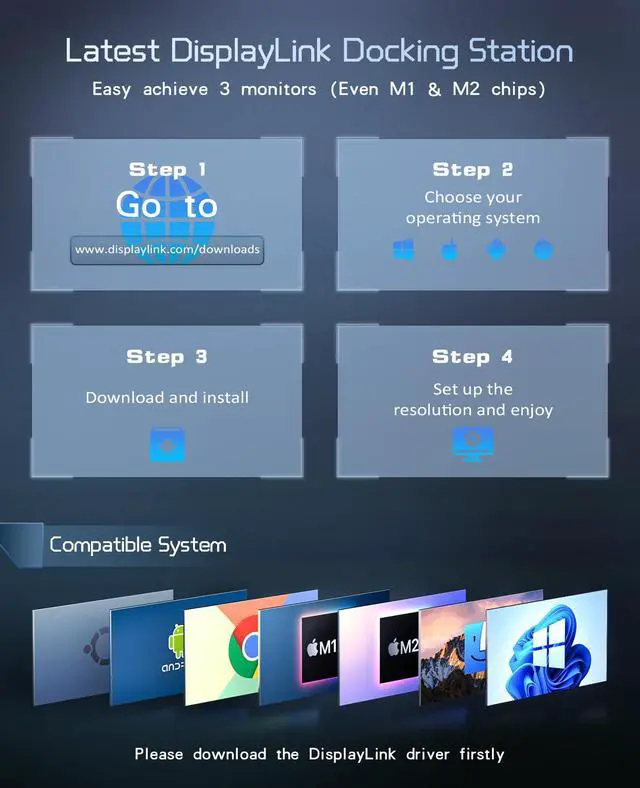
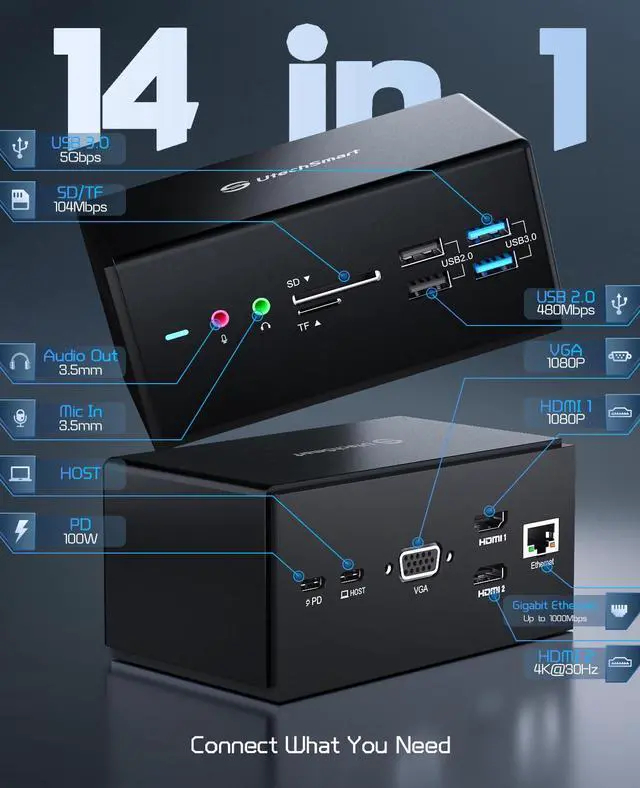
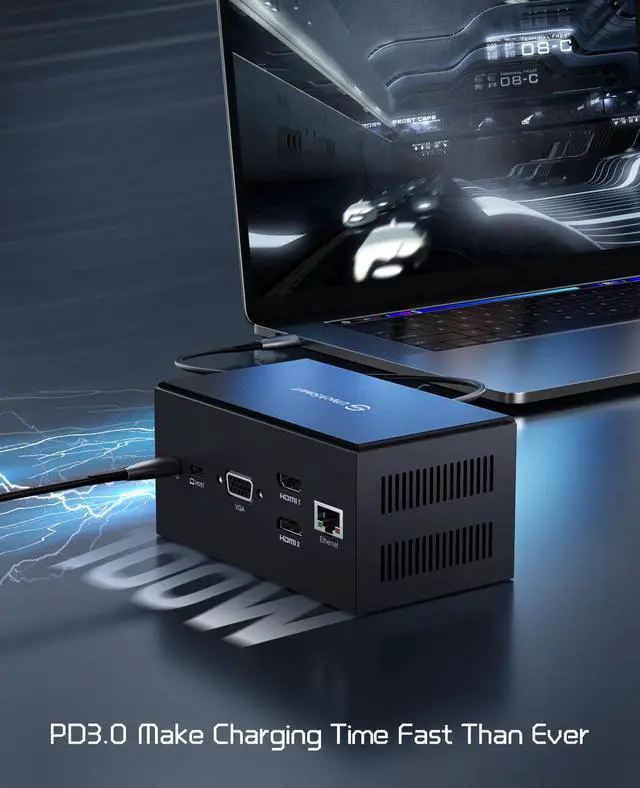
- Powerful DisplayLink: This docking station incorporates the latest DisplayLink Technology, supporting MacOS (including M1 & M2) and Windows systems to achieve a triple-monitor display. With this USB C dock, you can conveniently manage more of your tasks simultaneously, enhancing productivity and delivering a superior visual experience. Multi-Functional Ports: After installing the driver and connecting the HOST port, effortlessly get all your peripherals operational. This laptop docking station expands your laptop to 14 ports, containing 2*HDMI Ports, VGA, 2*USB 3.0 ports, 2*USB 2.0 ports, Gigabit Ethernet, SD & TF Card Slots, and Audio in and Mic out ports. Broad Compatibility: This product comes with a USB C cable and a USB C to USB A cable, ensuring compatibility with every laptop model and other devices such as: MacBook, Macbook Pro/Air, Dell XPS 13/15, Dell Latitude/Precision, HP Spectre x360/ZBook, Lenovo ThinkPad X1 Carbon/X1 Extreme, and MSI GS65/GS75. Please note: When utilizing the USB C to USB A cable, the HDMI2 port and PD3.0 charging port will not operate correctly due to protocol differences. Impressive Speed: The 100W PD 3.0 charging technology delivers a stable and efficient charging rate, able to fully charge your laptop within approximately 2 hours. It features USB 3.0 ports supporting 5Gbps rapid transfer of large files, music, videos, and more. Additionally, the laptop dock includes a 1000Mbps internet port, allowing you to remain connected at all times. Wh
+
+
Overview
Specs
Reviews

Any questions? Our AI mode will help you find out quickly.
Try me now
Powerful DisplayLink: This docking station incorporates the latest DisplayLink Technology, supporting MacOS (including M1 & M2) and Windows systems to achieve a triple-monitor display. With this USB C dock, you can conveniently manage more of your tasks simultaneously, enhancing productivity and delivering a superior visual experience. Multi-Functional Ports: After installing the driver and connecting the HOST port, effortlessly get all your peripherals operational. This laptop docking station expands your laptop to 14 ports, containing 2*HDMI Ports, VGA, 2*USB 3.0 ports, 2*USB 2.0 ports, Gigabit Ethernet, SD & TF Card Slots, and Audio in and Mic out ports. Broad Compatibility: This product comes with a USB C cable and a USB C to USB A cable, ensuring compatibility with every laptop model and other devices such as: MacBook, Macbook Pro/Air, Dell XPS 13/15, Dell Latitude/Precision, HP Spectre x360/ZBook, Lenovo ThinkPad X1 Carbon/X1 Extreme, and MSI GS65/GS75. Please note: When utilizing the USB C to USB A cable, the HDMI2 port and PD3.0 charging port will not operate correctly due to protocol differences. Impressive Speed: The 100W PD 3.0 charging technology delivers a stable and efficient charging rate, able to fully charge your laptop within approximately 2 hours. It features USB 3.0 ports supporting 5Gbps rapid transfer of large files, music, videos, and more. Additionally, the laptop dock includes a 1000Mbps internet port, allowing you to remain connected at all times. Whether you are working or gaming, this USB C dock will assist you in maintaining a swift experience. User-Friendly Design: Compared to other docking stations, this USB C docking station incorporates 2 rows of heat sinks on the bottom and side to facilitate faster and safer heat dissipation. The temperature will not exceed 45°C during standard operation. Furthermore, a non-slip strip is placed at the base of the dock to effectively prevent the device from sliding, significantly reducing the inconvenience of repeatedly organizing cables
Warranty & Returns
Warranty, Returns, And Additional Information
Warranty
- Please contact the Seller directly for warranty information. Warranty information may also be found on the Manufacturer's website.
- CONTACT
Return Policies
- Return for refund within: 30 days
- Return for replacement within: 30 days
- This item is covered by Ceelys Store Return Policy
Manufacturer Contact Info
- For a directory of all our manufacturers, please click below.
- Manufacturers Directory
LOADING...