

Your Browsing History
- Free 30-day Returns
$279.97

Meet Your Seller

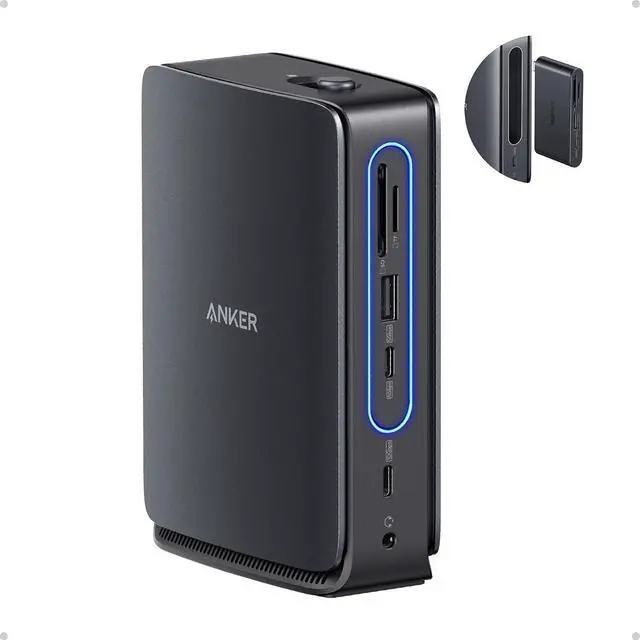


Anker Nano 13-in-1 Laptop Docking Station with Detachable 6-in-1 Hub, USB-C 3 Display Docking (2 HDMI+1 DP), 10 Gbps USB-C, 3 USB-A, Audio, SD/TF, Ethernet, 100W Max PD for Dell/Lenovo/HP Home Office
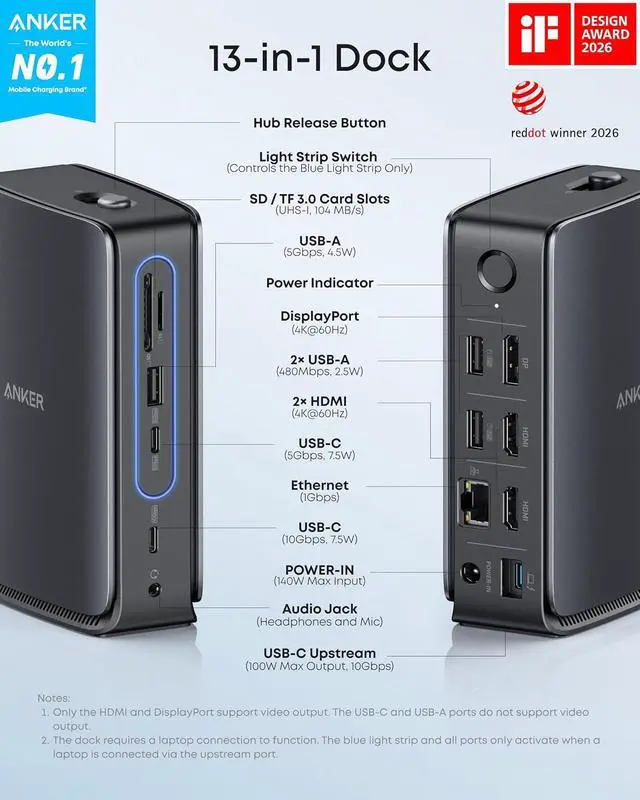
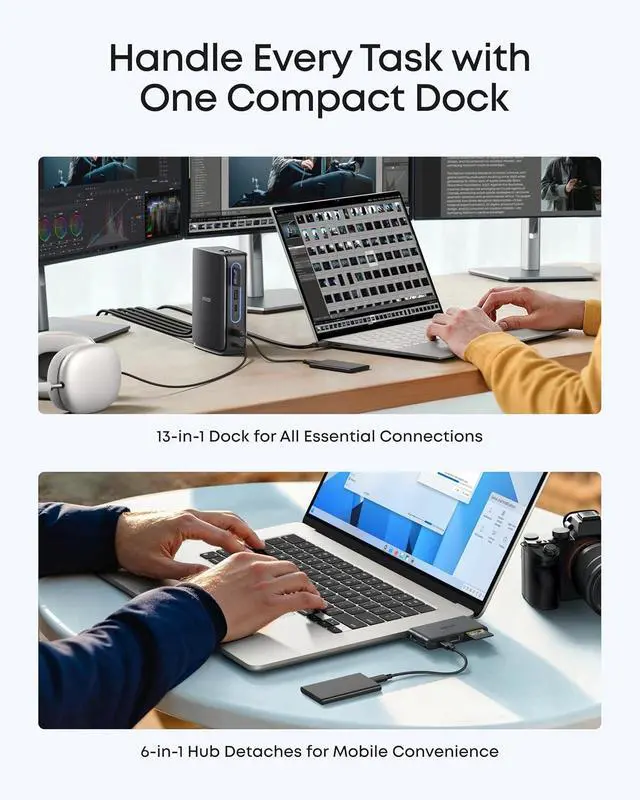
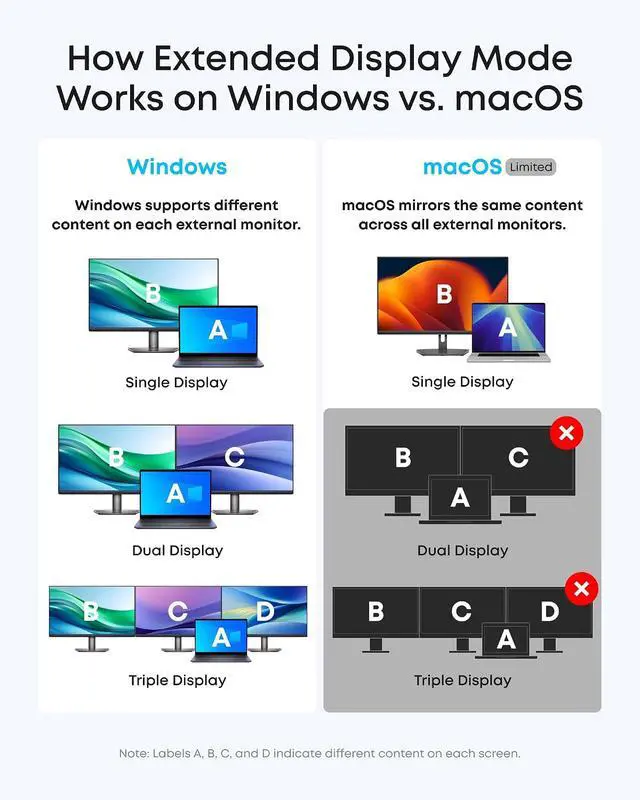
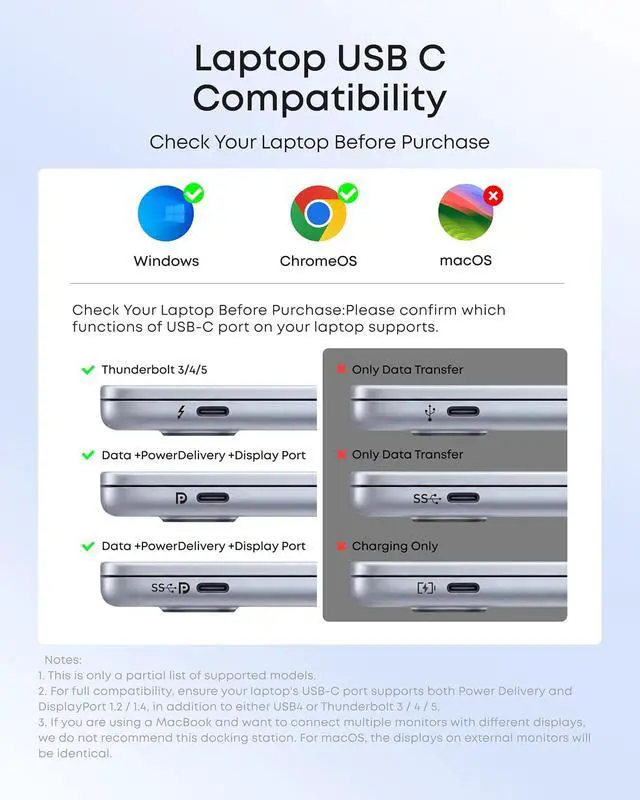
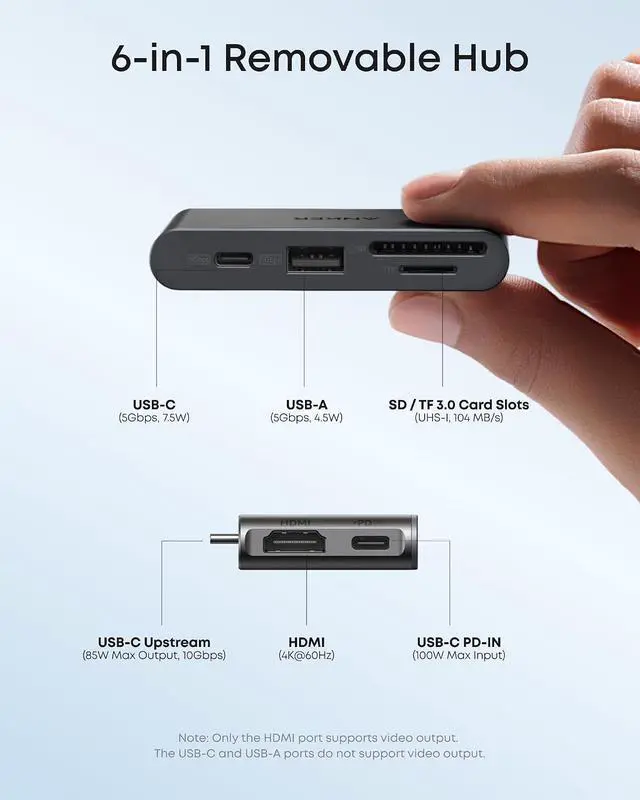
- Detachable 2-in-1 Design for Desk & Travel Features a 13-in-1 desktop docking station with a detachable 6-in-1 portable hub that snaps off for on-the-go use. One docking station replaces two, covering both your home office setup and mobile work needs without buying separate devices.; Triple Display with Flexible Monitor Setup Connect up to 3 monitors via 2× HDMI ports and 1x DisplayPort for a full desktop workstation. Supports up to 4K@60Hz (single display) or dual 2K@60Hz (dual displays) or triple 1080P@60hz (triple display). Perfect for data analysts, traders, and content creators who need screen real estate. (Note: macOS supports mirrored mode only on multiple external displays).; All the Ports You Need in One Dock 1× USB C upstream, 2× USB C Data at 5Gbps and 10Gbps, 3× USB-A, 2× HDMI, 1× DisplayPort, 1× Gigabit Ethernet, 1× 3.5mm audio, SD/TF card slots, and DC power input. Connect your monitors, keyboard, mouse, webcam, headphones, and wired network all through a single USB C cable to your laptop.; 100W Laptop Charging + 10Gbps Data Transfer Delivers up to 100W Power Delivery to charge your laptop while running all connected peripherals. Includes a 140W power adapter to ensure stable performance under full load. One USB C Data port transfers files at 10Gbps move a 1GB video in under 2 minutes.; Wide Compatibility & Complete Package Works with Dell XPS, Lenovo ThinkPad, HP Spectre, and most Windows laptops with USB C. Includes: Nano Docking Station (13-i...
+
+
Overview
Specs
Reviews

Any questions? Our AI beta will help you find out quickly.
Try me now
Product description Integrated Dock Compact Removable Hub Uninterrupted Connections Port Overview Status Lighting Key Features For Windows Users For macOS Users Display Resolution Data and Power Universal Compatibility Clutter-Free Power Hub Usage Reminder Why Choose Anker Anker Nano
Model Number: A83C3 Anker Nano Docking Station (13-in-1, Triple Display, Built-In Removable Hub), Dual-Form Design for Fixed and Mobile Use Work On with
Hub Removed: Keep all dock functions active even when the hub is removed, so you can work without replugging cables. Push the button to detach and reinsert until it clicks.
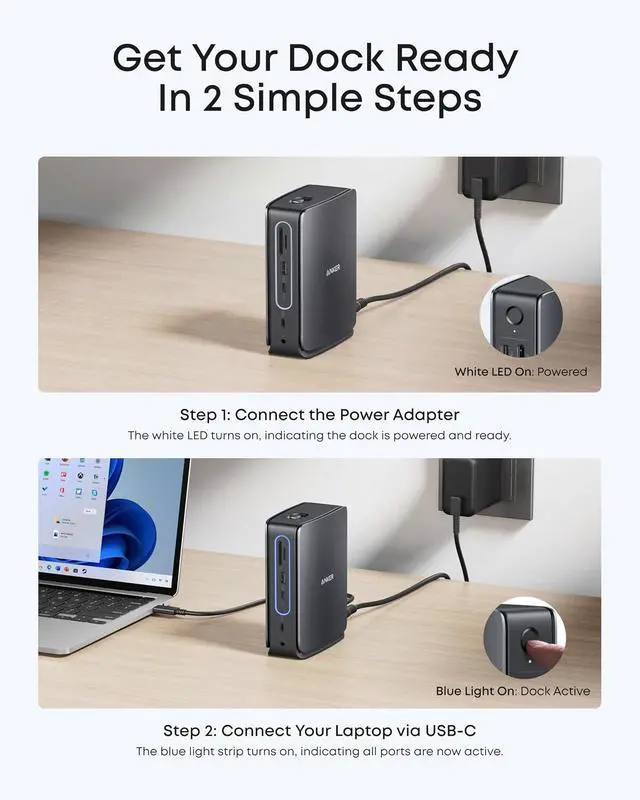
Sleek Light Strip: The light strip glows blue when docked, powered, and connected to the host. It adds a modern touch while showing connection status.
Works with USB-C Laptops: Designed for a wide range of USB-C laptops with OS support for Windows and macOS. Check compatibility before purchase.
Compatibility: Windows 10 / 11 & macOS 13.5 or
Above Note: - For some laptop models, the hub may still block adjacent ports. Please check the dimensions before purchasing to ensure compatibility. - The dock requires a laptop connection to function. The blue light strip and all ports only activate when a laptop is connected via the upstream port. - To resolve display issues, please update your dock to the latest firmware to ensure full compatibility with your connected devices. - To make the Ethernet work on your Windows laptop, please download the latest Realtek driver for the dock.
Model Number: A83C3 Anker Nano Docking Station (13-in-1, Triple Display, Built-In Removable Hub), Dual-Form Design for Fixed and Mobile Use Work On with
Hub Removed: Keep all dock functions active even when the hub is removed, so you can work without replugging cables. Push the button to detach and reinsert until it clicks.
Sleek Light Strip: The light strip glows blue when docked, powered, and connected to the host. It adds a modern touch while showing connection status.
Works with USB-C Laptops: Designed for a wide range of USB-C laptops with OS support for Windows and macOS. Check compatibility before purchase.
Compatibility: Windows 10 / 11 & macOS 13.5 or
Above Note: - For some laptop models, the hub may still block adjacent ports. Please check the dimensions before purchasing to ensure compatibility. - The dock requires a laptop connection to function. The blue light strip and all ports only activate when a laptop is connected via the upstream port. - To resolve display issues, please update your dock to the latest firmware to ensure full compatibility with your connected devices. - To make the Ethernet work on your Windows laptop, please download the latest Realtek driver for the dock.
Warranty & Returns
Warranty, Returns, And Additional Information
Warranty
- Please contact the Seller directly for warranty information. Warranty information may also be found on the Manufacturer's website.
- CONTACT
Return Policies
- Return for refund within: 30 days
- Return for replacement within: 30 days
- This item is covered by Dazan Technology Return Policy
Manufacturer Contact Info
- For a directory of all our manufacturers, please click below.
- Manufacturers Directory
LOADING...