

Your Browsing History
- Free 30-day Returns
$598.98

Meet Your Seller

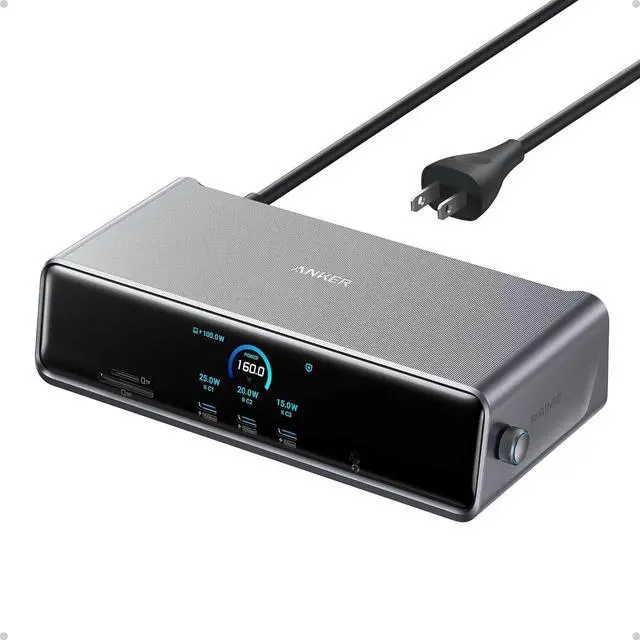
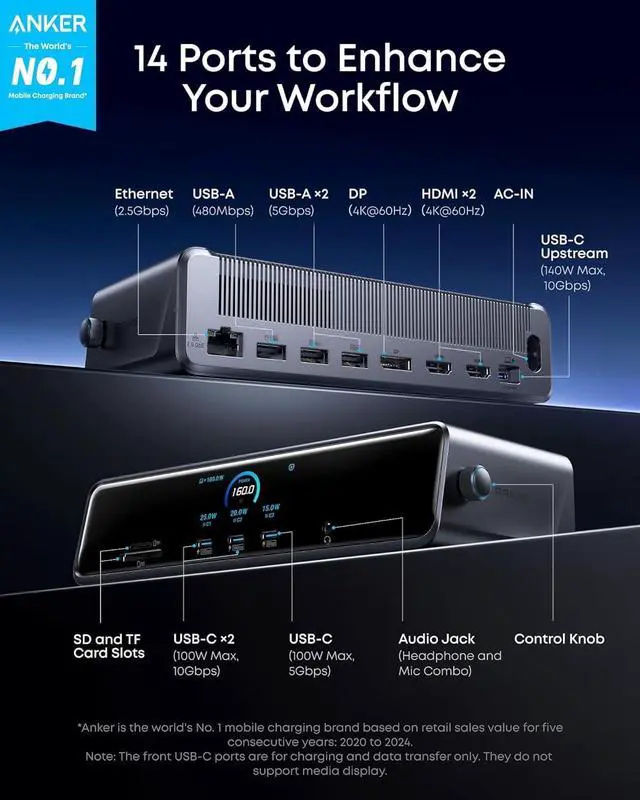
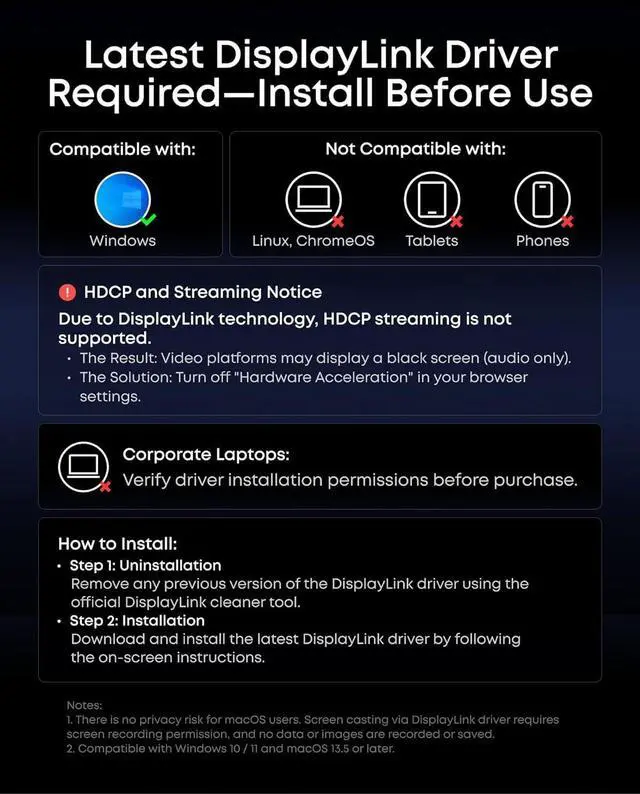


Anker Prime Docking Station (DL7400), 14-Port Triple Display with DisplayLink, 140W Max, Smart Display, Triple 4K 60Hz, Cooling Fan, for Windows Laptops (The Latest DisplayLink Driver Must Installed)
Limited time offer, ends 07/19 By Dazan Technology
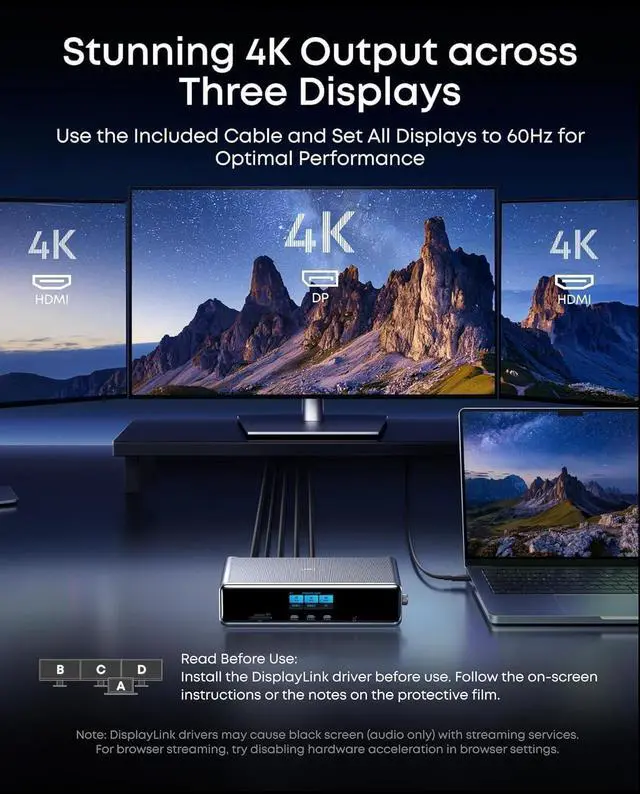
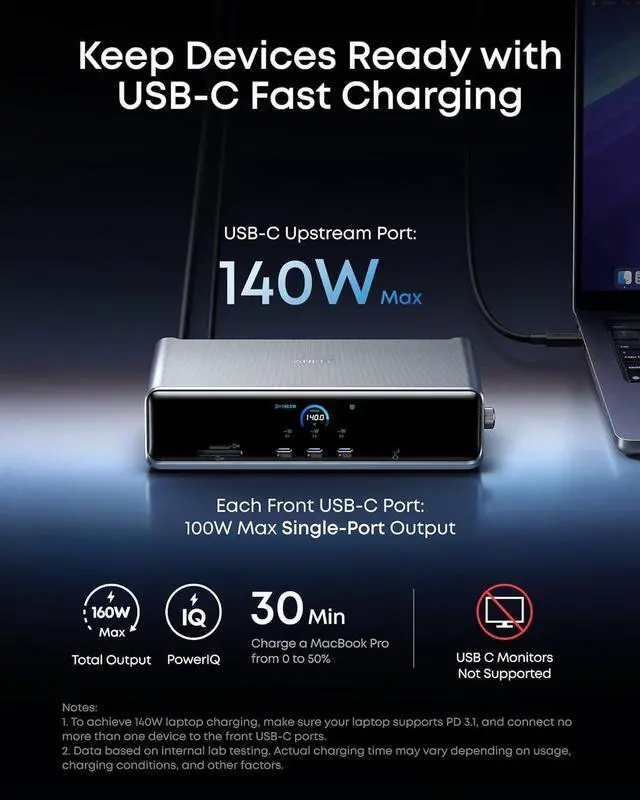
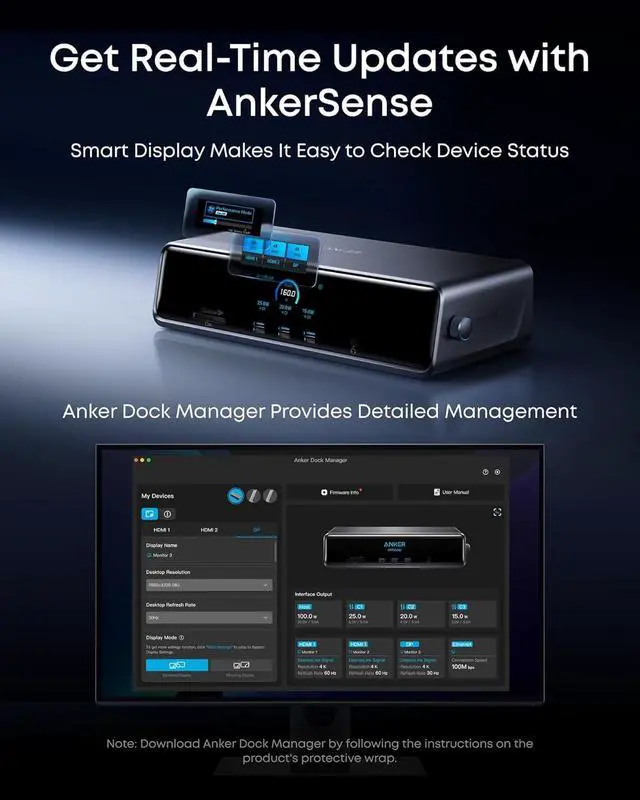
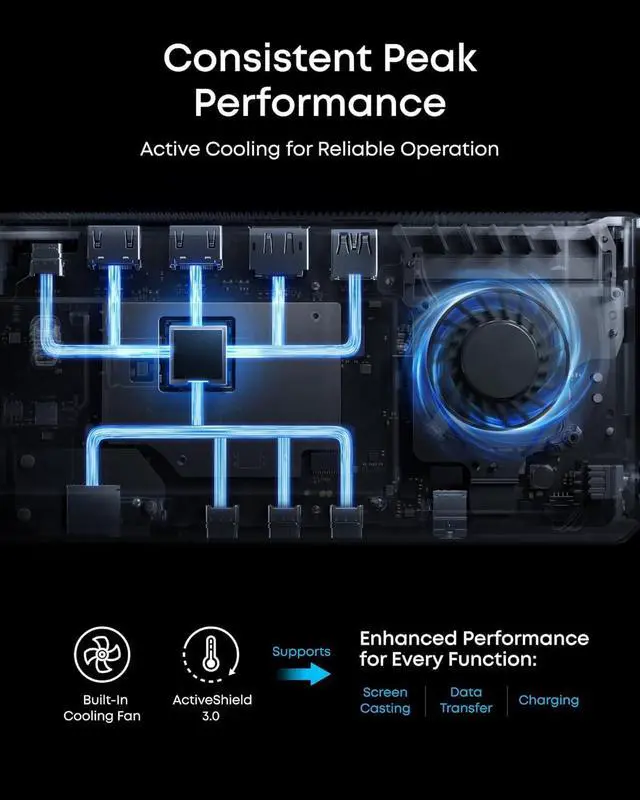
- 14 Powerful Connections: Designed for modern setups, featuring a 140W 10Gbps USB-C upstream port, two 100W 10Gbps USB-C ports, one 100W 5Gbps USB-C port, two HDMI ports, one DisplayPort, two 5Gbps USB-A ports, one 480Mbps USB-A port, a 2.5Gbps Ethernet port, a headphone and mic combo jack, plus SD and TF card slots for complete desktop connectivity. It is recommended to plug the mouse/keyboard receiver into the 480Mbps USB A port. (Note: always use the included USB-C 3.2Gen 2 cable; other cables may cause issues.); 4K Triple Display Versatility: Power up three external monitors at once, in 4K, for ultra-efficient multitasking. Compatible with Windows 10/11. (Note: The latest DisplayLink driver installation is required.); Each Port Powers and Performs: Every USB-C port supports both charging and data transfer. Power your laptop with up to 140W via the upstream port, while each front USB-C port delivers 100W of high-speed charging.(The front USB-C ports do not support media display to connect USB C monitors such as portable monitors or Thunderbolt monitors. ); Always Cool, Always in Control: View real-time updates on charging power, display performance, fan cooling mode, and settings directly from the smart display. The built-in fan and ActiveShield 3.0 help keep your device running cool and stable.; What You Get: Anker Prime Docking Station (14-in-1, Triple Display, DisplayLink), USB-C to USB-C 3.2 Gen 2 cable for upstream port (3.3 ft, 10 Gbps), 6ft AC power cord, safety s...
+
+
Overview
Specs
Reviews

Any questions? Our AI beta will help you find out quickly.
Try me now
Product description Click to play video Seamless Multitasking DisplayLink Installation Display Modes Display Setup Multi-Device Charging Click to play video Smarter Experience USB-C Status Display Display Monitoring Button Usage Anker Dock Manager Active Cooling Built-In Power Easy USB-C Usage Desktop Clock Universal Compatibility Display Control Guide Getting Started
Warranty & Returns
Warranty, Returns, And Additional Information
Warranty
- Please contact the Seller directly for warranty information. Warranty information may also be found on the Manufacturer's website.
- CONTACT
Return Policies
- Return for refund within: 30 days
- Return for replacement within: 30 days
- This item is covered by Dazan Technology Return Policy
Manufacturer Contact Info
- For a directory of all our manufacturers, please click below.
- Manufacturers Directory
LOADING...