Your Browsing History
Meet Your Seller
M.2 NVMe Duplicator, Dual-Bay Offline Clone NVME SSD Cloner Docking Station, USB3.2 Gen2 10Gbps USB-C M.2 Cloner for SSD Size 2230/2242/2260/2280/22110 mm
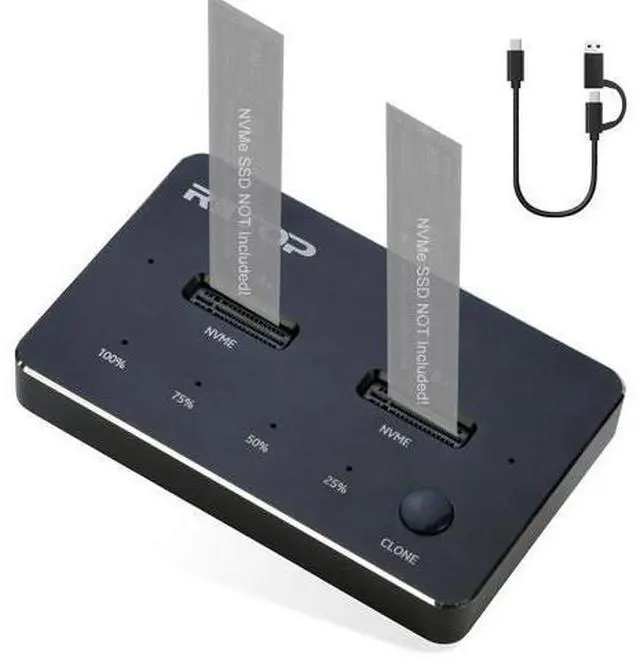
- RIITOP SSD Cloner: Dual NVMe Dock can not only be used as general external SSD Reader/Writer, but also as an Offline M.2 NVMe Duplicator to clone data between Two NVMe SSDs by one-click without a computer.; Offline Clone Docking: support clones the system to the SSD, expanding the disk space and contributing to the overall performance of your computer. Disk cloning completely copies all data information cloned to the target disk, ensuring that no data is missed or lost from the source disk. Note: Please backup the data on the target disk before cloning to avoid losing important data.; This dual-bay nvme duplicator docking enables 10Gbps super speed data transfer, with 992Mb/s write/read speeds for most NVME SSDs. It took about 4 minutes to clone a 256GB m.2 SSD to a 2TB one as tested.; Only support NVMe SSD.
+
+
Overview
Specs
Reviews
Any questions? Our AI beta will help you find out quickly.
Try me now
RIITOP Dual NVMe Docking Station with [Offline Cloner] for M. 2 NVMe SSD 22110/2280/2260/2242/2230
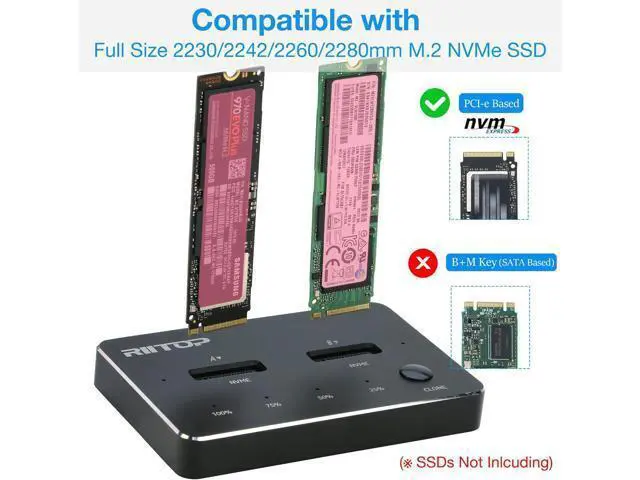
Compatible with: M. 2 NVMe PCI-e SSD. Support Dual-bay SSDs simultaneously.
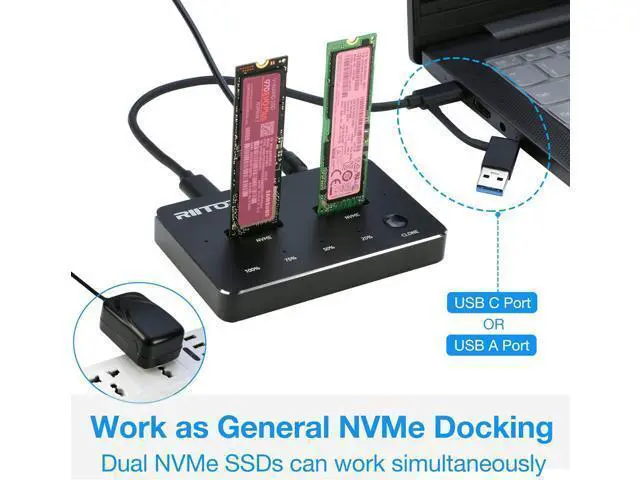
Output: USB 3.2 / 3.1 Type-C Port, 10Gbps Transfer Speed.
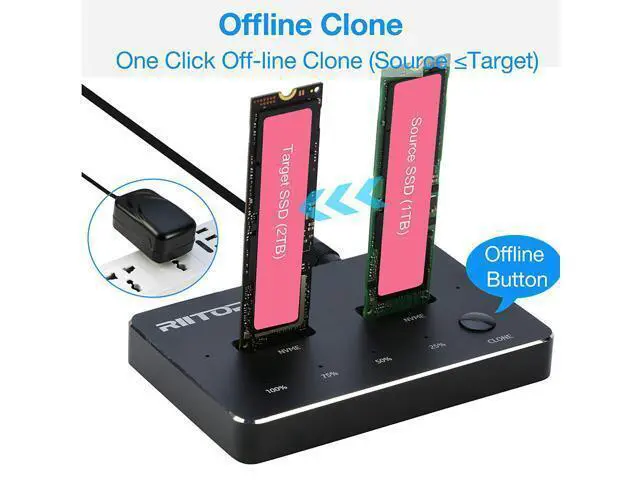
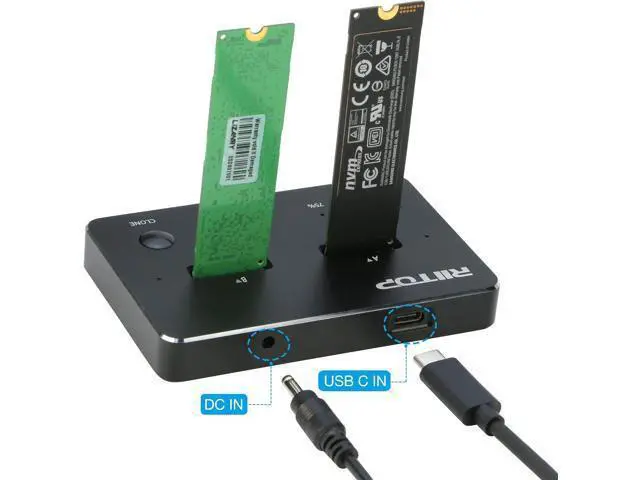
Meterial: Aluminum Alloy. One-key Offline Cloner for NVMe SSD Support NVMe SSD only! Easliy to clone the older SSD with data or system to new and larger one, without Computer. B=source SSD; A= Target SSD, and please make sure the capacity of Disk B is equal or less than Disk A. Dual-Bay External NVMe SSD Docking Station Support 2x M. 2 NVMe SSDs connect to Computer at same time, as external SSD enclosure, read and write. Come with USB Type C to C Cable(and C-A connector on it), Support both C and A port.
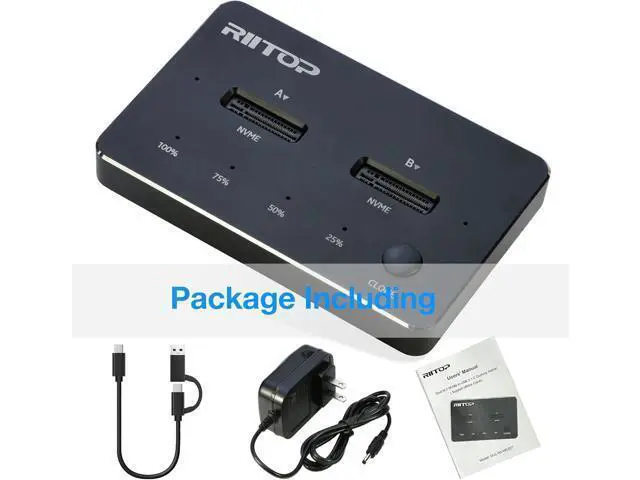
Package Including: 1x Dual NVMe SSD Dock 1x USB-C Cable with C-A Adapter 1x DC 5V Adapter 1x User's Manual Dual-bay NVMe Duplicator SSD Docking Station [Offline Clone Function] RIITOP NVMe Offline Cloner is easily operated.
Step: 1. Connect the DC Power Adapter after Source SSD (into Right Slot) and Target SSD ( into Left Slot) Inserted (Source SSD capacity less than Target).
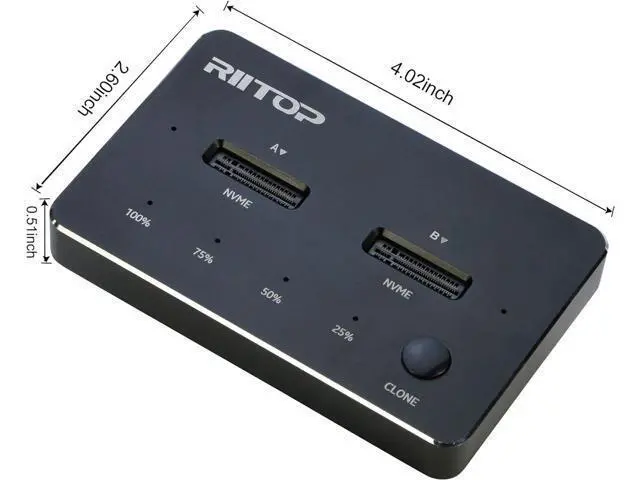
2. Press "Clone" Button for about 3-5 seconds till all of the "Percent Progress Indicators" flash simultaneously, release the Botton.
3. Then re-click the Botton again, the percent process indicators flash sequentially, Clone will start. 4. after all four progress indicators on, Clone is completed.
Please Note:
1. The Temperature of the entire Operating SSD may exceed 60 ° C. P

Compatible with: M. 2 NVMe PCI-e SSD. Support Dual-bay SSDs simultaneously.
Output: USB 3.2 / 3.1 Type-C Port, 10Gbps Transfer Speed.
Meterial: Aluminum Alloy. One-key Offline Cloner for NVMe SSD Support NVMe SSD only! Easliy to clone the older SSD with data or system to new and larger one, without Computer. B=source SSD; A= Target SSD, and please make sure the capacity of Disk B is equal or less than Disk A. Dual-Bay External NVMe SSD Docking Station Support 2x M. 2 NVMe SSDs connect to Computer at same time, as external SSD enclosure, read and write. Come with USB Type C to C Cable(and C-A connector on it), Support both C and A port.
Package Including: 1x Dual NVMe SSD Dock 1x USB-C Cable with C-A Adapter 1x DC 5V Adapter 1x User's Manual Dual-bay NVMe Duplicator SSD Docking Station [Offline Clone Function] RIITOP NVMe Offline Cloner is easily operated.
Step: 1. Connect the DC Power Adapter after Source SSD (into Right Slot) and Target SSD ( into Left Slot) Inserted (Source SSD capacity less than Target).
2. Press "Clone" Button for about 3-5 seconds till all of the "Percent Progress Indicators" flash simultaneously, release the Botton.
3. Then re-click the Botton again, the percent process indicators flash sequentially, Clone will start. 4. after all four progress indicators on, Clone is completed.
Please Note:
1. The Temperature of the entire Operating SSD may exceed 60 ° C. P
Warranty & Returns
Warranty, Returns, And Additional Information
Warranty
- Please contact the Seller directly for warranty information. Warranty information may also be found on the Manufacturer's website.
- CONTACT
Return Policies
- Return for refund within: 30 days
- Return for replacement within: 30 days
- This item is covered by NovaStar Tech Return Policy
Manufacturer Contact Info
- For a directory of all our manufacturers, please click below.
- Manufacturers Directory
LOADING...