Meet Your Seller
HOOCCC GPU DOCK OCuLink eGPU Dock Motherboard Dock Station PCIe 4.0 x4, SFF-8612 to PCIe x16 Riser Card for External Graphics Card, ATX/Dual Power Supply, 64Gbps High-Speed Adapter for Mini PC/Laptop
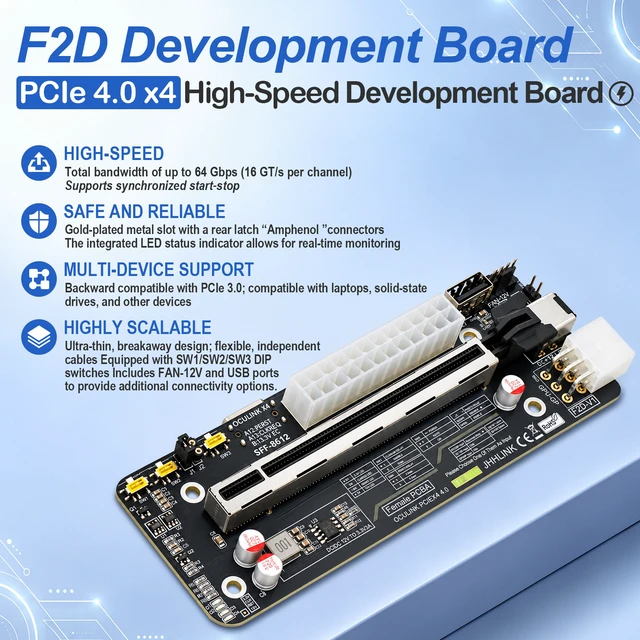
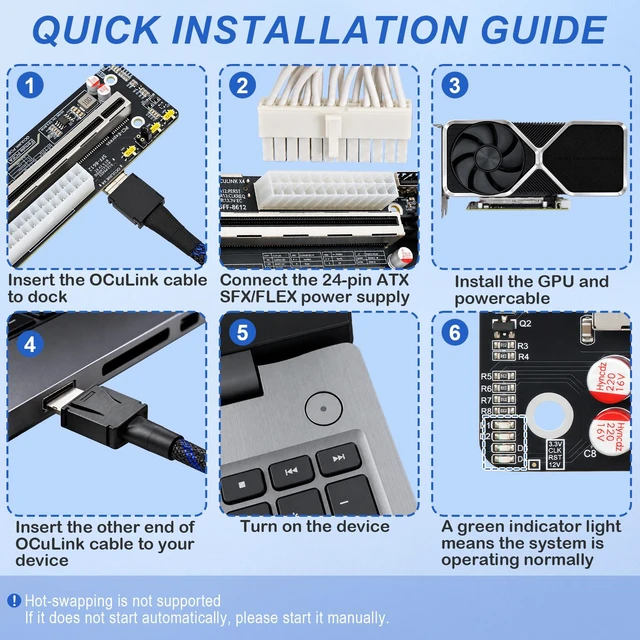
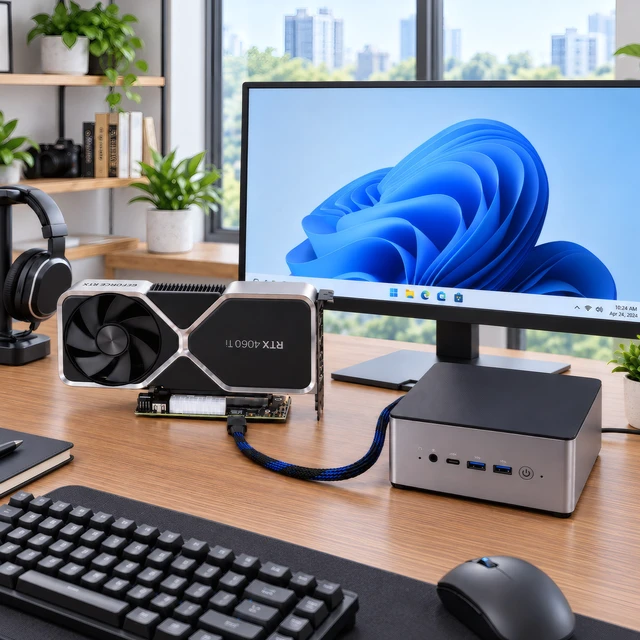
- OCuLink SFF-8612 interface with PCIe 4.0 x4 support delivers up to 64Gbps bandwidth for external GPU (eGPU) setups, mining rigs, or high-speed PCIe device expansion; requires a full-function OCuLink cable (sold separately) to connect to compatible hosts.
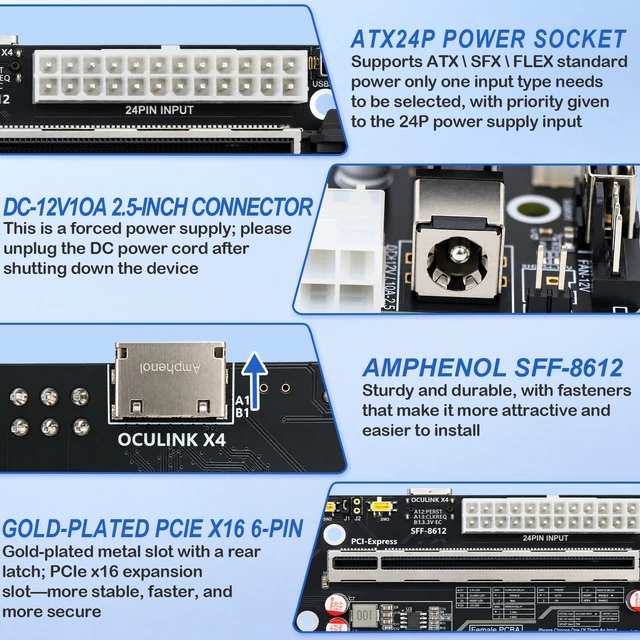
- Features 24Pin ATX priority input, GPU 6Pin I/O pass-through, and DC 12V 10A (2.5mm barrel) forced-power input; choose only one power source at a time24Pin ATX is recommended for the most stable power delivery to your graphics card.
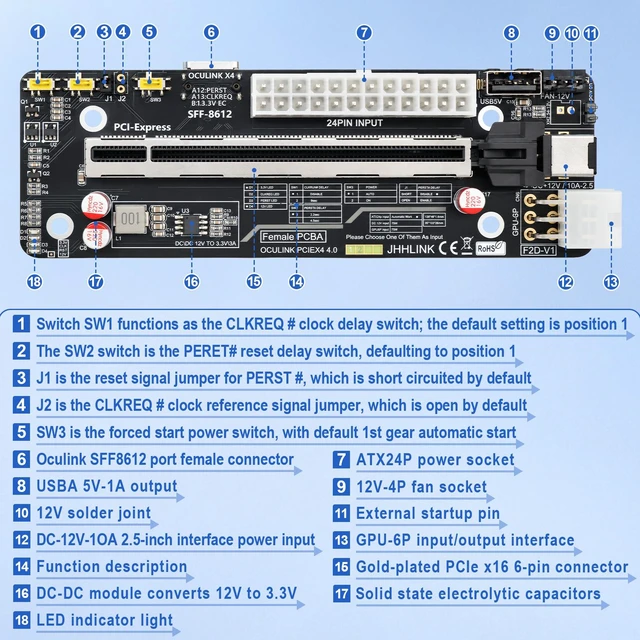
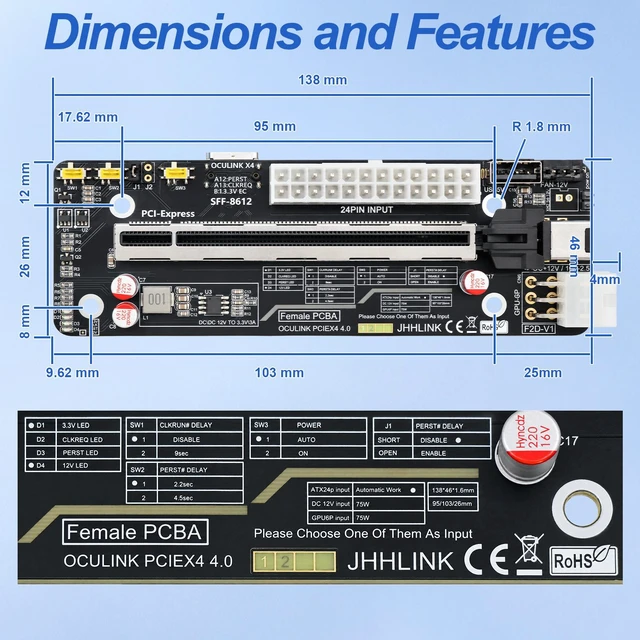
- Equipped with SW1/SW2/SW3 dip switches for clock delay, reset delay, and power mode adjustment, plus J1/J2 jumpers for reset signal and clock reference; supports both host-sychronized startup and forced independent startup to maximize compatibility across different motherboards and laptops.
- Integrated LED status indicators monitor 3.3V, 12V, CLK, and RST signals in real timegreen lights confirm normal power rails while red alerts flag compatibility or signal faults; built-in DCDC 12V-to-3.3V/3A conversion and low-impedance 4-layer PCB ensure stable high-speed signal transmission.
- Compact 138 × 46mm board with standard PCIe x16 physical slot (electrically x4), 95mm/103mm mounting hole spacing, and R1.8mm corner radius for easy integration into existing cases or custom dock enclosures; includes FAN-12V and USB ports for additional connectivity.
Any questions? Our AI mode will help you find out quickly.
HOOCCC OCuLink SFF-8612 to PCIe 4.0 x4 GPU Dock Motherboard (Bare Board / PCBA)
=== OVERVIEW ===
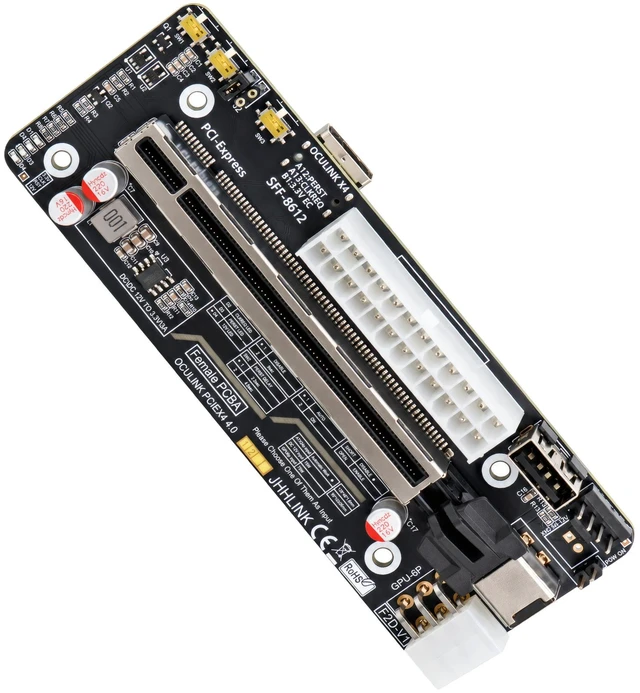
This is a compact OCuLink GPU dock motherboard (bare PCBA, no enclosure, no PSU, no cable included). It converts an OCuLink SFF-8612 host port into a standard PCIe x16 physical slot (electrical x4) for external GPU (eGPU), mining card, or NVMe PCIe device expansion. Supports PCIe 4.0 x4 up to 64Gbps when paired with a full-pin OCuLink cable and a compatible host (mini PC, laptop, or motherboard with SFF-8611/8612 header).
=== KEY FEATURES ===
- Interface: SFF-8612 OCuLink input to PCIe x16 slot (x4 electrical), PCIe 4.0 compliant, backward compatible with PCIe 3.0
- Bandwidth: Up to 64Gbps (PCIe 4.0 x4)
- Power Input (select ONE only): 24-Pin ATX (recommended for GPU load) / GPU 6-Pin passthrough / DC 12V 10A (2.5mm barrel)
- Startup Control: SW1/SW2/SW3 DIP switches for clock delay, reset delay, power mode; J1/J2 jumpers for host-sync or forced independent boot
- Status LEDs: 3.3V, 12V, CLK, RST monitoring (green = normal, red = fault)
- PCB: 4-layer low-impedance, onboard DCDC 12V to 3.3V/3A
- Size: 138 x 46 mm, mount holes 95 mm / 103 mm spacing
- Extra ports: 12V fan header, USB header
=== SPECIFICATIONS ===
Model: OCuLink GPU Dock Motherboard
Host Side: OCuLink SFF-8612 (requires full-pin SFF-8611 cable to host)
Device Side: PCIe x16 physical (x4 lanes)
Protocol: PCIe 4.0 x4 (64Gbps max)
Power: 24Pin ATX / 6Pin GPU / DC 12V 10A (single source only)
Board Dim: 138 x 46 mm
PCB: 4-layer
=== IMPORTANT NOTES (READ BEFORE BUYING) ===
- Motherboard only: No case, no fan, no power supply, no OCuLink cable in package.
- Cable requirement: Must use a FULL-PIN OCuLink (SFF-8611/SFF-8612) cable. Reduced-pin or custom OCuLink cables may fail to deliver sideband/reset signals.
- Power rule: NEVER connect two power sources at the same time. ATX 24Pin is suggested for GPUs above 75W.
- Compatibility: Host BIOS must support PCIe hotplug/eGPU init via OCuLink. Some laptops need ACPI/Bios tweak.
- Boot order tip: Power on dock board first, then host.
=== PACKAGE CONTENTS ===
1 x OCuLink to PCIe x4 GPU Dock Motherboard (as pictured)
Warranty & Returns
Warranty, Returns, And Additional Information
Warranty
- Please contact the Seller directly for warranty information. Warranty information may also be found on the Manufacturer's website.
- CONTACT
Return Policies
- Return for refund within: 30 days
- Return for replacement within: non-replaceable
- This item is covered by HOOCCC Return Policy
Manufacturer Contact Info
- For a directory of all our manufacturers, please click below.
- Manufacturers Directory