PRODUCT DESCRIPTION: HOOCCC OCuLink PCIe 4.0 x4 GPU DOCK KIT (WITH 50CM CABLE & BRACKET)
=== [INTRODUCTION] ===
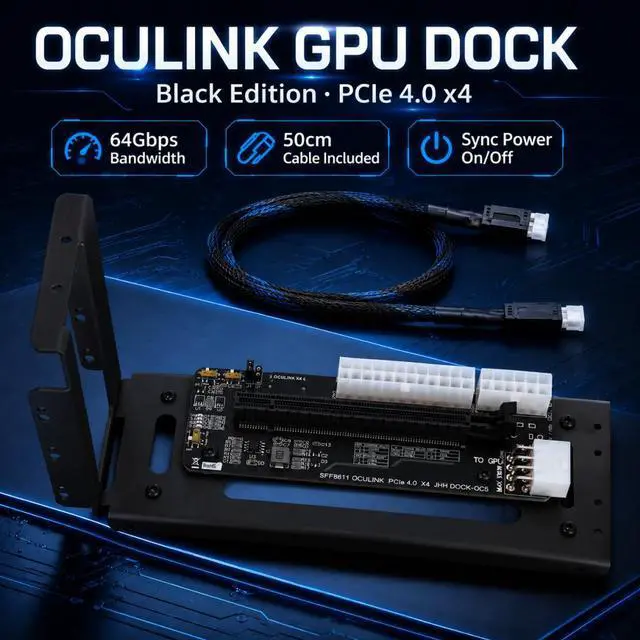
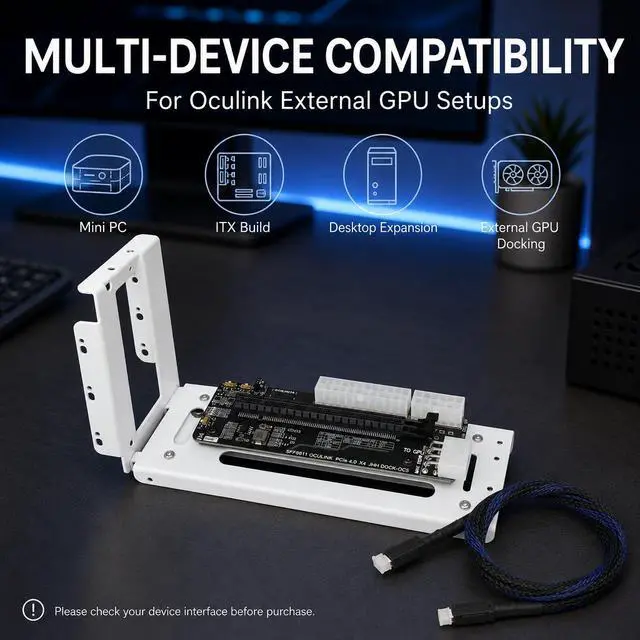
Unlock desktop-grade graphics performance for your MINI PC, Laptop, or ITX system with the HOOCCC OCuLink GPU Dock. Unlike Thunderbolt solutions that suffer from high latency and bandwidth bottlenecks, this dock utilizes the PURE PCIe 4.0 x4 protocol via the SFF-8612 interface, delivering a blazing-fast 64Gbps TRANSFER SPEED. This kit includes the dock motherboard, a 50CM FULL-PIN OCuLink CABLE, and a sturdy MOUNTING BRACKET, providing everything you need to build a high-performance eGPU setup right out of the box.
=== [KEY ADVANTAGES] ===
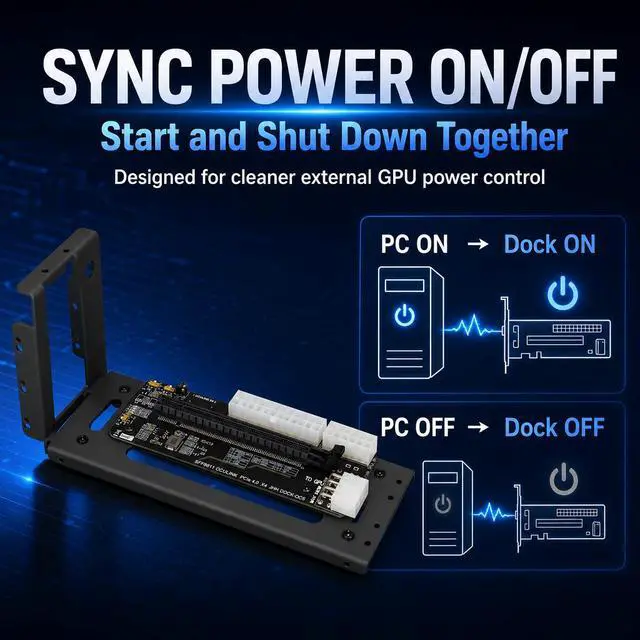
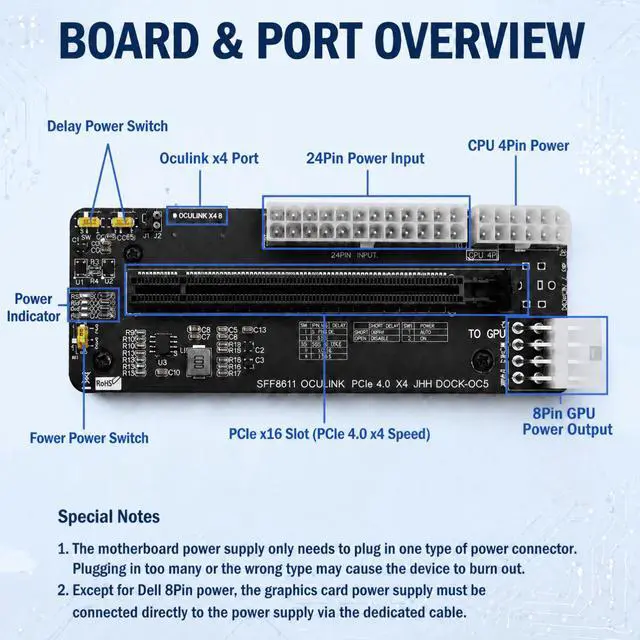
- INTELLIGENT POWER SYNC: Tired of pressing two power buttons? Our advanced DIP switch design allows for HOST-SYNCHRONIZED STARTUP. Once configured, the dock powers on and off automatically with your computer. It also supports FORCED INDEPENDENT STARTUP for bench testing or specific use cases.
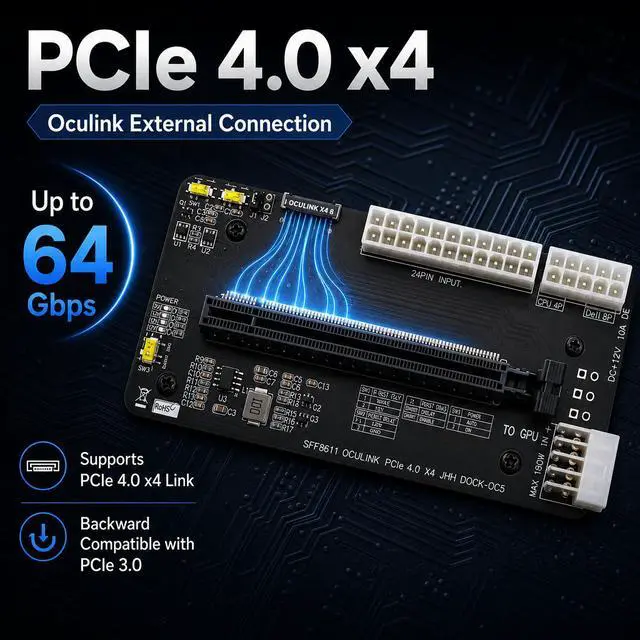
- STABLE POWER DELIVERY: High-end GPUs demand clean power. This dock supports STANDARD ATX and SFX POWER SUPPLIES (PSU not included) via a 24-PIN ATX INPUT. This ensures your graphics card receives stable current, safely supporting power-hungry cards like the RTX 4070, 4080, and 4090.
- REAL-TIME DIAGNOSTICS: No more guessing why your system won't boot. Integrated LEDs constantly monitor 3.3V, 12V, CLK, and RST signals. GREEN LIGHTS indicate normal operation, while RED ALERTS instantly flag compatibility issues or signal faults before you even enter the OS.
- PREMIUM PCB DESIGN: Built on a 4-LAYER LOW-IMPEDANCE PCB with onboard DCDC 12V-to-3.3V/3A conversion. This ensures signal integrity and stable operation even under heavy loads.
=== [SPECIFICATIONS] ===
- Model: OCuLink GPU Dock Kit
- Interface: SFF-8612 (OCuLink) to PCIe x16 Slot (Electrical x4)
- Protocol: PCIe 4.0 x4 (Backward Compatible with PCIe 3.0)
- Bandwidth: UP TO 64Gbps
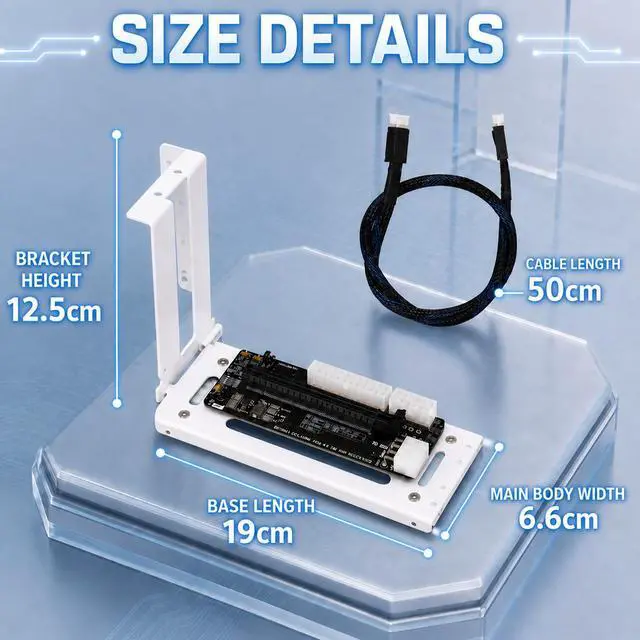
- Included Cable: 50CM FULL-PIN OCuLink Cable
- Power Input: 24-Pin ATX / 6-Pin GPU / DC 12V 10A (Select ONE only)
- Board Dimensions: 138mm x 46mm
- Mounting Hole Spacing: 95mm / 103mm
- Bracket: Included (White/Black Edition)
=== [PACKAGE CONTENTS] ===
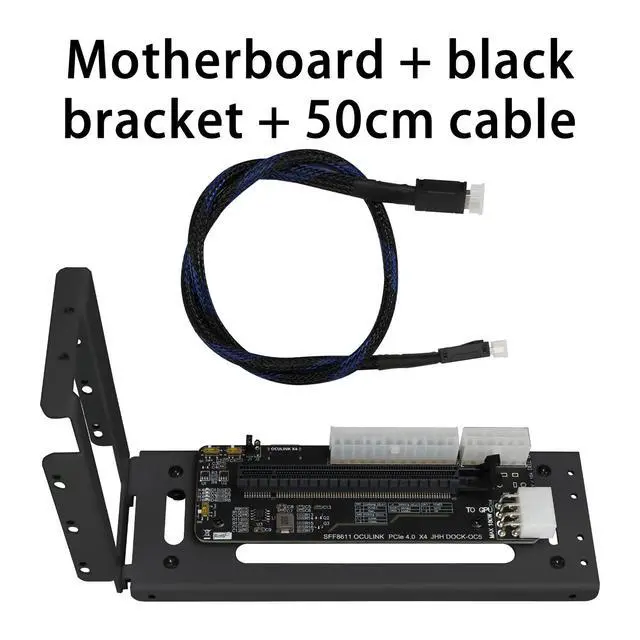
1 x OCuLink GPU Dock Motherboard
1 x 50CM Full-Pin OCuLink Cable
1 x Mounting Bracket (Color as selected)
(Note: Power Supply, Graphics Card, and PC Case are NOT included.)
=== [IMPORTANT NOTES] ===
- PSU REQUIRED: This is a passive dock requiring an EXTERNAL POWER SUPPLY (ATX/SFX). It will not draw power from the OCuLink port alone.
- CABLE MATTERS: A FULL-PIN OCuLink cable is essential. Do not use simplified cables that lack sideband pins, as this will prevent proper PCIe negotiation and startup synchronization.
- BOOT SEQUENCE: For the first setup, we recommend powering on the DOCK first, then the HOST PC to ensure proper device enumeration.
- COMPATIBILITY: Ensure your host device (Mini PC/Laptop) has a BIOS that supports PCIe eGPU initialization via OCuLink. Some systems may require driver adjustments.





 here!
here!