Your Browsing History
Meet Your Seller
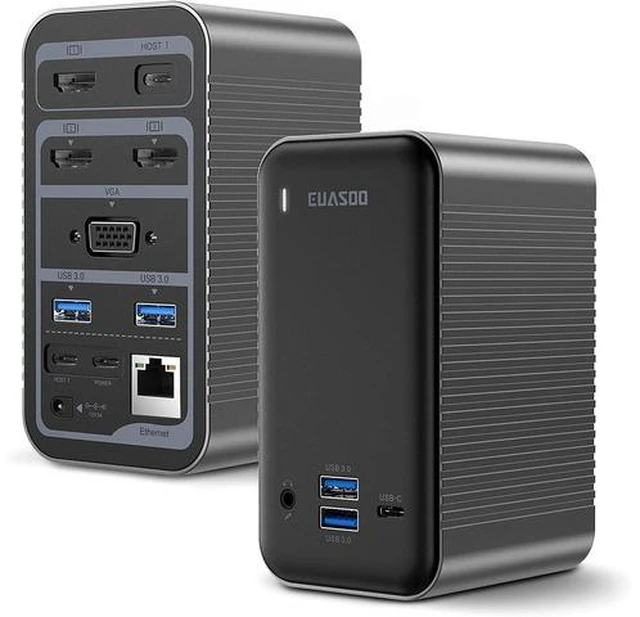
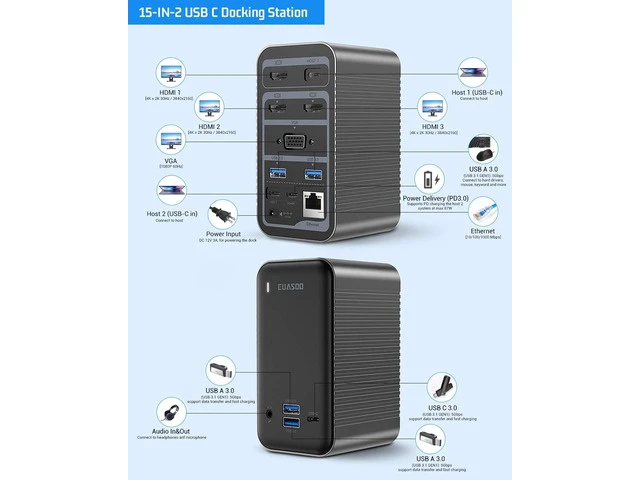
EUASOO Docking Station USB-C 4K Quadruple Display Universal Laptop Docking Station for MacBook and Windows (3 HDMI, VGA, Gigabit Ethernet, USB-C 3.0, 87W PD and 4 USB Ports), Triple Display for macOS
- Compatibility: Plug and play, no driver required. The EUASOO docking station is compatible with the latest laptops and smart devices with Type C port. To use this product, please make sure your host with USB C port supports DisplayPort Alt Mode (USB 3.1 Gen2 Type-C). The docking station is not compatible with USB-A to USB-C adapters. Note: To use two hosts, two USB-C ports are required, two hosts are independent and can't be switched between each other.
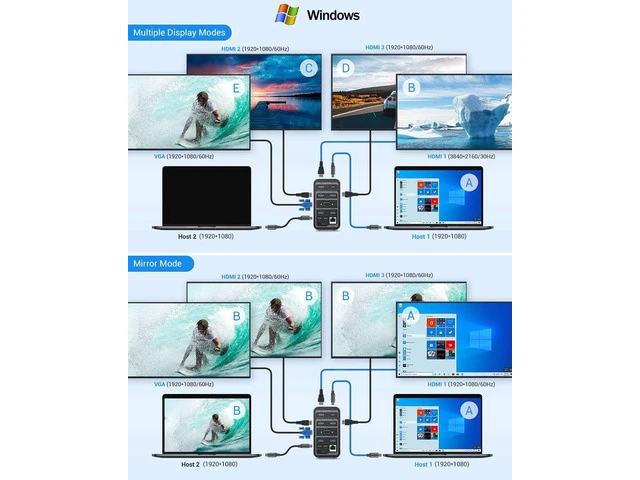
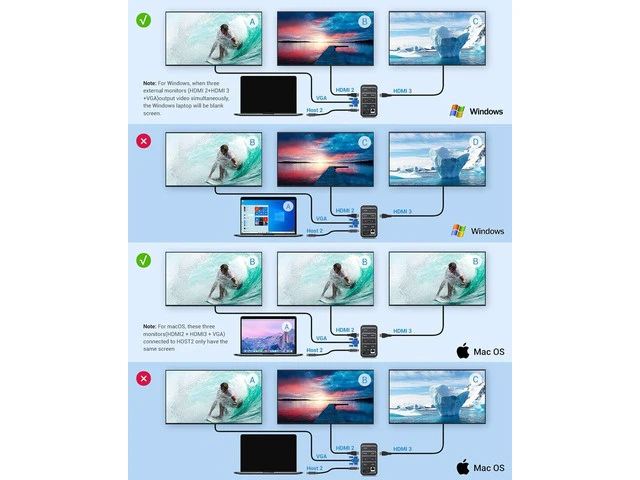
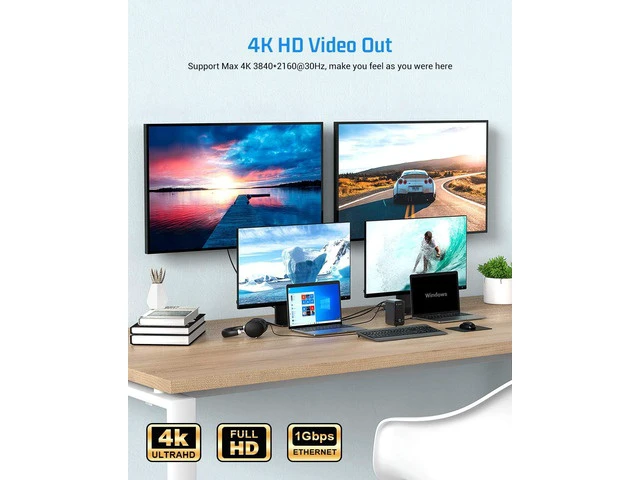
- Quadruple Display for Windows: When you have two hosts with Windows system, the docking station supports up to quadruple display on external monitors. Only triple display is supported for one Windows host. HOST1 expand to HDMI1 monitor. HOST2 can expand to HDMI2 + HDMI3 + VGA, and support Triple display. Note: For HOST2, when three external monitors output video simultaneously, the Windows laptop will be blank screen.
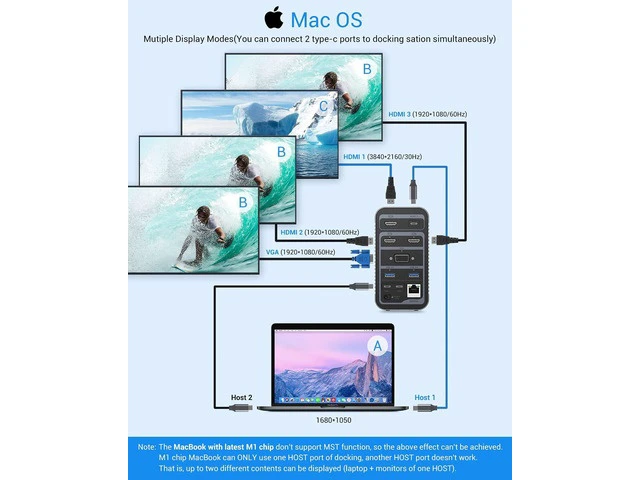
- Triple Display for macOS: For macOS host with 2 type c ports, connect up to 4 monitors: HDMI1 + HDMI2 + HDMI3 + VGA
+
+
Overview
Specs
Reviews
Any questions? Ask CelesteSM will help you find out quickly.
Try me now
Compatibility: Plug and play, no driver required. The EUASOO docking station is compatible with the latest laptops and smart devices with Type C port. To use this product, please make sure your host with USB C port supports DisplayPort Alt Mode (USB 3.1 Gen2 Type-C). The docking station is not compatible with USB-A to USB-C adapters.
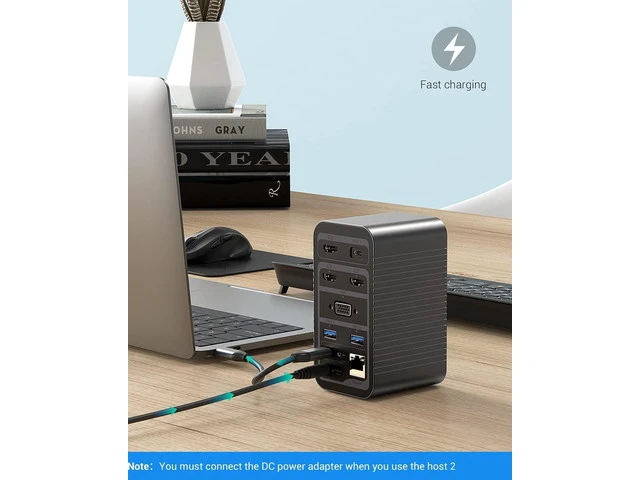
Note: To use two hosts, two USB-C ports are required, two hosts are independent and can't be switched between each other.
Quadruple Display for Windows: When you have two hosts with Windows system, the docking station supports up to quadruple display on external monitors. Only triple display is supported for one Windows host. HOST1 expand to HDMI1 monitor. HOST2 can expand to HDMI2 + HDMI3 + VGA, and support Triple display.
Note: For HOST2, when three external monitors output video simultaneously, the Windows laptop will be blank screen.
Triple Display for macOS: For macOS host with 2 type c ports, connect
up to 4 monitors: HDMI1 + HDMI2 + HDMI3 + VGA
Warranty & Returns
Warranty, Returns, And Additional Information
Warranty
- Please contact the Seller directly for warranty information. Warranty information may also be found on the Manufacturer's website.
- CONTACT
Return Policies
- Return for refund within: 30 days
- Return for replacement within: 30 days
- This item is covered by TERRA HAVEN Return Policy
Manufacturer Contact Info
- For a directory of all our manufacturers, please click below.
- Manufacturers Directory
LOADING...