Best Sellers
- $309.99
- + FREE SHIPPING
- $309.99
- $309.99
- + FREE SHIPPING
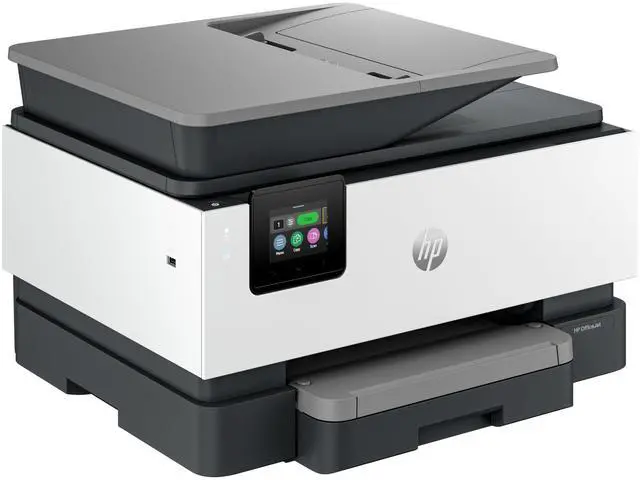
C2VZ0A#B1H; HP OFFICEJET PRO 9125 ALL-IN-ONE PRINTER
- Up to 22 ppm Black Print Speed
- Up to 22 ppm Color Print Speed
- 1200 x 1200 dpi Black Print Quality
- 4800 x 1200 dpi Color Print Quality
+
+
Overview
Specs
Reviews
Any questions? Ask CelesteSM will help you find out quickly.
Try me now
OverviewHP's fastest inkjet printers help your small business do more. Enjoy professional-quality prints and advanced features that keep work moving smoothly, while keeping your data protected with HP Wolf Security. For small businesses who want a professional color inkjet printer that helps their business grow and keeps disruptions to a minimum. This printer is intended to work only with cartridges that have a new or reused HP chip, and it uses dynamic security measures to block cartridges using a non-HP chip. Periodic firmware updates will maintain the effectiveness of these measures and block cartridges that previously worked.
A reused HP chip enables the use of reused, remanufactured, and refilled cartridges.
More at:
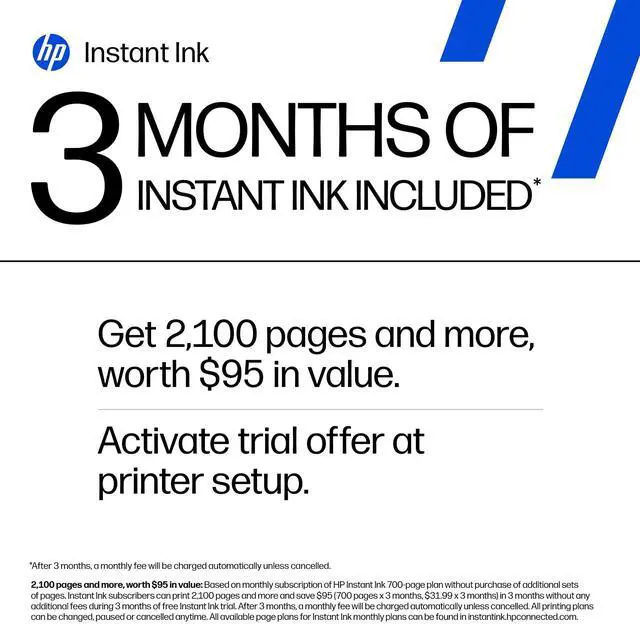
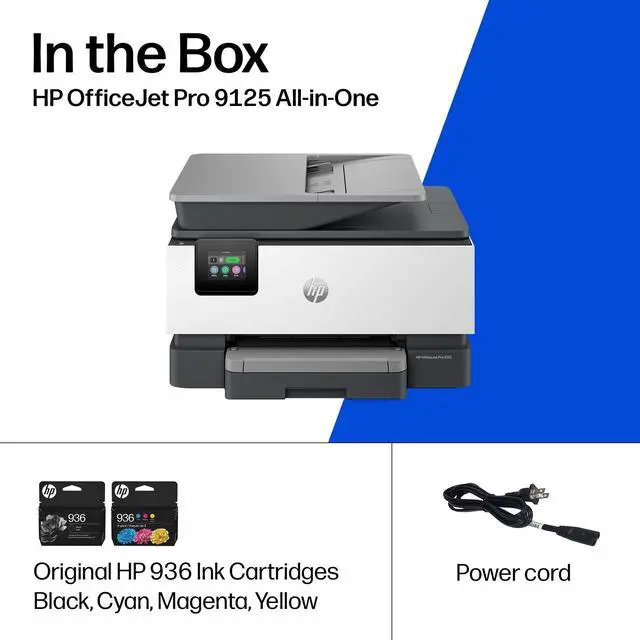
http: //www. hp. com/learn/dsFeaturesKeep small teams productiveBoost productivity with print speeds up to 22 pages per minute (PPM). Business-ready color for all your print needsFrom proposals to presentations, your printer is ready for whatever the job demands. Save money, save time with Instant InkNever worry about running out of ink! With Instant Ink, you get ink delivered right to your door. Reliability built for heavier workloadsDesigned for continuous use, this printer delivers dependable results for business needs. Compatible Supplies HP 936 Black Original Ink Cartridge 4S6V2LN, HP 936 Cyan Original Ink Cartridge 4S6U9LN; HP 936 Magenta Original Ink Cartridge 4S6V0LN; HP 936 Yellow Original Ink Cartridge 4S6V1LN; HP 936e EvoMore Black Original Ink Cartridge 4S6V6LN; HP 936e EvoMore Cyan Original Ink Cartridge 4S6V3LN; HP 936e EvoMore Magenta Original Ink Cartridge 4S6V4LN; HP 936e EvoMore Yellow Original Ink Cartridge 4S6V5LNMinimum system requirementsMicrosoft® Windows® 11, 10: 32 -bit or 64-bit, 2 GB available hard disk space, Internet connection, Microsoft® Internet Explorer or Edge, What's in the box? HP OfficeJet Pro 9125 AiO Printer; HP 936 Setup Black Ink Cartridge (~800 pages); HP 936 Setup Cyan Ink Cartridge (~420 pages); HP 936 Setup Magenta Ink Cartridge (~420 pages); HP 936 Setup Yellow Ink Cartridge (~420 pages); Regulatory Flyer; Ink Caution Flyer; Power Cord; Setup Poster; Reference Guide [For more information about fill and yield, see
http: //www. hp. com/go/learnaboutsupplies ]Disclaimers Excludes first set of ISO test pages.
For details,
see: www. hp. com/go/printerclaims. OfficeJet Pro 8100, 9100, 9730 print speeds compared to other HP inkjet printers. HP Smart and myHP are now the HP app, available for download on Windows 10 or 11 PCs; macOS computers; and for Apple and Android mobile phones and tablets. Windows PCs do not support print features at launch. Android not supported in China at launch. The HP app requires download available at www. hp. com/hp-app. Not all HP devices, services, apps are available in the HP app. Certain features are available in English language only, and may vary by printer and PC model/country, and between desktop/mobile applications. HP reserves the right to introduce charges for use of select HP app functionality. Internet access required. HP account required for full functionality. Fax sending capability only. Live chat and phone support are available during business hours and varies by country. Chat service is localized in supported regions, and where not supported, will default to English. Supported conferencing features vary by device and device configuration. For complete Terms of
Service see: www. hp. com/hp-app-terms-of-use. Requires optional HP AI software to use artificial intelligence (AI). Certain HP AI features are available in English only, and may vary by printer model/country, and between desktop/mobile applications. Requires HP app or HP Easy Start and being signed into your HP account or Smart Admin account. Internet access is required. Some features may be beta apps
A reused HP chip enables the use of reused, remanufactured, and refilled cartridges.
More at:
http: //www. hp. com/learn/dsFeaturesKeep small teams productiveBoost productivity with print speeds up to 22 pages per minute (PPM). Business-ready color for all your print needsFrom proposals to presentations, your printer is ready for whatever the job demands. Save money, save time with Instant InkNever worry about running out of ink! With Instant Ink, you get ink delivered right to your door. Reliability built for heavier workloadsDesigned for continuous use, this printer delivers dependable results for business needs. Compatible Supplies HP 936 Black Original Ink Cartridge 4S6V2LN, HP 936 Cyan Original Ink Cartridge 4S6U9LN; HP 936 Magenta Original Ink Cartridge 4S6V0LN; HP 936 Yellow Original Ink Cartridge 4S6V1LN; HP 936e EvoMore Black Original Ink Cartridge 4S6V6LN; HP 936e EvoMore Cyan Original Ink Cartridge 4S6V3LN; HP 936e EvoMore Magenta Original Ink Cartridge 4S6V4LN; HP 936e EvoMore Yellow Original Ink Cartridge 4S6V5LNMinimum system requirementsMicrosoft® Windows® 11, 10: 32 -bit or 64-bit, 2 GB available hard disk space, Internet connection, Microsoft® Internet Explorer or Edge, What's in the box? HP OfficeJet Pro 9125 AiO Printer; HP 936 Setup Black Ink Cartridge (~800 pages); HP 936 Setup Cyan Ink Cartridge (~420 pages); HP 936 Setup Magenta Ink Cartridge (~420 pages); HP 936 Setup Yellow Ink Cartridge (~420 pages); Regulatory Flyer; Ink Caution Flyer; Power Cord; Setup Poster; Reference Guide [For more information about fill and yield, see
http: //www. hp. com/go/learnaboutsupplies ]Disclaimers Excludes first set of ISO test pages.
For details,
see: www. hp. com/go/printerclaims. OfficeJet Pro 8100, 9100, 9730 print speeds compared to other HP inkjet printers. HP Smart and myHP are now the HP app, available for download on Windows 10 or 11 PCs; macOS computers; and for Apple and Android mobile phones and tablets. Windows PCs do not support print features at launch. Android not supported in China at launch. The HP app requires download available at www. hp. com/hp-app. Not all HP devices, services, apps are available in the HP app. Certain features are available in English language only, and may vary by printer and PC model/country, and between desktop/mobile applications. HP reserves the right to introduce charges for use of select HP app functionality. Internet access required. HP account required for full functionality. Fax sending capability only. Live chat and phone support are available during business hours and varies by country. Chat service is localized in supported regions, and where not supported, will default to English. Supported conferencing features vary by device and device configuration. For complete Terms of
Service see: www. hp. com/hp-app-terms-of-use. Requires optional HP AI software to use artificial intelligence (AI). Certain HP AI features are available in English only, and may vary by printer model/country, and between desktop/mobile applications. Requires HP app or HP Easy Start and being signed into your HP account or Smart Admin account. Internet access is required. Some features may be beta apps
Warranty & Returns
Warranty, Returns, And Additional Information
Warranty
- Limited Warranty period (parts): 1 year
- Limited Warranty period (labor): 1 year
- Read full details
Return Policies
- Return for refund until: January 31, 2026
- Return for replacement until: January 31, 2026
- This item is covered by Newegg.com's Extended Holiday Return Policy.
- Read full return policy for details.
We want to ensure your holiday shopping this year is hassle-free. That’s why we’re automatically extending our return policies on almost every product! For purchases placed between November 1st, 2025 and December 31, 2025 you will have until January 31, 2026 to return your product.
Manufacturer Contact Info
- Manufacturer Website
- Support Phone: 1-800-474-6836
- Support Website
- View other products from HP
LOADING...
LOADING...
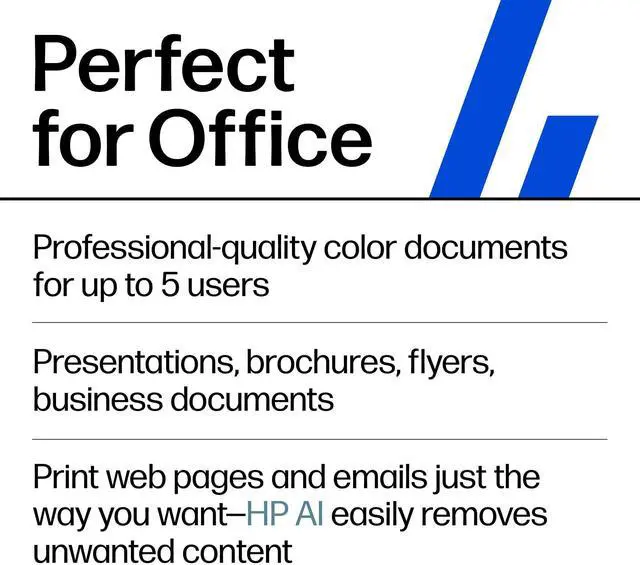
The HP OfficeJet Pro 9125 is an all-in-one inkjet printer that prints, copies, scans, and faxes, with print speeds up to 22 ppm in black and color. It suits home offices and small workgroups that need one device for everyday document tasks.
Recommended For
- Home-office and small-business users who regularly print, copy, scan, or fax a mix of business documents and want those functions in one device.
- Small teams handling recurring multi-page paperwork who can use the automatic document feeder and automatic two-sided printing and scanning to reduce manual page handling.
- People sharing a printer across home or office devices who want Wi-Fi, Ethernet, USB, or mobile-printing options rather than a single-computer-only setup.
- Small offices that print color documents and occasional flyers or brochures, rather than relying on the printer mainly for photo production.
Real-World Use Scenarios
- For a home office or small team printing proposals, forms, invoices, and other mixed black-and-color documents, the 9125 can handle everyday print, copy, scan, and fax tasks from one device; professional testing found it produces sharp documents.
- When several household members or coworkers need to print from their own devices, wireless and mobile printing let them send jobs without connecting each device directly to the printer; Ethernet is also available for a wired office setup.
- For two-sided reports, handouts, or longer office documents, automatic duplex printing can reduce manual page turning and paper use, though double-sided jobs take longer than printing one-sided pages.
- When digitizing a multi-page packet or copying a stack of paperwork, the automatic document feeder can process pages without placing each one on the glass; for important records, check that feeder scans are straight, since RTINGS reported consistently crooked ADF scans in its testing.
- For occasional family photos or color flyers alongside routine office printing, the printer supports borderless output, but testing found photos can look grainy and lose fine detail, so it is better suited to documents than photo-quality prints.
Spec Summary
| Attribute | Value |
|---|---|
| Best For | Small and medium businesses and business use needing printing, copying, scanning, and faxing in one device |
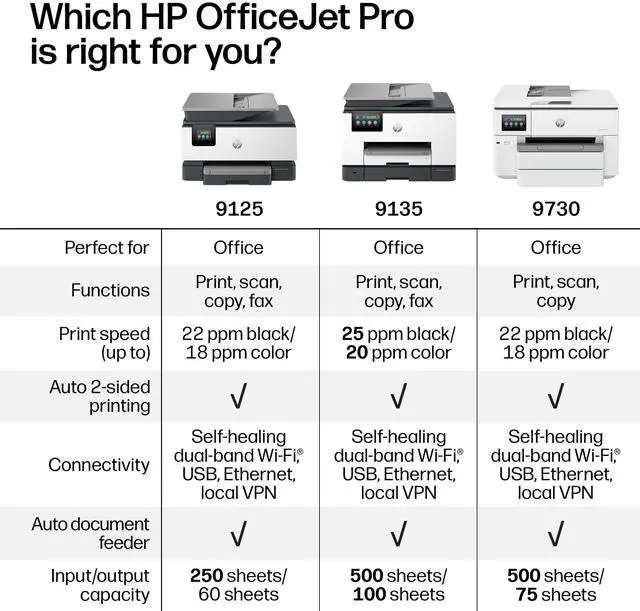
| Print Speed And Quality | Up to 22 ppm in black and color, with up to 1200 × 1200 dpi black and up to 4800 × 1200 dpi color print quality |
| Copying | Up to 21 ppm black copy speed, up to 600 dpi black and color copy resolution, and up to 99 copies per run |
| Scanning And Faxing | CIS scanner with easy slide-off glass and a dual-pass, two-sided ADF; scans documents up to 8.5 × 11.7 in and supports color faxing |
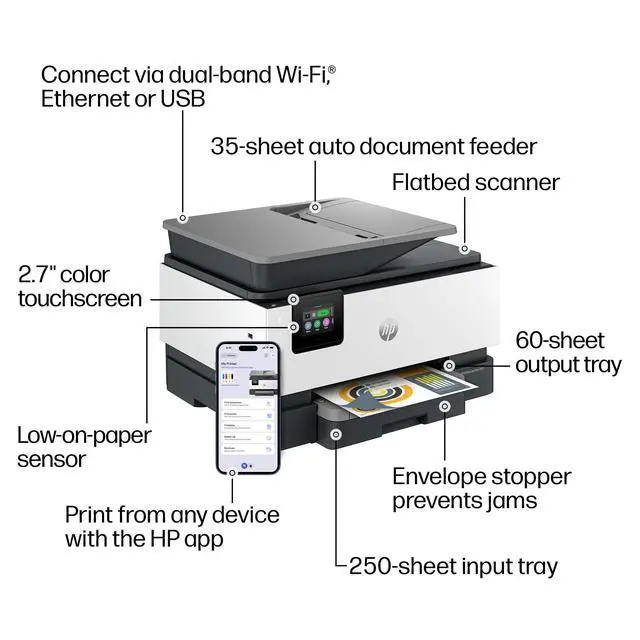
| Paper Handling And Printing Features | Automatic two-sided printing, borderless photos up to 8.5 × 11 in, one tray, up to 250-sheet capacity, and 60-sheet output capacity |
| Media Compatibility | Supports A4, A5, A6, and B5 media, with listed paper sizes including 8.5 × 11, 8.27 × 11.7, and 8.5 × 14 in |
| Connectivity And Controls | Connects via USB, Ethernet, Wi-Fi, and wireless direct printing; supports Apple AirPrint and Mopria, with one Ethernet port and app control |
| Memory And Ink | 512 MB memory; uses dye-based black, cyan, magenta, and yellow ink and is compatible with HP 936 and HP 936e EvoMore cartridges |
| Compatible Systems And Devices | Compatible with Windows 10 and 11, Windows Server, macOS 11–15, Linux, Chrome OS, PCs, laptops, and smartphones |
| Included Supplies | Includes setup black, cyan, magenta, and yellow ink cartridges; stated setup yields are approximately 800 black pages and 420 pages per color cartridge |
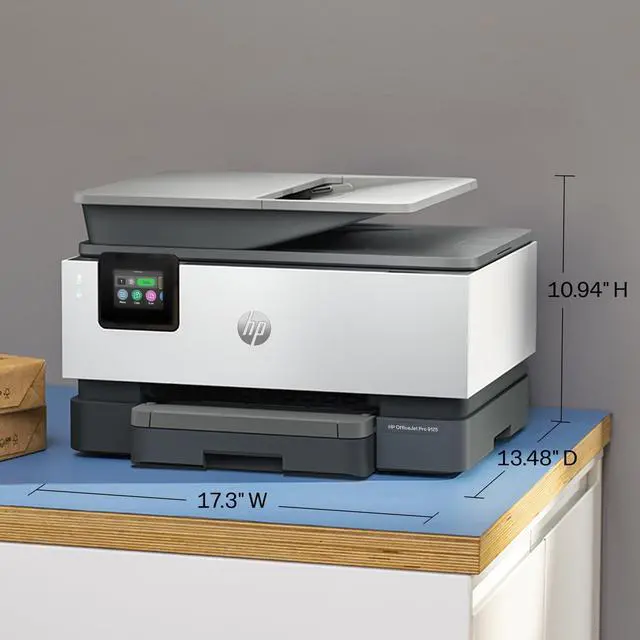
| Dimensions And Weight | 17.3 × 13.48 × 10.94 in and 20.48 lb |
| Model Identifiers | HP OfficeJet Pro 9125 All-in-One Printer, model C2VZ0A#B1H |