BiTECOOL 15.6-inch FHD IPS Laptop, 16GB LPDDR3 RAM 240GB SATA3 SSD, Intel Pentium Gold 6500Y (up to 3.4GHz), 4 Speakers, 2.4/5G WiFi Bluetooth 5.0, Windows 11 Lightweight Portable Notebook
  •  
  • $265.00 –
  • Save: 42%
  • $243.99
  • $269.99
  • Save: $26.00 (9%)
  • Free 30-day Returns
  • Login to Make an Offer
    Sold by Newegg

    Shipped by Newegg

    Price alert

    Best Sellers

    Hot Seller
    4.3 (247 total ratings)
    Hot Seller
    4.5 (9,026 total ratings)
    • $262.17
    Top Rated
    4.5 (17,994 total ratings)
    • $271.35
    • + FREE SHIPPING
    Shop it at NeweggBusiness.

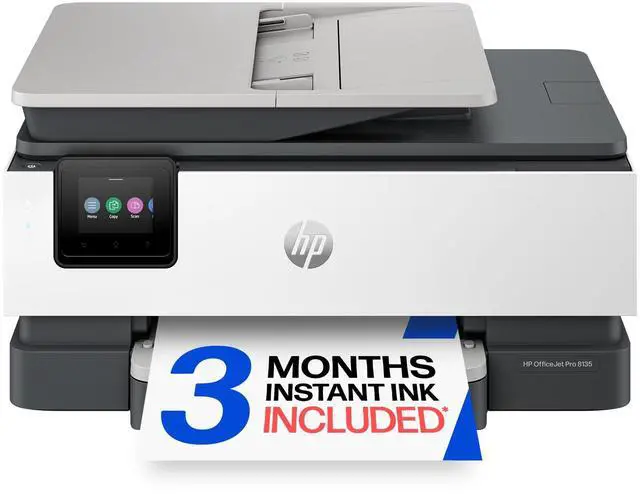
    OFFICEJET PRO 8135 AiO, C2VK1A

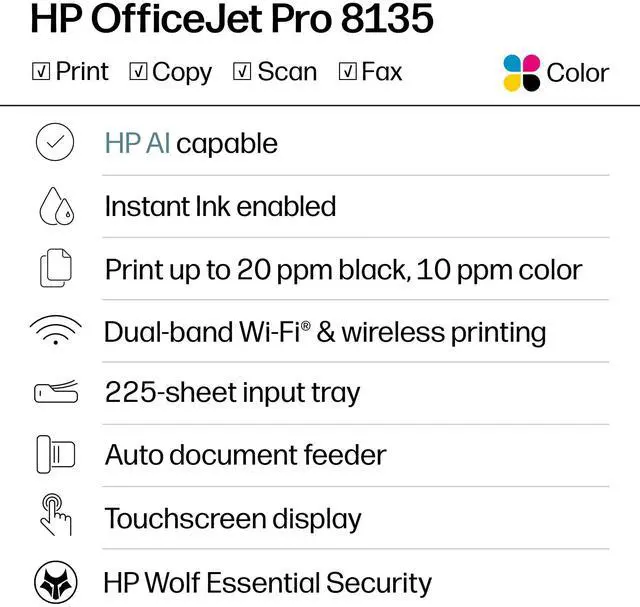
    • Up to 20 ppm Black Print Speed
    • Up to 20 ppm Color Print Speed
    • 1200 x 1200 dpi Black Print Quality
    • 4800 x 1200 dpi Color Print Quality
    +
    +
    Overview
    Specs
    Reviews

    Any questions? Ask CelesteSM will help you find out quickly.

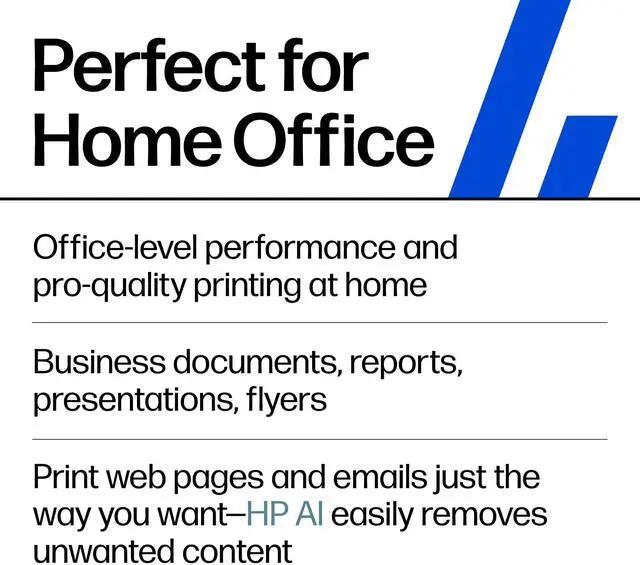
    OverviewBring professional-quality printing to your home office. HP OfficeJet Pro printers deliver consistent performance for everyday tasks, making them one of the most reliable printers around. That way, you can focus on your worknot your printer. For professionals who work from home and want a color inkjet printer that enhances their productivity, just like in the office. This printer is intended to work only with cartridges that have a new or reused HP chip, and it uses dynamic security measures to block cartridges using a non-HP chip. Periodic firmware updates will maintain the effectiveness of these measures and block cartridges that previously worked.

    A reused HP chip enables the use of reused, remanufactured, and refilled cartridges.
    More at:
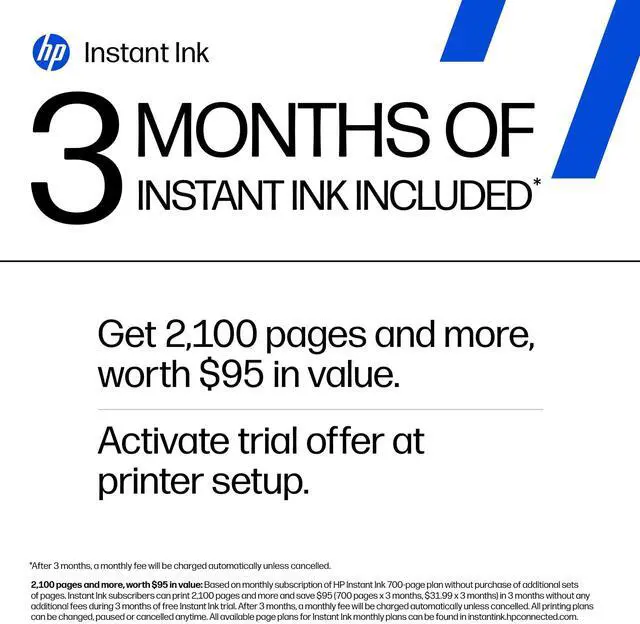
    http: //www. hp. com/learn/dsFeaturesBoost daily productivity with time-saving featuresStay productive with print speeds up to 20 pages per minute (PPM). Professional quality, page after pagePrint professional-looking documents with vibrant colors and sharp black text. Save money, save time with Instant InkNever worry about running out of ink! With Instant Ink, you get ink delivered right to your door. The most reliable printersAchieved zero jams, misfeeds, device errors, and machine malfunctions across thousands of test pages. Compatible Supplies HP 923 Black Original Ink Cartridge 4K0T3LN; HP 923 Cyan Original Ink Cartridge 4K0T0LN; HP 923 Magenta Original Ink Cartridge 4K0T1LN; HP 923 Yellow Original Ink Cartridge 4K0T2LN; HP 923e EvoMore Black Original Ink Cartridge 4K0T7LN; HP 923e EvoMore Cyan Original Ink Cartridge 4K0T4LN; HP 923e EvoMore Magenta Original Ink Cartridge 4K0T5LN; HP 923e EvoMore Yellow Original Ink Cartridge 4K0T6LN. Minimum system requirementsMicrosoft® Windows® 11, 10: 32 -bit or 64-bit; 2 GB available hard disk space; Internet connection; Microsoft® Internet Explorer or EdgeWhat's in the box? HP OfficeJet Pro 8135 AiO Printer; HP 923 Setup Black Ink Cartridge (~255 pages); HP 923 Setup Cyan Ink Cartridge (~270 pages); HP 923 Setup Magenta Ink Cartridge (~270 pages); HP 923 Setup Yellow Ink Cartridge (~270 pages); Power Cord; Regulatory Flyer; Ink Caution Flyer; Setup Poster; Reference Guide; Disclaimers Excludes first set of ISO test pages.

    For details, see: www. hp. com/go/printerclaims. HP Smart and myHP are now the HP app, available for download on Windows 10 or 11 PCs; macOS computers; and for Apple and Android mobile phones and tablets. Windows PCs do not support print features at launch. Android not supported in China at launch. The HP app requires download available at www. hp. com/hp-app. Not all HP devices, services, apps are available in the HP app. Certain features are available in English language only, and may vary by printer and PC model/country, and between desktop/mobile applications. HP reserves the right to introduce charges for use of select HP app functionality. Internet access required. HP account required for full functionality. Fax sending capability only. Live chat and phone support are available during business hours and varies by country. Chat service is localized in supported regions, and where not supported, will default to English. Supported conferencing features vary by device and device configuration. For complete Terms of
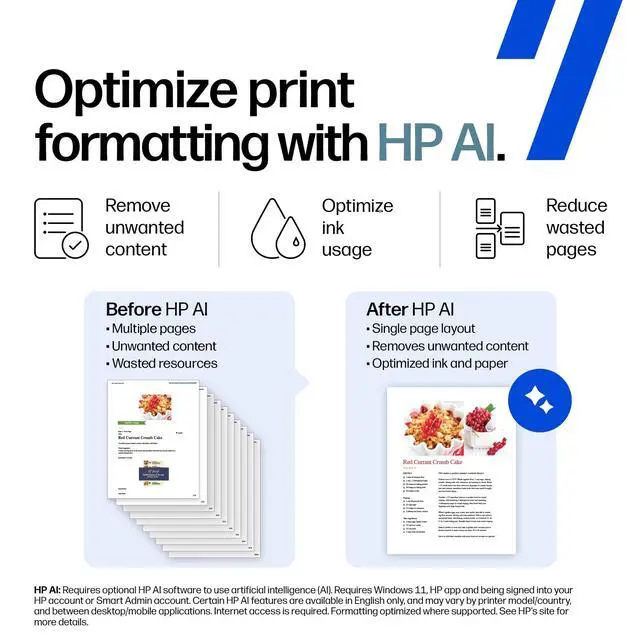
    Service see: www. hp. com/hp-app-terms-of-use. Requires optional HP AI software to use artificial intelligence (AI). Certain HP AI features are available in English only, and may vary by printer model/country, and between desktop/mobile applications. Requires HP app or HP Easy Start and being signed into your HP account or Smart Admin account. Internet access is required. Some features may be beta apps. HP reserves the right to charge for these and additional services in the future in accordance with the HP AI Terms of Service. To learn more, visit hp. com/HP_AI

    Warranty & Returns

    Warranty, Returns, And Additional Information

    Warranty

    • Limited Warranty period (parts): 1 year
    • Limited Warranty period (labor): 1 year
    • Read full details

    Return Policies

    Manufacturer Contact Info

    LOADING...
    LOADING...

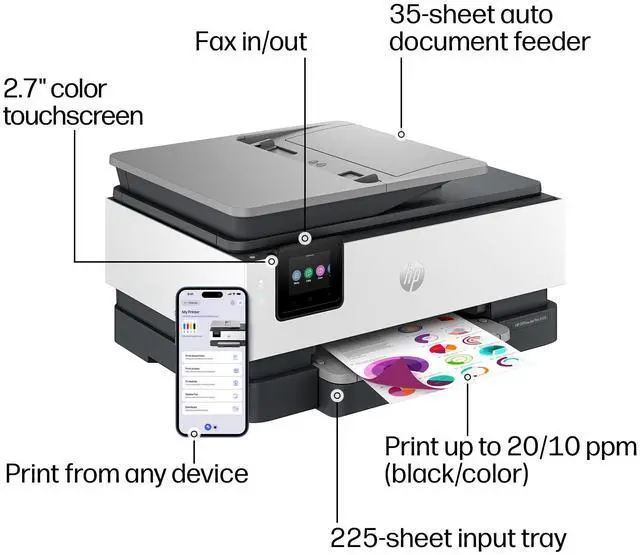
    The HP OfficeJet Pro 8135 is an all-in-one inkjet printer for home offices and small workgroups that need printing, copying, scanning, and color faxing in one device, with print speeds up to 20 pages per minute in both black and color.

    Recommended For

    • Home-office and solo-business users who need one device for routine color documents, copying, scanning, and faxing, with an automatic document feeder for multi-page originals.
    • Remote workers and small offices printing a steady, moderate volume of sharp business documents who value wireless and wired connection options more than fast, high-volume output.
    • Households or small workgroups that scan and copy multi-page documents but do not need automatic two-sided scanning or built-in OCR.
    • Users who print documents and occasional photos on a desk or home-office setup and want an all-in-one with borderless printing, rather than a dedicated photo printer.

    Real-World Use Scenarios

    • For routine work-from-home paperwork—such as forms, invoices, and reports—the 8135 can print clear text and color graphics, with automatic two-sided printing helping reduce paper use.
    • When paperwork arrives as a stack, the automatic document feeder can help scan or copy multiple pages without placing each sheet on the glass; scanning two-sided originals still requires turning them over manually.
    • In a home office or small workspace, it can serve as a shared printer, copier, and scanner for everyday documents, reducing the need for separate devices; it is better suited to regular light-to-moderate jobs than frequent high-volume printing.
    • For occasional paperwork that must be sent by fax, the built-in fax function lets a home office handle that task from the same device used for printing, copying, and scanning.
    • For family snapshots or simple photo handouts, it can print borderless images on supported photo paper, but reviews report less vivid color than a photo-focused printer, so it is a better fit for casual prints than color-critical photos.

    Spec Summary

    AttributeValue
    Best ForHome and home-office use for printing, copying, scanning, and faxing
    Print Performance And QualityUp to 20 ppm for black and color printing, with up to 1200 × 1200 dpi black print quality and up to 4800 × 1200 dpi optimized color resolution; first page in 15 seconds
    Copying And ScanningFlatbed and one-sided ADF scanning with CIS technology for documents up to 8.5 × 11.7 in; copy resolution up to 600 dpi in black and color, with black copy speed up to 12 ppm and up to 99 copies per run
    Paper Handling And MediaAutomatic duplex printing, one tray, 225-sheet maximum capacity, and 60-sheet output capacity; supports A4, A5, A6, and B5 media, with borderless printing on photo and brochure paper up to 8.5 × 11 in
    Connectivity And ControlsWi-Fi, wireless direct printing, Apple AirPrint, Ethernet, USB, and fax connectivity; one Ethernet port and one USB port, with app control and touchscreen
    Ink And ConsumablesColor thermal inkjet printing with black, cyan, magenta, and yellow dye-based ink; compatible with HP 923 and HP 923e EvoMore cartridges; includes setup cartridges
    Memory And Compatibility512 MB memory; compatible with Windows 10 and 11, Windows Server, macOS 11–15, Linux, and Chrome OS; supports PCs, laptops, and smartphones
    Additional FeaturesAutomatic document feeder and quiet mode
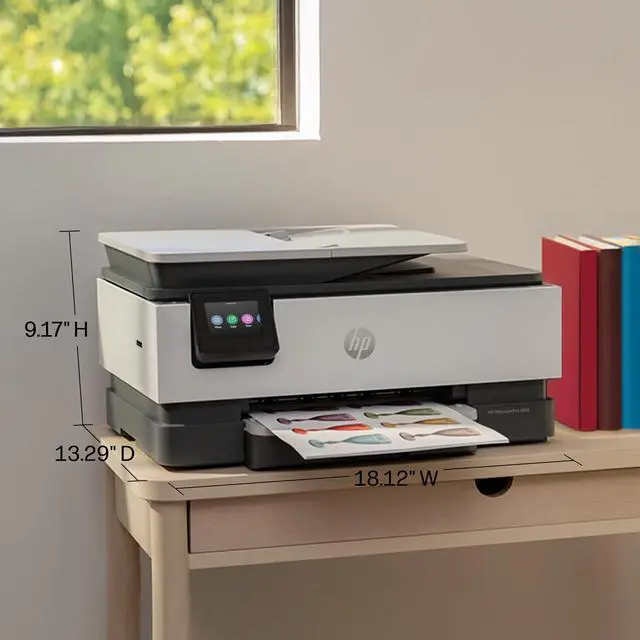
    Dimensions And Weight18.12 in wide × 13.29 in deep × 9.17 in high; weighs 17.6 lb
    Model IdentifiersHP OfficeJet Pro 8135 All-in-One Printer; part number C2VK1A#B1H