Acer Aspire Go 15 - 15.6" Copilot+ AI Laptop - Intel Core i9-13900H - Intel Iris Xe Graphics - 16GB RAM - 512GB PCIe SSD - FHD 1920 x 1080 - Windows 11 Home, NX.JSDAA.001
  •  
  • $699.99 –
  • Save: 22%
  • $49.99
  • $89.99
  • Save: $40.00 (44%)
  • Free 30-day Returns
  • Price alert

    Best Sellers

    Hot Seller
    4.5 (9,030 total ratings)
    • $89.99
    Top Rated
    4.5 (17,994 total ratings)
    • $107.16
    • + FREE SHIPPING
    Shop it at NeweggBusiness.

    Meet Your Seller

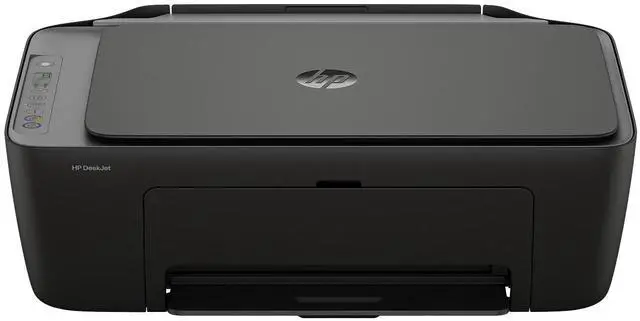
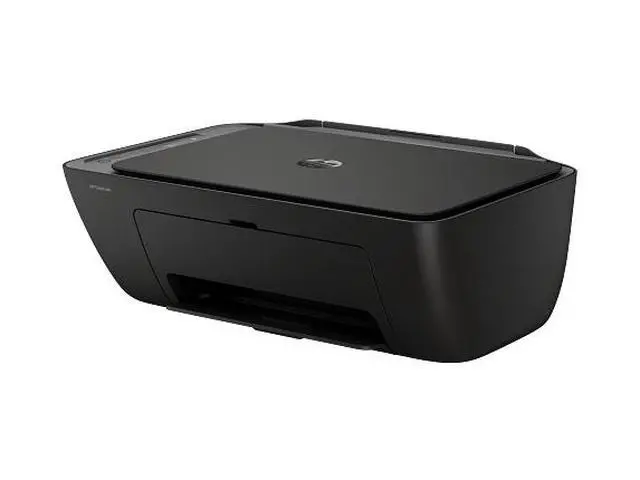
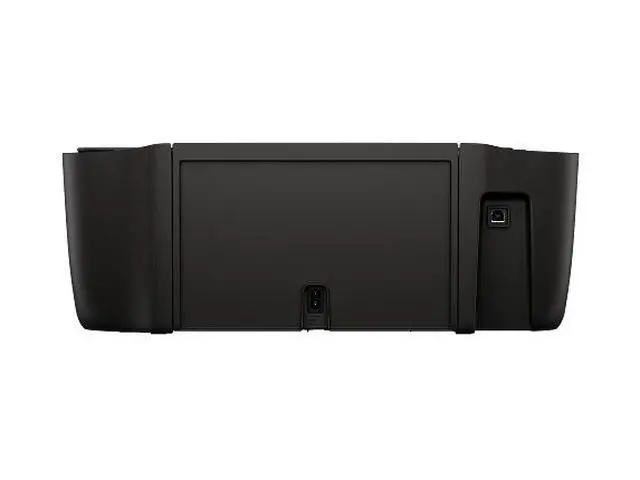
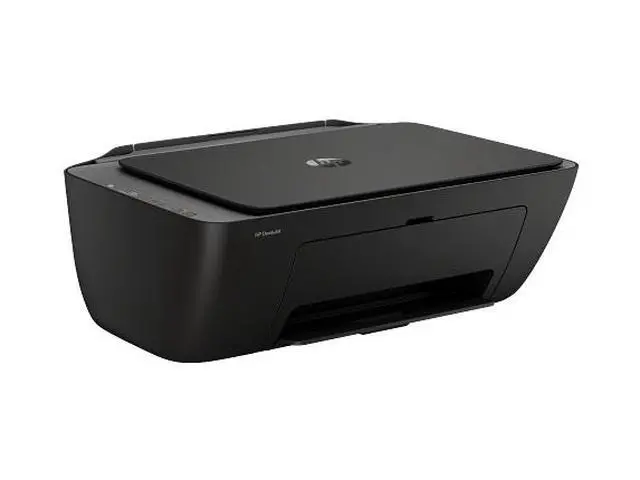
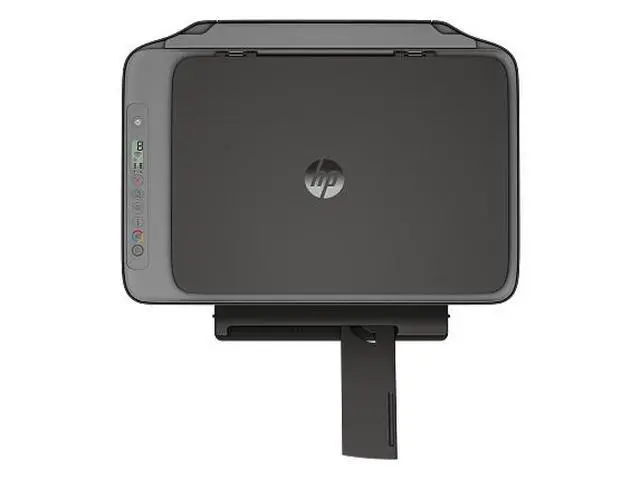
    HP DeskJet 2955 All-in-One Inkjet Printer, Color Mobile Print, Copy, Scan Up to

    • HP DeskJet 2955 All-in-One Printer with 3 months free Instant Ink, AI-capable
    +
    +
    Overview
    Specs
    Reviews
    See all Q & A

    Any questions? Ask CelesteSM will help you find out quickly.

    OverviewSetup thats a breeze thanks to HP's easiest-to-use print app. Print everything from return labels to fun, colorful learning worksheets. Simplify printing, ignite creativity and learning. For home printing users seeking a wireless, easy-to-use and compact printer to print, scan and copy with ease. This printer is intended to work only with cartridges that have new or reused HP electronic circuitry, and it uses dynamic security measures to block cartridges using modified or non-HP circuitry. Periodic firmware updates will maintain the effectiveness of these measures and block cartridges that previously worked.

    Reused HP electronic circuitry enables the use of reused, remanufactured, and refilled cartridges.
    More at:
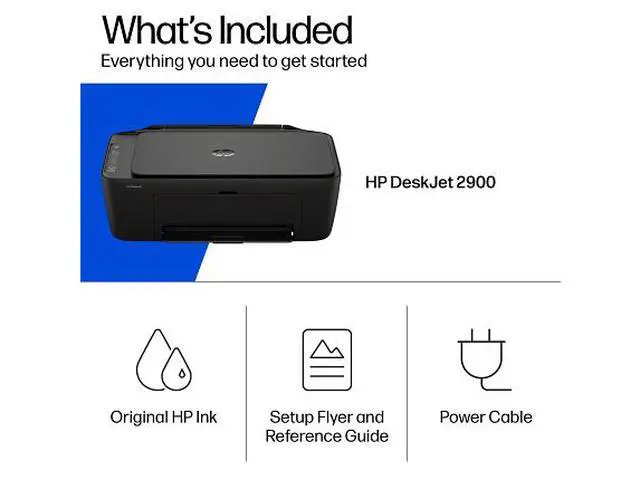
    http: //www. hp. com/learn/dsFeaturesEasy setup, worry-free connectionHandle your printing, scanning, and copying needs from anywhere in your home. Make learning fun with easy printing. Make learning easy and fun with HP Printables. Perfectly formatted prints with HP AI. Optimize ink usage. Print with ease with less waste. One billion printer cartridges recycled and counting. Compatible Supplies HP 68 Black Original Ink Cartridge 7FP21TN; HP 68 Tri-Color Original Ink Cartridge 7FP20TN; HP 68e EvoMore Black Original Ink Cartridge 7FP22TN. Minimum system requirementsMicrosoft® Windows® 11, 10: 1 GHz processor, 2 GB available hard disk space, Internet connectionWhat's in the box? HP DeskJet 2955 All-in-One; HP 68 Setup Black Cartridge; HP 68 Setup Tri-color Cartridge; Regulatory flyer; Setup guide; Reference guide; Power cord [For ink volume and page yield information, visit
    http: //hp. com/go/learnaboutsupplies ]Disclaimers Internet access required and must be purchased separately. Wireless operations are compatible with 2.4 GHz and 5GHz operations. Learn more at www. hp. com/go/mobileprinting. HP Deskjet 2900 printers have self-healing Wi-Fi®, HPs best and most reliable wireless technology to experience uninterrupted printing, compared to current HP printers' wireless technology. Internet access required and must be purchased separately. Wireless operations are compatible with 2.4 GHz and 5.0 GHz operations only. Learn more at www. hp. com/go/mobileprinting. Compared to OEM printing apps for the majority of top-selling, network-capable inkjet/laser printers and all-in-ones for the home and office, priced $450 USD. Printers selected by market share as reported by IDC Quarterly Hardcopy Peripherals Tracker Final Historical CYQ1
    2024. Claim based on research of printer manufacturers print apps and Keypoint Intelligence hands-on testing and study commissioned by HP, July
    2024. For details, please
    see:
    https: //keypointintelligence. com/hpapp. Based on plan usage, Internet connection to eligible HP printer, valid payment method, email address, and delivery service in your geographic area. Recycle with HP Planet Partners, see www. hp. com/hprecycle for details. Program availability varies. The HP Planet Partners recycling program is available to HP customers and partners only. HP only accepts the return of original HP and Samsung cartridges. Cartridges from other brands, refilled cartridges and remanufactured cartridges cannot be returned. HP reserves the right to refuse shipments that contain non-HP cartridges or other non-eligible materials, and to return such shipments to the sender at senders expense. Program availability varies. See hp. com/go/recycle. Recycled plastic is expressed as a percentage of the total weight of plastic. Post-consumer recycled is based on the definition set in the EPEAT standard for imaging equipment, IEEE 1680.2. See hp. com/sustainableimpact. Requires Windows
    11. The first set of HP AI features are available in English only and requires US location for printer setup

    Warranty & Returns

    Warranty, Returns, And Additional Information

    Warranty

    • Please contact the Seller directly for warranty information. Warranty information may also be found on the Manufacturer's website.
    • Read full details
    • CONTACT

    Return Policies

    Manufacturer Contact Info

    LOADING...
    LOADING...

    The HP DeskJet 2955 is a color all-in-one inkjet printer with mobile printing, copying, and scanning, suited to home users who want one compact device for everyday documents, worksheets, and occasional color prints.

    Recommended For

    • Home users who print occasional forms, school pages, or everyday color documents and want printing, copying, and scanning in one compact device.
    • People with limited desk or shelf space who need a lightweight printer for occasional home printing and straightforward flatbed scanning.
    • Users who prefer sending one-off print jobs from a phone or laptop over Wi-Fi, including via Apple AirPrint or Mopria-supported devices.
    • People who mostly scan or copy single pages of text and can place each sheet manually on the scanner glass.

    Real-World Use Scenarios

    • For occasional home printing—such as school assignments, forms, recipes, or travel documents—the DeskJet 2955 handles basic color and black-and-white jobs, but its slow printing and small paper tray make frequent large batches less convenient.
    • When a household member needs to print a document from a phone or tablet, wireless printing and mobile-device support offer a convenient alternative to transferring the file to a computer; initial wireless setup may take some effort.
    • To scan or copy a signed form, receipt, or a few pages of paperwork, users can place each sheet on the flatbed and make a digital copy or paper duplicate; multi-page jobs require handling pages one at a time.
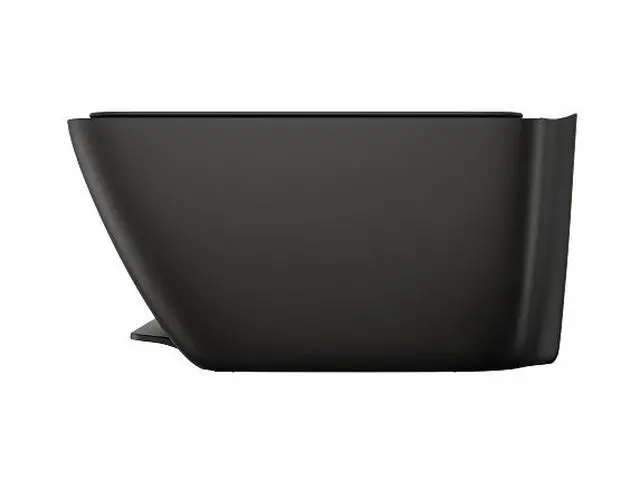
    • For a small desk, shelf, or shared home workspace, the compact, lightweight design is easier to fit than a larger office printer; users still need room to load paper and open the scanner lid.
    • For an occasional photo print at home, the printer can produce casual prints on photo paper, but photos may lack precise color and fine detail, and prints do not have a borderless finish.