Your Browsing History
- Free 90-day Returns
$54.99
Meet Your Seller
Get Educated
Make informed decisions with expert advice. Learn More
Visit GoHardDrive Store
FOLLOW
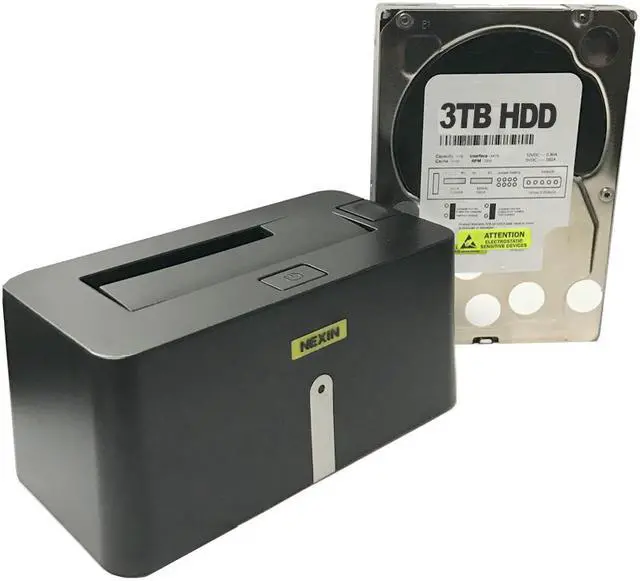
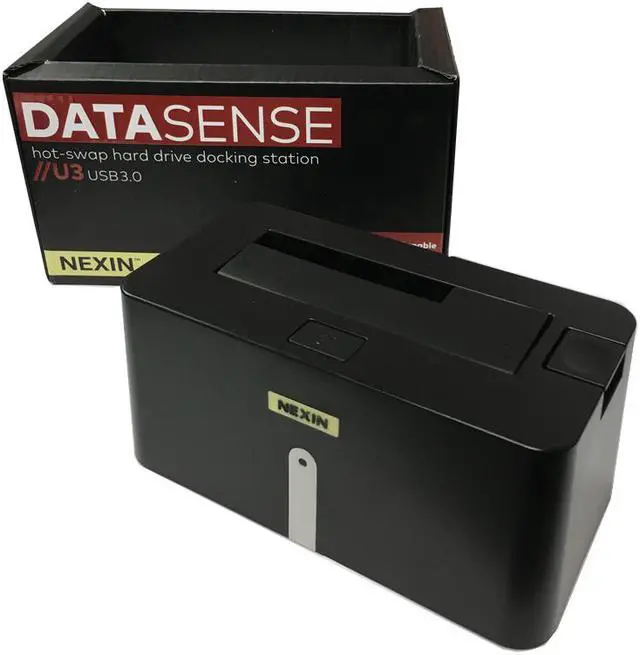
NEXIN NEX-DS1U3 USB 3.0 Hard Drive Docking Station + WL 3TB 3.5" SATA Hard Drive (Combo)
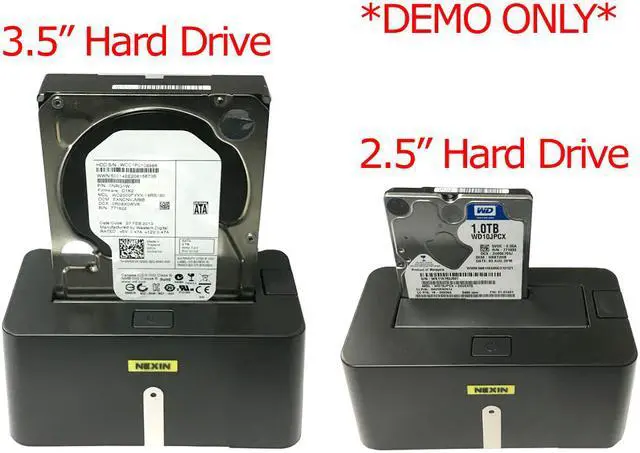
- USB 3.0 Hard Drive Docking Station + 3TB SATA 3.5" Hard Drive
- USB 3.0 interface Transfer rate up to 5Gbps
- Hot-Swap Capable
- Supports 2.5" & 3.5" SATA HDD up to 8TB hard drive / SSD
- 1 Year Warranty
+
+
Overview
Specs
Reviews (2)
See all Q & A
Any questions? Ask CelesteSM will help you find out quickly.
Try me now
NOTE: This is a combo deal for NEXIN NEX-DS1U3 SATA Hard Drive USB 3.0 Docking Station + WL (Generic) 3TB 5400RPM 64MB Cache 3.5" SATA Hard Drive! NEXIN NEX-DS1U3 2.5 inch / 3.5 inch SATA Hard Drive USB 3.0 Docking Station is designed with a simple and compact idea which offers an easy and convenient way for data backup and recovery, hard drive testing, and fast access to archived hard drives. Access your SATA 2.5" and 3.5" hard drives instantly with an NEXIN NEX-DS1U3 hard drive docking station. Just grab a drive, plug it in, and start transferring data within seconds. Forget about removing the casing of your computer or even the panels of an external enclosure. Just plug it in and play! Use it to quickly access your library of documents, photos, media files, or backup all of your valuable data.. This external USB 3.0 hard drive docking station is easy to install, is plug-n-play, and is back by 1-year Warranty.
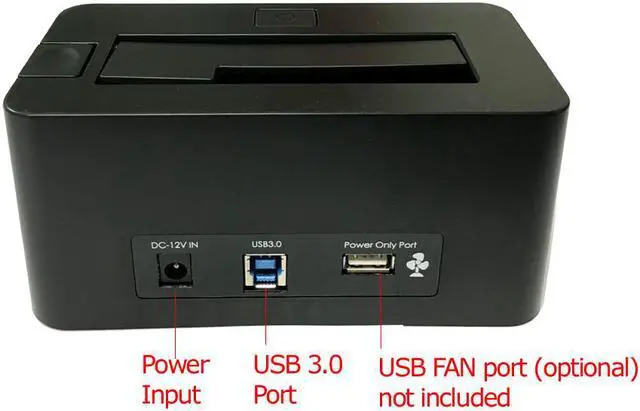
Features: RoHS Compliance Supports 2.5" & 3.5" SATA Hard Drives up to 8TB hard drive Hot-Swap Capable Power & HDD Activity LEDs Supports USB 3.0 interface Transfer rate up to 5Gbps Windows OS, Mac OS, and Linux
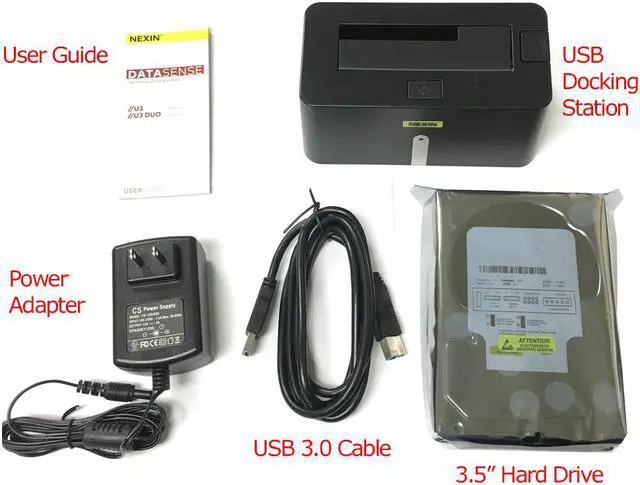
Compatible Package Included: WL (Generic) 3TB 3.5" SATA Hard Drive NEXIN USB 3.0 Docking Station Certifed USB 3.0 Cable (3ft) AC/DC Power Adapter 1 Year
Warranty Hard Drive Specifications: Form
Factor: 3.5" Desktop Hard Drive
Manufacturer Part #: WL3000GSA6454 Data Storage Formatted Capacity 3TB
Data Transfer Rate: 600
MBps Buffer: 64MB Cache
Rotational Speed: 5400
RPM Interface: SATA III ( 6.0G b/s)
Dimensions: (H x W x D) Unit 4 in x 5.8 in x 1 in
Weight: Unit 1.4 lbs
Warranty: 1 Year Warranty
Warranty & Returns
Warranty, Returns, And Additional Information
Warranty
- Please contact the Seller directly for warranty information. Warranty information may also be found on the Manufacturer's website.
- CONTACT
Return Policies
- Return for refund within: 90 days
- Return for replacement within: 90 days
- This item is covered by goHardDrive Return Policy
Manufacturer Contact Info
- For a directory of all our manufacturers, please click below.
- Manufacturers Directory
LOADING...
The NEXIN NEX-DS1U3 combo pairs a USB 3.0 SATA docking station with a 3TB 3.5-inch hard drive, making it suitable for home users who want a ready-to-use option for backups, archived files, and everyday storage.
Recommended For
- Desktop users who want to connect a bare 2.5- or 3.5-inch SATA drive over USB for occasional access, without opening their computer case.
- People retrieving or moving files from archived SATA drives; the listing positions the dock for quick access to stored files, and a buyer describes it as working for basic file transfers.
- Buyers who want a dock and a 3TB desktop drive together for straightforward extra storage or file transfers, rather than a specialized cloning setup.
- Technically comfortable users who can initialize or format a drive if it appears as unallocated space; one buyer reports needing Windows Disk Management to make the included drive usable.
Real-World Use Scenarios
- To make a separate copy of important files, connect the included 3TB drive through the dock and copy files from a computer; the dock provides a straightforward way to use the drive over USB, but the copy still needs to be managed with the computer’s file or backup software.
- To retrieve files from a SATA drive removed from an older desktop or laptop, insert the drive into the dock and connect it to a computer; if the drive is readable and healthy, its files can be accessed and copied without installing it inside the computer.
- To move documents, photos, or other files between a computer and a bare 2.5-inch or 3.5-inch SATA drive, use the dock as a temporary USB connection; the drive appears as attached storage when recognized by the computer, though an unformatted drive may need setup first.
- To check or reuse a healthy SATA drive from a retired computer, connect it when needed and copy or inspect its contents; the open dock is convenient for occasional access, but community users describe this kind of dock as a bench tool rather than a permanent external-drive setup.
- To use different SATA drives for separate file-transfer or backup jobs, swap compatible 2.5-inch or 3.5-inch drives in the dock and connect them one at a time; this is useful for occasional drive access, but this single-bay model does not provide drive-to-drive offline cloning.